Caffeine Tracker App: 7 Best Picks Tested (2026)
A caffeine tracker app logs every coffee, tea and energy drink, then draws a curve of what is still in your system hours later. The best picks in 2026 are HiCoffee on Apple devices, Caffeine Clock if you need iOS and Android, and the free Caffeine Tracker on Android. Each one turns a vague "maybe that third cup was a bad idea" into a number you can see.
That last part is the whole point. Most of us know roughly how much coffee we drink. Almost nobody knows how much is still floating around at 10pm. We checked all seven apps below against their live store listings and developer pages on 10 September 2026, so the ratings and prices here are real.
What a caffeine tracker app actually does
Three jobs, and they build on each other.
It logs. You tap a drink, and the app stores the time and an estimated milligram figure. Good apps ship a database of branded drinks so you are not typing numbers for a Starbucks grande every morning.
It models the decay. Caffeine leaves the body on a curve, not a cliff. The usual working figure is a half-life of five to six hours in healthy adults, so a cup at 3pm still has a chunk of itself in play at 9pm. Apps use that curve to show a live "in your system now" number.
It warns you. The useful apps take your bedtime, read the curve, and tell you when your last drink of the day should be. That is the feature that changes behaviour.
One honest caveat. These are estimates, not measurements. How fast you clear caffeine depends on genetics, age, smoking, pregnancy, liver function and several medications, and the spread between people is wide — Nehlig's 2018 review in Pharmacological Reviews walks through why.
So no app knows your personal rate. It knows the shape of the curve, and the shape is enough to spot a pattern.
How we picked these seven
We looked at what a tracker has to get right day to day, not at feature checklists.
- Logging speed. If a drink takes more than three taps, you stop logging by week two.
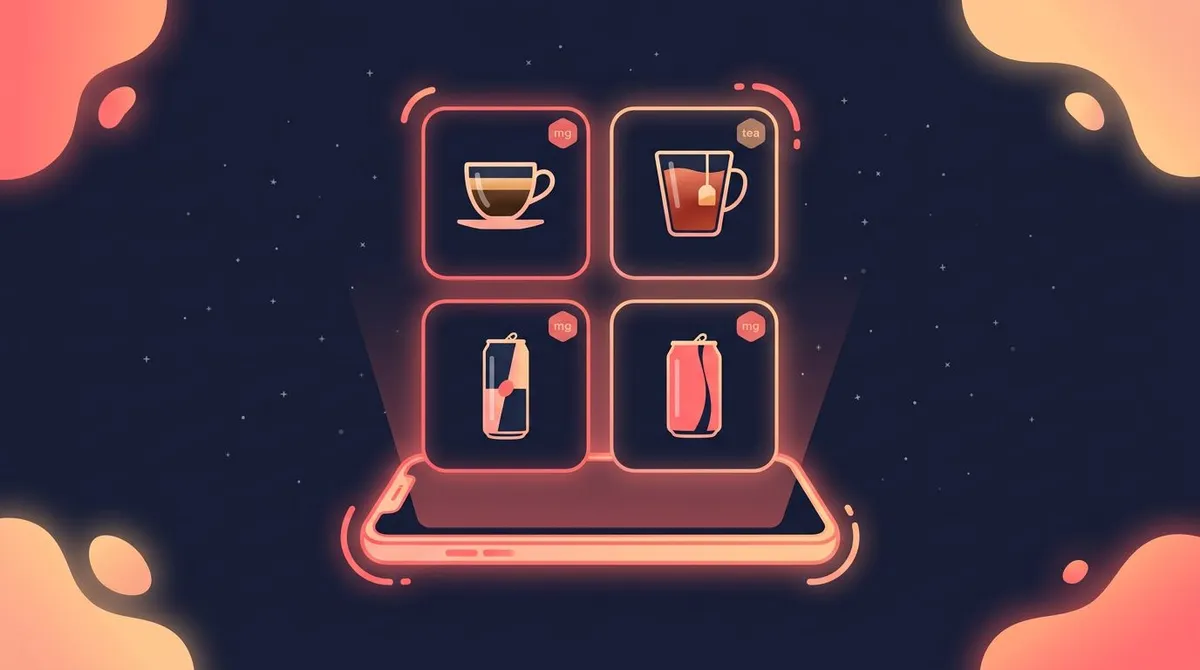
- Drink database. Branded coffee, tea, energy drinks and soda, not just "coffee, 95 mg".
- Curve view. A live level and a projection, not only a daily total.
- Bedtime alert. A cut-off time you can act on.
- Honest pricing. The real cost, taken from the store's in-app purchase list.
Ratings below come from the US App Store and Google Play listings as of 10 September 2026.
The 7 best caffeine tracker apps in 2026
| App | Platform | Rating | Free tier | Paid unlock | Curve view | Bedtime alert |
|---|---|---|---|---|---|---|
| HiCoffee | iPhone, iPad, Watch, Mac | 4.8 (833) | Yes | $8.99 once, $6.99/yr, $0.99/mo | Yes | Yes |
| Caffeine Clock | iOS, Android | 4.7 iOS / 4.3 Android | Yes, with ads | From $4.99 once | Yes | Yes |
| Caffeine App: Daily Tracker | iPhone, iPad, Watch | 4.6 (340) | Yes | $4.99 once | Yes | Yes |
| RECaf | iPhone, iPad, Watch | 4.0 (207) | 14-day trial | $9.99/yr | Yes | Reminders |
| Alyx | iPhone (iOS 26+) | 4.9 (40) | Yes | $1.99/mo, $9.99/yr, $24.99 once | Yes | Yes |
| Caffeine Tracker (Schendel) | Android | 4.5 (508) | Yes, no ads, no purchases | None | Yes | Zone alerts |
| HabitBox (habit tracker) | iOS, Android | 4.6 | Free to start | Plus upgrade | No | Reminders |
1. HiCoffee — best overall on Apple devices
HiCoffee is the one to beat. It holds a 4.8 rating across 833 US ratings, a lot for a niche utility, and it earns it. The drink database covers more than 2,500 branded products, and a built-in calculator estimates the caffeine in a home espresso or pour-over from the beans and the volume.
It runs everywhere in the Apple world — iPhone, iPad, Apple Watch and Mac — and writes to Apple Health. Set a daily limit based on your own sensitivity and it nudges you when you cross it. It also reads your resting heart rate and sleep duration back out of Health, so you can look for patterns over months rather than days.
Pricing is refreshingly plain: free to use, with a permanent unlock at $8.99, or $6.99 a year, or $0.99 a month. The catch is that it is Apple-only, and the app now needs iOS 18 or later.
Rating: (4.8/5)
Pick HiCoffee if you live on Apple hardware and want the deepest drink database with no subscription pressure.
2. Caffeine Clock — best pick for both iOS and Android
Caffeine Clock is the rare caffeine tracker that ships on both platforms and keeps the same design on each. It sits at 4.7 on the App Store and 4.3 on Google Play, where it has passed 10,000 downloads and 269 reviews.
The modelling is the selling point. It models absorption as well as decay, so a cappuccino you sipped over half an hour produces a gentler curve than a shot you knocked back. The dashboard shows your level now, the projected decline, and what you will still be carrying at bedtime.
The drink library holds over 200 items, with custom entries for anything missing, plus history and weekly analytics.
It is free with ads. Removing them is a one-time purchase from $4.99, and Google Play lists in-app items in the $4.99 to $9.99 range. That 200-item database is smaller than HiCoffee's, and the Android rating trails the iOS one, so the two builds are not quite equal.
Rating: (4.4/5)
Pick Caffeine Clock if you switch platforms, share a household across iPhone and Android, or want the absorption curve rather than a flat drop.
3. Caffeine App: Daily Tracker — best for caffeine plus water
Caffeine App has been around since 2015 and holds a 4.6 average across 340 ratings. It does two things in one screen: caffeine and hydration.
The caffeine side gives you a scrollable 24-hour timeline, a live in-system figure, custom drinks and an Apple Watch app. The clever bit is the sleep calculation: set your limit and your desired bedtime, and the app tells you when you are clear to sleep, then notifies you when that moment arrives.
The water side is a full tracker with goals, reminders and charts, so it saves you a second install. Our roundup of the best water tracker apps covers the dedicated options.
Pro unlocks for a single $4.99 purchase. The main limitation: the last update landed in March 2026, so it moves more slowly than HiCoffee.
Rating: (4.5/5)
Pick Caffeine App if you want coffee and water in one place and prefer a one-time price.
4. RECaf — best for one-tap and voice logging
RECaf is built by indie developer Joseph Cieplinski around one obsession: removing friction. Your most-frequent drinks sit on a Frequent tab and log in a single tap. Siri shortcuts let you log by voice without opening the app, and notifications let you log from the banner.
It stores everything in HealthKit, pulls in data from whichever sleep tracker you already use, and analyses the two together. MacStories called it a strong example of a narrowly focused utility done well.
The trade-off is the rating. RECaf sits at 4.0 across 207 ratings — the lowest here — largely because it moved to a subscription. You get a 14-day trial, then $9.99 a year, with no permanent unlock.
Rating: (4/5)
Pick RECaf if you have tried tracking before and quit because logging felt like work.
5. Alyx — best for a friendly last-call nudge
Alyx is the newest name here and the most charming. It holds a 4.9 average, though only across 40 ratings, so treat that as early rather than settled.
It stores data in Apple Health, so it syncs through your own iCloud with no separate account. The headline feature is "Last Call": a personalised cut-off time each day, with an optional alarm. It also estimates when your body will be caffeine-free, and charts caffeine against how much sleep you actually got.
The hard limit is the requirement. Alyx needs iOS 26, so anyone on an older iPhone is out. Pricing runs $1.99 a month, $9.99 a year, or $24.99 once.
Rating: (4.5/5)
Pick Alyx if you are on a current iPhone and want the cut-off nudge to feel like a friend rather than a spreadsheet.
6. Caffeine Tracker — best free Android pick
The Android store is full of thin caffeine apps. This one, from Sean Schendel, is the exception: 4.5 stars across 508 reviews, over 5,000 downloads, and — unusually — no ads and no in-app purchases at all.
The pie chart is its signature. Green shows caffeine already in your bloodstream, blue shows what you have drunk but not yet absorbed, and red shows what has cleared. It is an oddly clear way to see why a drink you finished an hour ago has not hit yet.
Features go deeper than the price suggests. You can set a target caffeine zone with notifications, log doses in plain milligrams for tablets, add custom drinks, switch between ounces and millilitres, and export the history to CSV. The metabolism model even accounts for pregnancy and oral contraceptives, both of which change how fast caffeine clears.
The design is dated next to the iOS apps. For free, with no upsell, that is an easy trade.
Rating: (4.5/5)
Pick this if you are on Android and want a capable tracker that never asks you for money.
7. HabitBox — best when coffee is one habit among several
HabitBox is a general habit tracker rather than a caffeine app, and it belongs here for one specific job. We make HabitBox, so treat this as a description, not a review.
It does not model half-life and it has no drink database. What it does is count. Set up a count-based habit called "Coffees today" with a daily target, tap once per cup, and the number lands on the same calendar heatmap as your workouts and your reading. Add a second habit called "No caffeine after 2pm" with a reminder at 1:45pm, and the cut-off becomes a habit rather than a calculation.
That is a different tool for a different problem. A caffeine app tells you what is in your system right now. A habit tracker tells you whether you held the line for eleven days straight, and the streak is what keeps most people honest. Charts and statistics are free for everyone, there is no account or sign-up, and your data stays on the device, with optional iCloud sync on iPhone through your own iCloud.
It is free to start on iOS and Android, with an optional Plus upgrade for bigger routines. If you want the milligram curve, use one of the six apps above as well — which is what a lot of people end up doing.
Rating: (4.6/5)
Pick HabitBox if the real goal is fewer cups or an earlier cut-off, not a precise number.
Which caffeine tracker app fits you?
- You use an iPhone and want the best all-rounder — HiCoffee.
- You need iOS and Android — Caffeine Clock.
- You want water tracked too — Caffeine App: Daily Tracker.
- You have quit tracking before out of boredom — RECaf.
- You are on iOS 26 and want a daily cut-off alarm — Alyx.
- You are on Android and want free with no ads — Caffeine Tracker by Sean Schendel.
- You are cutting down rather than measuring — a habit tracker like HabitBox.
Still unsure whether one cup is the problem? Run the numbers first with our caffeine half-life calculator — it takes a drink, a time and a bedtime, and shows you what is left.
How to make caffeine tracking stick
Installing the app is the easy part. Four habits make it survive past week two.
Log the cup while you pour it
Not after. Not at lunch. The moment you press the button on the machine, log the drink. Retro-logging feels harmless, but it is the most common reason tracking dies — you miss one, then two, then the data is fiction and you delete the app.
Put the cut-off in the app, not in your head
Pick a time and let something else remember it. A 2013 study in the Journal of Clinical Sleep Medicine measured sleep after a fixed dose of caffeine taken at bedtime, three hours before, and six hours before. All three disrupted sleep against placebo, and the authors concluded that caffeine six hours before bed has important disruptive effects.
Six hours before your bedtime is a sensible place to start the alert. Our guide to the best time to drink coffee goes deeper on the morning and afternoon windows.
Track the swap, not only the milligrams
If you are cutting back, log what you drink instead: decaf, sparkling water, tea, a walk. A number that only goes down is a scoreboard for failure. A swap you can tick is a habit you can build.
Read the week, not the day
One heavy Tuesday means nothing. Four heavy Tuesdays mean your Monday nights are broken. Every app here has a weekly view. Open it on Sunday and look for the shape, not the spikes.
Four mistakes that make the data useless
Logging a mug as a cup
Databases assume 8 oz. Most home mugs hold 12 to 16. If you never adjust the size, your totals run low all week and the cut-off time arrives later than it should.
Forgetting everything that is not coffee
Tea, cola, energy drinks, pre-workout, dark chocolate and some pain relievers all carry caffeine. A tracker that sees only your coffee is measuring one input and calling it the total.
Catching up at midnight
Filling in the whole day before bed defeats the point. The live curve is valuable because it changes a decision you are about to make at 4pm. Entered at 11pm, it is a diary.
Treating the estimate as a measurement
The curve is a model built on population averages. Yours may clear faster or slower. Use it to compare Tuesday against Thursday, not to argue that you are 47 mg over a line.
Caffeine tracker app FAQ
What is the best caffeine tracker app?
HiCoffee is the best caffeine tracker app for most people on Apple devices, with a 4.8 rating across 833 US ratings, a 2,500-product drink database and a one-time $8.99 unlock. On Android, Caffeine Tracker by Sean Schendel is the strongest free option at 4.5 stars.
Is there a completely free caffeine tracker app?
Yes. Caffeine Tracker on Google Play has no ads and no in-app purchases, and still includes zone alerts, custom drinks and CSV export. HiCoffee, Caffeine Clock and Caffeine App all have usable free tiers too.
Do caffeine tracker apps work on Android?
Some do. The category leans heavily toward iOS, and several of the best-known apps are Apple-only. Caffeine Clock ships on both platforms, and Caffeine Tracker by Sean Schendel is Android-only and free.
How accurate is a caffeine tracker app?
The logging is as accurate as the drink you pick. The curve is an estimate based on average clearance rates, and individual rates vary widely with genetics, age and several other factors. Treat the number as a trend line, not a reading.
Can a habit tracker replace a caffeine tracker app?
It depends on your goal. If you want to know how much caffeine is in your system right now, no — you need the curve. If the goal is fewer cups or an earlier cut-off, a habit tracker with a daily count and a streak often works better, because it rewards the behaviour instead of reporting the chemistry. The same logic applies to a supplement tracker or a sober tracker: counting days beats measuring milligrams when consistency is the point.
The bottom line
Pick by platform first. On an iPhone, HiCoffee is the safe default and the $8.99 unlock is the best value in the category. On Android, the free Caffeine Tracker does more than its price suggests. If you need both, Caffeine Clock is the only one here that does the job properly on each.
Then be clear about what you want. A caffeine tracker app is a measuring tool — it shows you the curve and hands you a cut-off time. If the real aim is to drink less, or to stop at 2pm, that is a habit problem, and a streak on a calendar will do more for it than a milligram count ever will. A steady evening routine and a decent sleep hygiene checklist finish the job the tracker starts.
Start with one week of honest logging. You will learn more from seven real days than from any average on the internet.

Mira Hartwell
Editor, HabitBoxEditor at HabitBox. Writes about habit science and productivity, grounding every post in named research (Lally, Wood, Walker, Huberman) instead of recycled advice. Read full bio →