Best Dream Journal Apps: 6 Picks to Record Dreams (2026)
Looking for the best dream journal app in 2026? Six picks stand out after comparing their published features, with pricing re-checked as of August 2026: Oniri for the most complete journal, Elsewhere for pattern insights, Lucidity for a free Android option, Apple Journal for iPhone owners who want zero setup, Dream Catcher for fast bare-bones logging, and HabitBox for keeping the recording habit alive.
Most dream app lists rank on interpretation features and AI extras. That misses the real problem. A dream journal only works if you open it within a minute of waking, every morning, half-asleep. So this comparison weighs capture speed, voice input, and habit support first — and treats symbol dictionaries as the bonus they are.
TL;DR — the 30-second answer
The best dream journal app is the one you can open and talk into before the dream fades. Oniri is the strongest all-round pick on iOS and Android, with voice capture and a free journaling tier. Lucidity is the best free choice on Android. Apple Journal is already on your iPhone and costs nothing. Elsewhere digs deepest into recurring characters and symbols. HabitBox (our own app) is not a journal — it is a habit tracker that keeps your logging streak visible so the practice survives week three.
What is a dream journal app?
A dream journal app is a mobile app for recording your dreams right after you wake, usually by voice or quick text entry. Most add tags for people, places, and emotions, a searchable archive, and reminders. Some layer on lucid dreaming tools or AI interpretation. The core job is narrow: catch the dream before it dissolves, and store it somewhere you can search later.
That narrow job is harder than it sounds. Dream memories decay within minutes of waking, and checking a notification on the way to the journal is often enough to wipe them. The apps below are judged on how well they protect that fragile first minute.
Why keep a dream journal? What the research says
Dream recall is a skill, and logging trains it. In a 2016 study in Consciousness and Cognition, dream researcher Denholm Aspy found that people recall more dreams when they keep a logbook than retrospective surveys suggest — and that the act of keeping the log itself appears to boost recall. In plain terms: the more consistently you record, the more you remember. Most people notice the difference within two weeks.
The sleep science explains why mornings matter. Dreaming is concentrated in REM sleep, and REM periods grow longer toward the end of the night, as the NIH's plain-English sleep primer lays out. Your longest, most vivid dream of the night usually ends minutes before your alarm. Wake gently at the right point in a cycle and the dream is still there; get yanked out mid-cycle by a jarring alarm and it often is not.
Dream journaling is also the near-universal first step in lucid dreaming training. Every major technique starts with building recall and learning your personal dream signs — the recurring oddities that flag "this is a dream" from the inside. You cannot spot your dream signs without a log to find them in.
One honest caveat. Recording dreams is well supported; decoding them is not. No symbol dictionary can tell you what water "means" — dream content is personal, and the research on interpretation is thin. Treat AI interpretation features as prompts for reflection, not answers. If your dreams are dominated by nightmares that affect your days, that is a conversation for a clinician, not an app.
How we picked the 6 best dream journal apps
Six criteria, weighted toward what a half-asleep person can use at 6am.
- Capture speed. From lock screen to recording in under ten seconds, or the dream is gone.
- Voice input. Talking is faster than typing when your eyes barely open. Transcription is a major plus.
- Recall support. Tags, dream signs, and search that help you notice patterns over months.
- Privacy. Dreams are intimate data. Local storage, encryption, and no-account options matter here more than in most app categories.
- Free tier usability. A journal you can only write in three times a month is not a journal.
- Habit support. Reminders and visible streaks, because recall improvements only come with consistent logging.
The 6 best dream journal apps in 2026, compared
Pricing and availability were re-verified in August 2026, with store listings rechecked in October 2026. The store ratings cited below are public ratings, rounded, from those checks.
| App | Voice capture | Interpretation | Privacy | Free tier | Platform |
|---|---|---|---|---|---|
| Oniri | Yes, with transcription | AI analysis + symbols | Passcode/biometric lock | Full journaling free | iOS, Android |
| Elsewhere | Yes | Symbol insights + patterns | Account-based, private by default | Solid free tier | iOS, Android, web |
| Lucidity | Basic | Themes, symbols, patterns | Local-first | Free with ads; in-app purchases | Android |
| Apple Journal | Audio recordings | None | On-device, lockable; optional iCloud sync | Fully free | iPhone, iPad, Mac |
| Dream Catcher | No | Patterns + AI interpretation | Passcode lock; optional Google sign-in sync | Free with ads; in-app purchase | Android |
| HabitBox (our app; tracker, not journal) | n/a | n/a | On-device, no account | Free to start (Plus for more) | iOS, Android |
A few things stand out. Only Oniri and Elsewhere cover both major platforms with a full feature set. Android users get two strong free options; iPhone users already own one. And the last row is not a journal at all — HabitBox earns its place for one specific job, covered below.
1. Oniri — best dream journal app overall
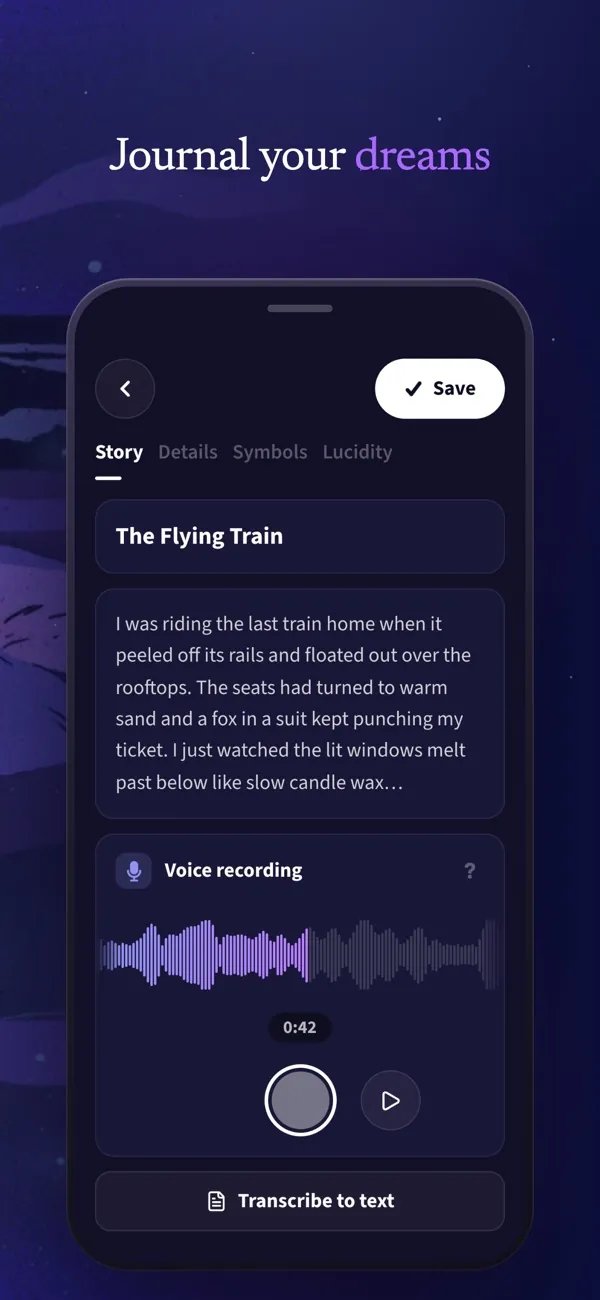
Oniri is the most complete dream journal on either platform. You can speak your dream and let the app transcribe it, which solves the 6am typing problem better than anything else on this list. Entries auto-tag people, emotions, and symbols, and the app builds statistics across months of logging.
The journaling core is free, and that free tier is genuinely usable day to day. A premium subscription adds deeper AI interpretation and a full lucid dreaming toolkit — reality-check reminders and guided techniques like MILD and WBTB. The App Store rating sits around 4.6 from several thousand reviews, and entries can be locked behind Face ID or a passcode.
The main criticism is focus. Oniri wants to be journal, interpreter, and lucid dream coach at once, and the interface carries that weight. If you want a minimal capture tool, look at Dream Catcher or Apple Journal below.
Best for: Most people — voice-first capture with room to grow into lucid dreaming.
Biggest strength: Voice recording with transcription on both iOS and Android.
Pricing: Free journaling tier; optional premium subscription for AI interpretation and lucid dreaming tools.
Deal-breakers: Feature-dense interface. AI features sit behind the paywall.
2. Elsewhere — best for spotting patterns in your dreams

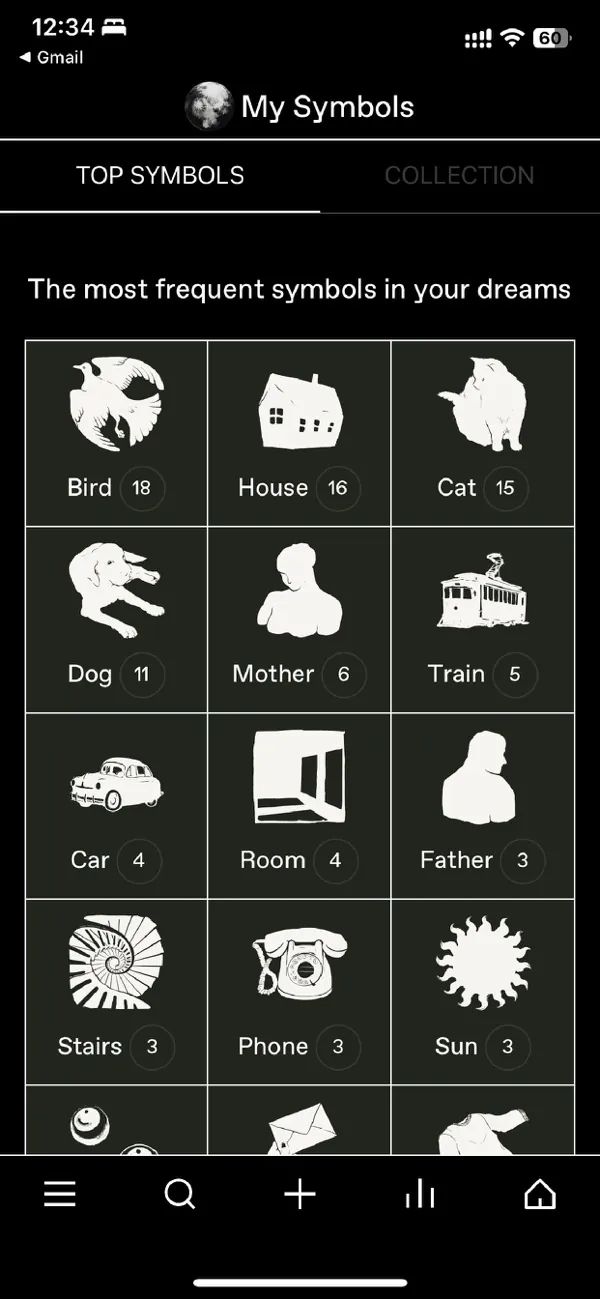
Elsewhere approaches dreams the way a researcher would — which fits, because dream researcher Kelly Bulkeley has been closely involved in the project. Log your dreams and the app surfaces recurring characters, settings, and symbols, then charts how they shift over time. It is the strongest pick on this list for the "what do my dreams keep circling back to?" question.
Elsewhere runs on iOS, Android, and the web, with a free tier that covers daily journaling. Premium — $4.99 a month or $49.99 a year as of August 2026 — unlocks dream image generation and deeper insight features. Dreams stay private by default, with optional sharing to small trusted groups if you want a second opinion on a strange one.
The trade-off is that Elsewhere is account-based and cloud-synced. That enables the web app and cross-device access, but if you want your dreams to never leave your phone, Lucidity or Apple Journal fit better.
Best for: People who want to analyze recurring themes across months of dreams.
Biggest strength: Pattern and symbol insights with real dream-science pedigree.
Pricing: Free tier; Premium at $4.99/month or $49.99/year.
Deal-breakers: Requires an account. Deeper insights sit behind Premium.
3. Lucidity — best free dream journal on Android
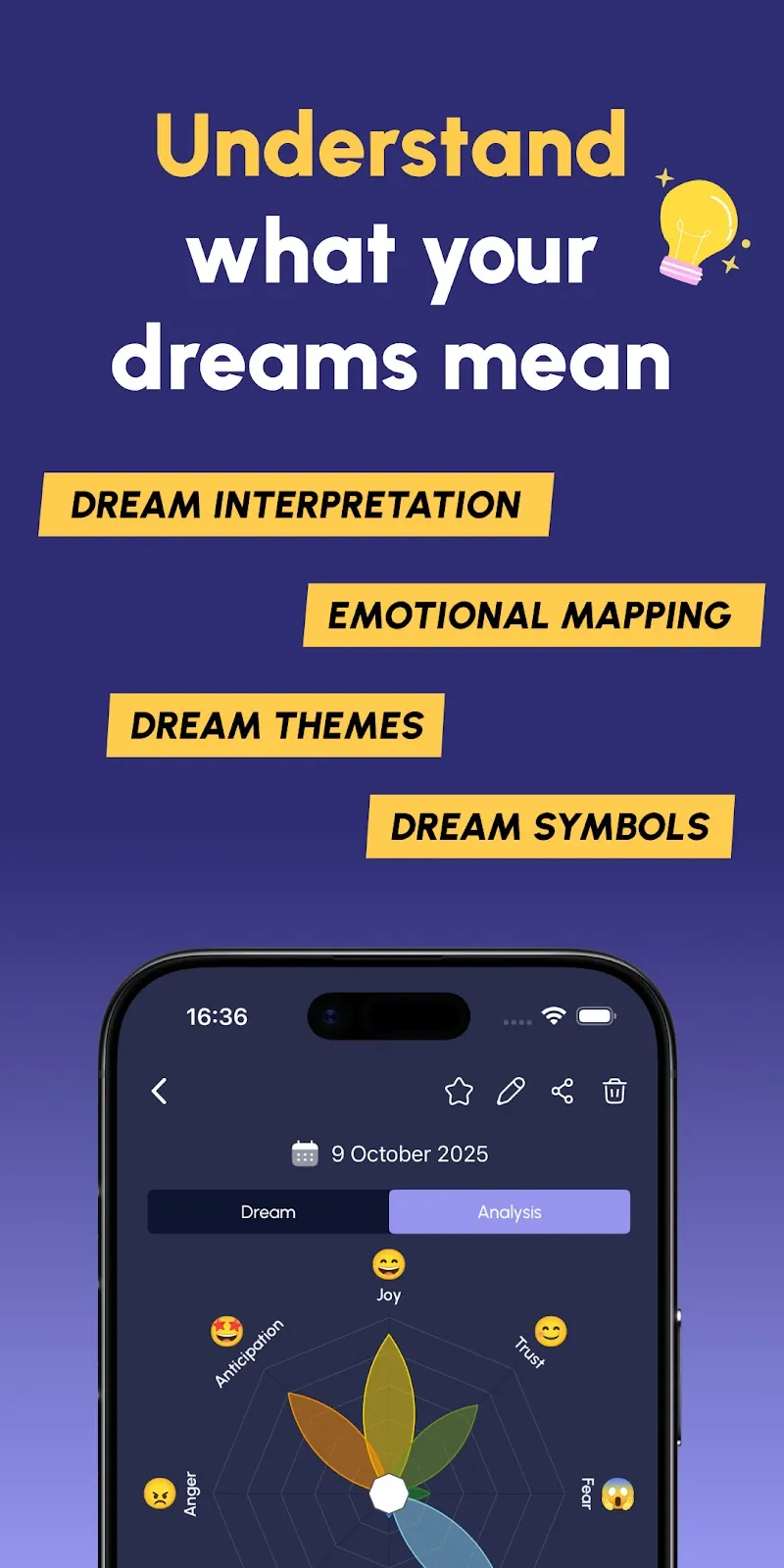
Lucidity is the Android community favorite, with a 4.8-star Play Store rating across more than 8,000 ratings. The journal is fast, tag-driven, and built around dream signs — the recurring oddities lucid dreamers train themselves to catch. It can analyze your entries for themes, emotional patterns, and symbols, and it is free to use daily, with ads and optional in-app purchases.
The lucid dreaming toolkit is the deepest of any pick here: reality-check reminders, dream sign tracking, and statistics that show your recall improving week over week. Data stays on your device unless you choose to back it up.
The obvious limitation is platform. There is no iOS version, so iPhone owners should look at Oniri or Elsewhere instead. Voice capture is also weaker than Oniri's — Lucidity is built for quick structured text.
Best for: Android users, especially anyone curious about lucid dreaming.
Biggest strength: Dream signs, recall stats, and a free core experience.
Pricing: Free download with ads; Google Play lists in-app purchases at $4.99–$134.99 per item.
Deal-breakers: Android only. Text-first capture.
4. Apple Journal — best built-in option on iPhone

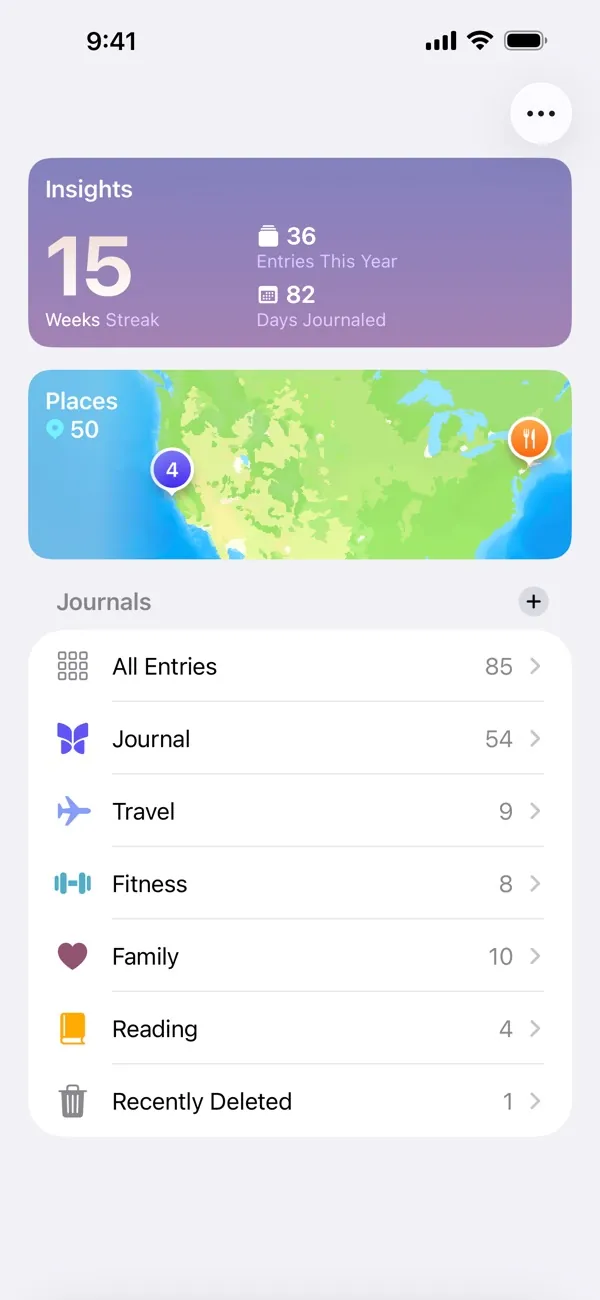
Apple Journal ships free with iOS, and for iPhone owners who want zero new accounts and zero subscriptions, it is a quietly capable dream journal. Entries take text, photos, and audio recordings — so you can talk your dream into a voice note before your eyes fully open. The app locks behind Face ID, and you can schedule a fixed-time journaling reminder for right after your usual wake-up.
What it lacks is everything dream-specific. There are no dream tags, no dream signs, no recall statistics, no interpretation. The workaround is a naming convention: start every dream entry with a keyword like "Dream:" and search pulls your dream log together in one tap.
If you journal about your waking life anyway, keeping dreams in the same app lowers friction to nearly zero. If you want dream-specific structure, Oniri is worth the separate install.
Best for: iPhone owners who want a free, private, no-setup starting point.
Biggest strength: Already installed, audio entries, on-device privacy.
Pricing: Free, preinstalled on iPhone.
Deal-breakers: No dream-specific features. Apple devices only (iPhone, iPad and Mac).
5. Dream Catcher — leanest no-frills logging on Android
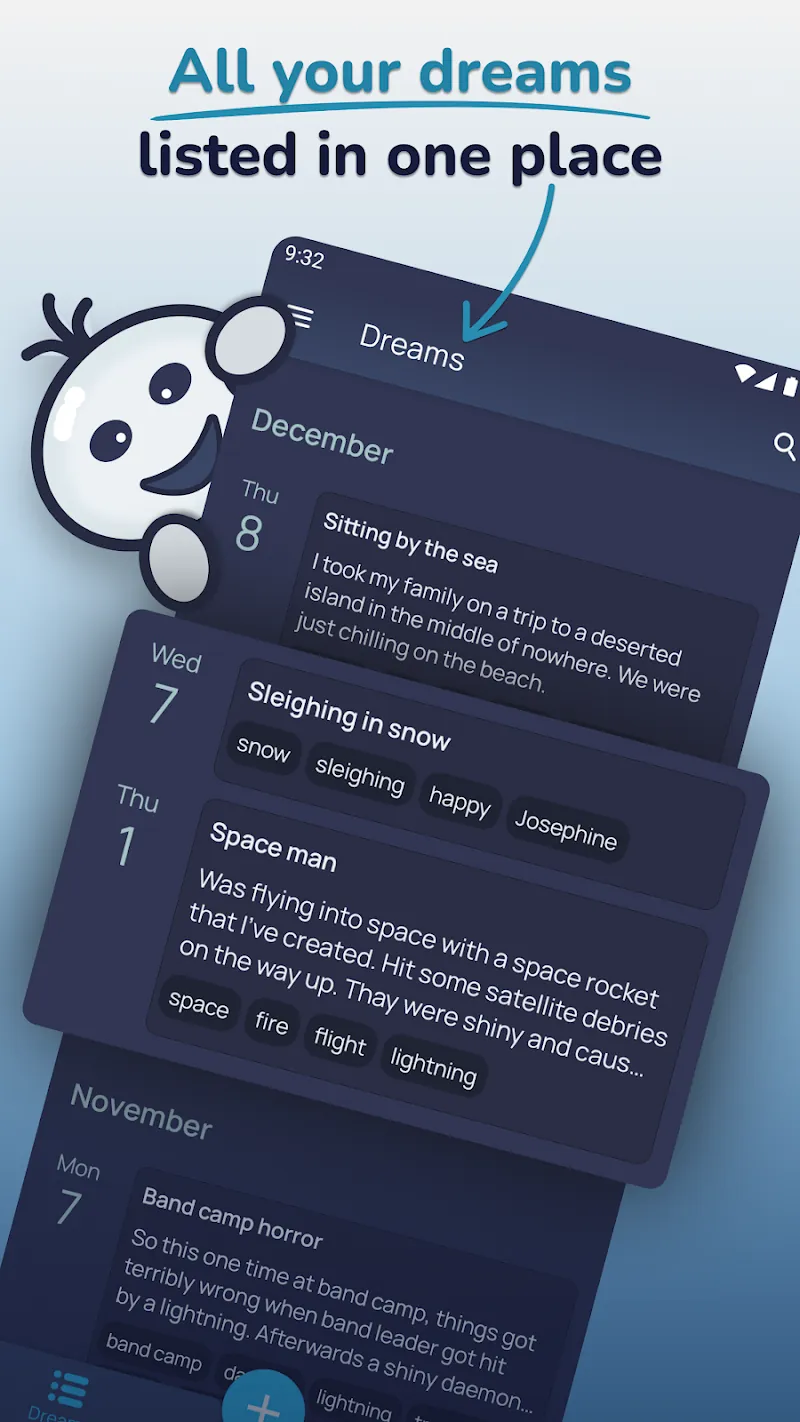
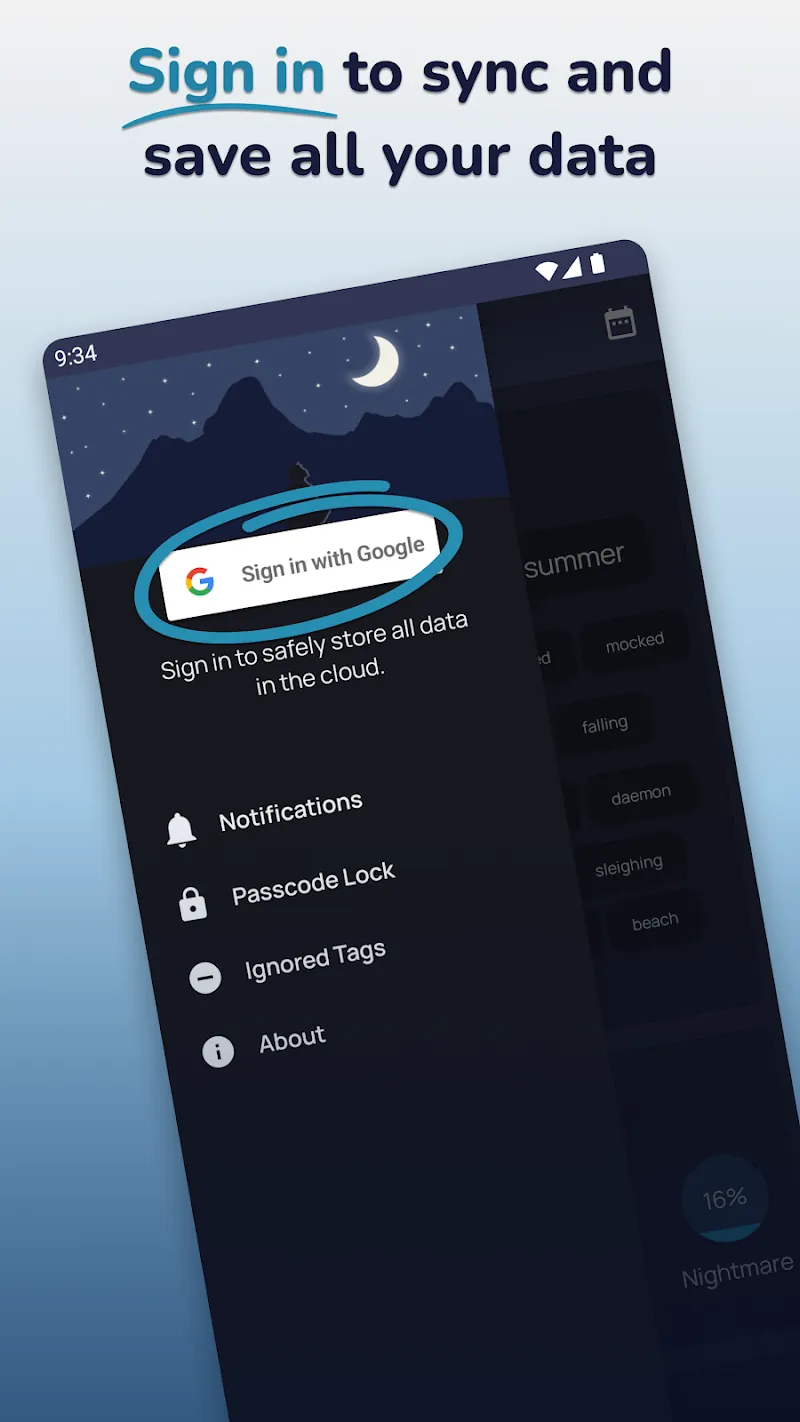
Dream Catcher does one thing: get the dream logged fast. Open, type, tag, done. You can mark entries as lucid, attach moods and tags, and browse simple pattern statistics. The listing also offers AI interpretation and optional cloud sync after a Google sign-in, but the core stays a lean capture flow. It holds a 4.3-star Play Store rating across more than eight thousand ratings.
Against Lucidity, it trades the lucid dreaming toolkit for an even leaner capture flow. Some people find Lucidity's structure motivating; others find any structure at 6am unbearable and want a blank box. Dream Catcher is for the second group.
Best for: Android minimalists who want the fastest possible entry.
Biggest strength: Near-zero friction from waking to logged.
Pricing: Free download with ads; Google Play lists an in-app purchase at $3.99.
Deal-breakers: Android only. No voice transcription. Cloud sync needs a Google sign-in.
6. HabitBox — for making the recording habit stick
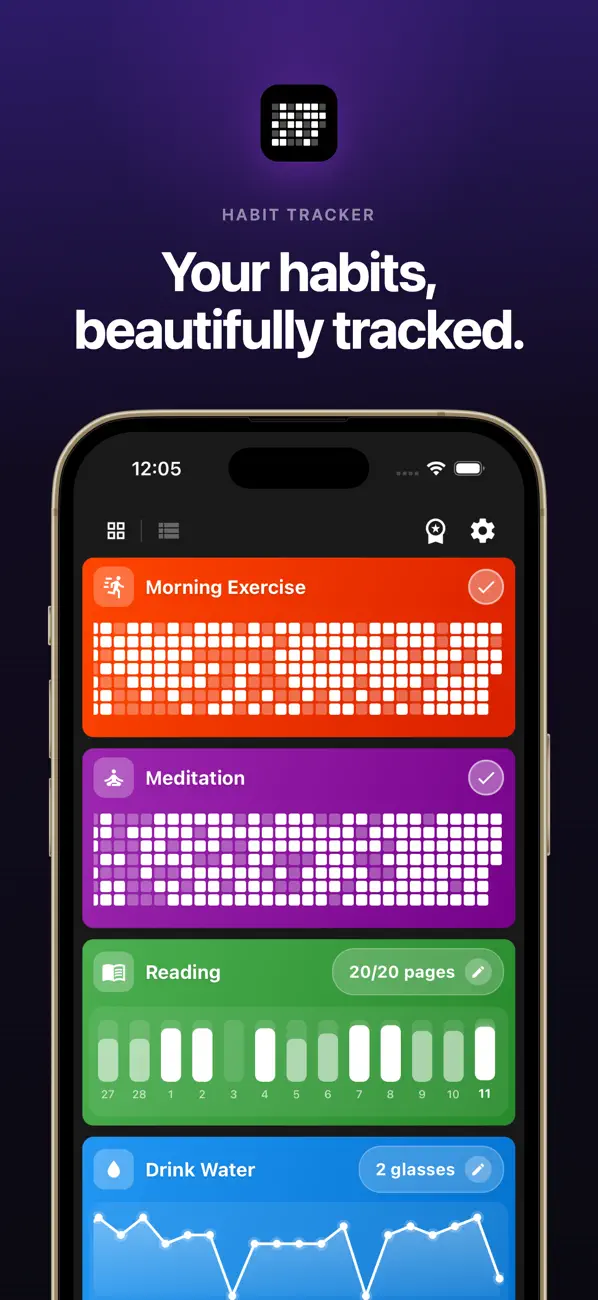
HabitBox is our own app — and it is not a dream journal. It is a habit tracker for iOS and Android, and it earns the last spot for the part every app above struggles with: keeping you logging after the novelty wears off. Recall gains come from consistency, and consistency is a habit problem, not a feature problem.
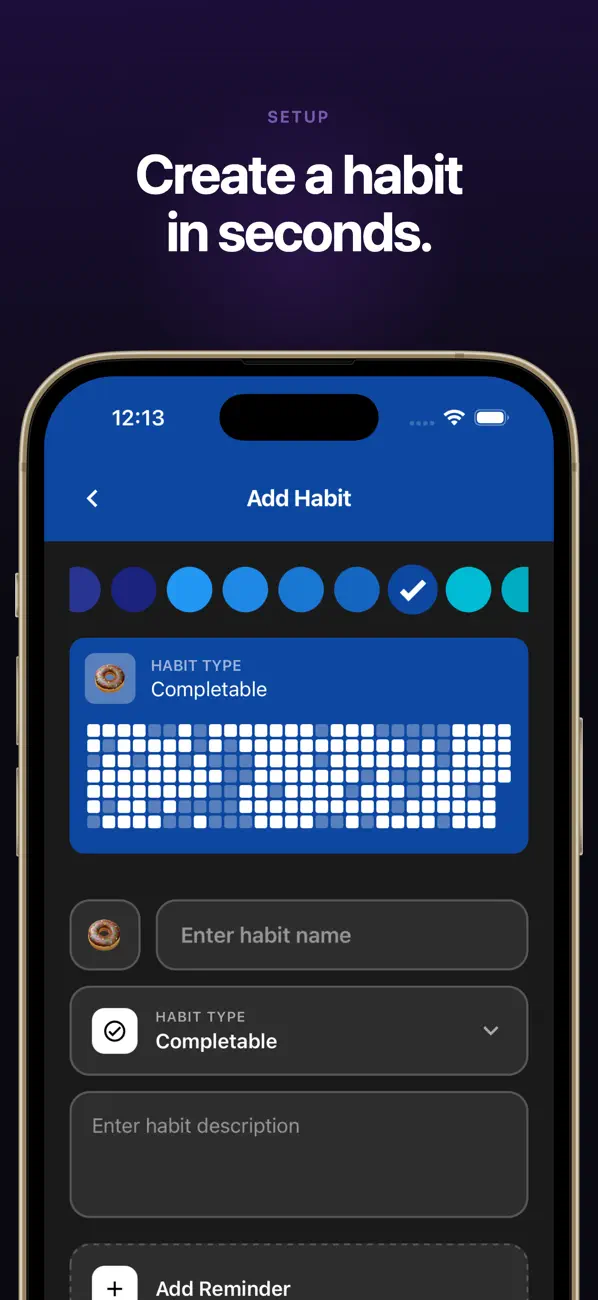
The setup takes a minute. Add a habit called "Record my dream" with a reminder at your wake-up time, write the dream wherever you like — Oniri, Apple Journal, a paper notebook — and check the habit off. Your streak and a calendar heatmap show the practice building, and logging "no recall" mornings still counts, which matters early on. Habits stay on your device with no account or sign-up, and the app is free to start with an optional Plus upgrade.
If you want an app that stores dream text, pick any of the five above. If your dream journals keep dying in week two, the streak is the missing piece.
Best for: People whose real problem is remembering to log at all.
Biggest strength: Visible streaks and reminders that keep the practice alive.
Pricing: Free to start, with optional Plus.
Deal-breakers: Not a journal — it tracks the habit, not the dream.
How to remember your dreams (and make any app worth it)
The app is the easy half. Recall is built with a handful of morning mechanics, and they work with every pick on this list.
- Set the intention the night before. As you fall asleep, tell yourself you will remember your dreams. It sounds soft; it is one of the most consistent findings in recall training. Pair it with a wind-down — our evening routine walkthrough has a trackable version.
- Do not move when you wake. Stay in the position you woke in and let the dream replay once before touching anything. Movement and light are the two fastest dream erasers.
- Record before you check anything. One notification can wipe the whole dream. Phone in do-not-disturb until the entry is done — voice first if your app supports it.
- Log something every morning, even "no recall." A blank entry keeps the habit and the training signal alive. Most people find recall arrives within two weeks of consistent blanks-included logging.
- Time your wake-up to a cycle boundary. REM stretches are longest in the final third of the night, so a slightly later or earlier alarm can land you at the end of a dream instead of the middle of deep sleep. Our free sleep cycle calculator does the arithmetic.
- Protect the sleep itself. Short, fragmented nights cut REM and recall together. The basics in our sleep hygiene checklist do more for dream recall than any premium feature.
Review your log once a week. Patterns — recurring places, people, moods — are invisible day to day and obvious across twenty entries. That weekly scroll is also where dream signs for lucid dreaming come from.
Dream journal app vs paper notebook
Paper has one real advantage: no screen. Opening a phone at 6am invites the notification trap, and a notebook cannot ambush you with a Slack message. Writing by hand is also slower in a useful way — the dream replays as you write it.
Apps win on capture speed, search, and structure. Whispering a voice note is faster than handwriting a page, transcription makes it searchable, and tags surface patterns paper never will. Apps also carry the reminder, which paper cannot do.
The hybrid that works for many people: paper at the bedside for capture, phone for the habit layer — a reminder and a streak in a tracker, plus an optional weekly transfer of the good ones into an app. If you are new to journaling in any form, our guide on how to start journaling covers the first two weeks.
Free vs paid: what is worth paying for
Start free. Lucidity and Dream Catcher are free to download on Android, Apple Journal is free on iPhone, and Oniri's free tier covers daily journaling. For the first month, free tools answer the only question that matters — whether you will keep logging.
Pay for exactly three things, and only after the habit survives day 30. Voice transcription and cross-device sync if you log long dreams — Oniri premium or Elsewhere Premium. Pattern insights if your archive is growing and you want the recurring-symbol view — Elsewhere. Lucid dreaming coaching if recall is solid and you want the structured techniques — Oniri premium. Interpretation alone is not worth paying for; treat it as entertainment wherever it appears.
An honest note on adjacent tools: sleep trackers and dream journals get bundled in marketing, but they are different purchases. If what you want is sleep-stage data and smart alarms, that category is covered in our best sleep tracker app comparison.
Frequently asked questions
What is the best dream journal app?
Is there a good free dream journal app?
Do dream journal apps help with lucid dreaming?
Are dream interpretation features scientific?
Should I record dreams by voice or text?
Picking the right dream journal app for you
The short version: on both platforms with voice capture, pick Oniri. For pattern analysis across months, pick Elsewhere. On Android for free, pick Lucidity — or Dream Catcher if you want the leanest possible logging. On iPhone with zero setup, open the Journal app you already have.
Whichever journal you choose, the recall payoff comes from the streak, not the software. Log every morning for two weeks, blanks included, and the dreams start arriving.

Mira Hartwell
Editor, HabitBoxEditor at HabitBox. Writes about habit science and productivity, grounding every post in named research (Lally, Wood, Walker, Huberman) instead of recycled advice. Read full bio →