Best Journaling Apps: 9 Picks Compared (Free & Paid, 2026)
Ownership disclosure: This guide is published by the maker of HabitBox. HabitBox is our own product, and we benefit if you buy HabitBox Plus. Its pricing and limitations appear below alongside the alternatives; it is a habit tracker that can accompany a journal.
Looking for the best journaling app in 2026? This research-based comparison covers nine options using their official pricing pages, support documentation and store listings, checked on October 7, 2026 (Mood Check-In on October 12). We have no documented hands-on trial or timing results for these apps. Recommendations reflect the published features and their fit for different needs.
Our picks: Mood Check-In, an iPhone app we built, for a quick private mood journal; Day One for a multimedia archive; Apple Journal for free journaling on Apple devices; Daylio for mood and activity logging; Journey for broad platform coverage; Diarium for one-time purchases; Stoic for guided reflection; Reflectly for personalized mood prompts; and Penzu for browser writing.
The header image is an illustration. App screenshots below are developer-published App Store images, with source links; they are not our own screenshots, may include promotional text and may show an earlier interface.
What to compare before choosing a journaling app
Four questions make the shortlist more useful than a universal score:
- What will you record? Mood buttons suit a brief check-in; paragraphs, recordings and photos need different tools. A short entry is useful even without a long essay.
- Where will you write? Check every device you actually use, including its OS requirements. A platform being listed does not guarantee identical features or free sync.
- What does the free plan exclude? Look for entry, attachment, device and storage limits. A free download does not mean every feature is free.
- Can you protect and move your entries? A biometric lock, encrypted cloud storage and end-to-end encryption address different risks. Check exports and recovery as well as the privacy policy.
We treat security descriptions as publisher claims, not an independent security audit. For writing ideas, try our journal prompt generator, or start with how to start journaling.
Journaling app comparison: free plans, prices and limits
Prices below are in US dollars. Website prices and US iOS purchase catalogs can differ from an Android offer, local currency or an introductory promotion. A catalog entry does not guarantee that every buyer can select that offer.
| App | Published platforms | Free plan / download | Published paid price | Important limitation |
|---|---|---|---|---|
| Mood Check-In | iPhone | Free download; checking in requires Plus | Plus Monthly $3.99 with a 7-day free trial; Plus Lifetime $12.99 | iPhone only; no sync or backup between devices |
| Day One | iPhone/iPad, Android, Mac, Windows, web | Unlimited text entries and journals; 1 photo per entry; 1 device | Silver $49.99/year; Gold $74.99/year | Multiple devices require Silver; AI features require Gold |
| Apple Journal | iPhone, iPad, Mac | Free; no paid tier | $0 | Apple devices only; OS-dependent features |
| Daylio | iOS, Android | Free download with optional Premium | Listed purchases $4.99–$59.99; billing periods not stated in catalog | No desktop/web journal; exact free feature caps not confirmed here |
| Journey | iOS, Android, Mac, Windows, Linux, web | Journey Cloud Sync: 70 MB / 60 entries; encryption included | Standard Membership $6.99/month or $49.99/year; listed lifetime $199 | Membership cloud allowance is 10 GB / 5,000 entries; desktop access needs a paid license |
| Diarium | iPhone/iPad, Android, Mac, Windows | Free basic app except Windows | iOS Pro $14.99 once; other platforms priced separately | Pro is purchased per platform; cloud sync requires Pro |
| Stoic | iPhone/iPad, Mac, Android, web | Free download with Premium and AI upgrades | Premium purchases $6.99–$39.99; AI $12.99–$99.99; lifetime Premium $299 | Catalog does not identify subscription periods or a complete free-feature allowance |
| Reflectly | iOS, Android | Free download; Premium trial/subscription offers | Listed Premium purchases $4.99–$59.99; periods not stated | Unlimited stories and advanced statistics are advertised as Premium |
| Penzu | Web, iOS, Android | Unlimited entries | Pro $19.99/year; Pro+ $49.99/year; Pro+ lifetime $199.99 | Encryption locking and PDF export require Pro; version recovery requires Pro+ |
| HabitBox — our product | iOS, Android | 2 active habits; 1 reminder per habit; charts and statistics | Listed Plus purchases $2.99–$19.99; lifetime offers $19.99–$89.99 | No journal-entry editor; backup-file export/import and archiving require Plus; no Android cloud sync |
How to read ambiguous prices: Daylio, Stoic, Reflectly and HabitBox list several purchases without a billing period in each public product name. We report those catalog prices without guessing whether they are monthly or annual. Check the offer screen for the charge, billing interval, trial length and renewal terms. Journey's catalog also contains alternate offers, including a $29.99 annual Membership; its description gives the standard $49.99 annual price.
Nine journaling apps and their tradeoffs
1. Mood Check-In — our pick for a quick private mood journal
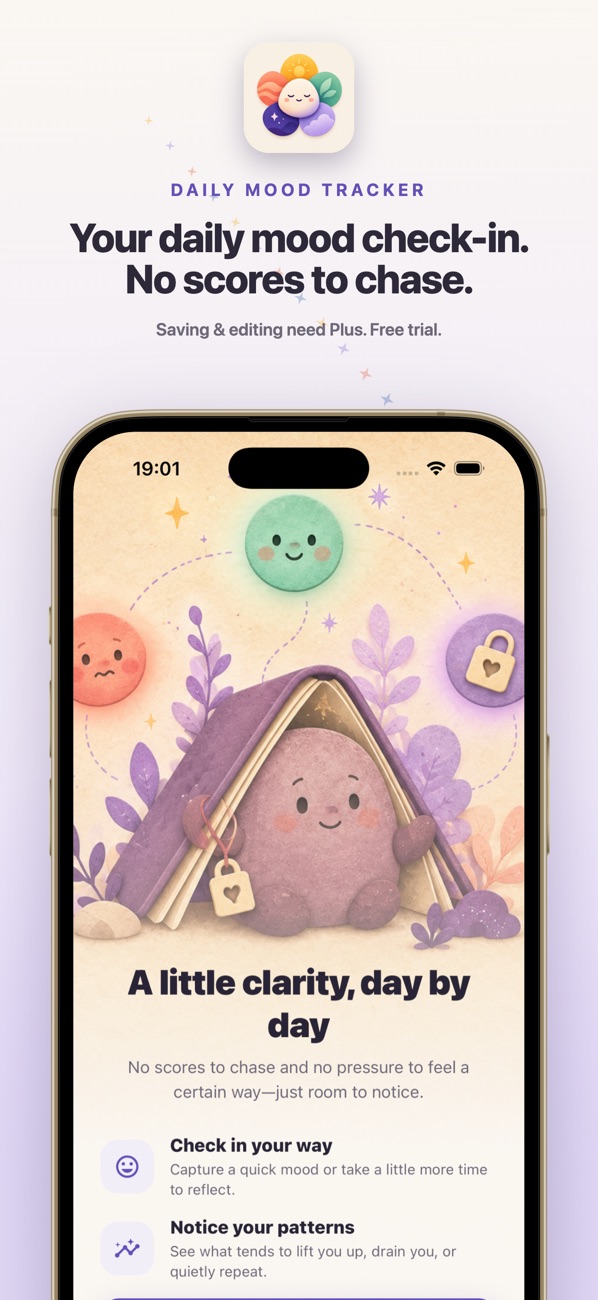
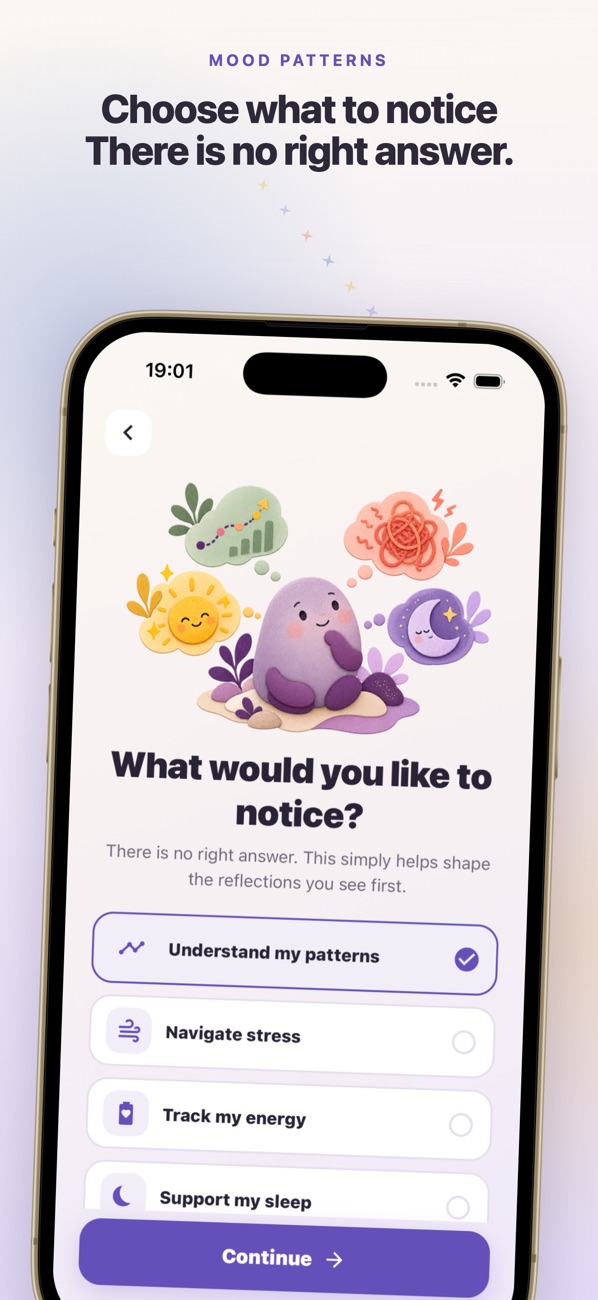
Mood Check-In is an iPhone mood journal we built. Each check-in records a mood from Tough to Great, the feelings you noticed, what influenced them, and an optional private note of up to 2,000 characters that opens with one question: what is happening, and what might you need? You can check in several times a day and fill in a day you missed.
Advantages: No account to create. The App Store listing says check-ins, notes and tags stay on your iPhone and are never uploaded, and its privacy label reads "Data Not Collected". A month calendar marks each day in its mood colour, and reminders arrive only within the hours you choose.
Price and limits: Free to download, but checking in requires Mood Check-In Plus: $3.99 a month after a 7-day free trial, or $12.99 once for Lifetime (US App Store, checked October 12, 2026). It is iPhone only, with no Android, iPad, Mac or web app, and it does not sync or back up entries between devices.
Choose it if: you want a short daily journal about how you feel rather than long-form writing, on an iPhone. For long entries with photos, Day One is the better fit.
2. Day One — our pick for a multimedia archive
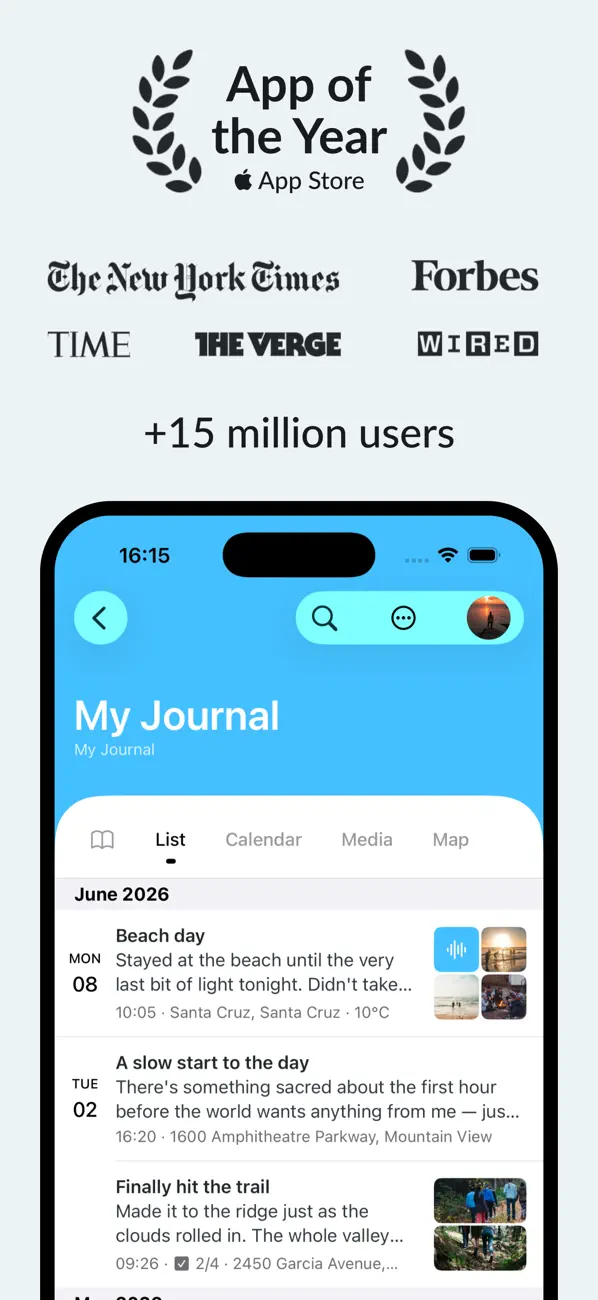
Day One's published search, tags, media views and exports make it our archive pick. We have not measured search speed or long-term reliability.
Advantages: Basic includes prompts, end-to-end encryption and PDF/CSV/JSON export. Silver adds recordings, transcription and use across multiple devices.
Price and limits: Silver is $49.99/year and Gold $74.99/year. Basic permits one photo per entry and one device; paid plans permit 30 photos per entry. Gold's AI tools have daily usage limits. See the official plan comparison and Windows listing.
Choose it if: you want text, media and export tools in one archive. For short text entries on Apple devices, consider Apple Journal.
3. Apple Journal — our free pick for Apple devices

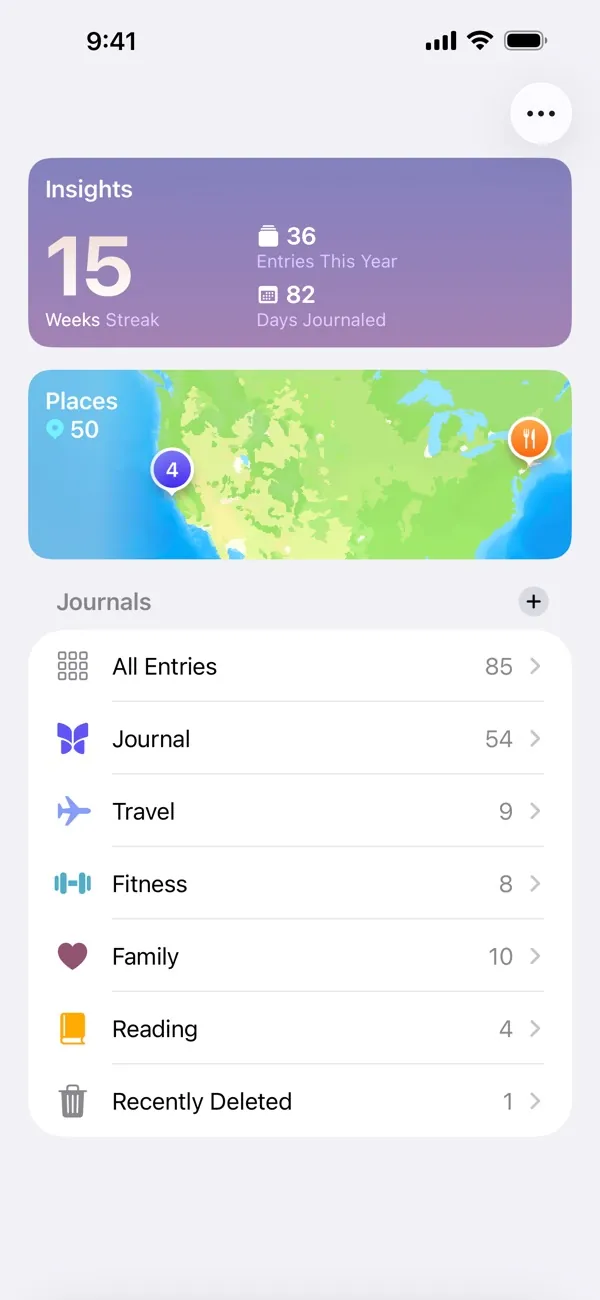
Apple Journal has no paid upgrade tier. Its suggestions can provide starting points from moments on your device; you control which suggestion sources are enabled.
Advantages: Free writing, app locking and iCloud synchronization across supported iPhone, iPad and Mac versions. Apple's Journal guide explains sync and encrypted backups.
Price and limits: $0. There is no Android, Windows or browser Journal app listed. Features depend on your OS version. iCloud sync is not the same as an iCloud backup: Apple says Journal entries are not included in iCloud backups, and describes separate encrypted backup options.
Privacy: Apple says entries stored in iCloud are end-to-end encrypted when you have two-factor authentication and a device passcode. See its Journaling Suggestions privacy explanation.
Choose it if: you use Apple devices and want a free starting point. Check export options before changing ecosystems.
4. Daylio — our pick for mood and activity logging
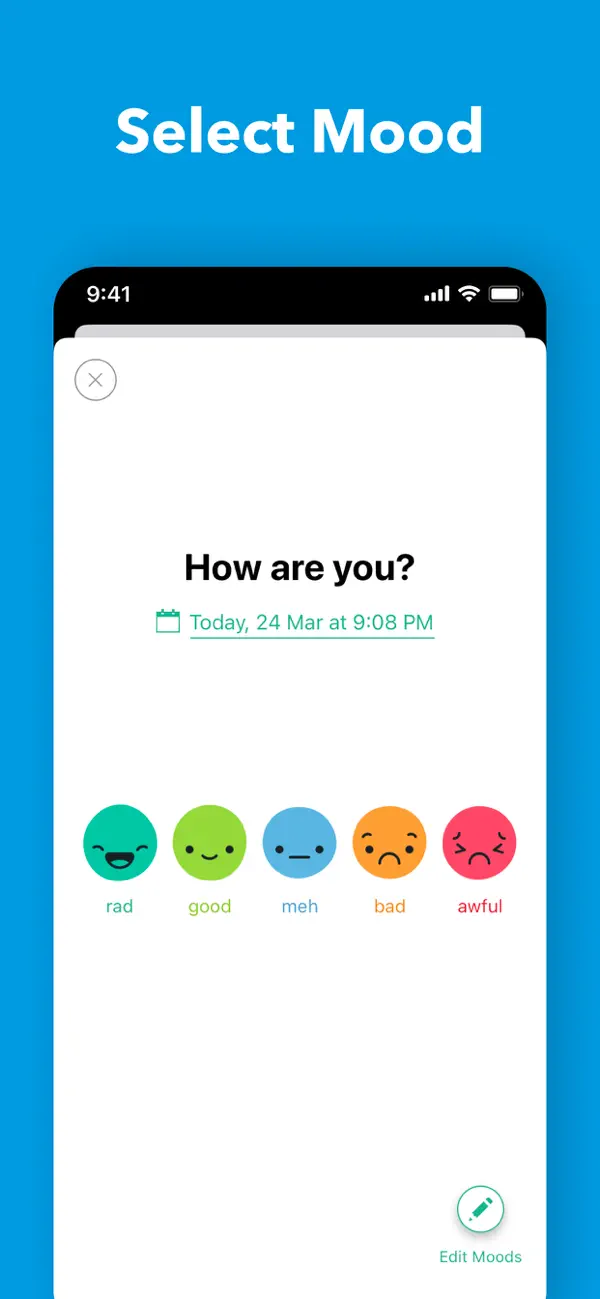
Daylio lets you record a mood and activities without composing an entry. Notes, templates, photos and voice memos let you add detail when you want it.
Advantages: Charts, a Year in Pixels view, goals and reminders combine reflection with activity tracking. The publisher says entries stay locally on your device, with optional backups to your own cloud storage, and offers PIN/biometric locking.
Price and limits: Free download with Premium purchases listed at $4.99–$59.99 in the US App Store. Those names do not establish a billing period or prove that the $59.99 option is lifetime. We have not verified exact free customization caps. No desktop or web journal is advertised.
Choose it if: moods and activities are the main record you want. We cannot substantiate an entry time in seconds or claim it is faster than the other apps. See our separate mood tracking comparison.
5. Journey — our pick for broad platform coverage
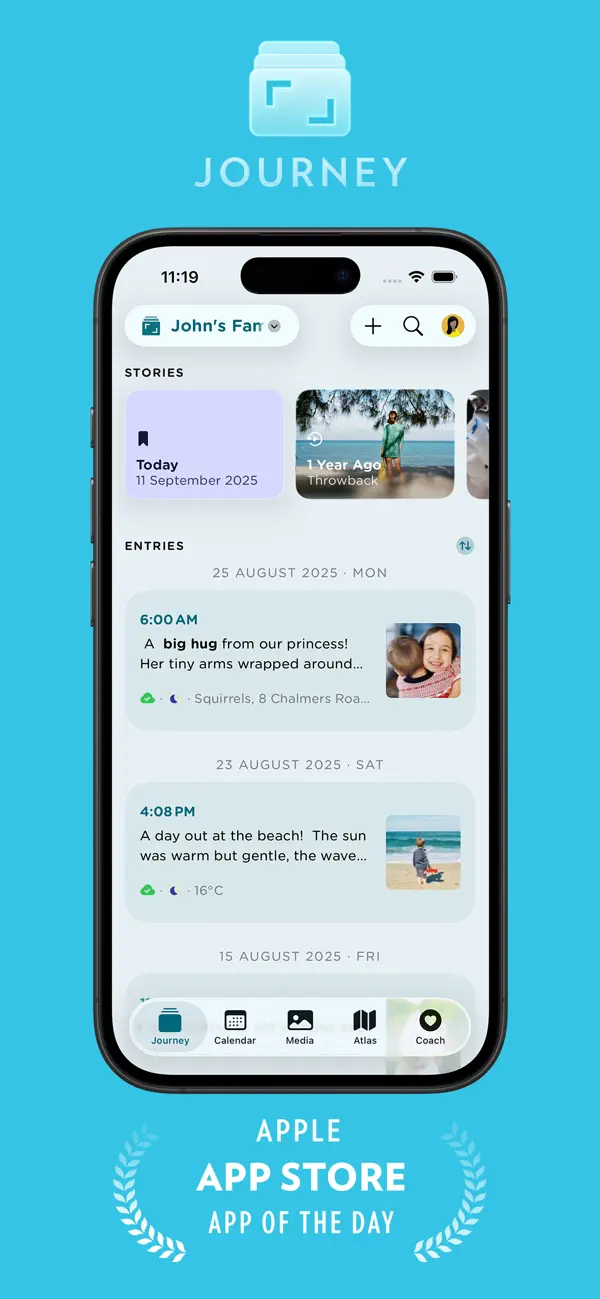
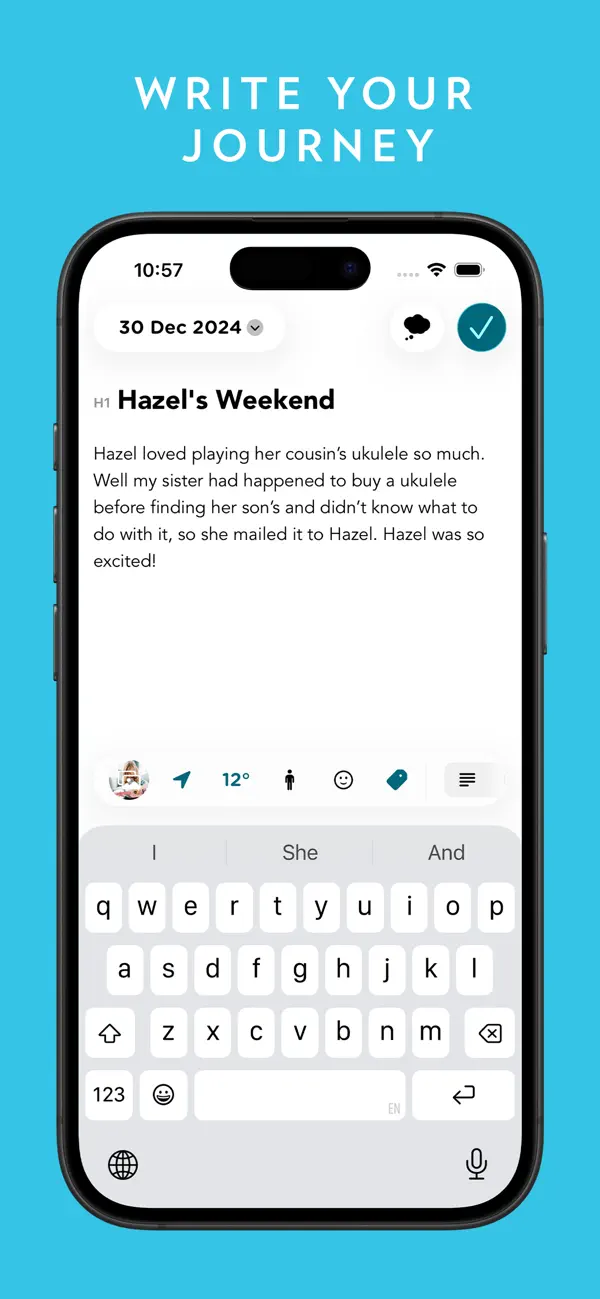
Journey's mobile, desktop and web options make it a candidate for mixed-device households. Membership also advertises shared journals, Coach programs and journal templates.
Advantages: The license comparison includes Google Drive sync and end-to-end encryption on the free plan. Free Journey Cloud Sync is capped at 70 MB and 60 entries; it is not restricted to local-only storage.
Price and limits: The US iOS listing describes standard Membership at $6.99/month or $49.99/year and lists lifetime Membership at $199. A separate one-time Premium license covers one platform. Membership includes 10 GB and 5,000 cloud entries; a Signature upgrade adds capacity.
Privacy tradeoff: Journey's encryption documentation says enabling encryption disables search. It also says original media is processed on the server before encryption, then deleted, and some metadata remains unencrypted.
Choose it if: you need Windows or Linux as well as mobile access, and its license and storage limits fit your archive.
6. Diarium — our pick for one-time purchases


Diarium does not require a Diarium account. It supports text and attachments, with calendar and timeline views, plus optional synchronization through your own cloud storage.
Advantages: A one-time Pro purchase rather than an ongoing subscription. The official FAQ lists OneDrive, Google Drive, Dropbox, iCloud and WebDAV for sync.
Price and limits: iOS Pro is $14.99. Pro is purchased separately for each platform. Basic use is free on Android, iOS and Mac; Windows is paid and includes Pro. Sync, unlimited attachments, Word export and several integrations require Pro.
Choose it if: you prefer paying once and managing your own storage. Budget for every platform you need, and set up that cloud provider. No account requirement by itself proves stronger encryption than another app.
7. Stoic — our pick for guided reflection
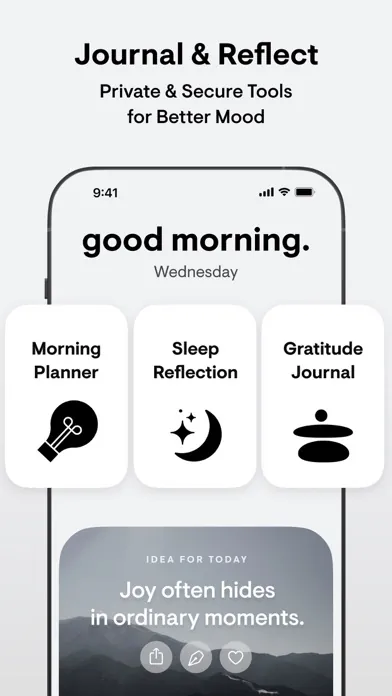
Stoic's documented morning preparation, evening reflection and guided journals make it a fit for people who want questions to work through. It also includes mood and habit tracking; a separate tracker is optional.
Advantages: Prompts, voice notes and photos offer alternatives to an empty page. Its website lists Apple devices and web access, and links to an Android app.
Price and limits: The US iOS catalog lists Premium purchases at $6.99–$39.99, AI purchases at $12.99–$99.99 and lifetime Premium at $299. The generic subscription names do not establish their billing periods. We have not confirmed a complete free-feature allowance or feature parity across platforms.
Choose it if: a structured reflection routine appeals to you. Check whether the particular guided or AI feature you want needs an upgrade; a lifetime Premium label does not establish lifetime AI access.
8. Reflectly — a candidate for personalized mood prompts
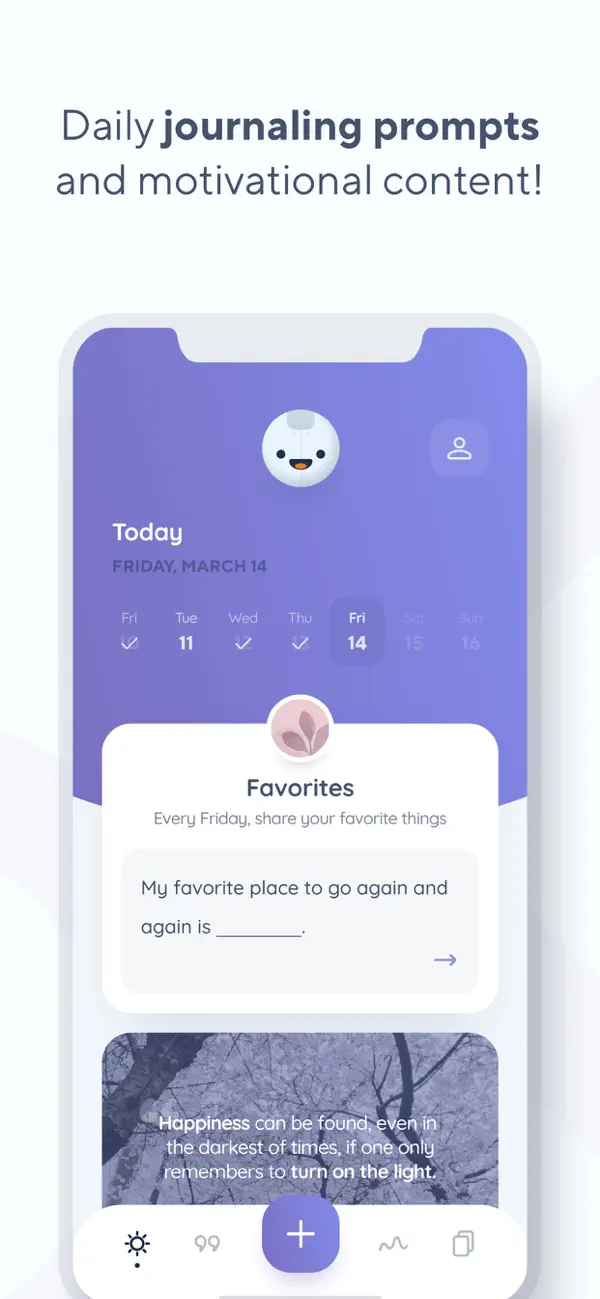
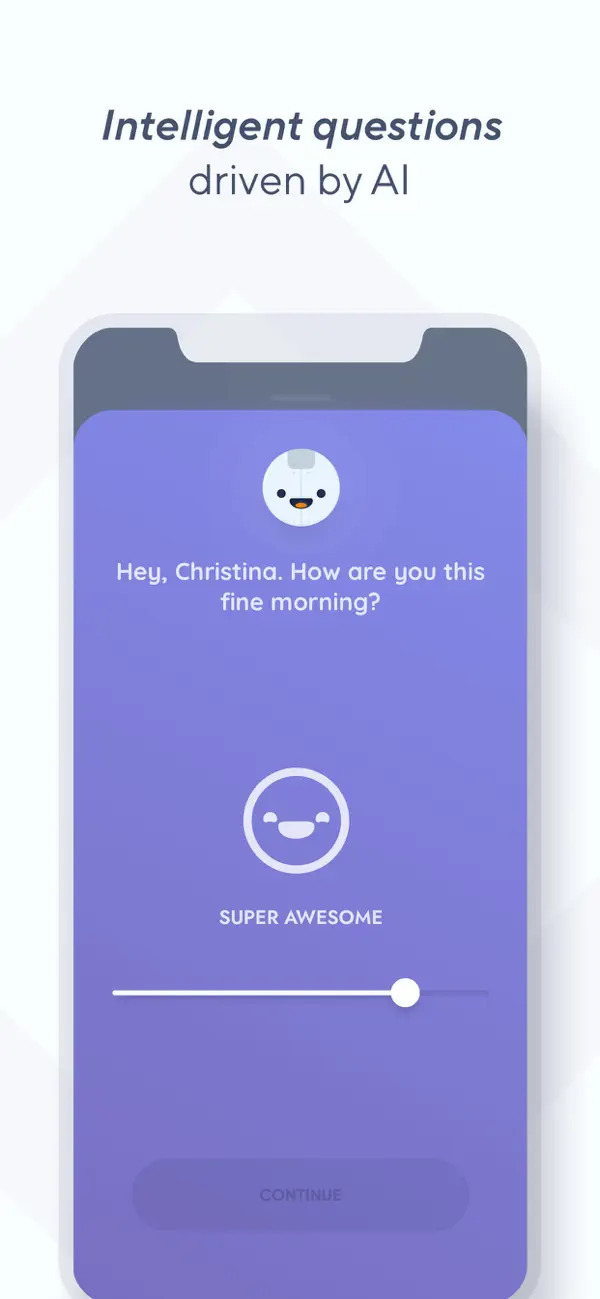
Reflectly advertises personalized questions, mood charts and daily reflections. These published features support its place on a mood-focused shortlist; we have not evaluated the quality of its AI responses.
Advantages: Guided questions and periodic overviews may suit someone who wants a structured check-in rather than only freeform writing.
Price and limits: The US catalog lists Premium purchases at $4.99–$59.99 without billing periods in the product names. Its description says offers renew automatically and identifies unlimited stories and advanced statistics as Premium features. We have not verified the exact free allowance or trial duration.
Choose it if: mood prompts are your priority and the in-app offer fits your budget. Read the trial and renewal terms. The sources checked here do not establish end-to-end encryption, so we do not assume it.
9. Penzu — our pick for browser writing

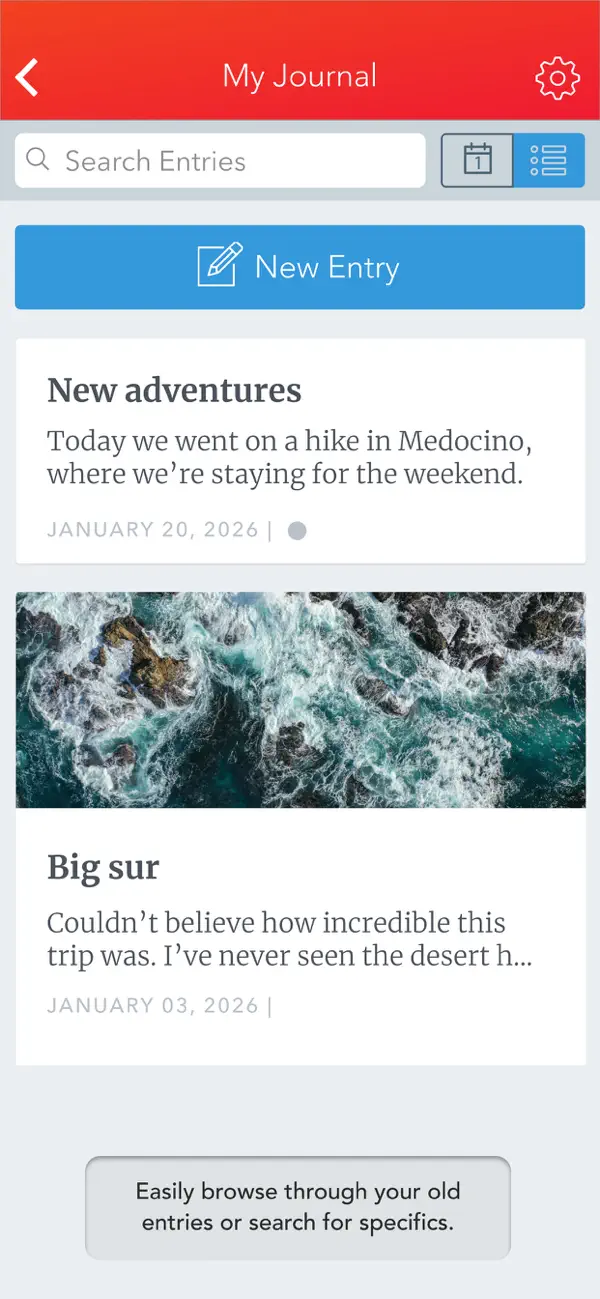
Penzu offers a web journal alongside iOS and Android apps. That makes it a candidate when you usually write at a desk and want browser access without installing a desktop app.
Advantages: Unlimited entries on the free plan. Pro adds tagging, writing prompts, PDF export and entries sent by email.
Price and limits: The official pricing page lists Pro at $19.99/year, Pro+ at $49.99/year and Pro+ lifetime at $199.99. Pro already includes encryption locking. Pro+ adds a stronger advertised encryption option, version history/recovery and zen mode. We have not independently audited either encryption implementation or tested offline behavior.
Choose it if: browser access and longer written entries matter more than mood logging. Include Pro in your budget if PDF export or encryption locking is essential.
HabitBox: our product, pricing and limitations
HabitBox tracks whether you completed a habit, its streak and its progress. It does not store a written journal entry. You could track “write in my journal” while keeping the words in another app. Daylio and Stoic already include habit features, so adding HabitBox may be unnecessary.
Free plan: 2 active habits and 1 reminder per habit. Charts and statistics are available without Plus. These limits reflect the current HabitBox app configuration checked on October 7; older builds can have different limits.
Plus: Removes the active-habit cap and adds multiple reminders per habit, habit archiving and backup-file export/import. The US iOS purchase catalog lists Plus purchases at $2.99, $5.00, $15.00 and $19.99, and named lifetime offers from $19.99 to $89.99, including $29.99. The public catalog does not label a billing period for the generic Plus items. Subscription offers renew automatically; the app's purchase screen identifies the current price, period and available offer. These are catalog prices, not a guarantee that all offers are available to you.
Advantages: No HabitBox account or sign-up; visual check-ins and streaks can put journaling alongside other routines. Habit data is stored on the device, with optional iCloud sync on iOS.
Limitations: No journal editor, media journal, AI writing coach, desktop app or web app. Android has no cloud sync; moving data with backup-file export/import requires Plus. Home-screen widgets are iOS-only. The free plan limits a larger routine, and Plus adds a cost on top of any paid journal you choose.
Consider it if: you want a separate overview of your habits. If your chosen journal's reminder and streak features are enough, start with those.
Which journaling app should you pick?
Start with the constraint that would rule an app out:
- No subscription budget: Apple Journal on supported Apple devices; Day One Basic or Penzu's free plan if their limits fit. Diarium is an option for a one-time upgrade.
- A quick mood journal rather than paragraphs: Mood Check-In on iPhone, the app we built. Daylio if you are on Android or want to log activities too. Stoic and Reflectly are alternatives if you prefer guided questions.
- Windows or Linux plus a phone: Compare Journey's licenses and Diarium's per-platform purchases. Day One also lists Windows; verify the features you need on that version.
- Mostly browser writing: Penzu, Day One or Journey. Confirm whether your intended device setup requires a paid plan.
- A multimedia archive: Day One is our feature-based pick. Journey's storage quotas and Diarium's own-cloud model are useful alternatives to compare.
- Privacy first: Decide whether you need local storage, your own cloud provider or documented end-to-end encryption. An account-free app and an encrypted cloud journal solve different problems; we do not have a security benchmark that ranks them.
Before paying, try a short entry, an attachment and an export on your own device. If you need sync, check it on both devices. Those checks will tell you more about your setup than an unsupported speed score. For ideas about what to write, our gratitude journaling guide and journaling benefits guide cover different starting points.
How we researched this comparison
Source check: October 7, 2026; Mood Check-In added October 12. We compared official product pages, plan comparisons, support documents and US App Store listings. Each app section links to the sources supporting its features, prices and limitations. HabitBox's free caps and paid feature gates were also checked against its current app configuration.
Evidence scope: This is a comparison of published information. We have no documented hands-on trial, original in-app test screenshots or performance measurements. Launch time, entry time, sync speed and reliability have not been measured for this guide. Test-device models and installed OS/app versions are therefore not applicable.
Listed versions, not tested versions: The snapshot below comes from Apple's US iPhone store metadata, checked on the same dates. Minimum iOS requirements are listed compatibility requirements; they do not describe a device we tested. Android, desktop and web versions were not recorded, and feature parity was not verified. Apple Journal's store version also does not identify its Mac or iPad OS-bundled version.
| App and version source | Listed iPhone app version | Listed minimum iOS |
|---|---|---|
| Mood Check-In | 1.0.0 | 15.1 |
| Day One | 2026.20 | 18.0 |
| Apple Journal | 1.7 | 17.2 |
| Daylio | 1.76.0 | 15.0 |
| Journey | 5.6.6 | 18.6 |
| Diarium | 3.3.9 | 15.1 |
| Stoic | 2026.19 | 17.0 |
| Reflectly | 5.0.5 | 16.0 |
| Penzu | 3.20 | 16.0 |
| HabitBox — our product | 4.3.0 | 16.4 |
Recommendation method: Our picks match documented capabilities to a use case: writing format, platform coverage, cost and storage/privacy model. They are editorial judgments rather than measured performance rankings. We assign no numerical review scores and do not use store ratings as evidence of speed, security or long-term outcomes.
FAQ
What is the best journaling app in 2026?
What is the best free journaling app?
What is a good journaling app for Android?
Which journaling app is the most private?
Can HabitBox replace a journaling app?

Mira Hartwell
Editor, HabitBoxEditor at HabitBox. Writes about habit science and productivity, grounding every post in named research (Lally, Wood, Walker, Huberman) instead of recycled advice. Read full bio →