8 Best Mood Tracking Apps in 2026 (Free & Paid, Tested)
The best mood tracking apps of 2026 are the ones you actually open every day. A mood tracker app is only as good as the check-in you keep doing, and after two weeks of daily check-ins across eight picks, the differences came down to four things: how fast you can log, whether streaks live on the home screen, who owns your data, and how easily the app fits into a habit you already have. This guide compares the best mood tracking apps — Mood Check-In, Daylio, using HabitBox as a DIY mood tracker, Bearable, Moodflow, How We Feel, eMoods, and Apple Health — through a habit-formation lens, not a generic app-list lens.
Last updated: September 2026.
TL;DR: The best mood tracker app for habit-builders pairs a 30-second log with a visible record of your days. Mood Check-In leads for a private daily check-in that names the feeling on iPhone, Daylio leads on cross-platform simplicity, Bearable leads on data depth, How We Feel leads on emotion vocabulary, and HabitBox works well if you want one tracker for moods and other habits. UCL research suggests new behaviours take a median of 66 days to feel automatic, so plan for 8-10 weeks before logging feels routine.
A note on scope. This is a lifestyle and habit guide, not medical advice. Mood tracking can support self-awareness, but it is not a substitute for professional mental health care. If you are struggling, the National Institute of Mental Health lists support resources.
What is a mood tracker app?
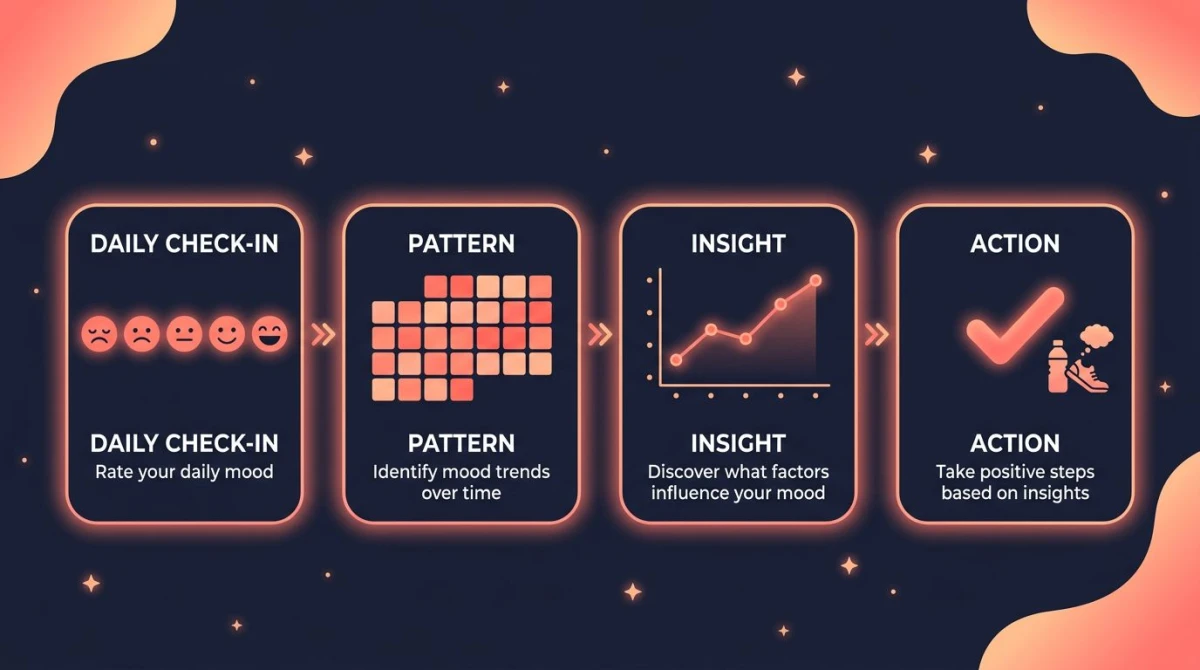
A mood tracker app is a phone tool for logging how you feel — usually with an emoji, a 1-to-5 scale, or a list of emotion words — and then showing patterns over time. Most modern apps add reminders, streak counters, custom tags (sleep, exercise, weather), and charts so you can see what tends to lift or drop your mood across weeks and months.
The point is not the data. The point is the daily check-in habit. Stopping for 30 seconds to ask "what am I feeling, and why?" is a small act of self-awareness that researchers have linked to better emotion regulation. A good mood tracker app makes that pause easier than skipping it.
The science: why a daily mood check-in works
Three threads of research line up behind mood tracking as a habit, not just a feature.
Naming an emotion changes how your brain processes it. A UCLA fMRI study by Lieberman et al. found that putting feelings into words ("affect labelling") reduced activity in the amygdala and increased activity in the prefrontal cortex. In plain English: writing "anxious" makes anxious feel slightly smaller.
Self-monitoring nudges behaviour change. A meta-analysis in Psychological Bulletin and decades of cognitive behavioural therapy work show that tracking a target — mood, food, exercise — tends to shift it in the desired direction. The act of paying attention is the intervention.
Streaks tap into loss aversion. James Clear popularised "don't break the chain" in Atomic Habits, and Stanford behaviour scientist BJ Fogg has shown that tying a new behaviour to an existing routine (an "anchor cue") strongly predicts stickiness. USC behaviour scientist Wendy Wood, whose Good Habits, Bad Habits gathers decades of this research, puts the mechanism bluntly: habits are driven by context, not willpower — which is why a well-timed reminder does more work than motivation does. The habit timeline itself comes from Phillippa Lally et al. at University College London: a median of 66 days to feel automatic, not the popular 21-day myth.
The "affect labelling" mechanism — naming an emotion to shrink it — is the practical wedge here. Every app on the list below is, at its core, an interface for that one move: pick a word, log it, see the streak.
How we picked the 8 best mood tracking apps
We scored on six things that decide whether you stick with the habit: speed of check-in, streak visibility, privacy, reminders, free tier, and habit-tracker fit. Here is the full comparison.
Best mood tracking apps 2026: side-by-side comparison
| App | Streak feature | Privacy | Reminders | Free tier | Habit-tracker fit | Platform |
|---|---|---|---|---|---|---|
| Mood Check-In | Mood calendar + seven-day rhythm; streak if you set a daily goal | No account; entries stay on your iPhone, no Mood Check-In server; no AI reads them | Optional reminders in the hours you choose | Free download; check-ins need Plus (monthly plan has a 7-day free trial) | Mood, feelings, and influences only | iPhone only |
| Daylio | Visible streak + calendar heatmap | Local by default; cloud backup optional | Custom daily reminder | Generous (3 custom moods, basic stats) | Has habit-style "activities" alongside mood | iOS, Android |
| HabitBox (DIY mood + habits) | Visible streak + heatmap on home | No account; on-device, with optional iCloud sync on iPhone | Customisable per habit | Free to start (Plus for more) | Excellent — moods sit next to other habits | iOS, Android |
| Bearable | Streaks present but secondary | Cloud account required | Multiple per day (mood, meds, symptoms) | Generous; Pro unlocks deeper charts | Strong — tracks symptoms, sleep, meds | iOS, Android |
| Moodflow | Streak counter on home | Local-first with optional sync | Configurable | Solid; Pro unlocks export and themes | Mood-focused; light habit support | iOS, Android |
| How We Feel | Streak via "check-in" history | Optional account; non-profit, no ads | 3 timed prompts per day | Fully free (non-profit) | Mood + emotion vocabulary only | iOS, Android |
| eMoods | Calendar log; light streak | Local; HIPAA-aware export | Single daily reminder | Limited free; Pro for charts/PDF | Designed for clinical follow-up | iOS, Android |
| Apple Health (State of Mind) | No dedicated streak | On-device + iCloud encryption | Via iOS Reminders / Shortcuts | Free (built into iOS) | Mood is one slice of broader health data | iOS only |
1. Mood Check-In — best private daily mood check-in
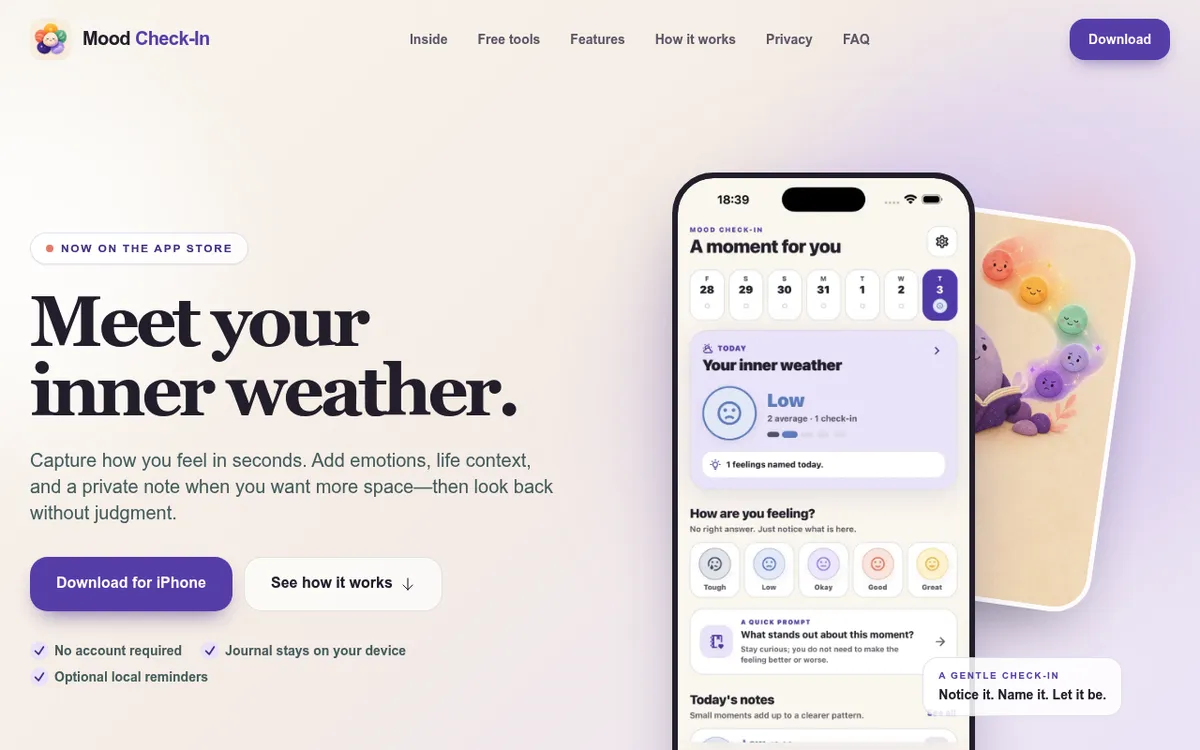
Mood Check-In is a mood tracker built around one move: the daily feelings check-in. Pick one of five moods (Tough, Low, Okay, Good, Great), tap the feelings you noticed from a short list of twelve, add what influenced them — sleep, work, relationships, weather, and ten more — and write a private note if you want more space. The flow takes under a minute, you can check in more than once a day, and you can fill in a day you missed.
It takes the top spot for two reasons. First, the check-in is short but still asks you to name the feeling — the affect-labelling step from the research above — without making you hunt through a 150-word grid like How We Feel's. Second, privacy: there is no account, entries stay on your iPhone and are never uploaded to a Mood Check-In server, no AI reads what you write, and the App Store privacy label reads "Data Not Collected". Looking back is deliberately gentle: a mood calendar where you tap any day to review or edit it, a seven-day rhythm view with a one-line summary, and a streak only if you choose to set a daily goal.
Best for: iPhone users who want a calm, private daily check-in that names the feeling, not just the score.
Watch out for: iPhone only, with no Android version. Checking in needs Mood Check-In Plus — $3.99/month with a 7-day free trial, or $19.99 one-time (US prices as of September 2026) — entries do not sync between devices, and the patterns view is lighter than Bearable's charts.
Rating: (4.8/5)
Download: Get Mood Check-In for iPhone on the App Store
2. Daylio — best cross-platform pick for simple mood tracking
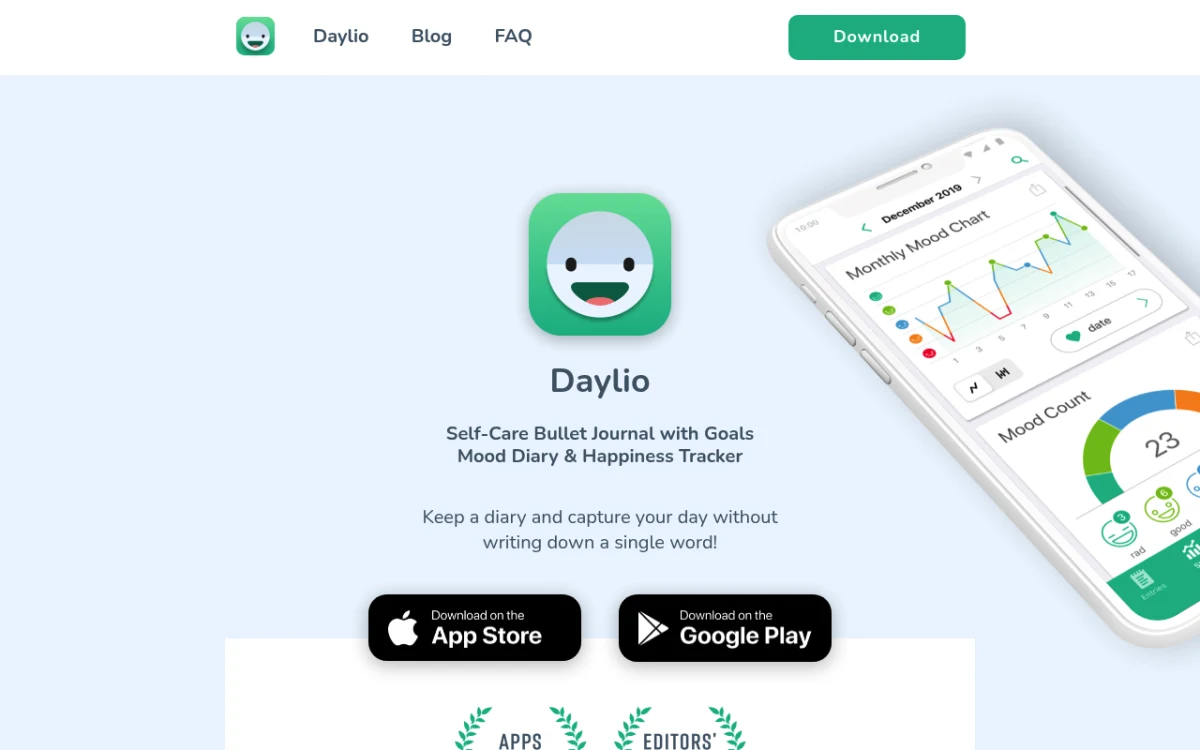
Daylio is the category's "default" pick. The check-in is fast: pick one of five mood faces, tap a few activity tags, optional note, save. The home screen surfaces your current streak and a colourful month-view heatmap.
Best for: beginners on iPhone or Android who want a one-tap log and a clean monthly view.
Watch out for: deeper charts, exports, and unlimited custom moods sit behind Premium ($4.99/month or $35.99/year as of mid-2026).
Rating: (4.7/5)
3. HabitBox — best for tracking mood alongside your other habits
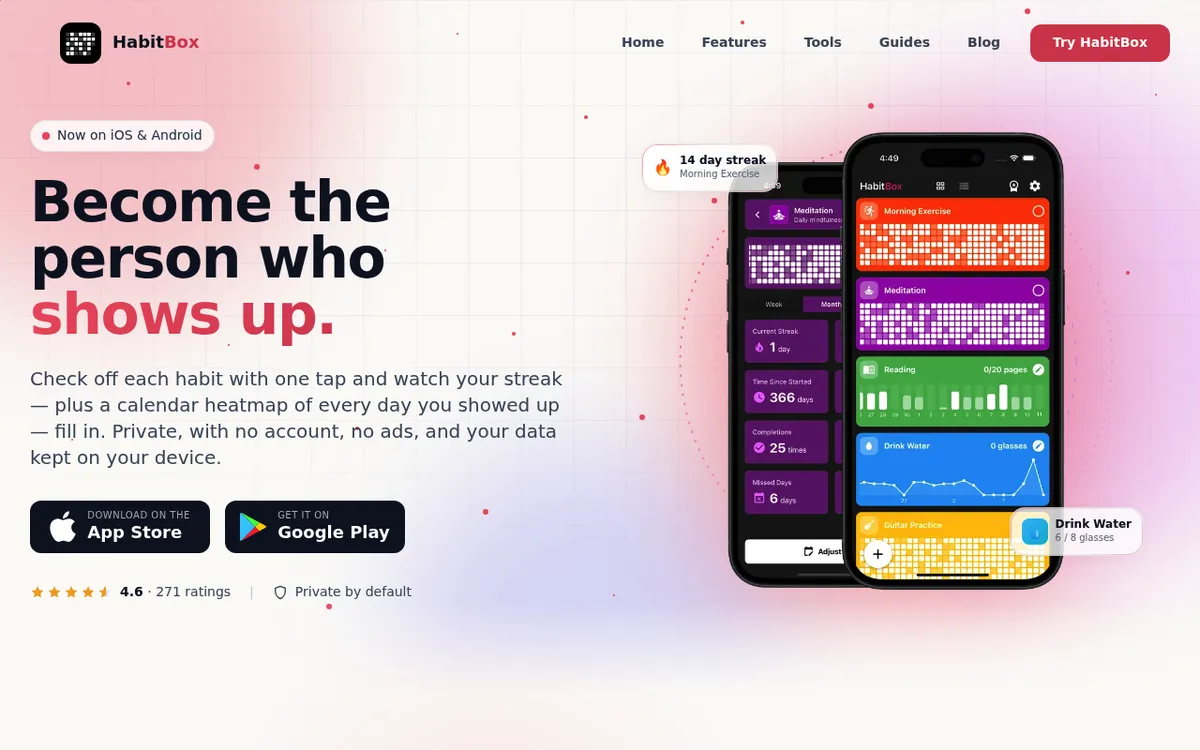
HabitBox is a habit tracker first, and it earns this spot on the scoring criteria above rather than on mood-specific depth. Set up "morning mood (1–5)" as a count-based habit and the check-in is a single tap, logged next to meditate, walk, and water instead of in a separate app you have to remember to open. That matters more than it sounds: the most common reason a mood log dies is that it lives somewhere you never go.
On privacy it is one of the strongest picks here, alongside Mood Check-In — there is no HabitBox account at all, no email and no sign-up, so your mood history is not sitting on a company's server. On iPhone there is optional iCloud sync, which uses your own iCloud rather than a HabitBox server; on Android everything stays on the device. Streak visibility is the other strength: the calendar heatmap and current/longest streaks sit on the home screen, and the charts and completion stats are free for everyone rather than held back as a paid analytics tier.
The trade-off is honest — this is a DIY setup, not a purpose-built mood app. You define the scale yourself, and there is no emotion vocabulary to browse. If naming the feeling is the point for you, Mood Check-In above (a quick list of twelve feelings) or How We Feel below (around 150 emotion words) does that properly.
Best for: people who already track habits and want mood on the same streak, with nothing stored on someone else's server.
Watch out for: you build the mood scale yourself — no 150-word emotion vocabulary, no mood-specific correlation charts — and the free tier caps how many habits you run at once, so mood plus a full routine of other habits takes Plus.
Rating: (4.5/5)
4. Bearable — best for tracking symptoms alongside mood
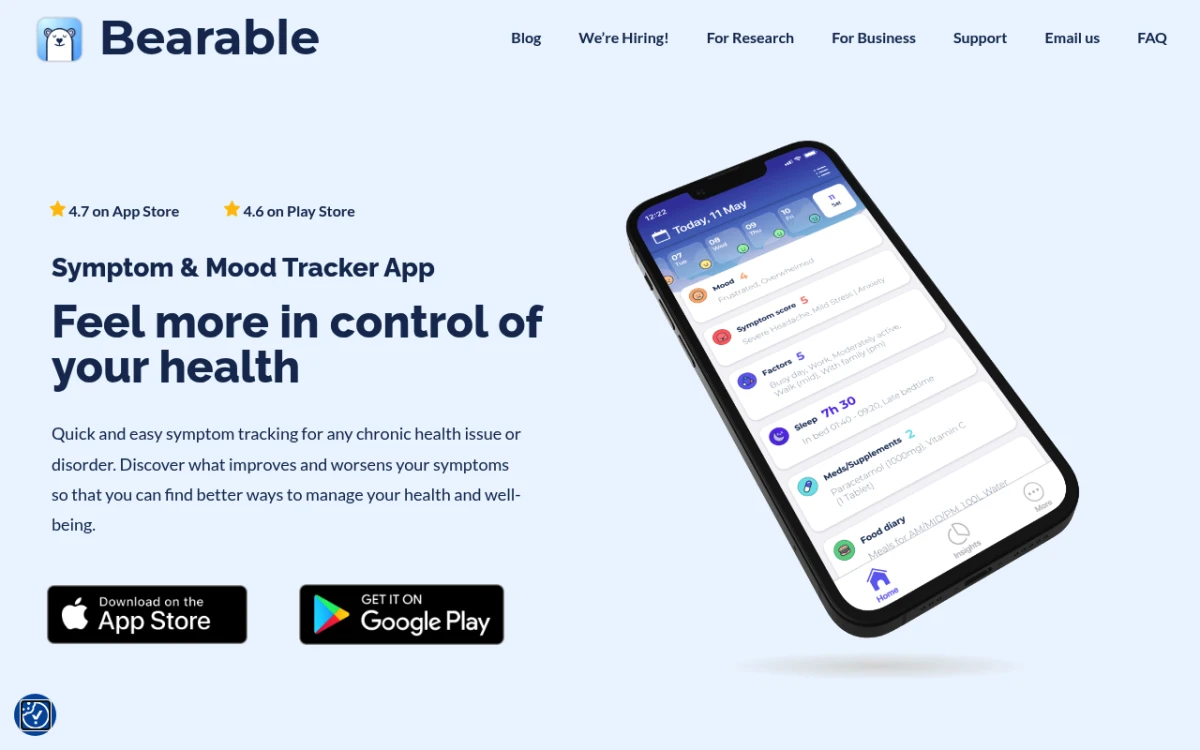
Bearable is built for people who want to correlate mood with sleep, medication, exercise, weather, and symptoms. The check-in takes longer than Daylio, but the trade-off is genuinely useful charts.
Best for: symptom tracking, neurodivergent users tracking sensory load.
Watch out for: more taps per day means higher friction; account required.
Rating: (4.5/5)
5. Moodflow — best clean mood-only experience
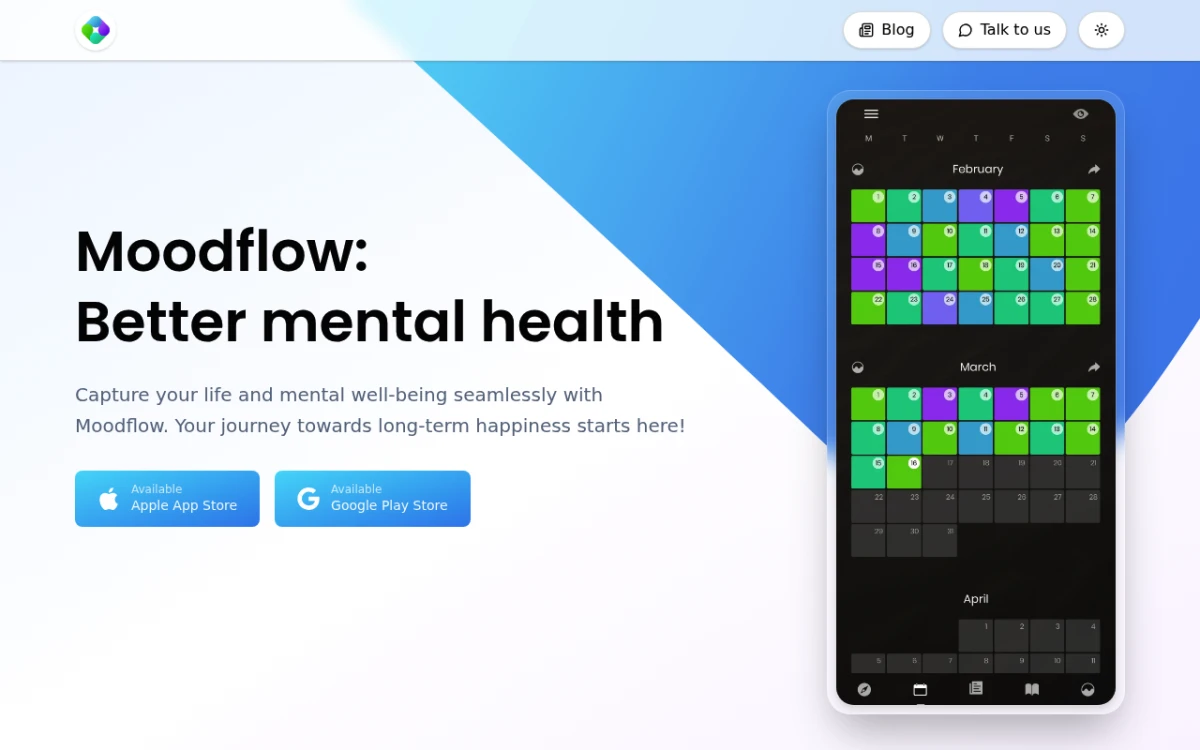
Moodflow sits between Daylio and the journal apps. The check-in is a slider plus emotions plus tags, with a clean weekly review screen.
Best for: a calm, mood-only app without activity tags.
Watch out for: light on habit-formation features beyond reminders.
Rating: (4.4/5)
6. How We Feel — best emotion vocabulary
How We Feel is built around the Mood Meter — a four-quadrant grid of energy and pleasantness with around 150 emotion words. It nudges you toward precise labelling ("frustrated" vs "annoyed" vs "irritable"), which is the affect-labelling effect described above. Run by a non-profit, fully free, no ads.
Best for: expanding your emotional vocabulary.
Watch out for: less of a streak-driven habit loop than Daylio.
Rating: (4.6/5)
7. eMoods — best for clinical use
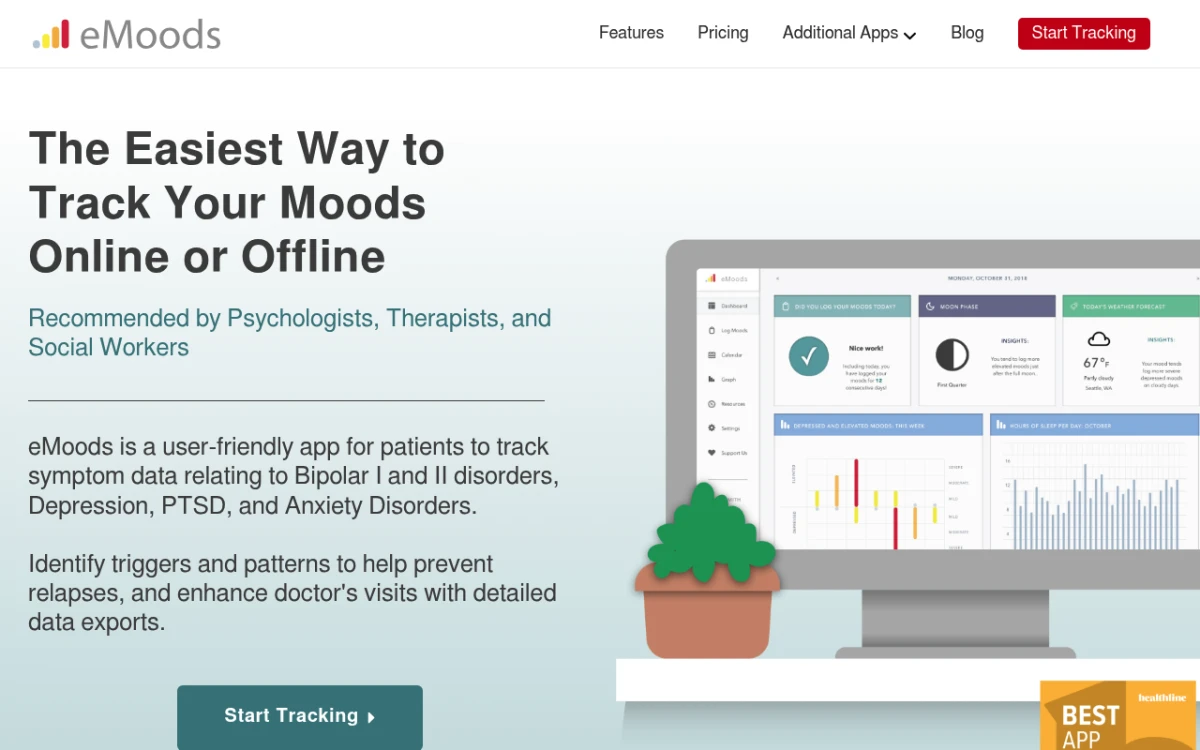
eMoods was designed with bipolar and depression patterns in mind. It tracks mood, sleep, anxiety, and meds, and exports a clean PDF you can bring to a clinician.
Best for: anyone working with a clinician who wants a tracking record.
Watch out for: functional UI, not a daily delight.
Rating: (4.2/5)
8. Apple Health (State of Mind) — best free iOS-only option

iOS 17 added a native State of Mind feature inside Apple Health. Log a momentary or daily mood on a slider with emotion words; it lives next to sleep, exercise, and heart-rate data. No streak, but the data is genuinely yours and is end-to-end encrypted.
Best for: iPhone users who do not want another app.
Watch out for: no streak, no Android version, weaker daily-habit loop.
Rating: (4/5)

How to actually build the mood tracking habit
Picking the right app is 30% of the work. The other 70% is wiring the check-in to a moment you already have.
For the longer-form version of what mood tracking is doing to your nervous system — and the practical "what to do with the patterns once you see them" question — this clinician walkthrough is the cleanest 10-minute primer:
1. Pick one anchor cue
BJ Fogg's research is clear: a new behaviour sticks when it follows a routine you already do. Pick one — after your first sip of morning coffee, after you brush your teeth at night, or after you sit down at your desk. Pick one, not three. This is habit stacking applied to a 30-second log, and if nothing obvious comes to mind, our free habit stacking builder walks you through pairing the check-in with a routine you already have.
2. Make the check-in 10 seconds or less
Use the simplest mode the app offers. Slider or emoji only. Skip notes for the first two weeks — friction now will kill the habit before it forms.
3. Set one reminder, not five
Set the reminder for two minutes after your anchor cue. Five reminders a day will get muted within a week.
4. Put the streak somewhere you see it
Add the app's home-screen widget if it has one. Drag the icon to page one. Visible streaks beat hidden ones.
5. Use the missed-day rule
Miss one day, no problem. Miss two in a row, change the anchor cue. Small course corrections beat starting over.
6. Review weekly, not daily
Open the patterns view once a week. Looking at the chart every day creates anxiety and stops feeling fresh.
A 30-day starter plan
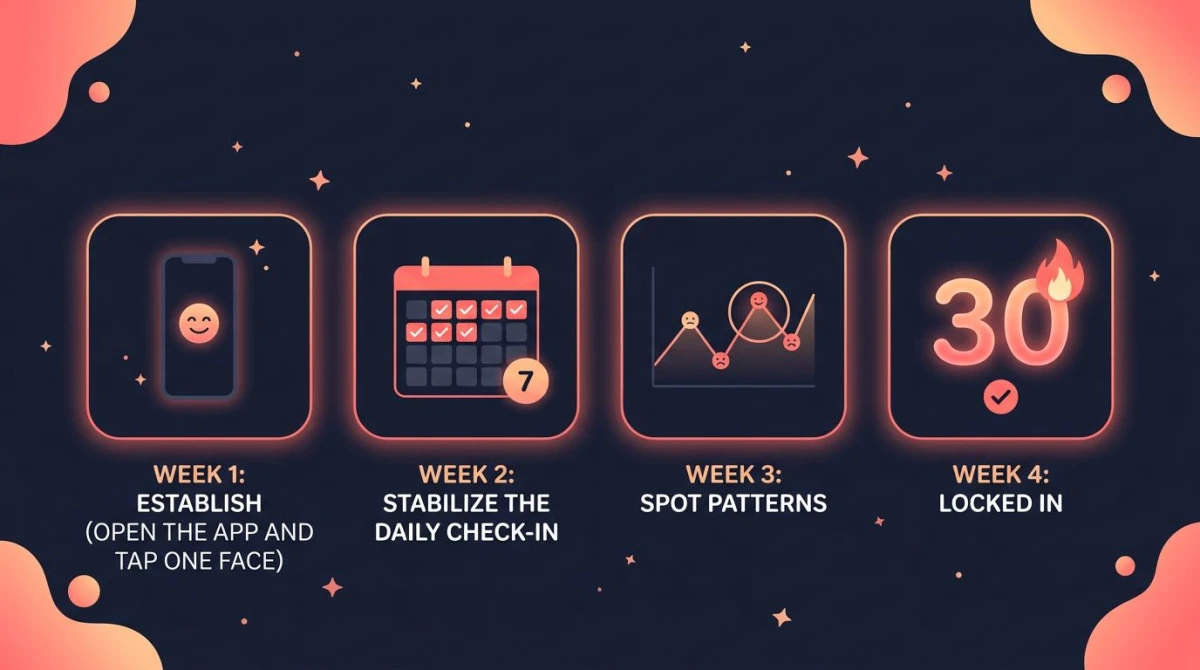
Pick your app on day 1 and do not switch.
Days 1-3 — Set up only. Install. Pick your anchor cue. Set one reminder. Log mood once.
Days 4-7 — Anchor the cue. Log once a day right after your anchor. Use the simplest input mode.
Days 8-14 — Add one tag. Add a single tag — sleep quality is the highest-signal one. Keep the rest minimal.
Days 15-21 — Weekly review. On day 14, open the patterns view for the first time. Note one obvious pattern out loud ("Mondays are always lower"). Resist the urge to over-analyse.
Days 22-30 — Personalise. Add a second tag if useful (exercise, caffeine, screen time). Adjust your reminder time. By day 30, the check-in should feel routine — not yet automatic, but no longer effortful.
By day 60-70 the habit hits the UCL automaticity threshold.
When mood tracking does not work — and how to recover
The daily log feels heavy. Usually the input mode is too detailed. Drop notes and tags. Go back to a single emoji or slider for two weeks. You are training the habit, not capturing perfect data.
Looking at the chart makes you feel worse. Some people are sensitive to seeing a string of low moods displayed visually. Hide the chart for a month and just log — or pair the check-in with two minutes on a breathing timer so the ritual ends on a calmer note. The Harvard Health Blog on writing about emotions notes the act of expression carries most of the benefit — you do not need to stare at the output.
You broke a long streak and quit. Use the "two-day rule": never miss two days in a row. One miss is a blip; two is a pattern. Logging once on the day after a miss resets you, even if you log "felt nothing." That counts.
If a few weeks of data show a persistent low pattern, talk to a clinician. A mood tracker is a magnifying glass; it is not a treatment. For supportive lifestyle habits that pair well with tracking, see our mental health checklist — ten daily items ranked by evidence strength.
How to choose a mood tracker app: a 60-second decision tree
- On iPhone and want a quick, private check-in that names the feeling? Mood Check-In.
- Want the simplest "open it and log" experience on iPhone or Android? Daylio.
- Want to see why moods change — sleep, meds, weather? Bearable.
- Want a richer emotion vocabulary? How We Feel.
- Working with a therapist or psychiatrist? eMoods.
- iPhone-only and do not want another app? Apple Health (State of Mind).
- Already track other habits and want one place for everything? HabitBox.
FAQ
What is the best free mood tracking app in 2026?
Which mood tracker is most private?
Is there a good mood tracker for both iOS and Android?
Can I use a habit tracker as a mood tracker?
How often should I track my mood?
What is the best time of day to log my mood?
How long until mood tracking feels automatic?
Can a mood tracker app replace therapy?
The bottom line
The best mood tracker app is the one whose check-in flow you can do in 10 seconds at the same moment every day. Mood Check-In wins for a private daily check-in on iPhone, Daylio on cross-platform ease, Bearable on data depth, How We Feel on emotional vocabulary, and HabitBox if mood is one of several habits you want in one place.
Whichever you pick, the principles are the same: one anchor cue, frictionless input, one reminder, and a missed day treated as a data point — not a failure.
For more on the daily check-in habit, see our guides on the best habit tracker apps for 2026 and building a daily habit tracker app routine.
This article is for general information and is not a substitute for professional mental health care. If you are in crisis, contact your local emergency services or a mental health helpline.

Mira Hartwell
Editor, HabitBoxEditor at HabitBox. Writes about habit science and productivity, grounding every post in named research (Lally, Wood, Walker, Huberman) instead of recycled advice. Read full bio →