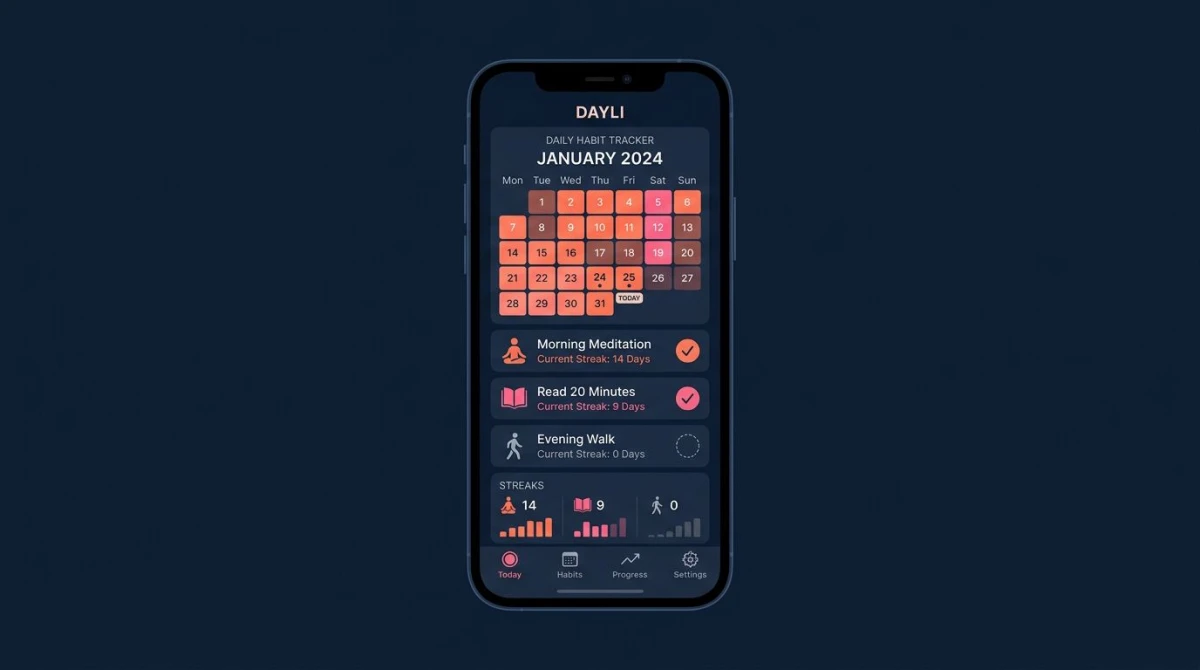
9 Best Habit Tracker Apps in 2026 (iOS & Android)
Habit tracker apps all look the same in a screenshot: a grid, a streak counter, a tick. The differences that decide whether you stick with one show up in week three — when the free tier runs out, when you change phones, when the app wants an account you never planned to make. We compared 9 habit tracker apps for iOS and Android, re-checking every price, free-tier limit and platform claim against the App Store, Google Play and each vendor's own pricing page.
The best habit tracker app depends on the phone you carry. On iPhone alone, Streaks is the quickest one-tap tracker at $5.99 once; on Android alone, Loop Habit Tracker is free, open source and needs no account. If you move between both phones, the real choice is whether you want habits synced through a company's account, like Habitify, or kept on the device itself, like HabitBox — and the nine apps below are ranked on platform, verified price, free-tier limits, and how fast a daily check-in actually is.
If cost is your only filter, our free habit tracker guide covers the apps that cost nothing and stays on that question. This page weighs free and paid side by side.
At a glance — by situation, not by rank:
- iPhone only: Streaks — $5.99 once, up to 24 tasks, auto-completes from Apple Health.
- Android only: Loop Habit Tracker — free, open source, no ads and no in-app purchases.
- Both phones, data on the device: HabitBox — one-tap check-ins, calendar heatmap, no account.
- Both phones, synced through an account: Habitify — iPhone, Android, Mac and web, 3 habits free.
- Ten or more habits with real schedules: Productive — weekday-only and every-other-day habits.
- Years of history on one screen: Way of Life — a colour grid where "skip" is its own answer.
- Accountability with teeth: Habitica — party boss battles that damage your whole group.
- No streak pressure: Finch — progress belongs to a bird, and missing a day costs nothing.
- Habits measured against symptoms: Bearable — correlation reports on your own data.
Last updated: September 2026.
Habit tracker apps compared
| App | Platforms | Free tier | Paid price | Streak view | Data & privacy | Best for |
|---|---|---|---|---|---|---|
| HabitBox | iOS + Android | Free to start (Plus for more) | Optional Plus | Calendar heatmap + streaks | On the device, no account | Cross-platform, privacy-minded |
| Streaks | Apple only — iPhone, iPad, Mac, Watch, Vision Pro | None (paid up front) | $5.99 one-time | Daily streak chain | iCloud sync | Apple ecosystem users |
| Habitica | iOS + Android + web | Yes, uncapped habits | $4.99/mo up to $47.99/yr | RPG-style streaks | Cloud account; ads on Android | Gamification fans |
| Habitify | iOS + Android + Mac + web | Yes, 3 habits | $8.99/mo or $49.99/yr (App Store) | Streak + heatmap | Cloud account | Multi-device sync |
| Loop Habit Tracker | Android only | Yes, everything | None | Score graph + streaks | On the device, no account | Android privacy fans |
| Finch | iOS + Android | Yes, ad-free | $9.99/mo or $69.99/yr | Pet-based progress | Cloud account | Mental wellness focus |
| Bearable | iOS + Android | Yes, last 30 days | $6.99/mo or $34.99/yr | Symptom + habit graphs | Cloud account | Health symptom tracking |
| Productive | iOS + Android (Android app is stale) | Yes, limited | $10.99/mo; $19.99–$79.99/yr | Streak chains + perfect days | Cloud account | Scheduling power users |
| Way of Life | iOS + Android (Android app is stale) | Yes, limited habits | $4.99–$29.99 (App Store) | Colour-coded grid | On the device + your own cloud backup | Long-term trend tracking |
Prices are the US App Store and Google Play figures on 20 September 2026, read from each app's own store listing rather than copied from other roundups. Store prices move, and several apps here run rotating promotions, so check the offer on your own screen before you buy.
How we compiled this list
This is a desk comparison, not a lab test. Every price, free-tier cap, platform, ads disclosure and rating on this page comes from one of three primary sources, all re-read on 20 September 2026: each app's App Store listing, its Google Play listing — including the "Contains ads" and "In-app purchases" badges that sit under the title — and the developer's own pricing page. Where a vendor does not publish a number, and several capped free tiers never say where the cap falls, we say so rather than guess.
Ranking is based on what those sources let us check: which platforms an app runs on, what the free tier includes, what the paid tier costs, whether an account is required, and where habit data is stored. Feature descriptions quote the developer's own wording.
Our rankings cross-check public roundups from 2sync, Clockify, and Habitify's blog. We focused on the platform-specific gaps those sites miss.
The 9 best habit tracker apps, reviewed
1. HabitBox — best cross-platform free-to-start option
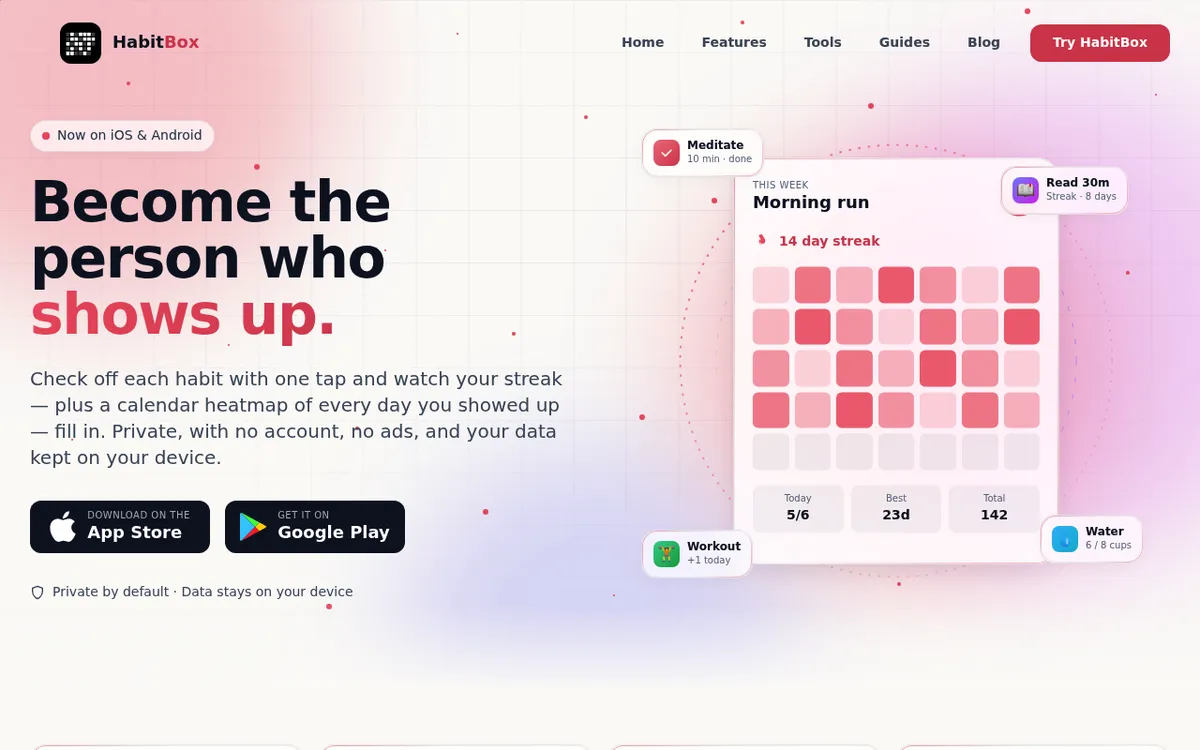
HabitBox is a habit tracker for iPhone and Android, free to start, built around one idea: the check-in should cost you one tap. There's no sign-up screen, no email and no onboarding quiz, because habits live on your device and you never create a HabitBox account — you're logging your first habit about ten seconds after the download finishes.
The standout mechanic is the calendar heatmap. Every logged day fills a square, so a month of effort reads as one picture instead of a number you have to interpret, with current and longest streaks beside it. Under that simplicity there's real range: habits come in three types — simple yes/no, goal-based with a daily target, and count-based for things you tally through the day — so "meditate", "drink 8 glasses of water" and "read 20 pages" each get the right kind of check-in.
Most trackers in this roundup treat analytics as the thing you pay for. Here the charts and completion statistics are free for everyone, and Plus is what lifts the habit limit. The trade-off is scope: it's phone-first, so there's no web or desktop version, and there's no Apple Health or Google Fit integration and no social layer, so nothing gets auto-completed for you.
Platforms: iPhone and Android. On iPhone there's an optional iCloud sync that uses your own iCloud account rather than a HabitBox server, plus a home-screen widget that shows your habits and streaks at a glance. On Android everything stays on the device, so moving to a new phone means using the backup file.
Price: Free to start, with an optional Plus upgrade for people who want to run a bigger routine. The charts and completion statistics are free for everyone.
Bottom line: The pick if you use both platforms, want daily logging to take seconds, and would rather your habit history stayed on your phone than on someone else's server.
2. Streaks — best iOS-only option
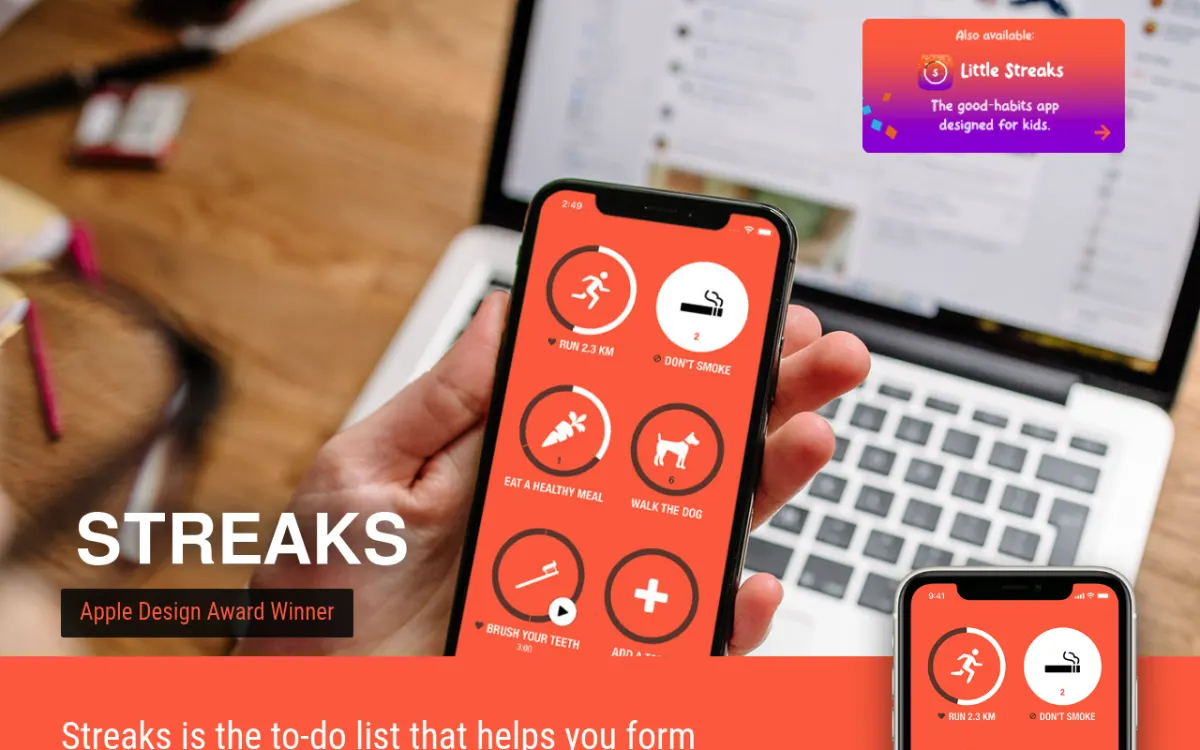
Streaks is a $5.99 one-time purchase for iPhone, iPad, Mac, Apple Watch and Apple Vision Pro that shows your habits as up to 24 tappable circles and almost nothing else. It's the app that made "don't break the chain" famous on iOS, and its own site is blunt about the ceiling: "Choose or create up to 24 tasks."
The standout mechanic is Apple Health automation. Link a task to Health and Streaks ticks it off by itself — steps, workouts, water, caffeine. Your walking habit gets logged because you walked, not because you remembered to open an app. It is sparer than the competition without being thin: 78 colour themes, over 600 task icons, timed tasks, negative tasks for habits you want to break, and the option to share tasks with other Streaks users. It holds 4.8 stars from about 27,400 US App Store ratings.
Platforms: Apple only. There's no Android version — you can export your history as CSV, but there's no Streaks app on the other side to import it into.
Price: $5.99 once. The App Store product page carries no In-App Purchases section at all, so there's no subscription and no upsell screen — but also no free tier and no trial, so you pay before you try.
Bottom line: The best pick for iPhone owners who plan to stay on Apple, track a handful of habits, and would rather pay once than subscribe forever.
3. Habitica — best for gamification fans
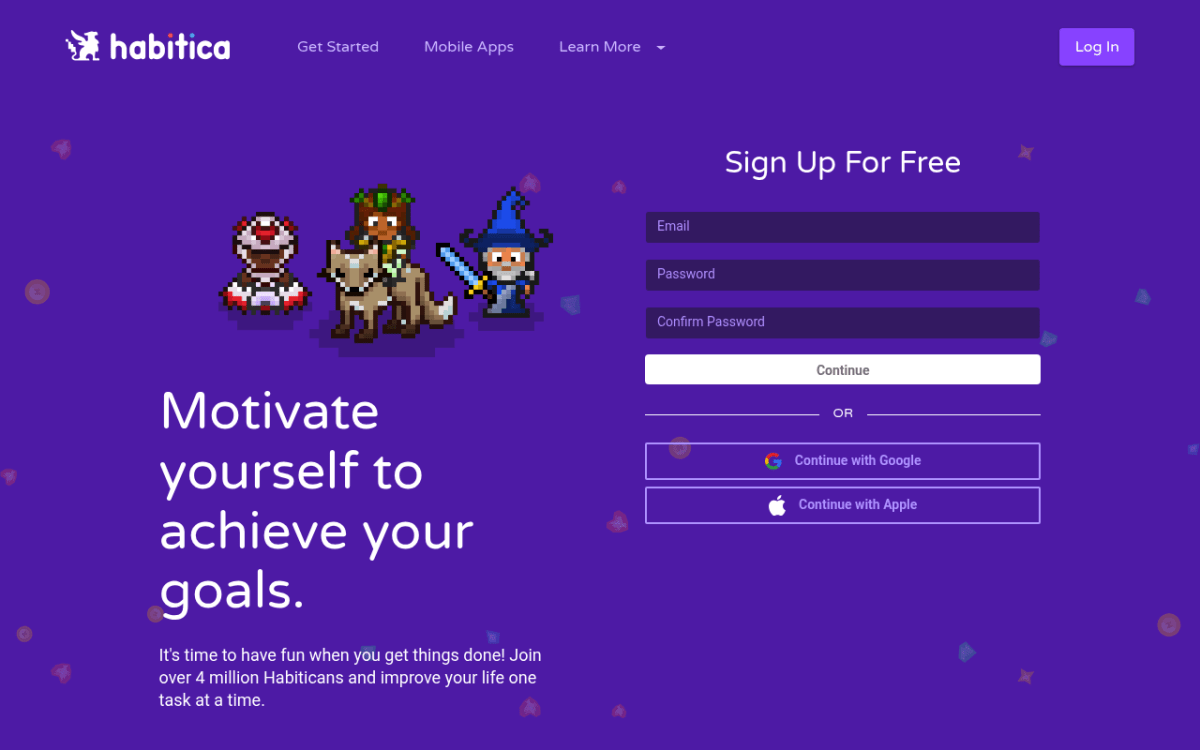
Habitica is a free habit tracker for iOS, Android and the web that turns your to-do list into a retro roleplaying game: you build a pixel character, earn experience and gold for habits completed, and take real damage for the ones you skip.
The standout mechanic is the party. You join a group of four or five people and fight a boss together — and when you miss your habits, the boss damages the whole party, not only you. That's social accountability with teeth, and it's why Habitica holds people that solo trackers lose. The cost is overhead: you end up managing gear, gold and quests on top of the habits you meant to build, a cloud account is mandatory, and the interface is dated. At 4.3 stars it has the lowest App Store rating in this roundup, and the Google Play listing carries a "Contains ads" badge.
Platforms: iOS, Android and a full web app, all tied to one cloud account. There's no local-only mode.
Price: Free, and genuinely uncapped for habit tracking. The subscription runs $4.99 for a month, $14.99 for three, $29.99 for six or $47.99 for a year, and buys gems and cosmetics rather than unlocking core features.
Bottom line: Worth it if you already enjoy RPGs and want teammates who notice when you skip. If that's not you, see our Habitica alternatives guide.
4. Habitify — best for multi-device sync
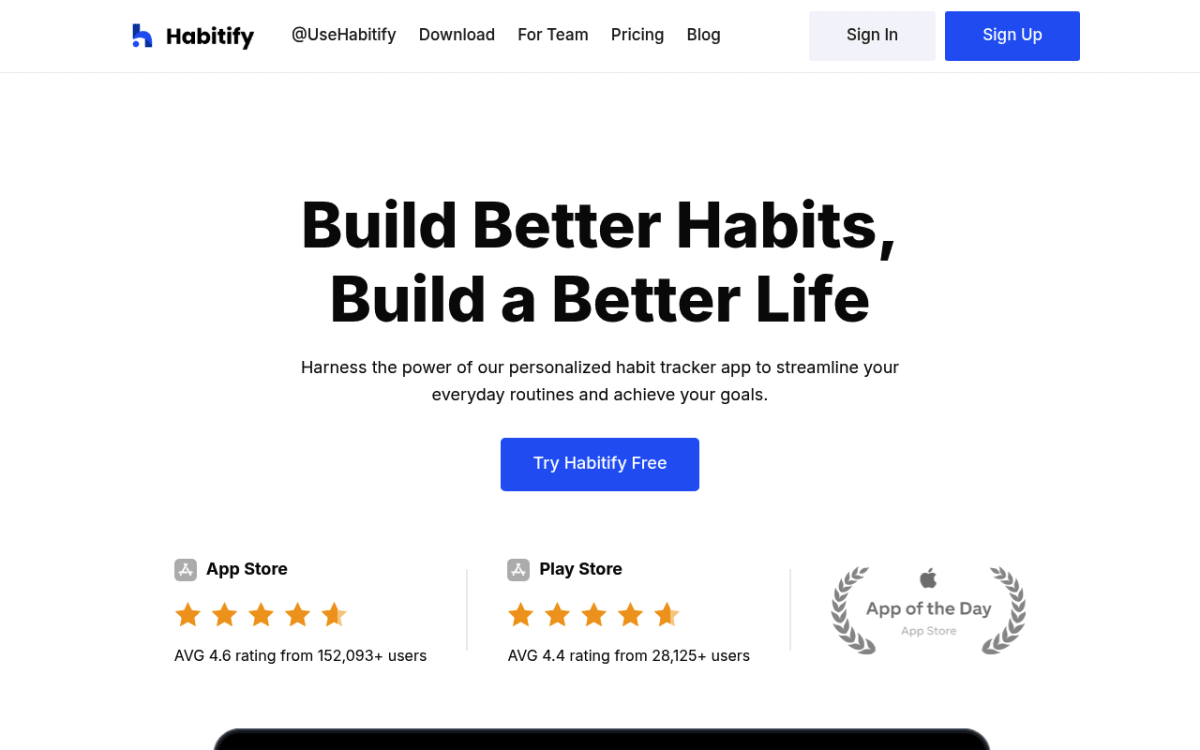
Habitify is a cross-platform tracker for iPhone, Android, Mac and the browser whose free plan stops at 3 habits, with paid tiers starting at $8.99 a month on the App Store. One cloud account carries your habits everywhere, and the sync is fast enough that you can log on a laptop and see it on your phone seconds later.
The standout mechanic is the time-of-day layout. Habits group into morning, afternoon, evening and anytime, so opening the app shows what's left in this part of the day instead of a wall of everything. In April 2026 Habitify replaced its single Premium plan with three tiers: Free, Plus (which "removes the limits" on how many habits you track) and Pro, which adds advanced insights and Apple Health sync. Existing subscribers and lifetime buyers were grandfathered in.
The pricing itself is the weak point, and you can see it on their own page: habitify.me advertises Premium at "$2.49 per month" with the annual total left as an unfilled "[Price] per year" placeholder and lifetime at $59.99, while the App Store lists Pro Yearly at $49.99 and Pro Lifetime at $119.99. The Android app also trails the iPhone one, at 4.2 stars against 4.6.
Platforms: iPhone, Android, Mac, Apple Watch and a browser dashboard. A cloud account is required and there's no local-only option.
Price: Free for 3 habits. The App Store lists Pro Monthly at $8.99, Pro Yearly at $49.99 and Pro Lifetime at $119.99; Habitify's own site quotes different numbers, so compare both before you subscribe.
Bottom line: The most complete multi-device option here if you move between a phone and a computer all day — as long as you treat the 3-habit free plan as a trial rather than a tier.
5. Loop Habit Tracker — best for Android privacy
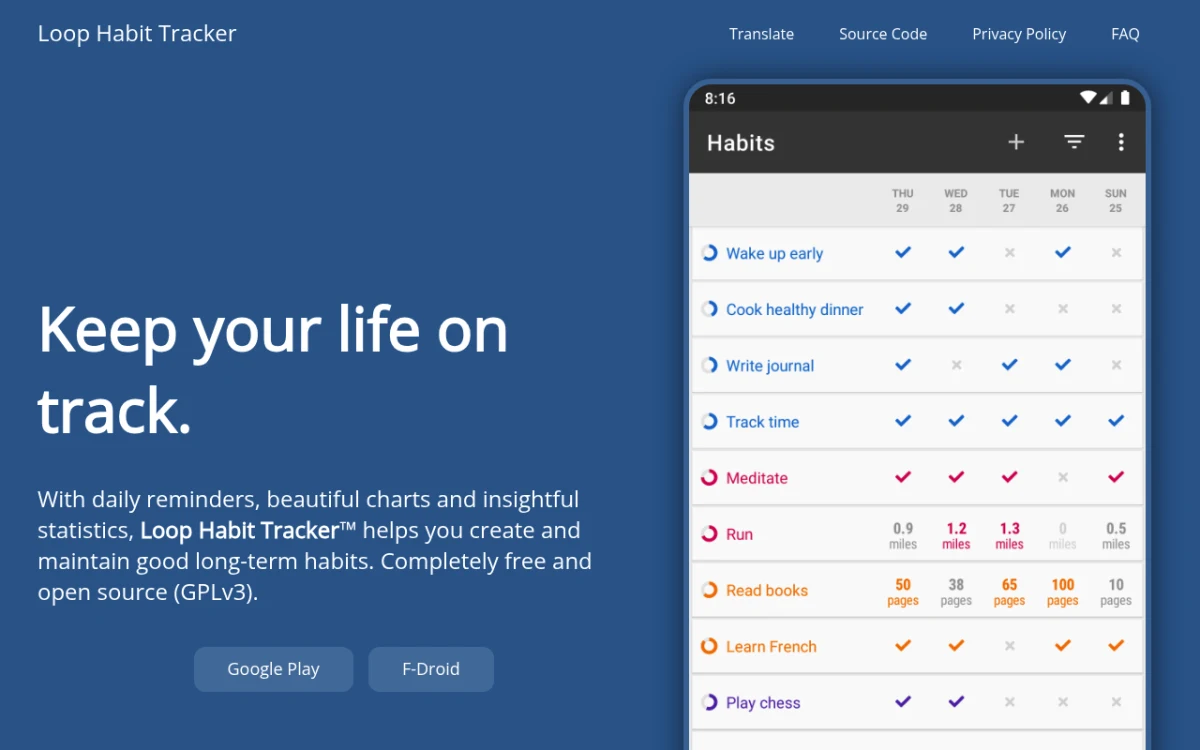
Loop is a free, open-source Android habit tracker — "completely free and open source (GPLv3)" — and the only one of the nine apps here whose Google Play listing carries neither an in-app-purchases badge nor a "Contains ads" badge. You install it from Google Play or F-Droid and that's the last transaction.
The standout mechanic is the habit score. Instead of a streak that resets to zero the moment you slip, Loop runs a formula that weights recent days more heavily and decays slowly, so one missed Tuesday dents the score instead of erasing it. That's closer to how habits actually behave. It also handles flexible schedules — three times a week, every other day — and exports to CSV or SQLite whenever you want your data out. The catch is maintenance: the last Play Store update was 14 September 2025, and the design and widgets look their age next to paid apps.
Platforms: Android only, via Google Play and F-Droid. There's no iPhone version and none is planned, and there's no cloud sync or backup service — lose the phone without an export and the history goes with it.
Price: Free. No ads, no accounts, no in-app purchases of any kind.
Bottom line: The strongest free pick for Android users who want a private tracker, don't need it on any other device, and will remember to export a backup now and then.
6. Finch — best for mental wellness
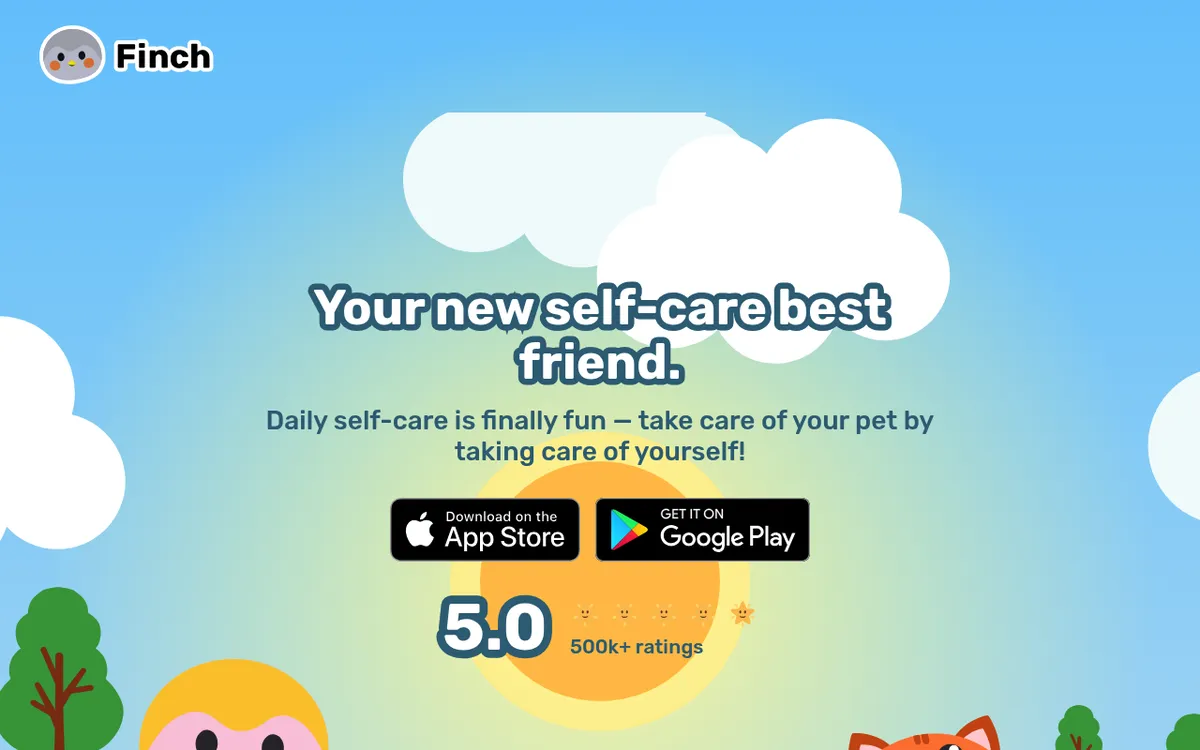
Finch is a free-to-use self-care app for iPhone and Android where habit tracking happens by raising a small bird, with an optional Finch Plus subscription at $9.99 a month or $69.99 a year. The free tier covers goals, mood check-ins, journaling prompts and breathing exercises, with no ads.
The standout mechanic is that progress belongs to the bird, not to you. Finish your goals and your finch goes on an adventure and comes back with a story. Miss a day and nothing punishes you — no broken chain, no red square. For people who quit streak apps because the streak itself became the stressor, that reframing is the whole point. The trade-off is depth: there's no heatmap and no serious long-term statistics, so this is a wellness app that tracks habits rather than the reverse. A cloud account is required, and billing complaints about surprise renewals are a recurring theme in reviews.
Platforms: iPhone and Android, with a cloud account required.
Price: Free and usable without paying. Finch Plus is the priciest subscription in this lineup at $9.99 a month or $69.99 a year.
Bottom line: The right pick if your real goal is mental wellness and you need a tracker that never makes you feel worse for missing a day. It is also the best-loved app here, at 4.9 stars from about 754,000 US App Store ratings, with Finch's own site advertising a 5.0 from 500k+ ratings. Our Finch app review digs into the pricing and the complaints.
7. Bearable — best for health symptom tracking
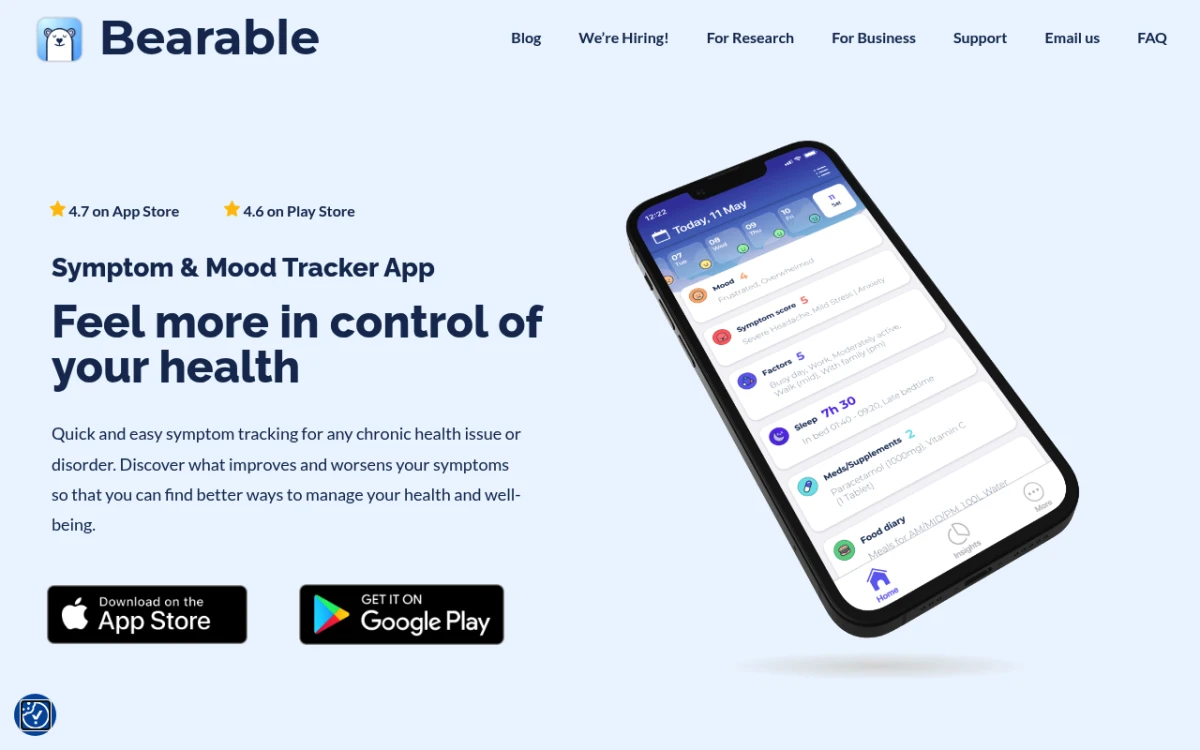
Bearable is a symptom, mood and habit tracker for iPhone and Android, free for unlimited symptoms and moods, with Premium at $6.99 a month or $34.99 a year. It was built by someone with chronic migraines, and it shows: you log habits next to symptoms, mood, energy, sleep, medication and factors like caffeine or work stress, then let the app find the connections.
The standout mechanic is the correlation report. After a few weeks of logging, Bearable will tell you that your headaches cluster on days you slept under six hours, or that your energy dips track your caffeine timing. No other app here answers "is this habit doing anything?" with your own data. It pulls steps, sleep and heart rate in from Apple Health and Fitbit, exports reports you can hand to a doctor, and locks behind a PIN. It is also heavy: daily logging means more checkboxes than anything else here, and the Google Play listing is now titled "Symptom, Mood & Period Tracker", which tells you where the product is heading.
Platforms: iPhone and Android, with a cloud account required.
Price: The free plan covers unlimited custom symptoms, moods and factors, but caps trends and comparison graphs at the past 30 days. Premium ($6.99 a month or $34.99 a year, frequently discounted to $18.99 annually) unlocks correlation reports, unlimited goals, custom experiments and your full history beyond that 30-day window.
Bottom line: The app to pick if you're managing a chronic condition and want to know which habits actually move your symptoms — overkill for anyone who only wants to tick off a morning routine.
8. Productive — best for multi-habit power users
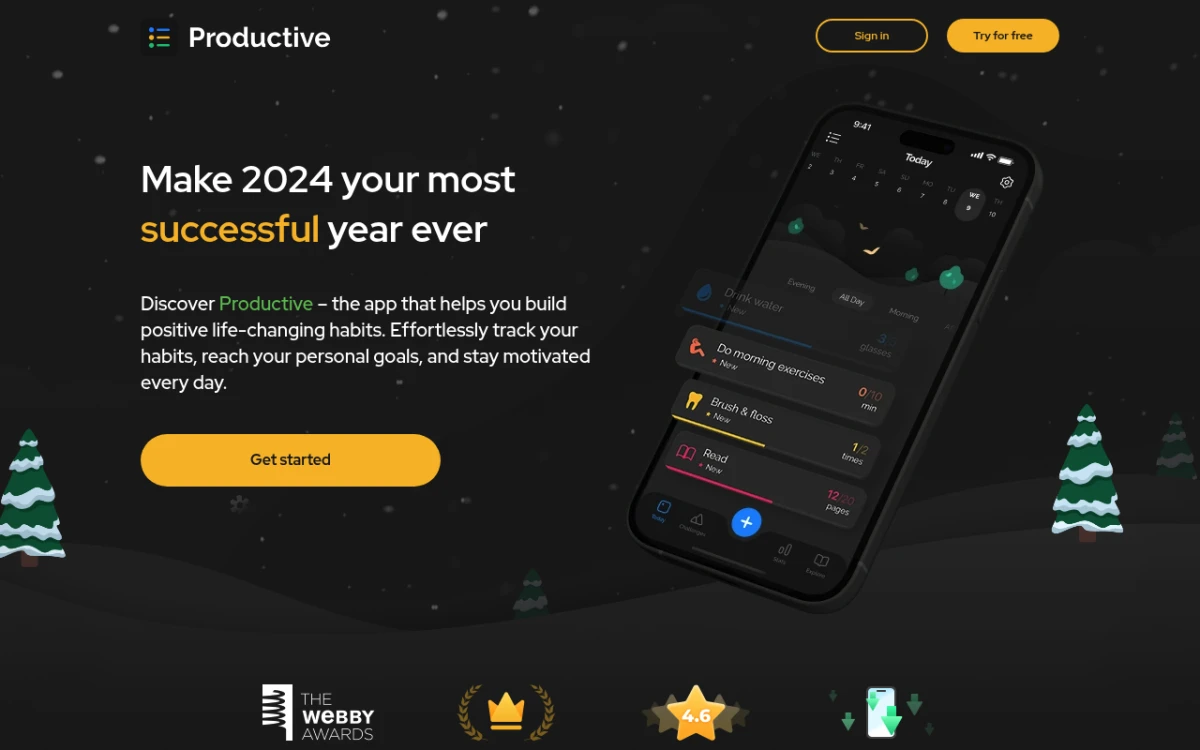
Productive has the deepest scheduling engine here — weekdays only, three times a week, every other day — plus categories, time-of-day sections and location-based reminders on Premium. It sits at 4.6 stars from about 91,000 US App Store ratings.
The standout mechanic is "perfect days." Alongside per-habit chains, Productive tracks the days where you completed everything you scheduled, which gives a long habit list a single number to aim at. It also ships guided Programs — a curated morning routine, a sleep reset — and global Challenges you can join.
Two caveats. Pricing is the least transparent in this roundup: the App Store lists a monthly tier at $10.99 and annual tiers at four different prices, from $19.99 to $79.99, a fourfold spread for the same product depending on which offer you land on. And "cross-platform" is doing a lot of work — the Android app sits at 3.7 stars and hasn't been updated since 14 November 2025, against a March 2026 update on iOS.
Platforms: iPhone and Android, with a cloud account required and no web app. The Android listing is easy to miss — it doesn't surface in an obvious Play search for the name.
Price: Free tier is limited and the upgrade prompts arrive early. Premium is $10.99 a month, or an annual plan somewhere between $19.99 and $79.99.
Bottom line: Worth it on iPhone if you run ten or more habits and want real schedules rather than a daily grid — harder to recommend if Android is your main phone.
9. Way of Life — best for long-term trends
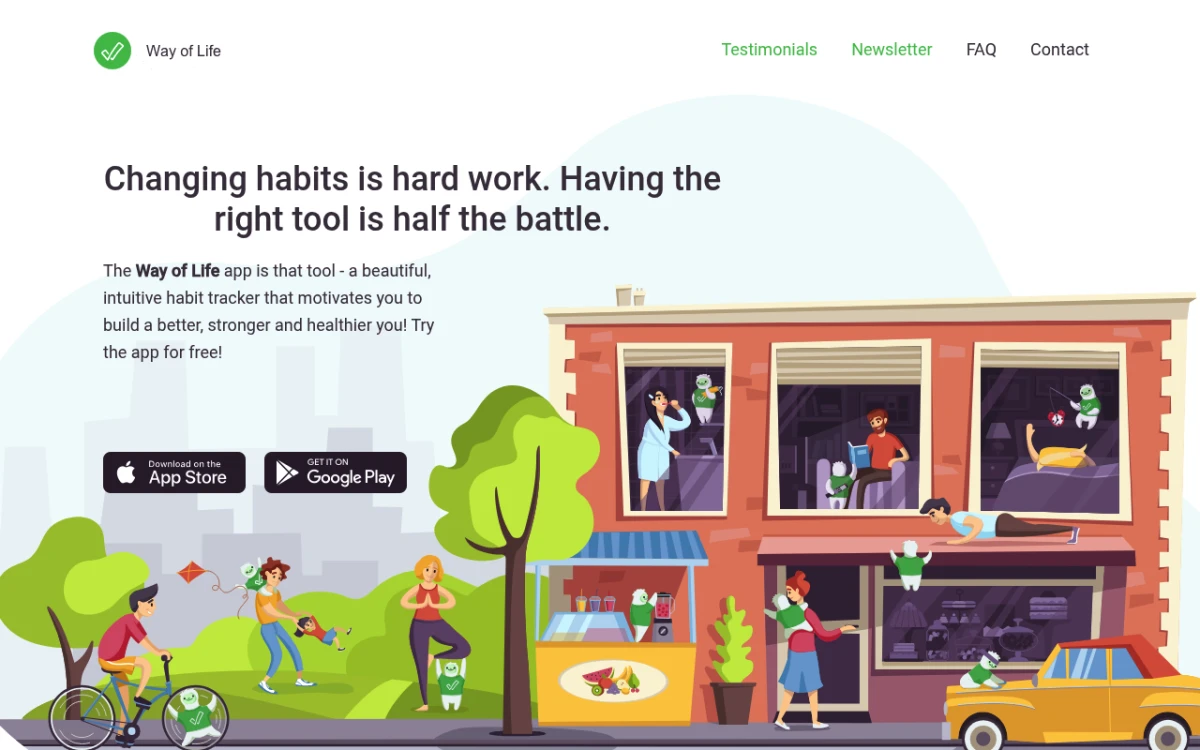
Way of Life has been on the App Store since 2010, and its idea hasn't changed: a colour grid of green, red and grey squares stretching back across months. Green means done, red means missed, grey means skipped. Nothing else here competes with it for reading a year of behaviour in one screen.
The standout mechanic is that "skip" is a first-class answer. Most trackers force a binary — you did it or you failed — so a rest day looks identical to a lapse. Way of Life records skips in their own colour and leaves them out of your trend line, which makes the chart honest. It adds tags, per-day notes, trend charts, CSV and Excel export, and a passcode lock with Touch ID and Face ID, and a recent update made backup and restore free for all users.
The Android app is the problem: 3.6 stars from 1,350 reviews and no update since 7 August 2025, which is the weakest showing of any of the nine apps here on either store. On iPhone it's still maintained, with a 4.8-star average from roughly 5,250 US ratings.
Platforms: iPhone and Android, but treat it as an iPhone app. Data sits on the device, with backup to a cloud storage provider of your choosing.
Price: The free version limits how many habits you can track — Apple's listing marks "Unlimited items" as a premium feature — and Premium lifts the cap. App Store Premium SKUs run from $4.99 to $29.99, with most listings showing $29.99, while Google Play shows a different $4.99–$6.49 range, so read the upgrade screen in the app rather than trusting a roundup.
Bottom line: The best choice if you intend to track the same handful of habits for years on an iPhone and want to see the whole run at a glance.
Done comparing? The cross-platform pick you can start in seconds. Download HabitBox on iOS and Android — free to start, no account, no ads, and Plus when you want more habits.
Also worth considering
Five more apps earn a mention without a numbered slot — because they're single-platform, because habits are one feature of a bigger app, or because of a caveat you should know first.
| App | Platforms | Price | Free tier | Why it's here |
|---|---|---|---|---|
| HabitNow | Android only | Free, with a one-time premium unlock | Free to use; the premium caps aren't published | The most-reviewed dedicated habit tracker on Android of any app on this page — 4.7 stars from 92,693 ratings, ahead of both Loop and Habitica — and the Android answer to Streaks: pay once, own it. Habits, to-dos, a calendar and a full timer suite in one app. |
| TickTick | iOS, Android, Mac, Watch, web, desktop | $4.99/mo or $49.99/yr on the App Store | Free, habits included, capped at 5 | Habit tracking inside a full task manager with a calendar, time-blocking and a Pomodoro timer. Our TickTick review goes deeper. |
| Atoms | iOS and Apple Watch, plus a weaker Android app | Free to download; Pro $4.99/mo or $39.99/yr | Free to download; caps aren't published | The official Atomic Habits app from James Clear: identity-based habits and bite-sized lessons rather than a grid. 4.8 stars on iPhone, but only 3.1 on Android. |
| everyday | iOS, Android, Mac, Watch, web and browser extensions | $7.49/mo, $29.99/yr, or a lifetime licence at $49.99–$99.99 | "Free forever with the option to upgrade" | The only app here you can check in from a browser toolbar, and a second tracker where skipping a day doesn't break the chain. |
| HabitShare | iOS and Android | Free — neither store listing carries in-app purchases or ads | Everything | Per-habit sharing with friends: share your gym habit with your running club and keep another one private. Caveat: the iPhone app hasn't been updated since January 2023, the Android one since December 2024. |
Two we left out. Daylio is enormous (4.7 stars from over 462,000 Play reviews) but it's a mood journal where habits fall out of activity tags, and it carries ads on Android — our best mood tracker app roundup is the right place for it. Griply's goal hierarchy is genuinely different, but at 194 US App Store ratings it's too small to rank above HabitNow or TickTick yet.
What to look for in a habit tracker app
Four things separate the apps people keep from the ones they delete in week three.
Speed of check-in. Behaviour researcher BJ Fogg argues in Tiny Habits that friction is the biggest predictor of whether a habit sticks. If logging takes more than a few seconds, you'll skip it.
A streak you can see without opening the app. James Clear made "don't break the chain" famous in Atomic Habits, and it only works if the chain is visible — on a widget, a lock screen or the first screen of the app.
Cross-platform support. If you change phones every few years, an iOS-only or Android-only app means leaving your history behind. It is the constraint that decides the most picks here, and it's why two of the nine apps above come with platform warnings.
Where the data lives. Some apps store everything in the cloud and require an account; others keep it on your phone with no sign-up. A 2010 study from University College London found habits take a median of 66 days to form — the 21-day rule is a myth, and you can test what else you've got wrong with our habit myths quiz. That's two months of personal data you may not want on a third-party server.
Which habit tracker app should you pick?
- You're starting out. Pick something with an instant check-in and no setup — HabitBox or Loop on Android to start without paying, Streaks on iPhone if you'd rather pay $5.99 once. Start with one or two habits and add more once those are steady; our daily habit tracker app guide walks through the first week.
- You're running ten or more habits. Productive and Habitify handle real schedules; on HabitBox, Plus is what lifts the habit limit. Our habit stacking builder helps chain new habits onto an existing routine.
- You have ADHD or struggle with consistency. Friction is the enemy: look for big tap targets, home-screen widgets and one custom reminder rather than five. Streaks on iPhone and Loop's pinned notification on Android are the usual picks.
- You care about privacy. Loop is the top pick on Android. HabitBox keeps data local by default on both platforms — no sign-up, with optional iCloud sync on iOS and no cloud sync at all on Android. Way of Life also stores data on your phone, backing up to a cloud drive you choose.
- You switch between iOS and Android. Habitify and everyday sync through an account; HabitBox runs on both and moves data with an export file. See our Streaks app alternatives roundup for more.
- You track with a partner. HabitShare is the free, purpose-built answer, as long as you accept that it hasn't been updated in a while. Habitica's party system works too. Our habit tracker for couples guide covers five apps built for two.
Two problems people actually hit
Lost streaks after a phone switch. This almost always comes from moving between iOS and Android without exporting first. Cloud-sync apps like Habitica and Habitify carry data through a sign-in; local-only apps need a manual export. Before you switch phones, export the file, save it somewhere off the device, then import on the new one.
Reminders not firing. Usually the operating system, not the app. On iOS, check Settings > Notifications and your Focus modes. On Android, turn off battery optimisation for the tracker — some phones (Xiaomi, OnePlus, Huawei) are extra strict and need an "auto-start" permission too. And if the reminders feel naggy, set one time you'll honour and turn the rest off. One well-timed nudge beats five you learn to ignore.
The bottom line
If you're on iPhone only and don't mind paying once: Streaks. Android only and want free and open source: Loop. Android only and happy to pay once: HabitNow. Want a game layer: Habitica. Want symptom correlations: Bearable. Want mental wellness without streak pressure: Finch. Want habits inside your task manager: TickTick. For everyone else — cross-platform users, privacy-minded folks, beginners, multi-habit power users — HabitBox covers the core needs (iOS and Android, data on the device, no account, heatmap, smart reminders) and is free to start, with Plus there if you outgrow it.
The best of these apps for habit tracking is the one you'll open tomorrow morning. Pick the simplest option that fits your phone and your privacy goals, then start with one habit. You can always switch later — most of these apps let you export your data.
Ready to start tracking? HabitBox is free to download on iOS and Android, no account needed, with a Plus upgrade for more.
Frequently asked questions
What are the best habit tracker apps in 2026?
What are the top 10 habit tracker apps?
Is the habit tracker app worth it?
Do habit trackers actually help?
What is the best free habit tracker app?
Does the iPhone have a habit tracker?
What is the best app to track bad habits?
What is the best app to track habits with friends?
What is the best habit tracker app for Android?
What is the best habit tracker app for privacy?

Mira Hartwell
Editor, HabitBoxEditor at HabitBox. Writes about habit science and productivity, grounding every post in named research (Lally, Wood, Walker, Huberman) instead of recycled advice. Read full bio →