← Back to Blog

Best Gratitude Journal App: 6 Picks Compared (2026)

By Mira HartwellPublished May 17, 202624 min read
Best Gratitude Journal App: 6 Picks Compared (2026)

# Best Gratitude Journal App: 6 Picks Compared for Daily Habit-Building (2026)

Looking for the best gratitude journal app for daily habit-building? After three weeks of testing the top picks against the same morning-coffee routine, six apps stand out: Presently for prompt variety, Three Good Things for one-tap simplicity, Gratitude: Self-Care Journal for guided structure, Reflectly for AI-driven prompts, Day One for long-term archiving, and HabitBox for people who want gratitude as one habit inside a wider tracker.

Most "best gratitude journal app" lists pick winners on prompt count and design. We picked them on whether the app actually keeps you logging on day 21 — when the novelty has worn off and the streak is the only thing pulling you back. The science of habit formation says cue strength, friction, and visible progress are what matter, so that is what the comparison below measures.

TL;DR — the 30-second answer

The best gratitude journal app for habit-building combines varied prompts with a visible streak view and low friction at the moment of entry. Three Good Things is the simplest free pick and the easiest to keep up. Presently has the widest prompt rotation. Day One is the strongest long-term archive. HabitBox is not a journal — it is a habit tracker — but it is the right fit if you want gratitude as one checkbox inside a routine of three to ten daily habits.

What is a gratitude journal app?

A gratitude journal app is a mobile app that prompts you to write a short list — usually three items — of things you are grateful for, often once per day. It replaces the paper notebook with a phone reminder, a prompt rotation, a streak counter, and a searchable archive. Some pair the entries with mood tracking, photos, or guided reflection prompts. The goal is the same as paper: build a daily noticing habit that nudges attention toward what is going well.

The category sits at the crossroads of journaling, mood tracking, and habit-building. Some apps lean heavily into journaling depth (Day One). Others lean into bite-sized habit cues (Three Good Things). The right pick depends on whether you want a deep journal, a quick check-in, or a streak-driven habit you stack onto an existing routine.

The science: why a daily gratitude practice works

Three pieces of research keep showing up in gratitude app product copy, and they are worth knowing before you pick a tool.

Emmons and McCullough's "Counting Blessings" study (2003). Robert Emmons of UC Davis and Michael McCullough of the University of Miami ran one of the most-cited gratitude experiments. Participants were split into three groups: one wrote weekly gratitudes, one wrote weekly hassles, and one wrote neutral life events. Over 10 weeks, the gratitude group reported higher well-being and more optimism about the coming week. The original study is indexed on PubMed and remains the foundation of the field.

Martin Seligman's "Three Good Things" exercise. Seligman, the founder of positive psychology, popularized a simple intervention: each night, write three things that went well that day and a brief reason why. In a 2005 study his team reported the exercise reduced depressive symptoms and increased happiness for up to six months after participants stopped doing it. The mechanism is attentional — the act of looking trains your brain to notice the next good thing.

Habit formation research. Phillippa Lally and colleagues at University College London found that new habits take a median of 66 days to feel automatic, with significant individual variation. Whichever app you pick, plan for the practice to feel effortful for two to three months. That is the window where streak features and reminders earn their keep.

The takeaway: gratitude journaling is one of the better-evidenced lifestyle practices for everyday well-being. It is not a treatment for clinical depression and is not a substitute for professional mental health care. If you are experiencing persistent low mood, talk to a clinician — these apps are lifestyle tools, not medical ones. The Harvard Health overview of gratitude research is a good plain-English primer if you want to read more before you commit.

How we picked the 6 best gratitude journal apps

Six criteria, weighted toward what keeps a habit alive past month two.

  1. Prompt variety. A static "what are you grateful for?" prompt loses its power by week three. Apps that rotate prompts keep attention fresh.
  2. Streak feature. Visible streaks tap into loss aversion — you do not want to break the chain. Apps without a streak view rely entirely on intrinsic motivation, which fades.
  3. Privacy. A gratitude journal is one of the more personal data sets you can create. Local-only storage and no-account options are a meaningful differentiator.
  4. Free tier usability. A free tier that caps you at 7 entries a month is not really free for a daily habit.
  5. Platform coverage. Single-platform apps fail anyone who switches phones or shares devices.
  6. Reminder system. A reliable, customizable nudge at a consistent time of day is the single most important feature for forming a daily habit.

Apps were tested for three weeks each on iOS and Android (where available), with a single nightly entry at 9pm.

The 6 best gratitude journal apps in 2026, compared

This is the matrix. Six picks, six columns, sorted by how well each one supports the habit-formation loop.

AppPromptsStreaksPrivacyFree tierPlatform
Three Good ThingsSingle fixed promptYes (visible)Local + iCloud syncFully freeiOS, Android
PresentlyWide rotation, daily quoteYesLocal-onlyFully free, open-sourceAndroid
Gratitude: Self-Care JournalGuided prompts + categoriesYesAccount requiredFree with paid PlusiOS, Android
ReflectlyAI-rotating promptsYesAccount requiredLimited free trialiOS, Android
Day OneDaily prompt feedNo streak counterAccount, end-to-end encryptionFree for 1 journaliOS, Android, macOS
HabitBox (tracker, not journal)You set the cueYes (heatmap + streak)Local-only, no accountFully free, optional ProiOS, Android

A few things stand out. Presently is the only fully free, open-source, local-only pick — but only on Android. Three Good Things is the most cross-platform "just works" free pick. Day One has the deepest archive but no streak view, which weakens the habit hook. HabitBox is the only pick on this list that is not a journal at all — it is the right fit only if you already track other habits and want gratitude as one checkbox among them.

Rating overview: (4.5/5)

1. Three Good Things — best free, simplest gratitude habit

Three Good Things gratitude journal app on the Google Play Store listing page

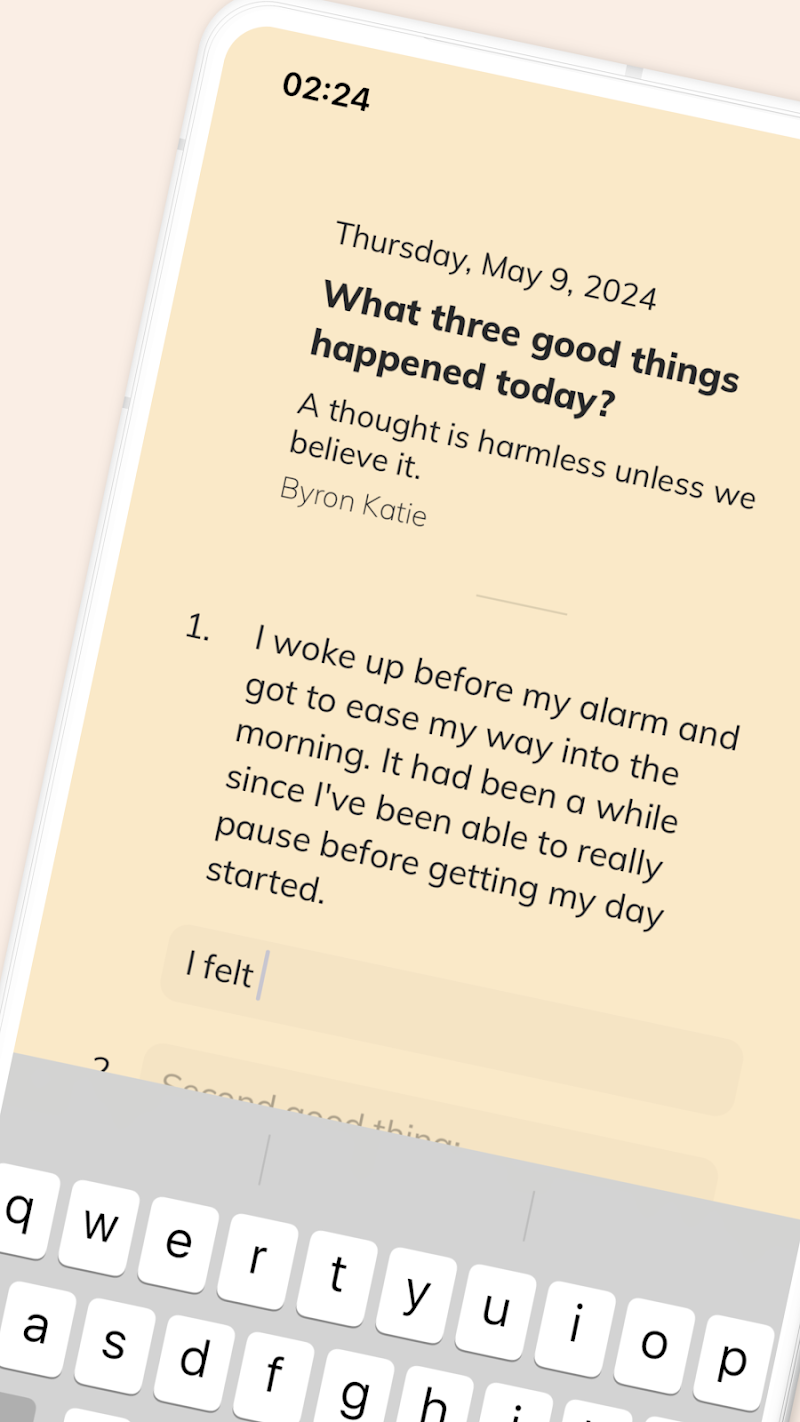
Three Good Things is the closest thing to "Seligman's exercise as an app." You open it, write three things that went well today, optionally add a one-line "why," and close it. There are no badges, no AI, no subscription, no upsell. The home screen shows a calendar grid that fills in as you log. That is the whole product.

The fixed prompt is both its strength and its weakness. After two weeks the prompt itself becomes invisible — a feature, because it removes friction, and a limitation, because some people benefit from prompt variety. The app is free with no ads on both iOS and the Play Store. If you want one app that works on every phone you might own and never asks for money, this is the pick.

Best for: People who want the lowest-friction free option and do not mind a single fixed prompt.

Biggest strength: Zero friction. One screen. Free.

Pricing: Free.

Deal-breakers: No prompt rotation. Limited export options.

2. Presently — best for prompt variety on Android

Presently open-source Android gratitude journal app on the Google Play Store listing

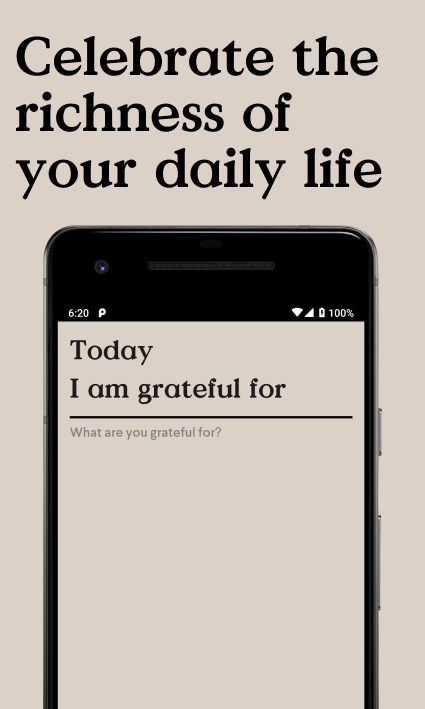
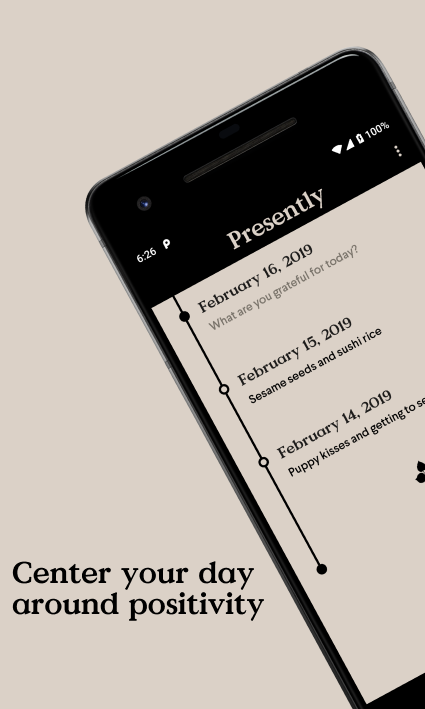
Presently is open-source, free, and Android-only. It rotates daily quotes and gentle prompts, has a streak view, supports backup to your own storage, and never asks for an account. The interface is calm and quiet — no gamification overload, no premium upsell. It is the kind of app you forget is open-source until you notice the lack of ads.

The trade-off is platform: iOS users cannot use it. If you are on iPhone, skip this section. If you are on Android and value privacy or open-source ethos, Presently is the strongest free pick on the list. The prompt variety holds up across multi-month use better than the fixed-prompt apps.

Best for: Android users who want prompt variety and local-only storage.

Biggest strength: Open-source, free, no account, prompt rotation.

Pricing: Free.

Deal-breakers: Android-only. No iOS or web version.

3. Gratitude: Self-Care Journal — best guided experience

Gratitude Self-Care Journal app on the Google Play Store with vision boards and affirmations

Gratitude: Self-Care Journal is the most structured pick. Beyond the daily gratitude entry, it bundles vision boards, affirmations, mood check-ins, and themed prompt categories like work, relationships, and self-care. The free tier covers the gratitude entry; Plus unlocks the wider toolkit.

If you respond well to guided structure — categorized prompts, a curated affirmation library, a built-in mood tracker — this is the app. If you find that kind of bundled feature set distracting, Three Good Things or Presently will fit better. Account creation is required, which is a privacy note worth flagging if you prefer local-only data.

Best for: People who want gratitude bundled with affirmations, mood tracking, and themed prompts.

Biggest strength: Structured prompt library and complementary self-care tools.

Pricing: Free with Plus subscription for full features.

Deal-breakers: Account required. Plus features add up if you want everything.

4. Reflectly — best AI-prompted experience

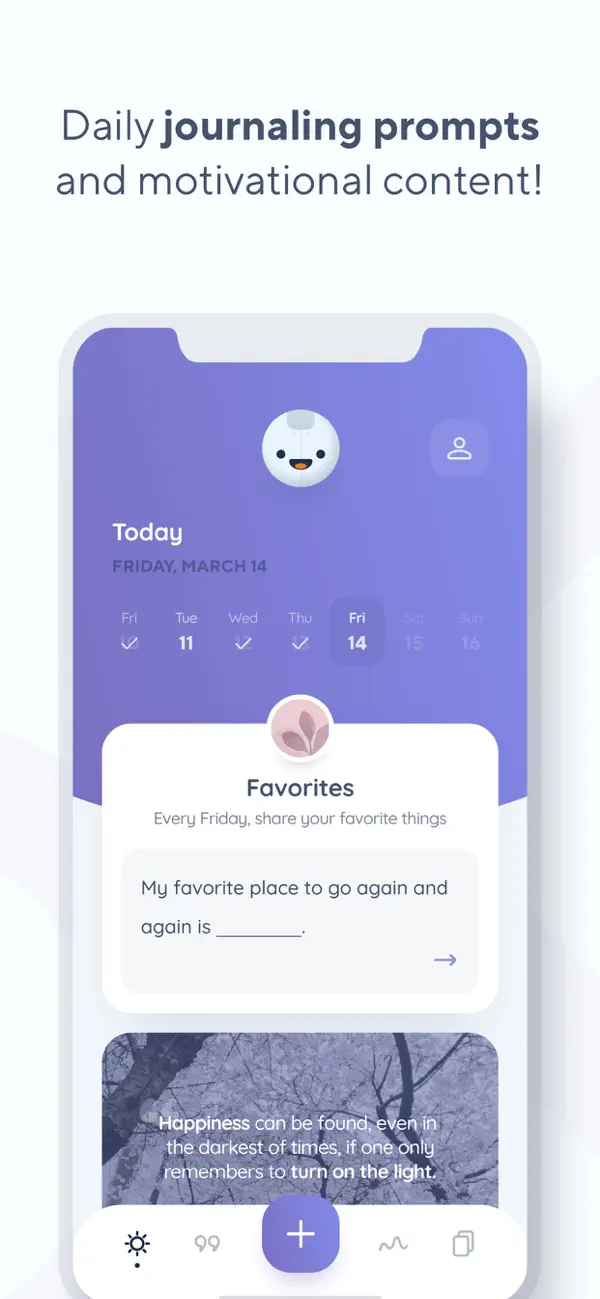
Reflectly AI-powered journaling app marketing homepage with mood-aware prompts

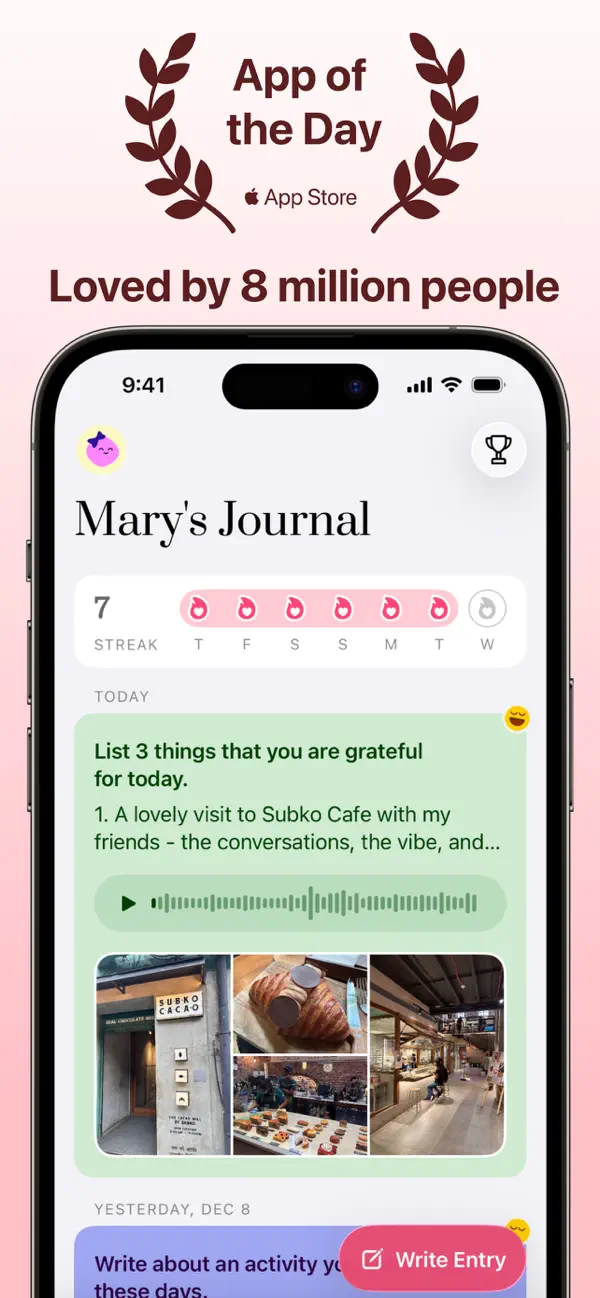
Reflectly leans on an AI-driven prompt rotation that adapts to the mood and content of your past entries. The interface is the most polished on this list — color-rich, animated, conversational. Reflectly positions itself as a mental wellness companion more than a pure gratitude tracker, with mood logging and reflective prompts woven in.

The trade-off is the paywall. Most of the depth — AI prompts, full archive, themes — sits behind a subscription, and the free trial is short. If you respond to a guided, almost-conversational style and you are willing to pay for the polish, Reflectly delivers. If your priority is keeping costs at zero, look at Three Good Things or Presently.

Best for: People who want a polished, AI-guided journaling experience.

Biggest strength: Adaptive prompts and a mood-aware design.

Pricing: Limited free trial; subscription for full features.

Deal-breakers: Aggressive paywall. Account required. AI personalization not for everyone.

5. Day One — best for long-term archiving

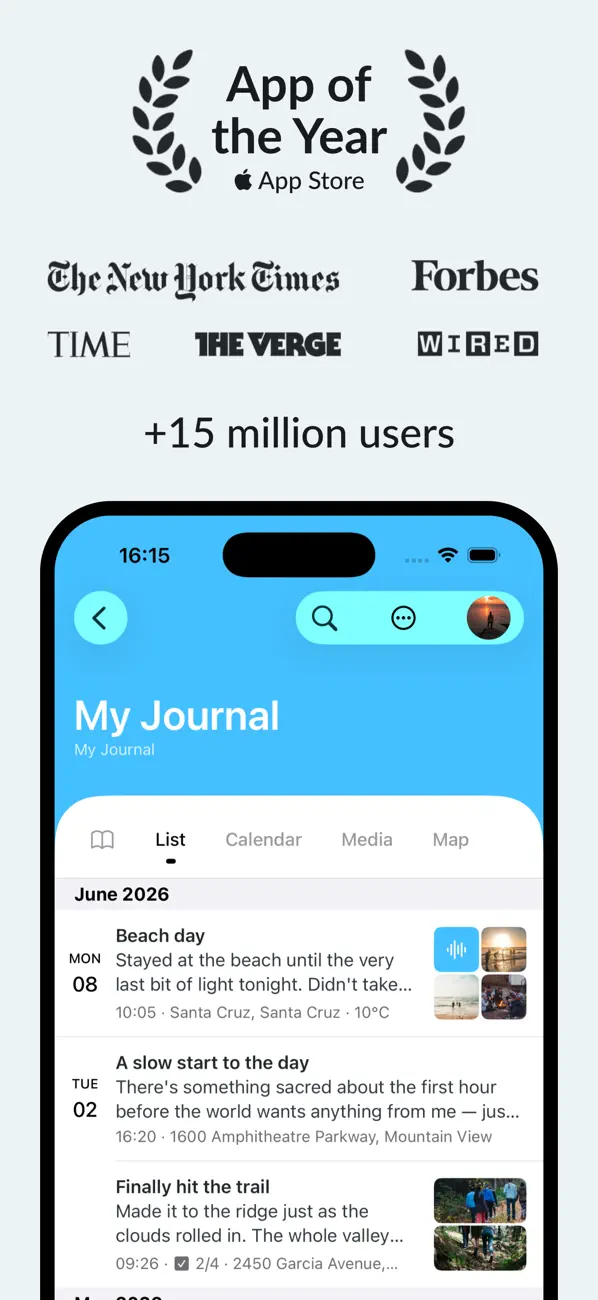
Day One journaling app on the Apple App Store with daily prompts and end-to-end encryption

Day One is a full journaling app with a "Daily Prompts" feed that includes gratitude prompts among many others. It is not a dedicated gratitude tool, but the depth — end-to-end encryption, photo attachments, location and weather metadata, beautiful PDF and book export — makes it the strongest pick if you plan to journal long-term and want gratitude as one thread inside a wider archive.

The weakness is the lack of a streak counter and the lack of a single dedicated gratitude flow. You can build the habit by tagging entries "gratitude" and filtering, but it is not the one-tap experience the dedicated apps offer. A subscription unlocks multiple journals and full sync. The Day One website lists current pricing.

Best for: People who want gratitude inside a deeper, more visual journaling practice.

Biggest strength: Best long-term archive in the category, with end-to-end encryption.

Pricing: Free for one journal; Premium subscription for full features.

Deal-breakers: No dedicated gratitude flow or streak counter. Subscription for full power.

6. HabitBox — for gratitude as one habit in a wider routine

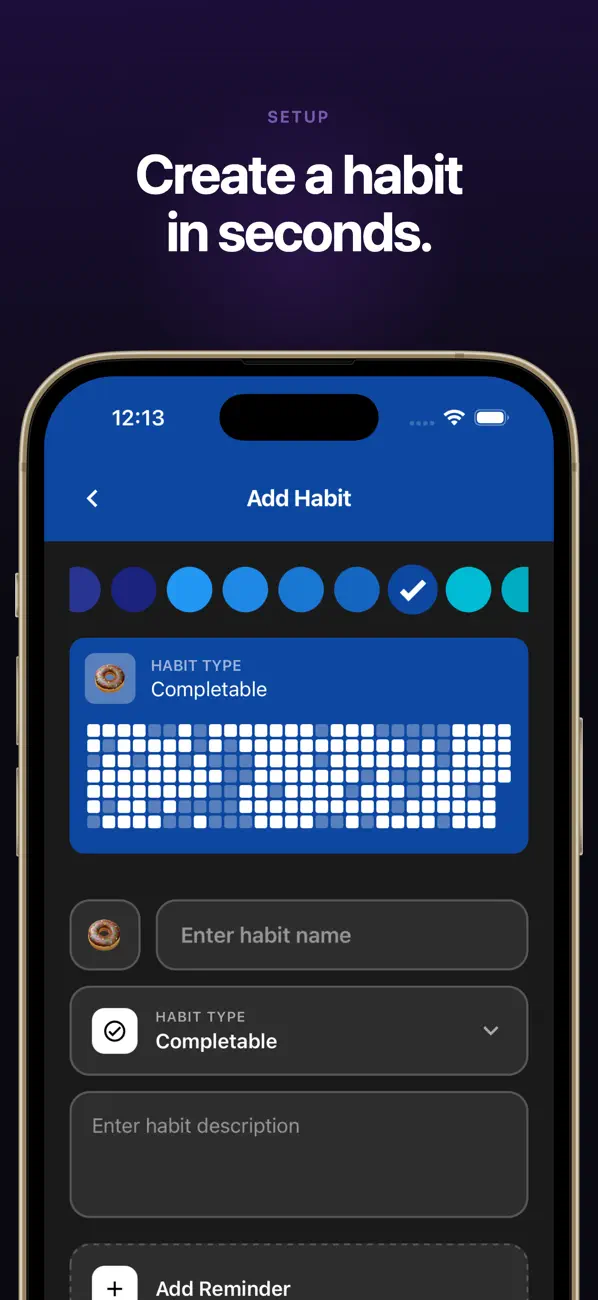
HabitBox is not a gratitude journal app. It is a habit tracker for iOS and Android. It earns a place on this list for one specific use case: people who already track three to ten daily habits and want gratitude to be one of them, without launching a second app.

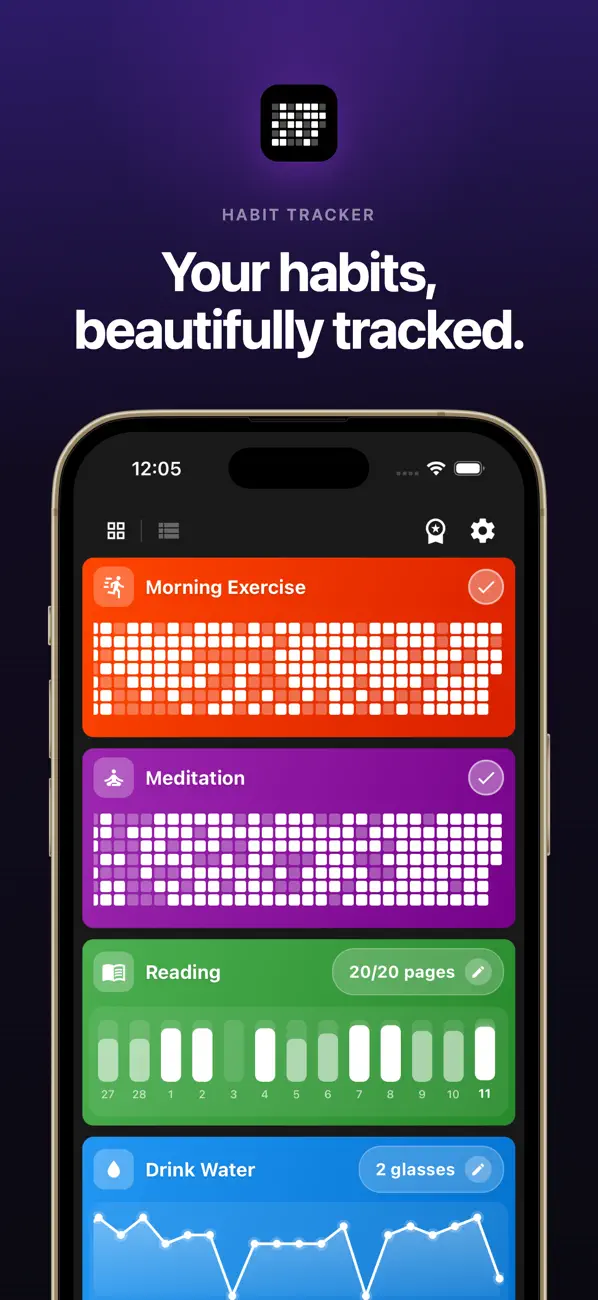
The setup is to add a habit called "Three good things" with a daily reminder at the same time every evening. You check it off after writing three lines in a paper notebook, the Notes app, or anywhere else. HabitBox tracks the streak, shows it on a calendar heatmap alongside your other habits, and reminds you. It does not store the entries themselves — that is what a journal is for. It stores the streak.

If you want a deep gratitude experience, this is the wrong pick. If gratitude is one of many habits you are building, and the friction of opening a separate app is what keeps breaking the streak, this is exactly the right pick. HabitBox is free with optional Pro and stores everything locally on your device. The HabitBox app covers iOS and Android.

Best for: People who already track multiple daily habits and want gratitude as one of them.

Biggest strength: Streak and heatmap inside a wider habit system.

Pricing: Free with optional Pro.

Deal-breakers: Not a journal — does not store written entries.

How to actually build the gratitude habit (5 anchored steps)

Picking the right app is half the work. The other half is anchoring the act to an existing routine and lowering the friction of the first 30 seconds.

  1. Anchor it to an existing daily cue. Pair the gratitude entry with something you already do every day at a fixed time — pouring evening tea, plugging the phone in to charge, brushing teeth. The cue carries the new habit through the first three weeks. This is BJ Fogg's "after I [existing habit] I will [new habit]" model.
  2. Set the reminder for the cue, not for a clock time. If your cue is "after I plug my phone in at night," the reminder should fire at the time you usually plug in — not at 9:00pm sharp. Adjust the reminder weekly until it lands within five minutes of the cue.
  3. Cap the entry at three lines for the first month. The temptation is to write paragraphs. Three short lines is enough — research uses three. Long entries inflate friction and break the habit faster.
  4. Make the first entry the same day you install the app. Do not wait for "tomorrow morning." The first check-in is the most important one for the streak.
  5. Review your archive once a month. Set a calendar reminder for the first of each month to scroll your past 30 entries. The retrospective scroll is the single most-cited reason long-term journalers keep going.

The point of these steps is to tilt the odds for the moments when motivation is low. The reminder, the cap, and the anchor cue are what make the habit survive a bad week.

Person at a wooden desk in soft morning light writing in a journal next to a steaming mug

A 30-day starter plan you can actually finish

Use this as a track-it format alongside whichever app you pick. The first week is about installation. Weeks two and three are about consistency. Week four is about reflection.

Calendar grid with thirty squares filled with small heart icons in warm pinks and corals

Week 1 — install the cue (days 1-7).

  • Day 1: Install your chosen app. Set the reminder to your existing anchor cue.
  • Day 2: Write three things, three lines each.
  • Day 3: Write three things, one line each.
  • Day 4: If you missed day 2 or 3, do a 30-second catch-up and keep going.
  • Day 5: Try a different prompt category if your app supports them.
  • Day 6: Add a "why" to one of your three things.
  • Day 7: Look back at the week. Note which prompt felt hardest.

Week 2 — fight the novelty drop (days 8-14).

  • This is where most people quit. The fix is to not skip more than one day in a row.
  • Days 8-13: Three lines, anchored to your cue.
  • Day 14: Try writing one entry about a person rather than a thing. Research shows specific gratitude toward people lands harder than general gratitude.

Week 3 — vary the lens (days 15-21).

  • Day 15: Write about something difficult you are grateful for.
  • Day 16: Write about something small.
  • Day 17: Write about something from your past.
  • Days 18-21: Mix freely. Variety keeps attention sharp.

Week 4 — review and decide (days 22-30).

  • Days 22-28: Continue daily entries.
  • Day 29: Read all 28 entries in order.
  • Day 30: Decide. Keep the app, switch apps, or move to a paper notebook. The 30-day point is when most people have enough data to know what works for them.

The missed-day rule for the whole month: never miss two days in a row. One missed day is a slip. Two is the start of a relapse. If you miss two, do a five-second catch-up entry on the third day — even one line — and reset the streak count internally. The point is the practice, not the number.

When gratitude journaling does not work — and how to recover

This is the section most listicles skip. Honest expectations make the habit more likely to stick.

Forced gratitude can backfire. A 2014 review from the Greater Good Science Center at Berkeley notes that gratitude practice works best when it feels authentic. If you are forcing yourself to feel grateful while genuinely struggling, the practice can heighten guilt instead of lifting mood. The fix is to switch the framing from "I am grateful for…" to "I noticed today that…" — observation rather than performance.

Daily entries during a hard period can feel hollow. During grief, illness, or burnout, three good things often feel impossible to find. Drop the cap. Write one. Or write one line about what was simply tolerable. Tolerable is enough. If your mood stays low for more than two weeks, gratitude journaling is not a substitute for talking to a clinician — see a professional. These apps are lifestyle tools, not medical ones.

The streak can become the point instead of the practice. When the streak counter starts driving rushed, dishonest entries, the habit has flipped. The fix is to take a planned skip day every Sunday for a month — let the streak break on purpose. The practice survives. The streak vanity does not.

The app is wrong for you. If you have tried for three weeks and the entries still feel like a chore, switch apps. The friction may be the prompt style, the interface, or the reminder timing. A different tool can re-light the habit. For broader app picks across the wider mood/journaling space, see our best mood tracker app guide and our how to start journaling walkthrough.

Free vs paid: when to pay for a gratitude journal app

Most people do not need to pay. Three Good Things is fully free on iOS and Android with no ads. Presently is fully free and open-source on Android. HabitBox is free for unlimited habits, with Pro as optional. If your priority is the daily entry and the streak, the free pool covers you.

Pay only if you want one of three specific things. End-to-end encryption and a beautiful long-term archive — Day One Premium. A guided, AI-prompted, polished experience — Reflectly. A bundled wellness toolkit with affirmations and themed prompts — Gratitude: Self-Care Journal Plus. Otherwise, free is the right call.

The price-to-stickiness ratio is worth thinking about. A $40-per-year subscription you stop using in week six costs more than a $0 app you use for a year. Try the free pick first. Upgrade only if the practice is alive at day 30 and a specific paid feature would deepen it.

Gratitude app vs paper journal: which sticks better?

Honest answer: it depends on your phone habits, not the app.

A paper journal wins on attention. There is no notification temptation, no scroll trap, no algorithmic detour. The act of writing by hand is slower, which deepens the reflection. People who already journal on paper for other reasons usually find a paper gratitude page easier to maintain than an app.

An app wins on consistency. The reminder is the difference. Paper has no reminder — you have to remember. The app fires a notification at the cue and provides a streak. For people who want the daily check-in to feel automatic, the app is the more reliable scaffold.

The hybrid pattern that works for many people is to use HabitBox or another tracker for the streak and reminder, write the actual three lines on paper, and check the habit off when done. You get the streak engine and the paper attention benefit. For more on stacking new habits onto existing routines, see our habit stacking guide. The full mechanics of why this scaffolding works are covered in our piece on habit formation.

Frequently asked questions

Common questions about features and migration

A few practical issues come up after the first week of use that the comparison table does not surface. They are worth flagging before you commit to one app for 30 days.

Can you migrate entries from one gratitude app to another? Mostly no. Three Good Things, Presently, and Day One offer some form of export, but the formats are not compatible across apps. If you already have months of entries in one app, the realistic options are to keep using it, export to plain text and start fresh elsewhere, or keep two apps running side by side until the new one feels like home. Plan for the switch to lose visual continuity even when the text survives.

Do these apps work offline? Three Good Things, Presently, and HabitBox all work fully offline. Day One requires sign-in to install but works offline once set up. Reflectly and Gratitude: Self-Care Journal expect a network connection for some features. If you journal on a commute or before bed in airplane mode, the offline-first picks are the safer bet.

What about widgets and home-screen complications? Day One has the strongest widget on iOS, including a daily-prompt widget that shows the day's prompt on the home screen. HabitBox has habit-completion widgets on both platforms. Three Good Things has a basic daily-entry widget. Widgets are a small thing that meaningfully boosts daily-entry rates, because the cue is visible on the home screen instead of buried in a folder.

Can you use these for a family or shared gratitude practice? None of the apps on this list support shared journals out of the box. The hybrid workaround is to use a single shared paper journal at the dinner table and an app each for the streak and reminder. Several couples and families have reported that the dinner-table-paper plus phone-app combination is the most reliable shared format. For more on building habits with a partner, see our habit tracker for couples guide.

What if you only want a weekly practice? All six apps allow a weekly schedule rather than daily. Emmons and McCullough's original 2003 study used weekly entries, and the results were robust at that frequency. Daily is not strictly required. A weekly Sunday-evening entry of five things from the past week works as well for many people and is easier to keep up.

Picking the right gratitude journal app for you

The 30-second rule is this. If you want simple and free across both platforms, pick Three Good Things. If you are on Android and want prompt variety with privacy, pick Presently. If you want guided structure with extras, pick Gratitude: Self-Care Journal. If you want AI prompts and polish, try Reflectly's free trial. If you want a long-term archive with photos and encryption, pick Day One. If you already track other habits and want gratitude as one of them, pick HabitBox.

Whichever you pick, plan to stay with it for at least 30 days before judging. The first three weeks are the hardest. The streak, the reminder, and the anchor cue are what get you through them.

If you are building gratitude as one habit inside a wider daily routine, HabitBox is free on iOS and Android and lets you track unlimited habits with a calendar heatmap, streaks, and local-only data. For the broader question of what habits to track when you start a tracker, our companion guide walks through the categories that compound the fastest. And if you are still shopping for the underlying tracker rather than a journal, our best habit tracker app comparison covers that wider category.

About the Author
Mira Hartwell, Editor, HabitBox

Mira Hartwell

Editor, HabitBox

Editor at HabitBox. Writes about habit science and productivity, grounding every post in named research (Lally, Wood, Walker, Huberman) instead of recycled advice. Read full bio →


Ready to build better habits?

HabitBox makes it easy to track your habits, build streaks, and achieve your goals — no fluff, just results.