Notion vs Todoist: Which One in 2026?
In the Notion vs Todoist debate, the honest answer is they solve two different problems. Choose Notion if you want one flexible workspace for docs, databases, and light task management. Choose Todoist if you want fast, focused task capture that works in seconds. A lot of people end up using both — Notion for knowledge, Todoist for action — and neither one is built for frictionless daily habit tracking on your phone. This guide compares them across 6 dimensions so you can pick your productivity base without second-guessing it.
Last updated: July 2026.
The core difference in one line
Notion is a flexible database and workspace. Todoist is an opinionated task manager. That single distinction drives almost every trade-off below.
Open Notion and you get a blank canvas. You can build a wiki, a project tracker, a reading list, a CRM, or a habit table — all in the same app, all linked together. The power is real, but so is the setup time. You're designing a system before you're using one.
Open Todoist and you're productive in under a minute. Type "Email Sarah every Monday at 9am," hit enter, and it's scheduled — recurring, dated, and done. Todoist makes one decision for you: this is a task app, and it's going to be the fastest one you've used. You trade flexibility for speed and a near-zero learning curve.
Neither approach is better in the abstract. The right pick depends on whether your bottleneck is organizing knowledge or just capturing and finishing tasks.
Notion vs Todoist at a glance
Here's the 6-row matrix most people actually care about. Skim it, then read the sections below for the nuance behind each row.
| Feature | Notion | Todoist |
|---|---|---|
| Best for | All-in-one workspace, docs, databases, wikis | Fast task capture and recurring to-dos |
| Learning curve | Steep — you build your own system | Gentle — productive in minutes |
| Mobile UX | Powerful but heavy, mirrors desktop | Fast, lightweight, Apple Watch support |
| Habit tracking | Manual database template, no streaks | Recurring tasks, no real streak view |
| Offline | Works offline, sync can lag | Reliable offline after years of polish |
| Price (paid) | Plus $10/mo, Business $20/user/mo | Pro $5/mo, Business $8/user/mo |
A quick note on that pricing, current as of mid-2026: both apps have a genuinely usable free tier. Notion's free plan is generous for individuals, while Todoist's free "Beginner" plan caps you at 5 active projects. Todoist Pro lifts that to 300 projects and adds reminders, calendar layout, and full history. Notion's paid tiers mostly unlock collaboration, larger file uploads, and more AI usage rather than core personal features.
Pricing: what you actually pay for
The headline prices don't tell the whole story, because each app gates different things behind its paywall. Knowing what's free helps you decide whether you ever need to pay at all.
On Todoist, the free plan is enough for a lot of people. You get unlimited tasks, recurring due dates, and natural-language input — the core engine — capped only at 5 active projects and a one-week activity history. You hit the paywall when you need reminders, more projects, or the calendar layout. Pro at roughly $5 per month (billed annually) is the upgrade most individuals consider.
On Notion, the split is different. The free plan gives a single user nearly everything: unlimited pages, databases, and blocks. You pay mainly to collaborate — to add team members, share workspaces, and get larger file uploads and admin controls. For a solo user, Notion's free tier can last indefinitely. The paid Plus plan at $10 per month and Business at $20 per user per month are really team purchases.
The practical read: if you're a solo user, both can be free for a long time. If you're paying, Todoist is cheaper per seat, and Notion's cost climbs with team size. Neither charges for the thing this guide keeps circling back to — frictionless mobile habit tracking — because neither app offers it as a first-class feature.
Tasks: Todoist wins on speed, Notion on structure
For pure task management, Todoist is the smoother tool out of the box. Its natural-language input parses dates, recurrence, priorities, and labels as you type. Recurring tasks — the backbone of any to-do system — just work, and they've worked reliably for over a decade.
Notion can absolutely manage tasks, but you build the structure yourself. You create a database, add properties for due date and status, set up a board or calendar view, and maybe write a filter or two. Once it's built, it's flexible in ways Todoist isn't: you can link a task to a project page, a meeting note, and a client record all at once. The cost is the upfront design work.
If your tasks are simple and you want them captured fast, Todoist is the answer. If your tasks live inside a larger web of notes and projects, Notion's databases earn their keep.
Notes and docs: Notion is in a different category
This is the clearest mismatch in the comparison. Notion is a full document and knowledge tool — pages, sub-pages, wikis, embedded databases, and rich formatting. It's where teams keep their handbooks and individuals keep their second brain.
Todoist is not a notes app and doesn't pretend to be. You can add a description or a comment to a task, but there's no concept of a document, a wiki, or a linked knowledge base. If writing, organizing reference material, or building a personal knowledge system matters to you, Notion isn't just ahead here — Todoist isn't really in the race.
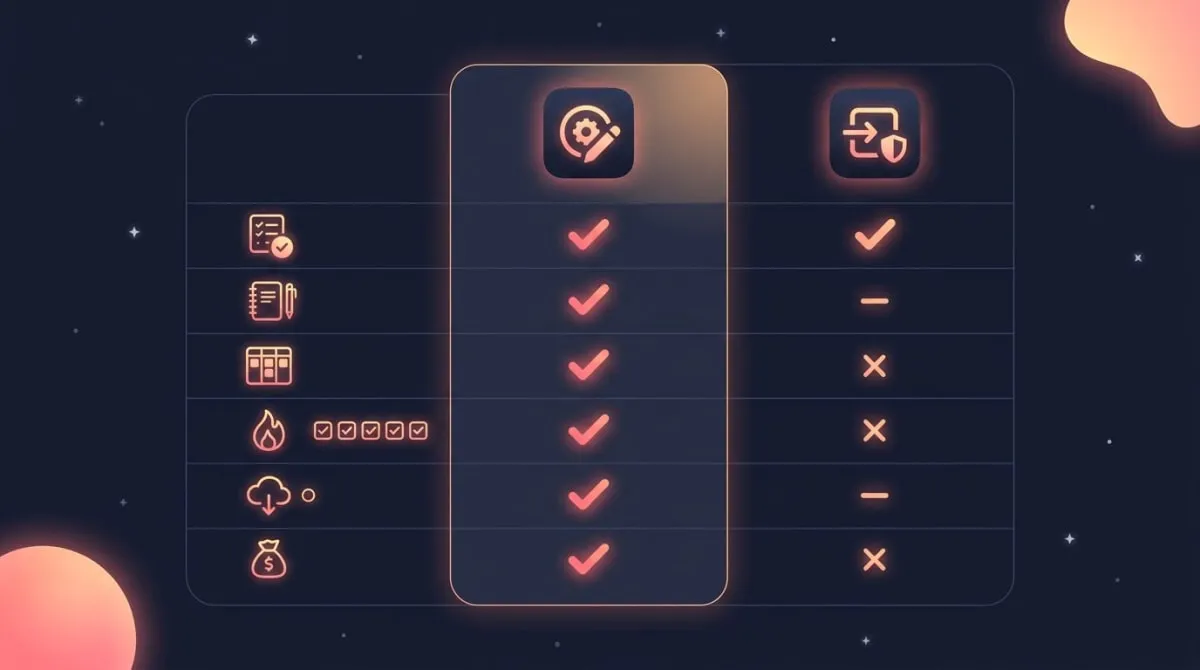
Notion spans tasks, notes, and databases; Todoist focuses on fast, reliable task capture.
Project management: it depends on team size
For solo and lightweight projects, Todoist's projects, sections, and sub-tasks are often enough. You get a clean board or list, due dates, and priorities without configuration overhead. Many freelancers run their entire client workload this way.
Notion scales further. Multiple linked databases, custom views, relations, rollups, and shared team wikis let you model a genuinely complex project — sprints, roadmaps, docs, and tasks in one connected space. Notion also leans harder into collaboration, with real-time editing and granular permissions, while Todoist stays task-focused even on its team plans.
The rule of thumb: pick Todoist when the work is "a list of things to do," and Notion when the work is "a system other people need to navigate."
AI and automation in 2026
Both apps added meaningful AI features over the past year, and they reflect each tool's personality. Notion's AI is broad: it can draft and summarize content, answer questions across your workspace, and run custom agents that act on your databases. Because Notion holds your documents and knowledge, its AI has a lot of context to work with, which makes it useful for writing and research, not just task wrangling.
Todoist's AI stays narrow on purpose. Its assistant helps you brainstorm a project, break a vague goal into concrete sub-tasks, and clean up messy task lists. A voice-to-tasks feature lets you talk through your day and have it turned into structured to-dos. It's task-shaped help, in keeping with the app's focus.
Neither AI changes the fundamental trade-off. Notion's AI makes a flexible workspace a little less laborious to run; Todoist's AI makes a fast task app a little faster. If AI-assisted writing and knowledge work matter to you, Notion has the edge. If you just want help structuring tasks, Todoist's lighter assistant is enough — and you won't be paying for capabilities you don't use.
Offline and reliability
Productivity tools earn trust by working when your connection doesn't, and this is a quiet strength for Todoist. After more than a decade of development, its offline mode is dependable — you can capture and check off tasks on a plane or a subway, and everything syncs cleanly when you reconnect.
Notion also works offline, but its sync is doing more work because it's reconciling pages, databases, and rich content rather than simple task records. In practice that can mean occasional lag or a moment of "is this saved?" uncertainty on a flaky connection. For heavy mobile use in spotty coverage, Todoist's lighter footprint is the safer bet. It's another reason quick, in-the-moment capture lands more naturally in Todoist than in Notion.
Habit tracking: both are a compromise
Here's the dimension most comparison articles skip entirely, and it's where both apps show their limits.
You can track habits in Todoist by creating a recurring task like "Meditate every day." It'll reappear daily and you check it off. What you don't get is a streak — the running count of consecutive days that makes habit apps motivating. Todoist shows completed tasks, not an unbroken chain.
Notion handles habits the way it handles everything: you build a database, add a checkbox per day, and maybe write a formula to count your streak. It works, but it's manual, and checking a box inside a desktop-first workspace every morning is more friction than most habits survive.
That friction matters more than it sounds. Research from University College London, led by Phillippa Lally, found that new habits take a median of 66 days to become automatic — and missing an occasional day didn't derail the process. The takeaway is that consistency over weeks, not perfection, is what builds a habit. A tool you have to think about each morning works against that. James Clear makes a similar point in Atomic Habits: the easier a behavior is to start, the more likely it sticks, which is why a one-tap check-in beats a multi-step database entry.
This is the gap a dedicated mobile habit tracker fills. HabitBox is built for exactly this one job — one-tap daily check-ins, a calendar heatmap, and current-and-longest streak tracking, all on your phone where your routines actually happen. It won't replace Notion's docs or Todoist's task engine, and it isn't trying to. It just does the daily-streak part that neither tool does well. If you want the full landscape, our guide to the best habit tracker app compares the options.
The "use both" workflow
For a lot of people, the smartest answer to "Notion or Todoist" is "yes." The two tools overlap less than they seem, and pairing them plays to each one's strength.
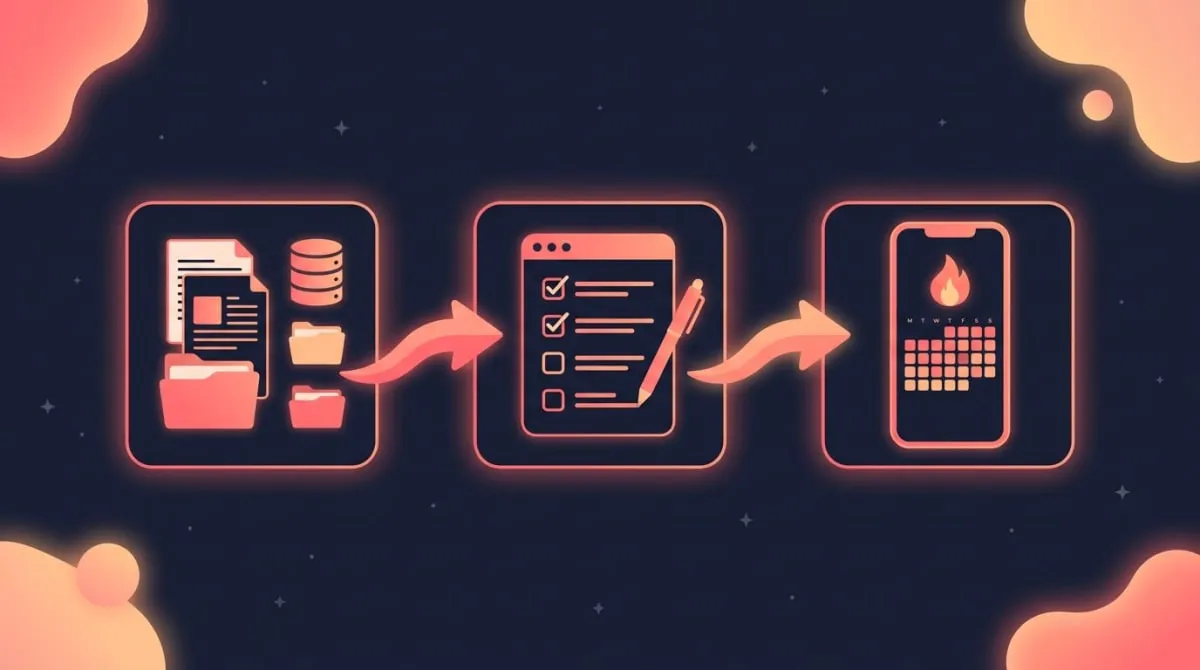
A clean split looks like this. Notion holds your knowledge — project docs, notes, reference material, and the databases that tie them together. Todoist holds your actions — the daily and recurring tasks you want to capture fast and clear off a list. And a dedicated tracker holds your habits — the recurring routines you want to keep a streak on.
If you want the two systems to talk, there's a "notion todoist integration" path: tools like Zapier, Make, or two-way sync services can push completed tasks or new items between them. It's not native, and most people don't need it, but it exists if your workflow demands a single source of truth.
The reason to keep tasks and habits in separate tools is that they're different jobs. A task is something you finish once; a habit is something you repeat. Mixing them is the most common reason a system gets messy and then abandoned. If you'd rather plan tasks and habits around your calendar, our walkthrough on how to plan your day shows how the pieces fit together, and a time blocking app can sit alongside both.
What people say on Reddit
Search "notion vs todoist" on Reddit and a clear pattern shows up across productivity threads. The most common piece of advice isn't to pick one — it's to stop using one tool for two jobs. People who tried to run their whole life inside Notion often report that the system grew faster than they could maintain it, and the daily tasks slipped through the cracks. People who tried to bolt notes and docs onto Todoist hit its ceiling fast.
The second recurring theme is friction. Heavy Notion users describe abandoning carefully built habit and task dashboards because opening the app, finding the right database, and updating it was too many steps to keep up daily. Todoist fans push back that the speed of capture is the whole point, and that a tool you can use in two seconds is one you'll keep using.
The honest synthesis from those threads matches this guide: Notion for the slow, structured work of organizing knowledge, Todoist for the fast work of capturing and finishing tasks, and a separate, low-friction tool for the daily streaks that both apps struggle to sustain. Real-world abandonment usually comes from friction, not missing features.
Who should pick each
Pick Notion if you want one adaptable workspace for docs, databases, and projects, you collaborate with a team, or you enjoy building your own system and don't mind the setup time. It's the better base when knowledge and structure are your bottleneck.
Pick Todoist if you want the fastest, most reliable way to capture and finish tasks, you live on your phone, and you'd rather start using a tool than design one. It's the better base when execution is your bottleneck.
And if your real goal is building daily routines that stick, layer a purpose-built habit tracker on top of whichever base you choose — that's the piece neither app was made to handle. If you're weighing task apps more broadly, our list of Todoist alternatives covers the field beyond these two.
Notion vs Todoist FAQ
Is Notion better than Todoist?
Neither is universally better — they're built for different jobs. Notion is better if you need a flexible workspace for docs, databases, and projects. Todoist is better if you want fast, reliable task capture with almost no setup. Match the tool to your bottleneck: knowledge and structure point to Notion, speed and execution point to Todoist.
Can Notion replace Todoist?
It can, but with effort. Notion's databases can handle tasks, recurring items, and reminders once you build the structure and views yourself. What you lose is Todoist's instant natural-language capture and its years of mobile polish. If task speed matters more than customization, most people find Notion a heavier replacement than they expected.
Do Notion and Todoist integrate?
Not natively, but you can connect them. Automation tools like Zapier and Make, plus dedicated two-way sync services, can move tasks and completed items between the two. This lets you keep notes in Notion and tasks in Todoist while staying roughly in sync. Most individual users don't need it, but it's available for more complex workflows.
Which is better for habit tracking?
Both are workarounds rather than real habit trackers. Todoist can repeat a daily task but won't show a streak, and Notion needs a manual database with no one-tap mobile check-in. Since research shows habits form through weeks of consistency, low-friction daily tracking matters. A dedicated mobile tracker with streaks and a calendar heatmap, like HabitBox, fits this job better than either app.
Which is better on mobile?
Todoist has the stronger mobile experience. Its app is fast and lightweight, supports quick capture, and even works on Apple Watch. Notion's mobile app is powerful but mirrors its desktop complexity, so it can feel heavy for quick, in-the-moment actions. If you do most of your capturing on a phone, Todoist's mobile-first design is the clearer fit.

Mira Hartwell
Editor, HabitBoxEditor at HabitBox. Writes about habit science and productivity, grounding every post in named research (Lally, Wood, Walker, Huberman) instead of recycled advice. Read full bio →