Todoist Alternatives: 8 Best Task Apps to Switch To (2026)
Looking for Todoist alternatives? People usually switch for one of three reasons: price, complexity, or platform fit. Maybe the free tier feels too tight, or there are too many features you never touch, or you want something built for your phone or your team. The eight task apps below cover all three angles, from free and minimal to premium and powerful. One thing first: a task app handles one-off to-dos, while a habit tracker handles recurring daily routines. Knowing which job you're solving makes the right pick obvious.
Last updated: June 2026.
Why switch from Todoist
Todoist is a well-built task manager with a loyal following, so most people don't leave because it's bad. They leave because it stops fitting.
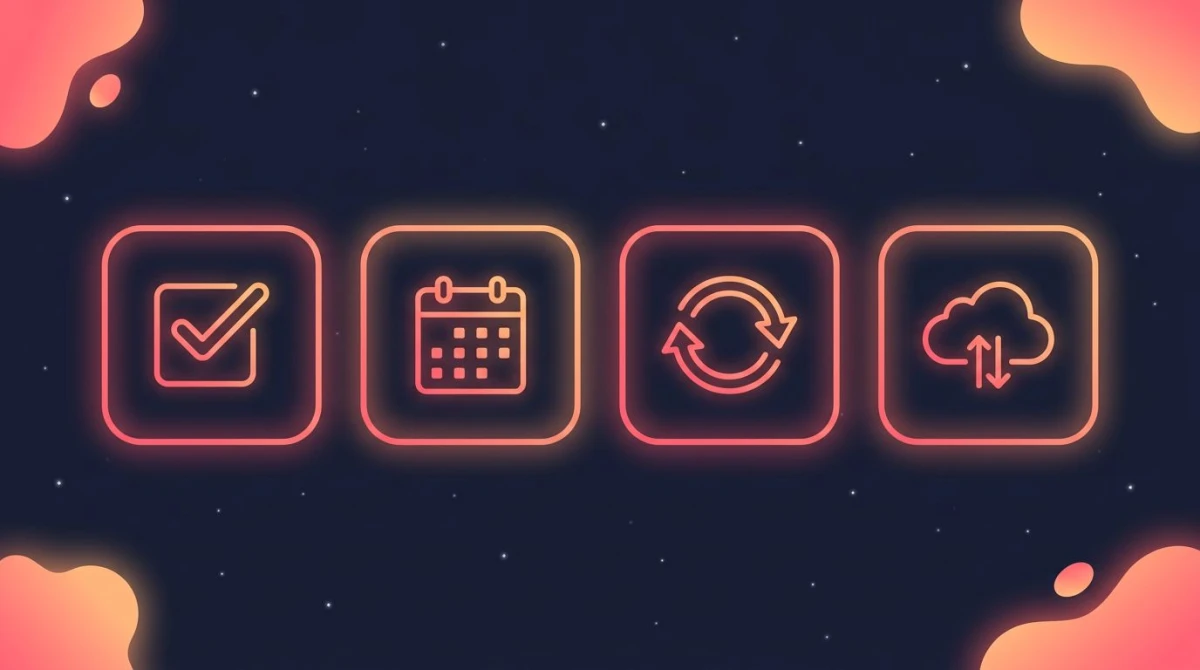
What to look for in a task app: quick capture, calendar and dates, recurring tasks, and cross-device sync.
The most common reason is price. Todoist has a free tier, but power features like custom reminders, longer history, and more active projects sit behind a paid plan. If you only need a basic list, paying can feel like too much.
The second reason is complexity in the wrong direction. Some people want more structure than Todoist offers — calendar views, time blocking, or full project boards. Others want less, and find labels, filters, and karma points more than they need.
The third reason is platform fit. Some people want a task app built natively for Apple devices. Others want one that lives inside the tools they already use, like their email or calendar. The right alternative depends on which gap you're trying to close.
Before reading on, sort yourself: are you managing tasks, habits, or both? If it's one-off tasks, almost any app below works, so pick on price and platform. If it's recurring daily routines, you want streak tracking, which task apps don't really do. If it's both, plan to use two tools that each do one job well. Keeping that split clear is the main reason a new app sticks instead of getting abandoned in a month.
Todoist alternatives at a glance
The table lays out the eight picks by platform, free tier, what each does best, and how pricing is structured. Skim it first, then read the write-up for any app that catches your eye.
| App | Platforms | Free tier | Best for | Price |
|---|---|---|---|---|
| TickTick | iOS, Android, Web, Desktop | Yes | All-rounders who want tasks + calendar | Free with paid Premium |
| Things 3 | Apple only (iOS, iPad, Mac) | No | Apple users who want elegant design | One-time purchase per platform |
| Microsoft To Do | iOS, Android, Web, Windows | Yes (full) | Microsoft 365 users | Free |
| Google Tasks | iOS, Android, Web | Yes (full) | People living in Gmail and Calendar | Free |
| Any.do | iOS, Android, Web, Desktop | Yes | Simple lists with reminders | Free with paid plans |
| Notion | iOS, Android, Web, Desktop | Yes | Building a custom all-in-one system | Free with paid plans |
| Asana | iOS, Android, Web, Desktop | Yes | Team and project collaboration | Free with paid plans |
| Apple Reminders | Apple only (iOS, iPad, Mac) | Yes (free) | Apple users who want zero setup | Free |
TickTick — best all-around Todoist alternative
TickTick is the closest like-for-like swap for Todoist. It handles tasks, subtasks, due dates, recurring items, and natural-language input, and it runs on iOS, Android, web, and desktop.
What sets it apart is the built-in extras. TickTick bundles a calendar view, a habit section, and a Pomodoro timer inside the same app, so you don't need to bolt on separate tools.
There's a capable free tier, with a paid Premium plan unlocking calendar features, more reminders, and advanced views. If you want one app that does most of what Todoist does and then some, start here.
People migrating from Todoist tend to feel at home quickly. The core concepts — projects, due dates, priorities, recurring tasks — map across almost directly. That short learning curve matters if you're switching mid-project and don't want to lose a week relearning where everything lives.
Things 3 — best for Apple users who value design
Things 3 is a premium task manager built only for Apple devices. It's known for clean, calm design and a thoughtful structure of Areas, Projects, and the "Today" and "Upcoming" views.
There's no free tier and no subscription. Instead, you buy each platform version once — so the iPhone, iPad, and Mac apps are separate purchases. Some people love that one-time model; others find buying three apps adds up.
Things 3 is a great fit if you're all-in on Apple and want a focused, distraction-free place to plan. It won't help if you need Android, web access, or team features.
The appeal is restraint. Where Todoist keeps adding power-user features, Things keeps the surface calm and asks you to plan rather than configure. If you spend more time organizing your task app than doing tasks, you'll likely relax into it.
Microsoft To Do — best free option for Microsoft users
Microsoft To Do is a free task app that works across iOS, Android, web, and Windows. It's simple and fast, with lists, due dates, reminders, and a daily "My Day" planning view.
Its biggest advantage is integration with the Microsoft ecosystem. Tasks flagged in Outlook show up automatically, which is handy if your work life runs on Microsoft 365.
The trade-off is depth. To Do is intentionally lightweight, so it lacks the advanced filtering and project structure that Todoist power users may miss. For straightforward lists, that simplicity is the point.
Google Tasks — best for people who live in Gmail
Google Tasks is a free, no-frills task manager that lives inside Gmail and Google Calendar. If your day already runs through Google Workspace, your tasks are one click away.
You can create tasks, add subtasks and due dates, and see them on your calendar. It's about as minimal as a task app gets, which is exactly why some people choose it.
Don't expect labels, priorities, or rich project views. Google Tasks is built for capturing and checking off simple items, not for managing a complex system.
Any.do — best for simple lists with reminders
Any.do is a clean task app focused on everyday lists and reminders. It runs on iOS, Android, web, and desktop, and it's known for an approachable, friendly interface.
It covers the basics well: tasks, subtasks, reminders, and a daily planner. There's a free tier, with paid plans adding features like recurring reminders and more collaboration.
Any.do works best for people who want something tidy and easy to start with, rather than a deep project-management system. If you found Todoist overwhelming, this is a gentler landing spot.
Notion — best for building a custom all-in-one system
Notion isn't a dedicated task app — it's a flexible workspace where you build your own pages, databases, and views. Many people use it to run tasks, notes, and docs in one place.
That flexibility is the appeal and the catch. You can design a task system that fits you exactly, but you have to build it (or import a template) first. Todoist works the moment you open it; Notion rewards setup time.
There's a generous free tier, with paid plans for more advanced sharing and team use. Choose Notion if you want one tool for everything and enjoy tinkering with how it's organized.
Asana — best for teams and projects
Asana is a project-management tool built for teams rather than solo to-do lists. It shines when several people share work across tasks, projects, and deadlines.
You get list, board, and timeline views, task assignments, and progress tracking. It runs everywhere — mobile, web, and desktop — and has a free tier for small groups.
For personal task management, Asana can feel like a lot. But if your reason for leaving Todoist is that you need real collaboration, it's a strong step up.
The clearest sign you've outgrown a personal to-do app is when you keep copying tasks into messages so teammates know what's happening. Asana removes that step by giving everyone a shared, live view of the work. That's overkill for a solo grocery list, but a relief for a team project.
Apple Reminders — best free, zero-setup option for Apple users
Apple Reminders comes free on every iPhone, iPad, and Mac, and it has grown into a capable task app. You get lists, due dates and times, location-based reminders, subtasks, and tags.
Because it's built into the system, it syncs through iCloud automatically and works with Siri for hands-free capture. There's nothing to install and nothing to pay.
The limit is the ecosystem: Reminders is Apple-only, so it's not an option if you use Android or want a web version. For Apple households, it's the easiest free switch on this list.
How to pick the right Todoist alternative
Start with the job you're actually doing, then narrow by platform and budget.
If you want to see the contenders in action first, this walkthrough of the best Todoist alternatives covers how they compare before you commit.
If you want a near-identical replacement, TickTick is the safest swap — it matches most of Todoist's features and adds a calendar and timer.
If you want free and simple, look at Microsoft To Do, Google Tasks, or Apple Reminders, depending on which ecosystem you already use.
If you want premium design and stay on Apple, Things 3 is hard to beat. If you want a flexible all-in-one, Notion fits. If you need team collaboration, Asana is built for it.
One honest gut check: are you managing tasks, or building routines? A task is a one-off, like "email the landlord" or "book the dentist." A routine is something you repeat daily, like meditate, drink water, stretch. Task apps mark recurring items "done" and reset them, but they don't show streaks or long-term consistency, which is what keeps a routine alive. Our guide on how to plan your day walks through splitting the two so neither gets lost.
How to move your tasks out of Todoist
Switching apps is less painful than it sounds if you do it in order. The goal is to bring your active work across without dragging years of clutter with you.
First, export your data from Todoist. Most task apps, Todoist included, let you export your projects and tasks from the settings or account area. This gives you a backup before you change anything.
Second, check the destination app's import option. Some apps offer a direct import; others ask you to bring tasks in through a supported file format. The exact steps differ by app, so look in the new app's settings or help menu for "import."
Third, treat the move as a cleanup, not a copy. You rarely need every old task. Bring across what's active this month, archive the rest, and rebuild only the projects you actually use. People who migrate everything tend to recreate the same overwhelm they were trying to leave.
Finally, give it a real trial before you commit. Run the new app alongside Todoist for a week or two, then cancel anything you're paying for once you're confident the switch has taken.
Where a habit tracker fits in (and where it doesn't)
Here's the part most comparison lists skip: a task app and a habit tracker solve different problems. Trying to force one to do both is why people churn through apps.
HabitBox is a habit tracker, not a task manager, which is why it isn't one of the eight apps above. It won't replace Todoist for your one-off to-dos. Instead, it tracks recurring daily habits with check-ins, streaks, and a calendar heatmap, so you can watch consistency build over weeks instead of items vanishing the moment you tick them off.
In practice, many people pair the two: a task app like TickTick or Microsoft To Do for one-off work, and a dedicated habit tracker for the routines they want to stick — our habit tracker app comparison ranks those picks side by side. If most of what you're "tasking" is the same handful of things every day, that's a sign you want habit tracking, not another to-do list. (Gamified hybrids like Habitica turn those recurring tasks into an RPG — if that appeals but the game layer doesn't, see our Habitica alternatives roundup.) A daily habit tracker app is built for exactly that, and a home-screen habit tracker widget keeps the streak in view without opening anything. HabitBox is free to start with an optional Plus upgrade, works on iOS and Android, needs no account, and stores data on your device.
Todoist Alternatives FAQ
What is the best free Todoist alternative?
For a full-featured free swap, TickTick has the most generous free tier among dedicated task apps. If you want completely free and simple, Microsoft To Do, Google Tasks, and Apple Reminders are all free and tie into the ecosystem you likely already use.
Is TickTick better than Todoist?
It depends on what you need. TickTick bundles a calendar, habit section, and Pomodoro timer that Todoist doesn't include in one app. Todoist has a famously clean design and strong natural-language input. Both are excellent — TickTick wins on built-in extras, Todoist on polish and simplicity.
What's a good Todoist alternative for ADHD?
Many people with ADHD prefer low-friction apps that reduce setup and decision-making. Apple Reminders and Microsoft To Do are quick to capture into, while Any.do keeps the interface calm and minimal. The best choice is the one you'll actually open without it feeling like work.
Can I move my data from Todoist to another app?
Often, yes. Todoist lets you export your data, and several apps — including TickTick — offer an import option to bring tasks across. Check the destination app's import or settings menu, since the exact steps and supported formats vary by app.
Do I need a task app and a habit tracker?
If you only manage one-off to-dos, a task app is enough. If you're also building daily routines like exercise or reading, a habit tracker handles those better with streaks and consistency views. Many people use both — a task app for tasks, a habit tracker like HabitBox for recurring habits.

Mira Hartwell
Editor, HabitBoxEditor at HabitBox. Writes about habit science and productivity, grounding every post in named research (Lally, Wood, Walker, Huberman) instead of recycled advice. Read full bio →