75 Hard App: 7 Best Trackers for the Challenge (2026)
TL;DR: The official 75 Hard app from 44Seven Media is the only one tied to the program, and the only one that carries on into the year-long Live Hard phase. It needs a subscription ($4.99 a month or $39.99 a year) and rates 3.6 on Google Play against 4.5 on the App Store. For every rule plus a Day 1 restart on iPhone, pick BeHard. With friends: Her 75. Strict mode with no account: Reset75. Android with no subscription: BeStronger. Next to your other habits: HabitBox.
A 75 Hard app has one job: make sure nothing slips. The program has five daily rules plus the restart rule, and a single missed task sends you back to Day 1. So the app you pick should track every rule, and it should be honest about the restart.
Every app below was checked against its own App Store and Google Play listing in November 2026.
What a 75 Hard app has to track
The official 75 Hard rules set five tasks for every one of the 75 days:
- Two workouts of 45 minutes. They must be 3 hours apart, and one must be outdoors.
- A gallon of water. The official FAQ says it must be plain water with no mixers.
- 10 pages of a nonfiction book. Audiobooks don't count.
- A progress picture. One photo, every day.
- A diet with no cheat meals and no alcohol. You choose the diet, then follow it exactly. Our 75 Hard diet guide covers what that looks like.
Then comes the restart rule. If you miss any task on any day, you start over at Day 1, even on Day 74.
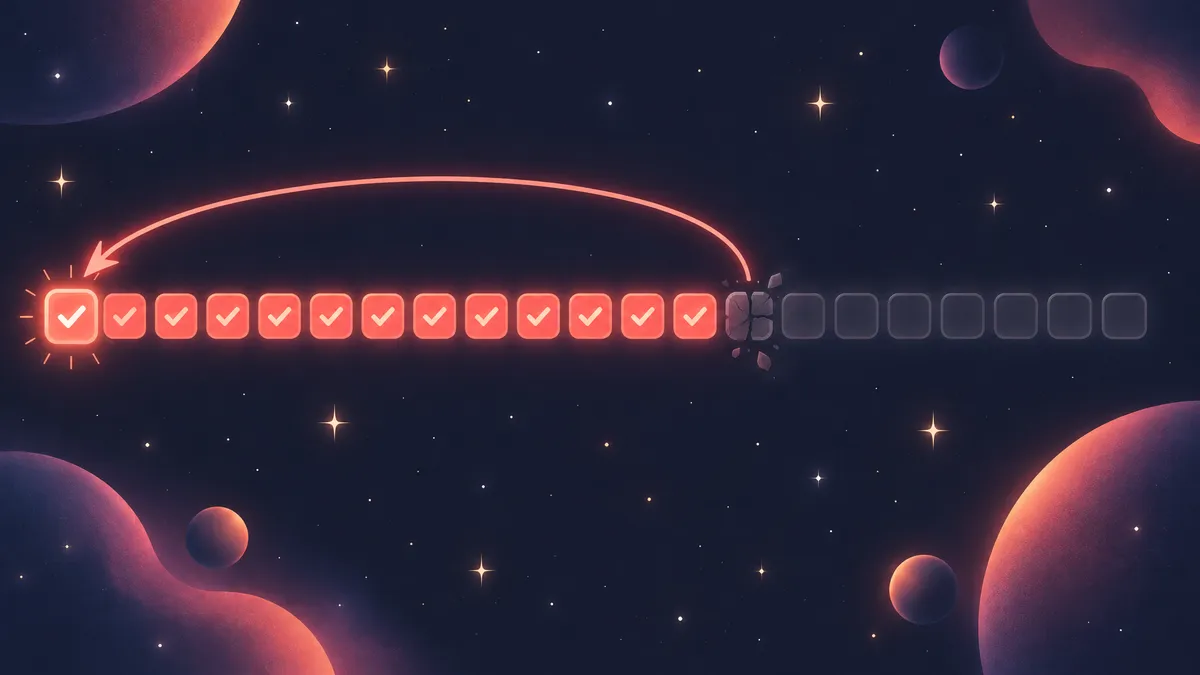
That rule is why people want an app. A forgotten tick at 11 pm can look like a missed task the next morning, and a log you can't trust is worse than none. A good 75 Hard app lists every task, reminds you before bedtime, and makes a real miss impossible to ignore.
If that sounds too strict for where you are right now, our 75 Hard alternatives compare gentler challenges first.
How we picked
This list is desk research from primary sources. Each app was checked on 15 November 2026 against its US App Store and Google Play listing, its own store images and, where one exists, the developer's website.
To make the list, an app had to:
- name 75 Hard or its tasks in its listing;
- have an update since November 2025;
- have 500 or more ratings on the US App Store or Google Play, or be the official app.
One more slot goes to a general habit tracker, for people who run 75 Hard next to other habits.
How the order works. The official app goes first, because it is the program's own app and the only one that continues into Live Hard.
The rest are ranked by how many of the five rules plus the restart rule the listing covers in full. Ties go first to apps on both stores rated 4.0 or higher on each, then to the app with the most ratings on a single store. HabitBox has no photo capture and no automatic restart, so it takes the general-tracker slot, last.
Which 75 Hard rules each app tracks (checked November 2026)
| App | Platforms | Listed price | Two workouts (outdoor flag) | Gallon of water | 10 pages | Progress photo | Diet & no alcohol | Miss = back to Day 1 |
|---|---|---|---|---|---|---|---|---|
| 75 Hard (official) | iOS, Android | $4.99/mo or $39.99/yr | Yes, outdoor flagged | Yes | Yes | Yes | Yes | Attempt history only |
| BeHard | iOS, Android | Free; Pro $12.99/mo or $39.99/yr | Yes, outdoor flagged | Yes | Yes | Yes | Yes | Yes |
| Her 75 | iOS, Android | Free; $7.99/wk, $14.99/mo or $49.99/yr | Yes, outdoor flagged | Yes | Yes | Yes | Yes | Not listed |
| Reset75 | iOS, Android | Free; Pro from $4.99/wk | Yes, outdoor flagged | Yes | Yes | Yes | Diet only | Yes (strict mode) |
| BeStronger 75 Days Challenge | Android; older iOS version | Free with ads; extras $0.49–$1.49 | Yes, outdoor flagged | Yes | Yes | Yes | Diet, no cheat meals | Restart reminder |
| Coty Apps 75 Day Challenge | iOS | Paid unlock, $3.99/wk to $69.99 lifetime | Yes, outdoor flagged | Yes | Yes | Yes | Yes | Not listed |
| HabitBox | iOS, Android | Free to start; Plus for more | Two taps you set up | One tap | One tap | One tap, no camera | One tap | No |
"Yes" means the listing text, the developer's store images or the developer's own site names that rule as the program writes it. "Diet only" means a diet task with no mention of alcohol. HabitBox has no 75 Hard template, so its row describes the setup in entry 7. Prices are from the US App Store, except BeStronger's; Android prices can differ.
Source: each app's US App Store and Google Play listing and developer site, checked 15 November 2026; rules from the official 75 Hard rules page.
Counted that way, BeHard is the only app that covers all five rules plus the restart. The official app, Her 75, Reset75, BeStronger and Coty Apps each fall one short: the official app, Her 75 and Coty Apps list no restart, while Reset75 and BeStronger don't name alcohol. Her 75 and Reset75 win the tie-break because both rate 4.0 or higher on both stores, and Her 75 has more ratings.
The restart is the rare column. Only BeHard, Reset75 and BeStronger say what happens after a miss, and the official app's listing only promises "progress from every attempt".
The 7 best apps, ranked
Whichever app you choose, the habit that matters most is ticking tasks off the same day you do them. Riley Rehl's guide to finishing 75 Hard makes that point bluntly, at about the 13-minute mark: you need something you check off every day.
Each entry below starts with the developer's own store images, then covers what the app tracks, what it costs and who it suits.
1. 75 Hard (official) — best for the official program and Live Hard
Ratings: (4.5/5) — 4.5 from 6,407 US App Store ratings; 3.6 from 819 on Google Play (checked November 2026)
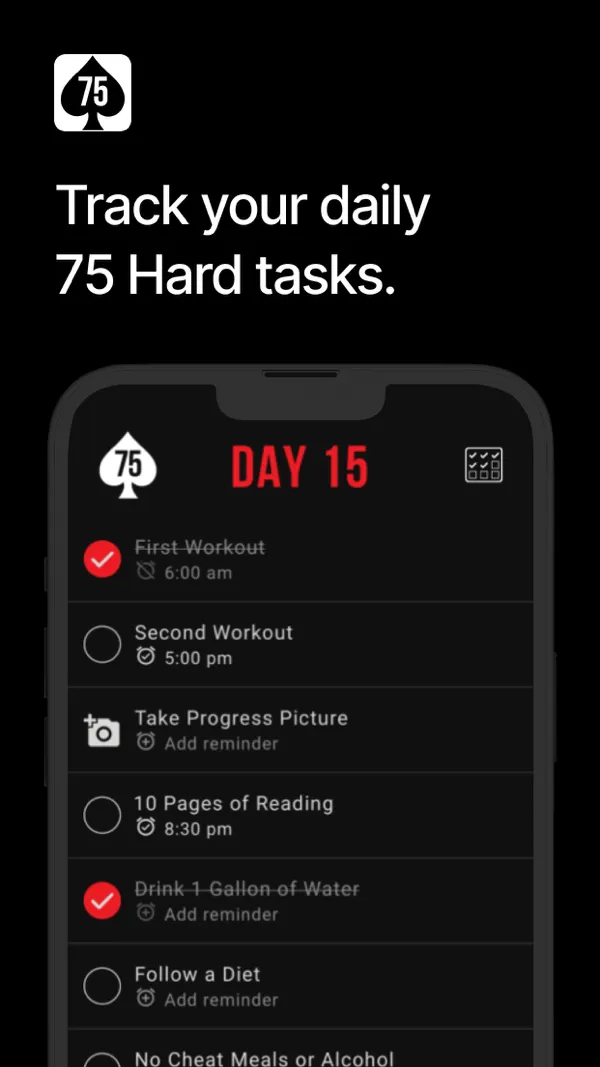
The official 75 Hard app comes from 44Seven Media, the company behind Andy Frisella's program. Its checklist matches the rules word for word: first workout, second workout, progress picture, 10 pages, a gallon of water, follow a diet, and no cheat meals or alcohol. Its daily success screen in the store images adds that one workout must be outdoors.
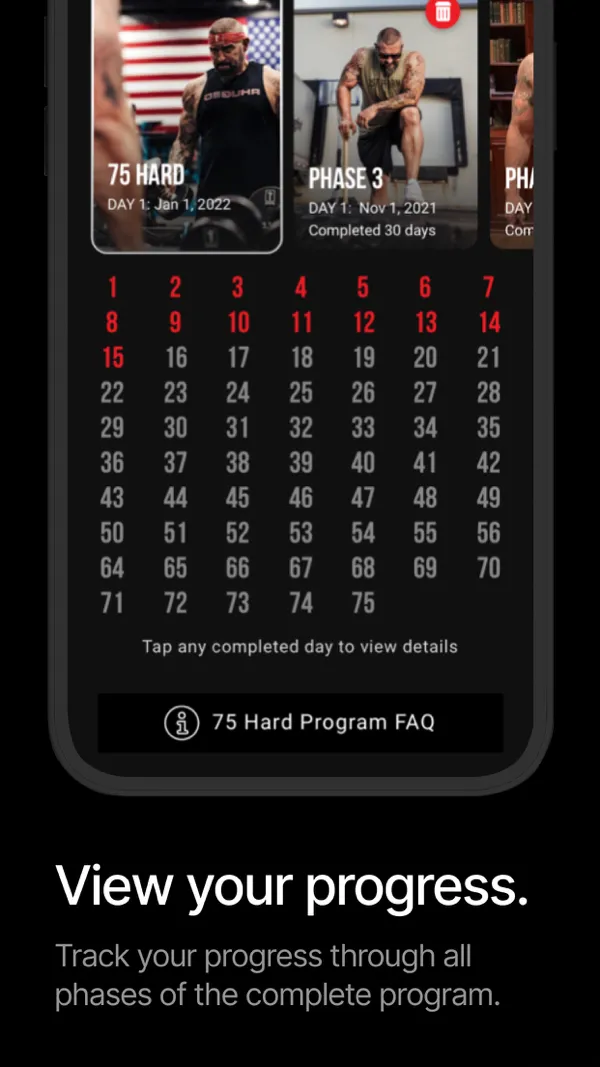
Per its App Store listing, you can set custom reminders for each task, save notes on every day, review your progress pictures and see your progress from every attempt. It is also the only app here that continues past Day 75 into the full-year Live Hard program.
The program is free, but the app is not. The listing says "Requires Subscription", with Monthly Access at $4.99 and a Full Year Membership at $39.99.
Pros
- The program's own checklist. Every task is named exactly as the rules write it.
- Live Hard built in. No other app here has a Live Hard phase.
- Notes and attempt history. Each day gets a note, and past attempts stay on record.
Cons
- Subscription only. The listing shows no free tier.
- Weaker on Android. 3.6 from 819 Google Play ratings, against 4.5 on the App Store.
- No restart rule in the listing. It keeps your attempts but doesn't say it resets you on a miss.
2. BeHard — best for every rule plus a Day 1 restart on iPhone
Ratings: (4.8/5) — 4.8 from 8,945 US App Store ratings; 1.5 from 170 on Google Play (checked November 2026)
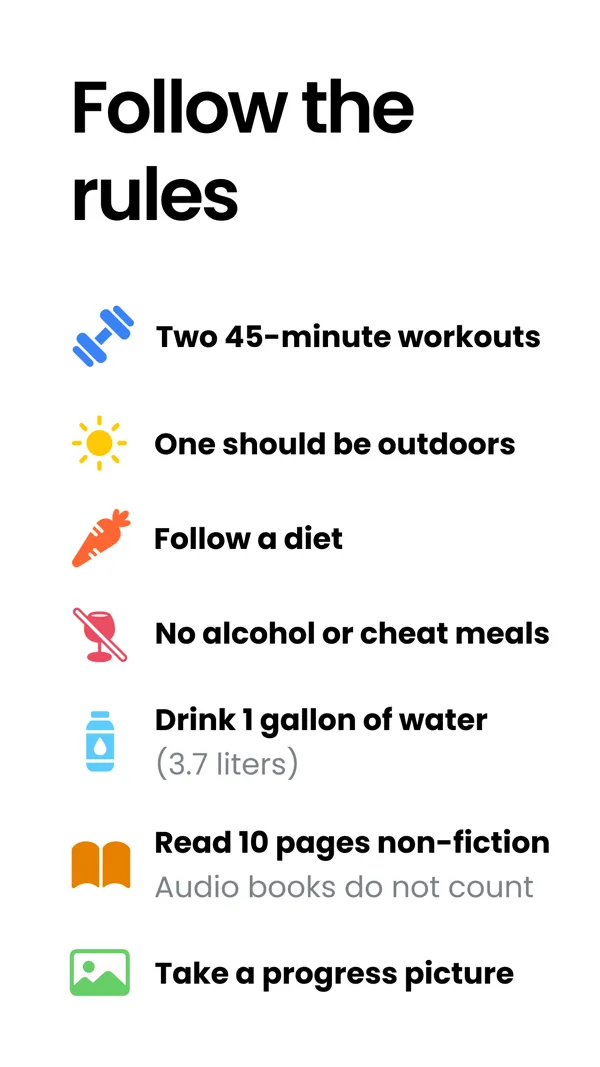
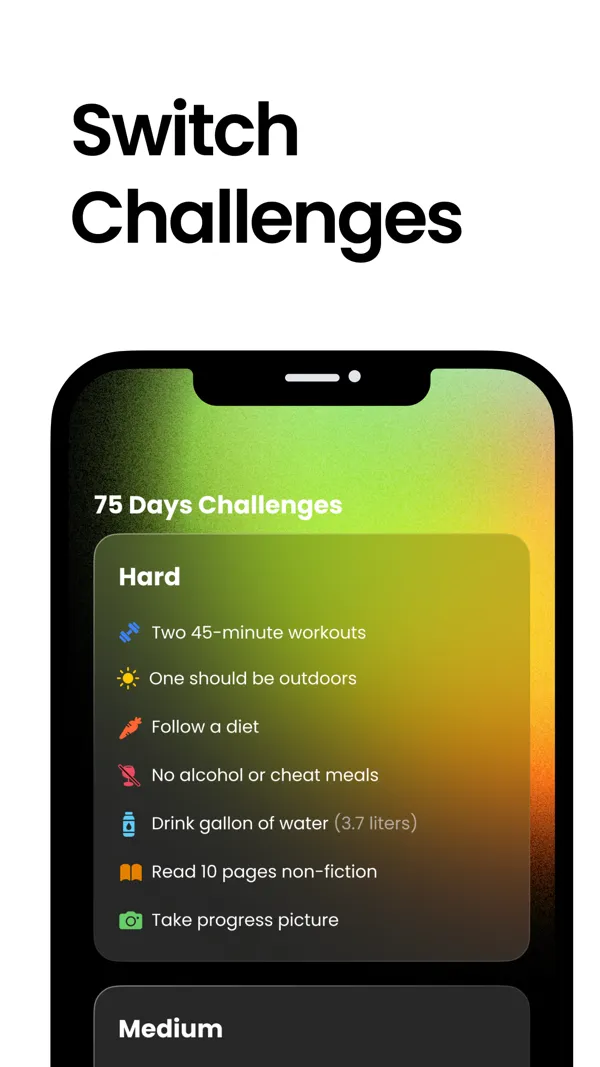
BeHard is the only app here that covers all five rules plus the restart rule in full. Its store images list two 45-minute workouts with one outdoors, a gallon of water, 10 pages of nonfiction (audiobooks don't count), a progress picture, a diet, and no alcohol or cheat meals. The FAQ on its website says Hard-style programs restart at Day 1 after a miss.
The iPhone app is called 75 Days Challenge Tough & Soft, and you can switch between Hard, Medium and Soft programs. It also has home-screen widgets, insights and a friends screen that shows each person's day and tasks.
It is free to download. Per the App Store description, reminders, insights and unlimited AI coaching need BeHard Pro at $12.99 a month or $39.99 a year.
Pros
- Full rule coverage. All five rules, plus a Day 1 restart for Hard programs.
- The most-rated dedicated app on iPhone. 4.8 from 8,945 ratings.
- Hard, Medium and Soft. Switch programs without changing apps.
Cons
- Poor Android reviews. 1.5 from 170 Google Play ratings.
- Reminders cost extra. They sit behind Pro.
- A large download. The iPhone app is 357 MB, and its privacy label lists data used to track you.
3. Her 75 — best for doing the challenge with friends
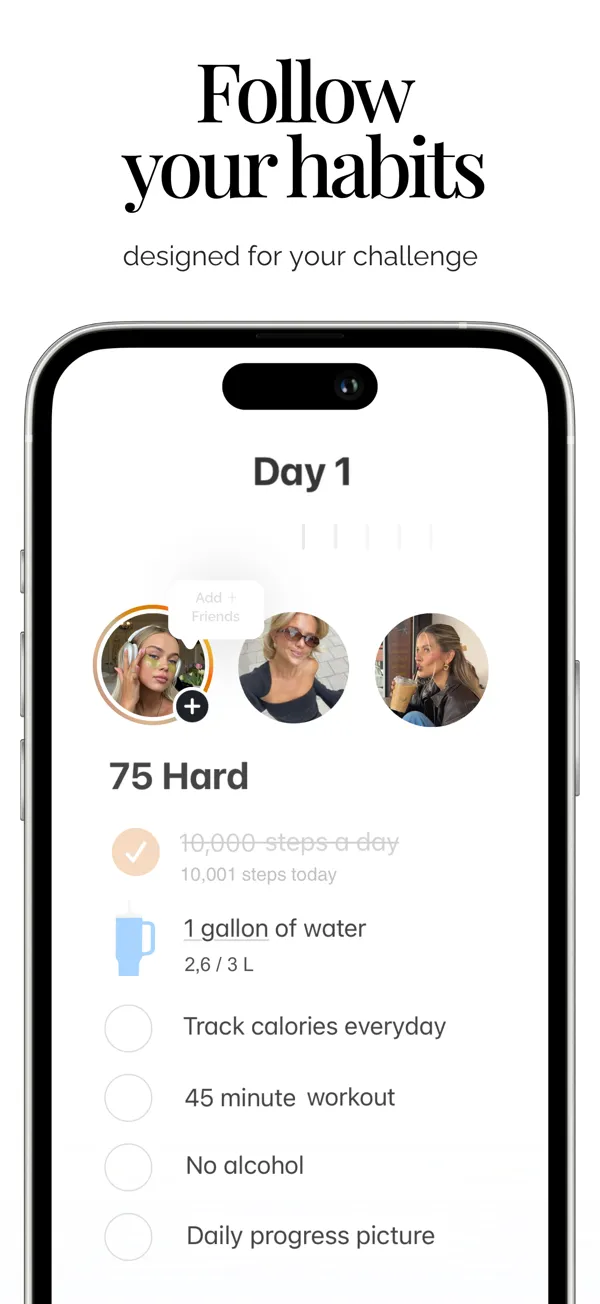
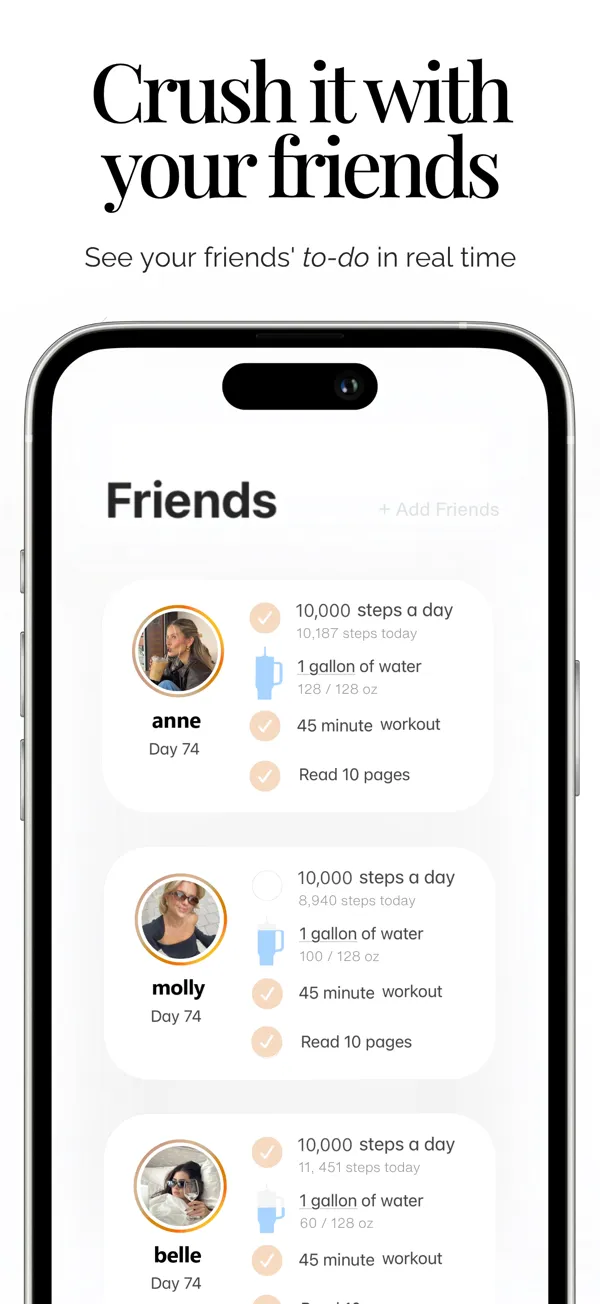
Ratings: (4.8/5) — 4.8 from 5,346 US App Store ratings; 4.4 from 6,660 on Google Play (checked November 2026)
Her 75 is built around doing a 75-day challenge with friends: you see your friends' to-do lists in real time and can chat with others on the same challenge. Its presets include 75 Day Hard, 75 Medium, 75 Soft and a few wellness challenges, and you can edit any task or build your own.
Its website lists a strict 75 Hard mode with every rule: a strict diet with no alcohol, two workouts with one outside, a gallon of water, 10 pages of nonfiction and a progress pic. The app's own images show a different 75 Hard list: one 45-minute workout, plus 10,000 steps and calorie tracking. Check the preset against the rules before Day 1.
It is free to download, with plans at $7.99 a week, $14.99 a month or $49.99 a year.
Pros
- Friends in real time. See what your friends have ticked off today.
- Strong on both stores. 4.8 on the App Store and 4.4 from 6,660 Google Play ratings.
- Built-in water tracking. Log water toward the gallon as you drink it.
Cons
- No restart rule listed. Neither the listing nor the website says what happens after a miss.
- Made for women. Its website calls it the 75-day challenge app for women.
- The weekly plan adds up. $7.99 a week costs far more than the yearly plan.
4. Reset75 — best for a strict mode with no account
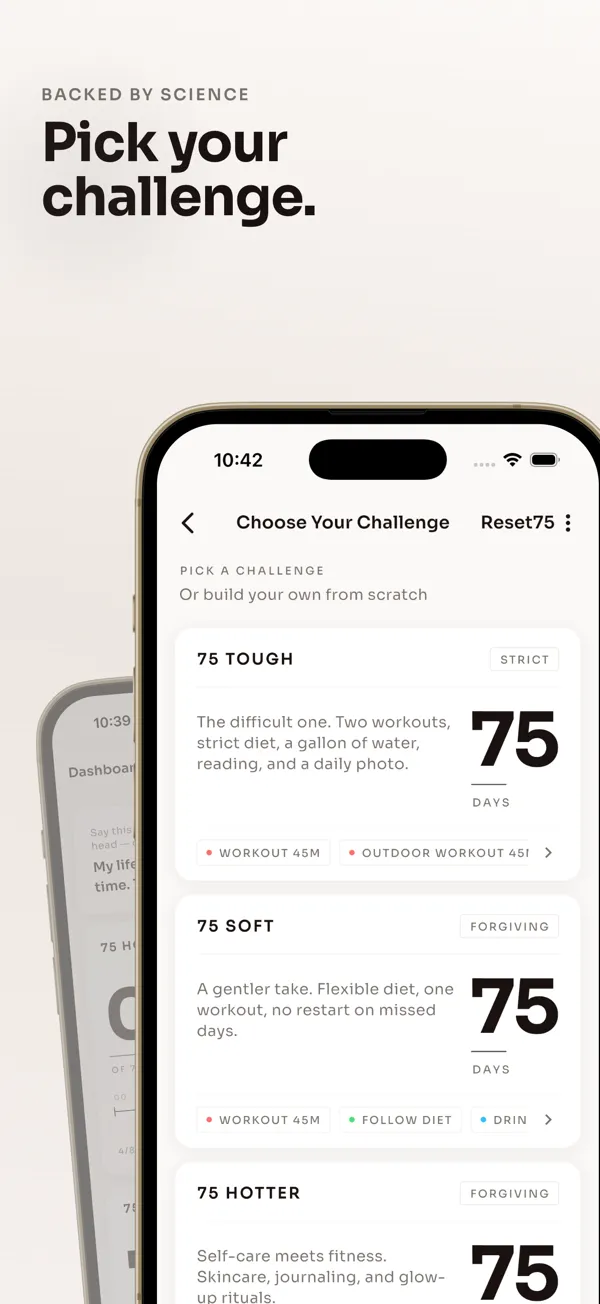
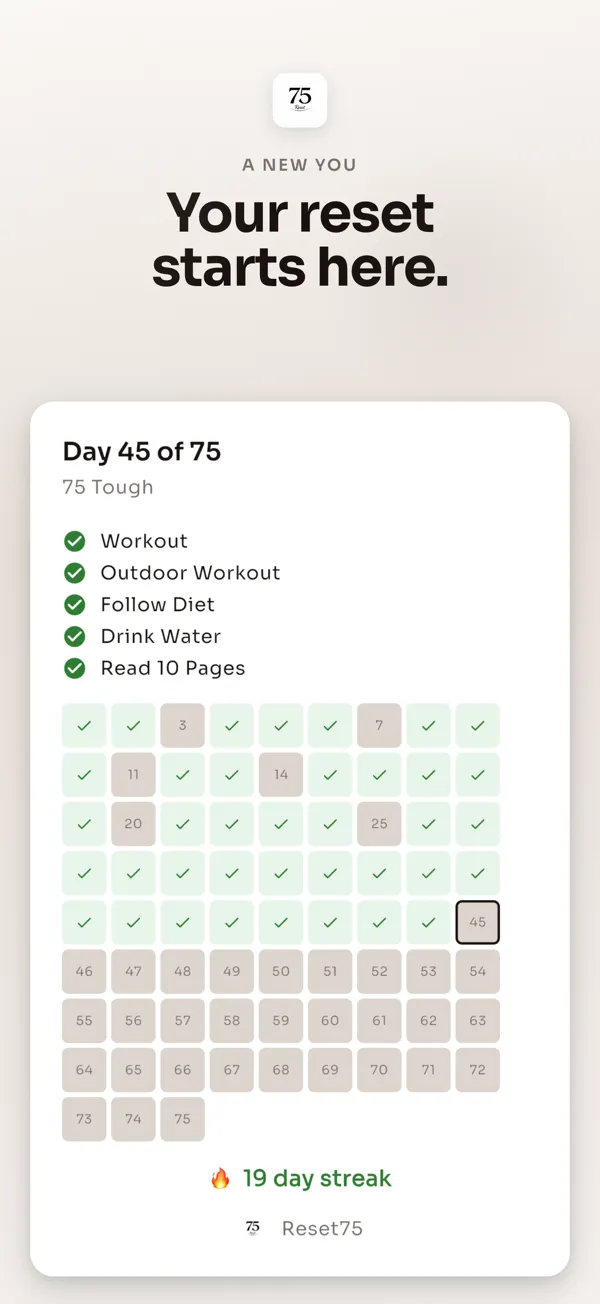
Ratings: (4.8/5) — 4.8 from 118 US App Store ratings; 4.8 from 689 on Google Play (checked November 2026)
Reset75 puts the restart rule in writing: its listing says strict mode "restarts your count if you miss a day". Its 75 Tough template, the developer's take on 75 Hard, covers two workouts with one outdoors, a strict diet, a gallon of water, reading and a daily photo. A forgiving 75 Soft template lets you skip a day and keep going.
The listing adds per-task reminders, six input types including photo and measurement, side-by-side photo comparison and a timelapse video built from your progress pictures. All data stays on your phone, with no account needed.
It is free to try. Per its website, the free app includes one rescue, which recovers a missed day. Pro adds unlimited rescues and costs $4.99 a week, or $19.99 to $39.99 a year on the App Store.
Pros
- A real restart. Strict mode resets your count after a missed day, unless you spend a rescue.
- Private by design. No account, and your data stays on the phone.
- Photo timelapse. Turn 75 progress pictures into a short video.
Cons
- Few iPhone ratings so far. 118 on the App Store, though 689 on Google Play.
- Alcohol isn't named. The diet task says strict diet, not no alcohol.
- Not called 75 Hard. The template is 75 Tough, so check its tasks match the rules.
5. BeStronger 75 Days Challenge — best no-subscription pick for Android
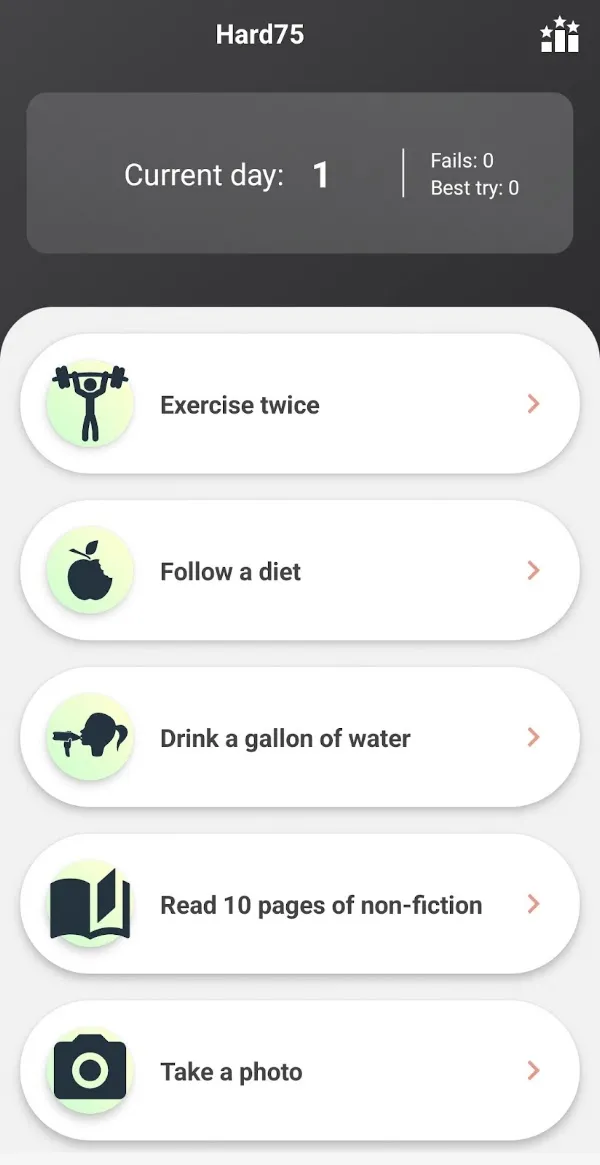
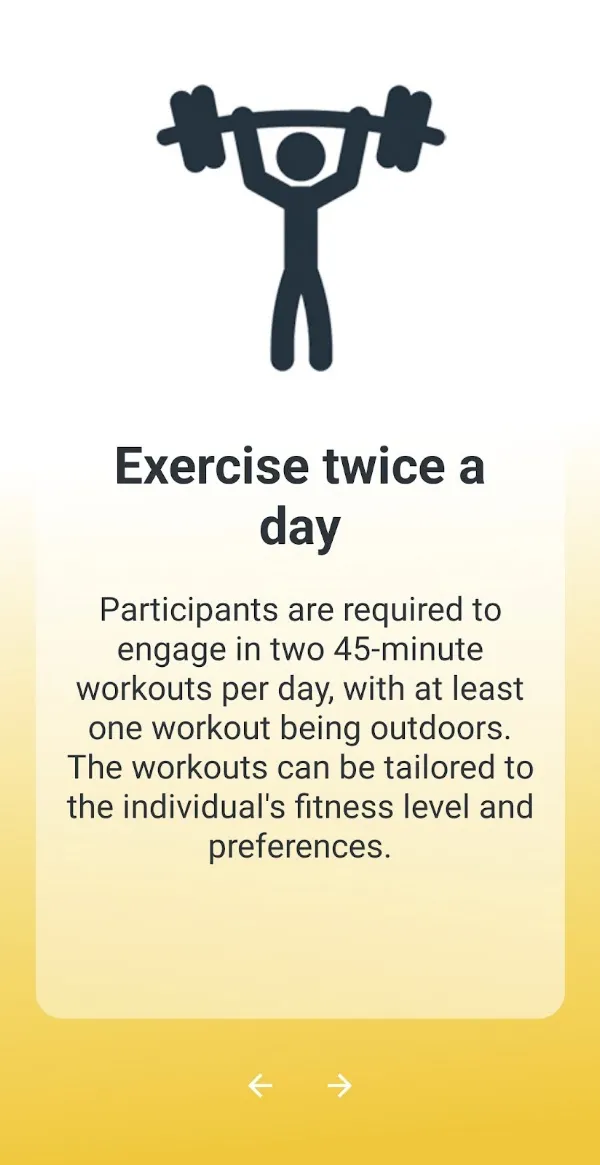
Ratings: (4/5) — 4.0 from about 1,000 Google Play ratings; 2.5 from 15 on the US App Store (checked November 2026)
75 Days Challenge by BeStronger is an Android app that says it was inspired by Andy Frisella's program. Its iPhone version hasn't been updated since August 2024. The Play listing names two 45-minute workouts with one outdoors, a gallon (3.78 liters) of water, 10 pages of nonfiction, a daily progress photo and a diet with no cheat meals.
It also handles the restart: if you break a rule, the listing says the app will remind you to restart from Day 1. The home screen counts your current day, your fails and your best try.
It is free to download, with ads and small extras from $0.49 to $1.49. It has over 100,000 downloads and was updated on 6 November 2026.
Pros
- Built for 75 Hard. All five rules are named, outdoor workout included.
- A restart reminder. It prompts you back to Day 1 and counts your fails.
- Cheap. No subscription, and the paid extras top out at $1.49.
Cons
- A stale iPhone version. 2.5 from 15 App Store ratings, with no update since August 2024.
- Contains ads. Google Play shows the Contains ads badge.
- Alcohol isn't named. The diet task bans cheat meals but doesn't mention alcohol.
6. Coty Apps 75 Day Challenge — best for choosing your own length and intensity
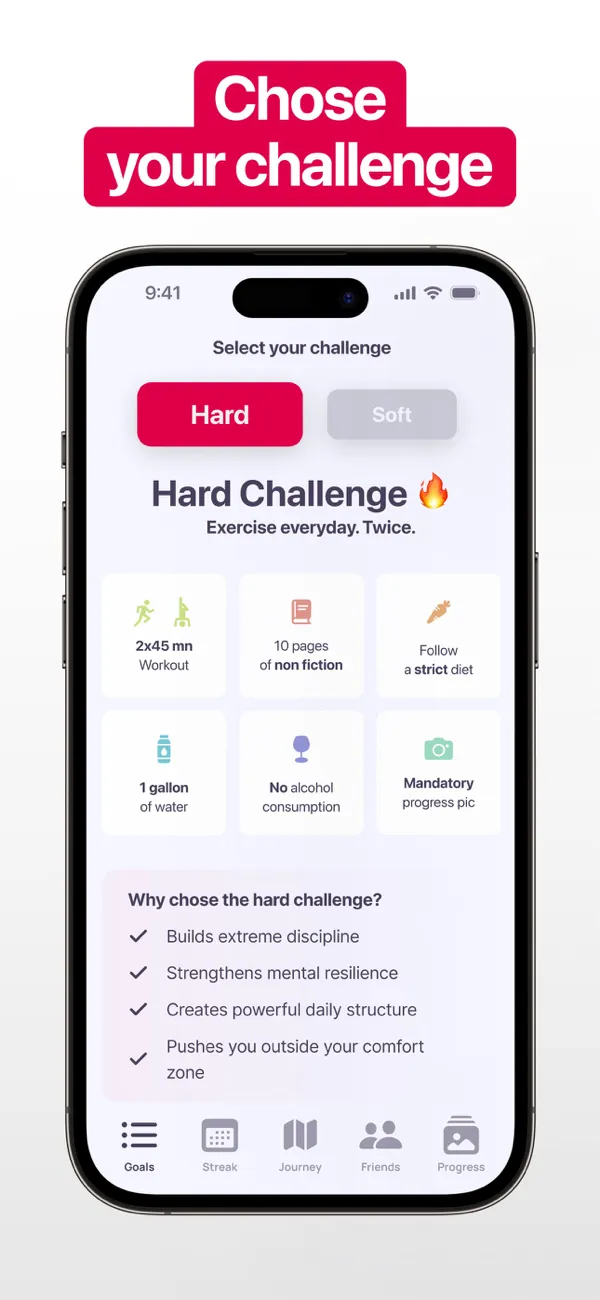
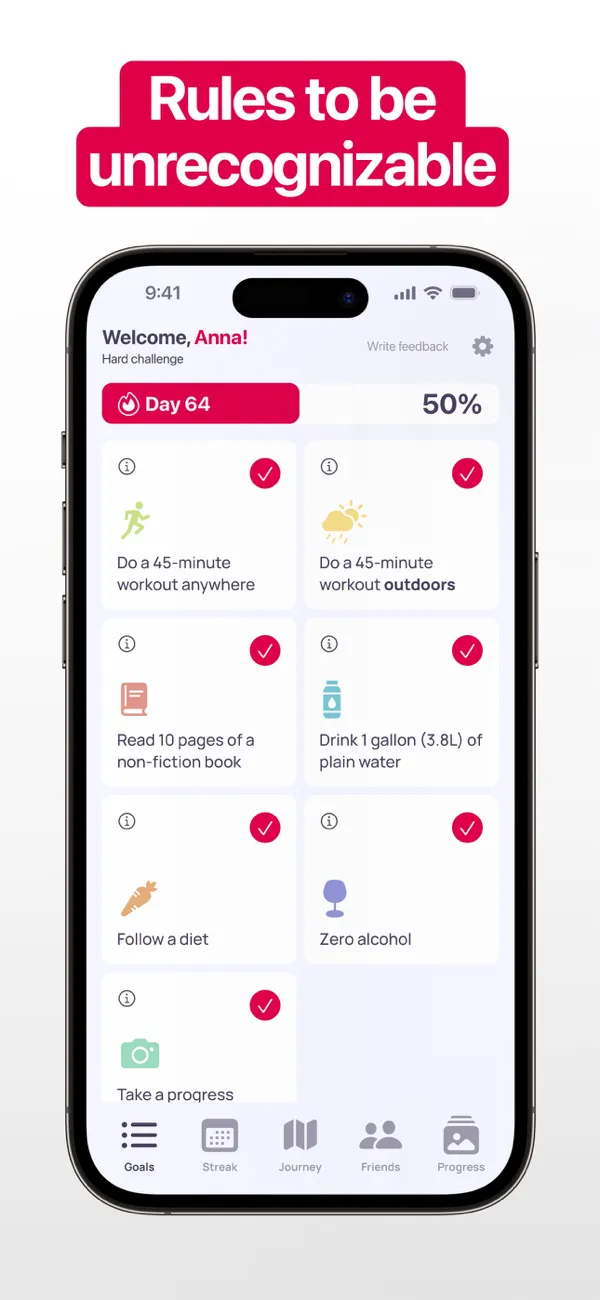
Ratings: (4.7/5) — 4.7 from 545 US App Store ratings (checked November 2026)
75 Day Challenge - Hard & Soft is sold by Coty Apps under the developer name Lumos apps, with a developer link to kovalee.app. You pick Hard, Medium or Soft and set the length of the challenge. Its Hard checklist spells out every rule: a 45-minute workout anywhere, a 45-minute workout outdoors, 10 pages of a nonfiction book, a gallon (3.8 liters) of plain water, a diet, zero alcohol and a progress photo.
The listing adds reminders, a smart to-do list, motivational speeches and a community, and its images show a friends screen. The listing also states it isn't affiliated with 44Seven Media or the 75 Hard program.
Content unlocks with a purchase. The App Store lists ten options, from $3.99 a week to a $69.99 lifetime offer.
Pros
- A literal checklist. The outdoor workout and plain water are spelled out.
- Your own length. Set Hard, Medium or Soft and the number of days.
- Compete with friends. Its images show a friends screen with each person's day.
Cons
- iPhone only. No Google Play listing turned up for it.
- No restart rule listed. The images talk about streaks, not a Day 1 reset.
- Many price points. Ten options, and its privacy label lists data used to track you.
7. HabitBox — best for tracking 75 Hard alongside your other habits
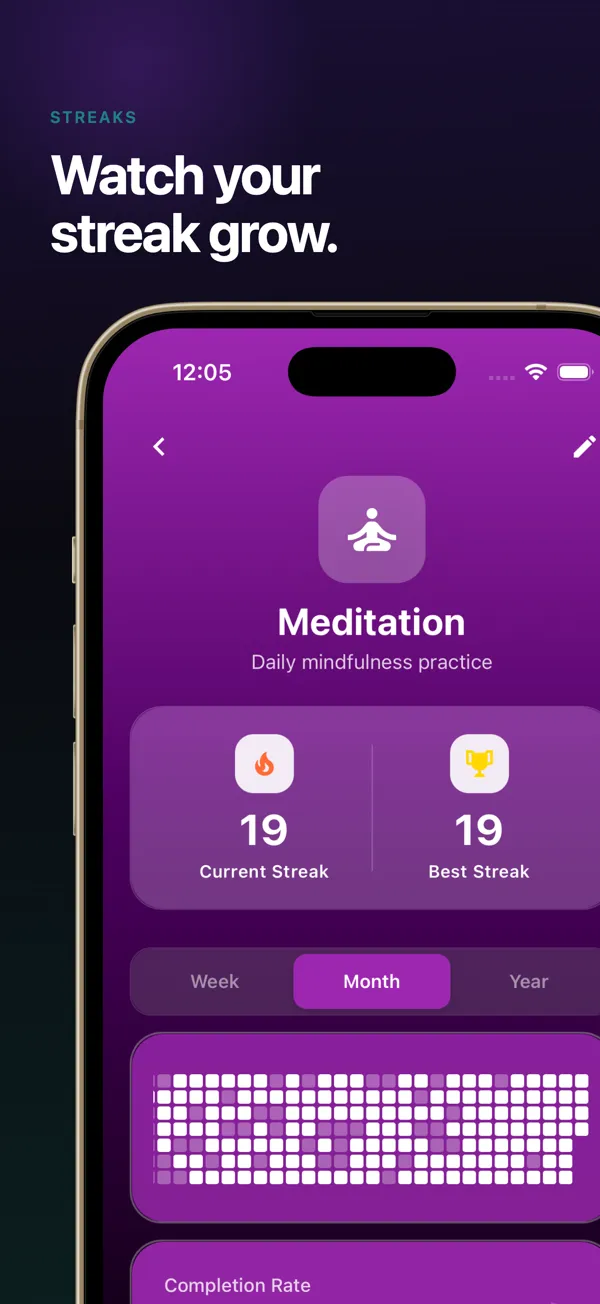
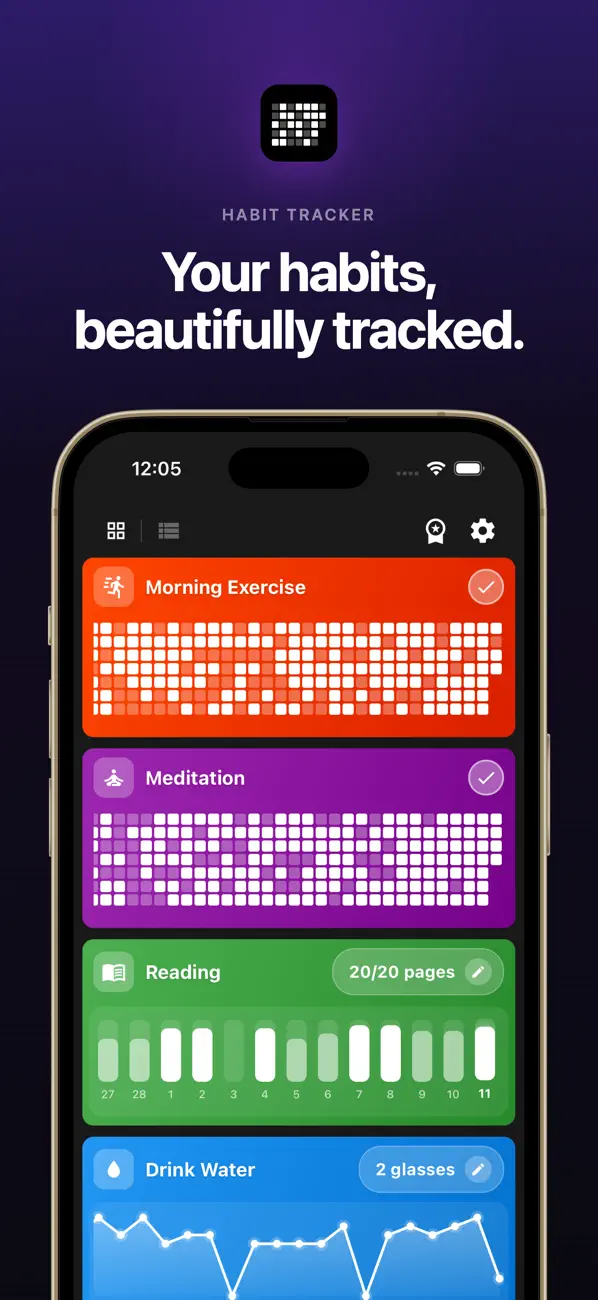
Ratings: (4.4/5) — 4.4 from 33 US App Store ratings; 4.2 from 115 on Google Play (checked November 2026)
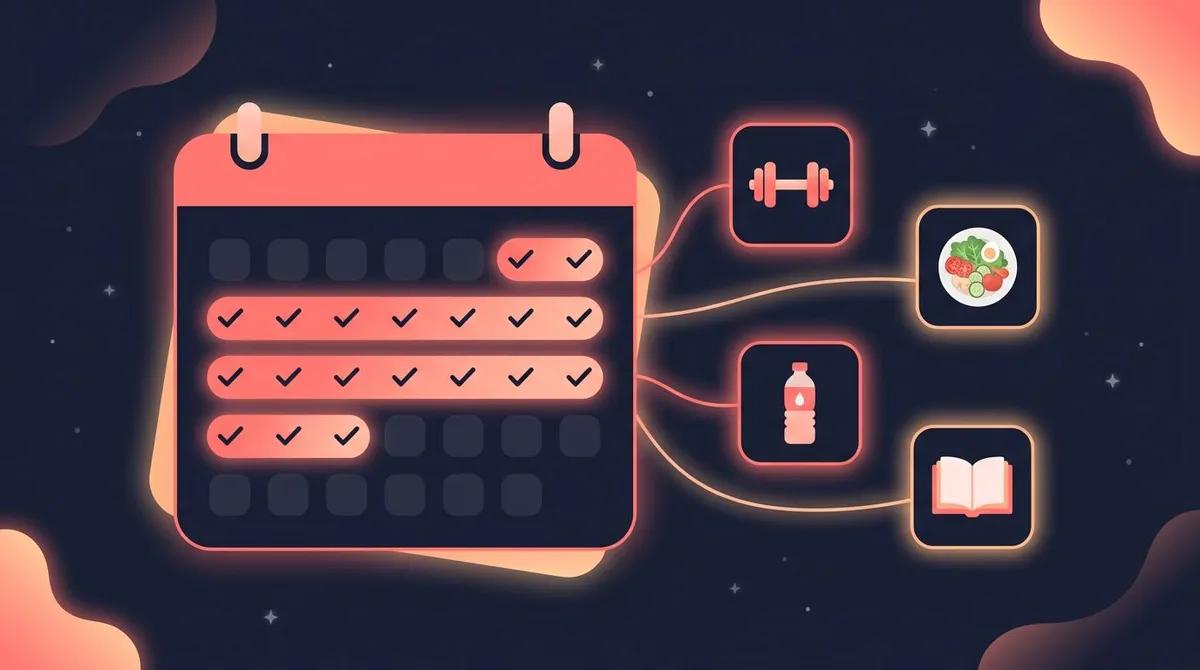
HabitBox is a general habit tracker for iPhone and Android, with no 75 Hard template. You build the challenge as one goal habit with a daily target of 6. The rules are five, but the target is six because the two workouts are logged as separate taps: workout 1, outdoor workout, water, 10 pages, photo taken and diet kept.
Each tap on the plus button adds one, and the day only counts once it reaches 6 of 6. Add an evening reminder. The current streak, best streak and calendar then show the run.
There is no HabitBox account: habits stay on the device, with optional iCloud sync on iPhone.
HabitBox is free to start, and the free plan includes up to 2 active habits, so 75 Hard and one other habit fit. Plus adds more active habits if you want each rule as its own streak.
Pros
- Runs next to your other habits. 75 Hard sits in the same list as, say, a sleep or study habit.
- No account. The App Store privacy label says Data Not Collected.
- Fast logging. One tap per task, and the day completes at 6 of 6.
Cons
- No progress photos. You take the picture in your camera app and tap to log it.
- No automatic restart. Going back to Day 1 is your call, not the app's.
- No 75 Soft template, and few ratings. You set up every challenge yourself, and HabitBox has 33 App Store ratings.
Ratings on iPhone vs Android
Here is each pick on both stores, checked in November 2026:
| App | US App Store | Google Play |
|---|---|---|
| 75 Hard (official) | 4.5 from 6,407 | 3.6 from 819 (100K+ downloads) |
| BeHard | 4.8 from 8,945 | 1.5 from 170 (50K+) |
| Her 75 | 4.8 from 5,346 | 4.4 from 6,660 (100K+) |
| Reset75 | 4.8 from 118 | 4.8 from 689 (10K+) |
| BeStronger 75 Days Challenge | 2.5 from 15 (last updated August 2024) | 4.0 from about 1,000 (100K+) |
| Coty Apps 75 Day Challenge | 4.7 from 545 | No Google Play listing found |
| HabitBox | 4.4 from 33 | 4.2 from 115 (5K+) |

The official app drops from 4.5 on iPhone to 3.6 on Android, and BeHard falls from 4.8 to 1.5. If you use Android, start with Her 75, Reset75 or BeStronger, which all hold 4.0 or better on Google Play.
Also considered
These came up in store searches but didn't make the list:
- 75 Days Hard Challenge Tracker (Abenidev, Android). 4.6 from 654 Google Play ratings, with ads. It tracks indoor and outdoor workouts, water and photos, but its listing text doesn't name the 10-page target, alcohol or a restart.
- 75Me: 75 Day Reset Challenge (iPhone). 4.8 from 2,070 ratings. It builds a personalized plan, and its images show reading in minutes, not pages, and a diet with no mention of alcohol.
- 75 Day Program - Tough Habits (iPhone). 4.8 from 2,480 ratings, but no update since September 2023.
- 75 Tough & Soft Challenge (Solowei, iPhone). 4.2 from 3,732 ratings, but no update since January 2025.
- Slay 75 (iPhone). 4.8 from 7,782 ratings, but it runs its own checklist: 10,000 steps, one workout, and 10 pages or a podcast.
- 75 Hard: Challenge Tracker (Shay alon Vash, iPhone). 4.8 from 144 ratings, under the 500-rating bar.
- Unbroken and Day75. Both are new, with 6 and 2 US ratings.
Do you need a dedicated app at all?
No. Any method works if you log every task the same day. You have three routes.
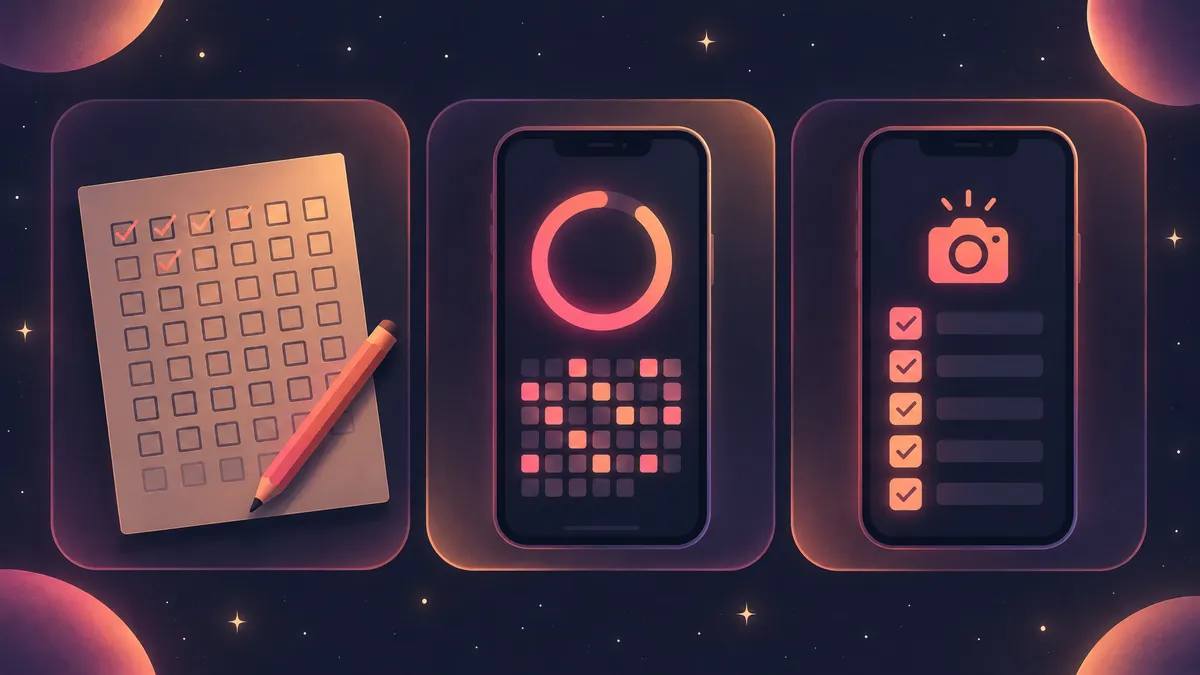
Paper. Our printable habit tracker opens on a 75-day layout, with days 1 to 75 in three rows of 25. Replace the sample rows with your five tasks, or six if you tick the workouts separately, and pin it where you'll see it at night.
A general habit tracker. The HabitBox setup in entry 7 runs the challenge as one habit next to everything else you track. Its widget shows the day's count, such as 4/6, but you log taps in the app. See our habit tracker widgets guide.
A dedicated 75 Hard app. Pick one if you want your progress photos stored in the same place, or a restart built in. For the photo rule, our 75 Hard before and after guide shows how to take comparable pictures. If you want to log sets and reps for the two workouts, pair any route with a workout tracker app.
Which app should you pick?
Start with your phone, then with how strict you want the app to be:
- You want the program's own app and Live Hard afterwards: 75 Hard (official).
- You're on iPhone and want every rule plus a Day 1 restart: BeHard.
- You're doing it with friends: Her 75, on both stores.
- You want strict mode with no account: Reset75.
- You're on Android and don't want a subscription: BeStronger's 75 Days Challenge, if you can live with ads.
- You track other habits too: HabitBox, with 75 Hard as one goal habit.
Not sure you want the full program? Reset75, BeHard, Her 75 and Coty Apps all run a 75 Soft mode. Our 75 Soft rules guide explains how it differs.
FAQ
What is the official 75 Hard app?
Is the 75 Hard app free?
Is there a good 75 Hard app for Android?
Do you need an app to do 75 Hard?
Which 75 Hard apps also run 75 Soft?
Does a 75 Hard app reset you to Day 1 if you miss a task?

Mira Hartwell
Editor, HabitBoxEditor at HabitBox. Writes about habit science and productivity, grounding every post in named research (Lally, Wood, Walker, Huberman) instead of recycled advice. Read full bio →