How to Reduce Screen Time: 11 Real Habits (2026)
TL;DR. Here is how to reduce screen time without relying on willpower: the average American now checks their phone 186 times a day and spends around 3 hours 14 minutes on it — closer to 4 hours for Gen Z (Reviews.org 2026). Willpower loses to an app designed by hundreds of engineers to hold your attention. What works is treating this as a habit problem, not a discipline problem: add friction so scrolling gets harder, replace the scroll with a competing habit, set phone-free zones, and — the piece most tip lists skip — set a daily screen-time target and track it like any other habit. The 11 tactics below are grouped by effort, with a table showing what each one typically saves.
You pick up your phone to check one thing. A text, the weather, whether it stopped raining. Forty-five minutes later you surface from a feed you don't remember opening, unsure where the time went. "Just checking" is the most expensive phrase in your day.
If that sounds familiar, you are not weak and you are not alone. The apps you are fighting were engineered to win. The good news is that you don't beat them by trying harder. You beat them by changing the design of your day so the scroll gets harder to start and easier to replace.
Why your phone is engineered to be sticky
Before the tactics, it helps to know what you are up against — because it explains why "I'll just use it less" almost never works.
Most of the apps that eat your time run on a variable-reward loop. You perform an action (pull to refresh, open the app), and sometimes you get something good — a like, a funny video, a message — and sometimes you get nothing. That unpredictability is the hook. Your brain keeps pulling the lever because the next pull might pay off. Behavioral designer Nir Eyal, author of Hooked and later Indistractable, calls this the model that makes products habit-forming: a trigger, an action, a variable reward, and an investment that pulls you back.
Psychologist Adam Alter, in Irresistible, makes the same point from the user's side: these products are as compelling as they are because engagement is the business model. None of this means you are addicted in a clinical sense. It means the deck is stacked, and a fair fight requires changing the rules, not just your attitude.
Here is the key insight for the rest of this guide. A habit is a loop: a cue triggers a routine that delivers a reward. You reach for your phone (cue: boredom, anxiety, a buzz), you scroll (routine), you get a hit of novelty (reward). You can't easily delete the cue — boredom and stress aren't going anywhere. So the winning move is to make the routine harder to start and give yourself a better one to run instead.
The 11 habits that actually reduce screen time
These are grouped into four types: friction (make scrolling harder), replacement (swap in a better routine), boundaries (protect certain times and places), and tracking (measure it so it sticks). Pick two or three to start — trying all 11 at once is its own kind of failure.
Friction: make the scroll harder to start
1. Turn on grayscale. Stripping the color out of your screen makes apps far less rewarding to look at. In one 2019 study cited by Healthline, college students who switched their phones to grayscale cut their screen time by an average of about 37 minutes a day. Set it as a shortcut so you can toggle it on with a triple-click.
2. Delete the worst apps from your phone. You don't have to quit a platform to break the habit — you just have to add steps. Deleting an app and using it only in a browser adds enough friction (log in, no notifications, worse experience) that casual opens drop sharply.
3. Use the rubber-band trick. Loop a rubber band around your phone. It doesn't stop you from using it, but that half-second of physical resistance interrupts the autopilot reach and gives your conscious brain a beat to ask, "Do I actually want to do this?"
4. Kill the notifications. Every buzz is a manufactured cue. Turn off all non-essential notifications — social, news, games, shopping. Keep calls, messages from real people, and maybe your calendar. Fewer cues means fewer loops started.
Replacement: give the craving somewhere to go
5. Swap the scroll for a competing habit. This is the tactic most people skip, and it's the most important. A craving needs an outlet. If you remove the scroll and leave a void, the void wins. Decide in advance what you'll do instead — read a few pages, stretch, step outside, message a friend for real. Keep the replacement physically easy to reach (a book on the nightstand instead of the phone).
6. Keep a "when I'm bored" list. Write down five offline things you actually enjoy and stick the list somewhere visible. When the boredom cue hits, you reach for the list instead of your pocket. This turns a vague intention into a concrete next action.
7. Make the alternative more available than the phone. We do what's easy. Charge your Kindle in the living room, leave a guitar on its stand, put your running shoes by the door. You're not relying on motivation — you're shortening the distance to the better option.
Boundaries: protect times and places
8. Charge your phone outside the bedroom. The phone by the bed fuels both the late-night scroll and the first-thing-in-the-morning grab. Charge it in another room and use a cheap alarm clock. This one change protects the two most vulnerable stretches of your day.
9. Create phone-free zones and times. Pick specific no-phone contexts: meals, the first hour after waking, the last hour before bed. Contexts are easier to defend than raw willpower — "no phones at the dinner table" is a clear rule, "use my phone less" is not.
10. Batch your checking. Instead of reacting to every buzz, decide on set times to check messages and feeds — say, mid-morning, after lunch, early evening. Between those windows, the phone stays away. You still stay connected; you just stop letting the phone set the schedule.
Tracking: measure it so the change sticks
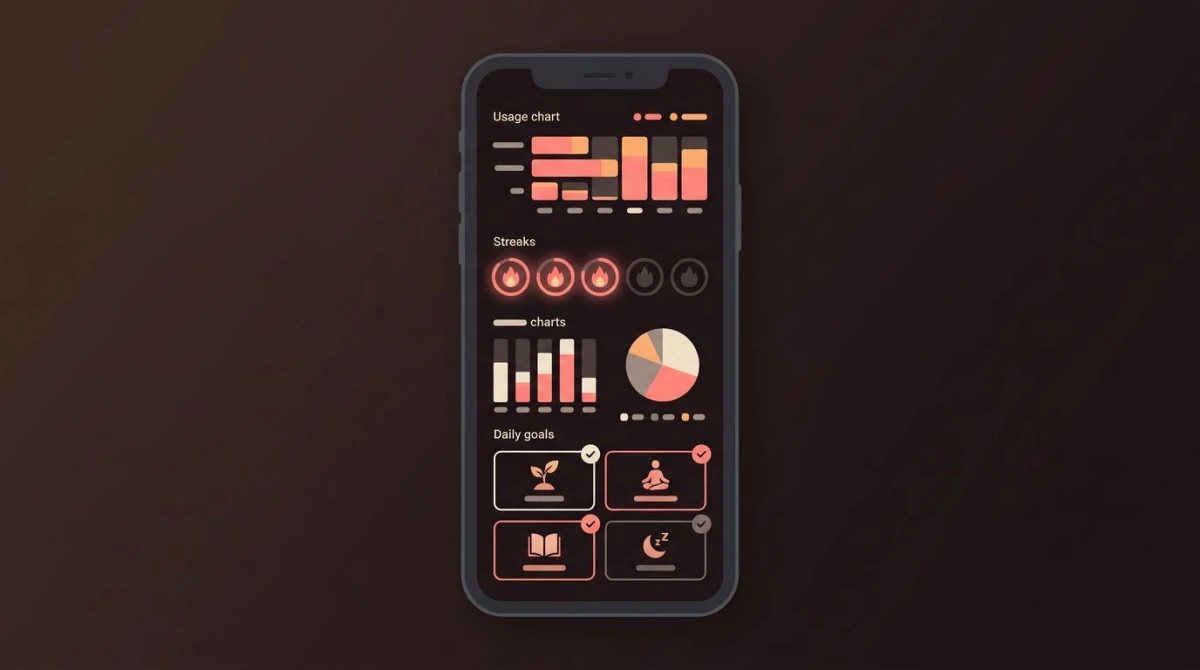
11. Set a daily screen-time target and track it like a habit. This is the piece that turns a good intention into a lasting change. Look at your current daily average in your phone's built-in dashboard (Screen Time on iPhone, Digital Wellbeing on Android), then set a realistic target — if you're at 4 hours, aim for 3, not zero. Each day you hit it, mark it done. Watching a streak build gives you a reason to protect the number, and reviewing the trend shows you which tactics are actually working.

Screen-time tactics compared: effort vs. time saved
No single tactic fixes everything, and the right mix depends on how much effort you can spend. Use this table to pick a couple of high-return, low-effort wins first, then layer on the harder boundaries once those feel automatic. "Typical time saved" is a rough directional estimate — your mileage depends on your baseline and which apps hook you.
| Tactic | Type | Effort | Typical time saved / day |
|---|---|---|---|
| Grayscale mode | Friction | Low | ~30–40 min |
| Turn off notifications | Friction | Low | 15–30 min |
| Rubber-band trick | Friction | Low | 10–20 min |
| Delete worst apps from phone | Friction | Medium | 30–60 min |
| Swap in a competing habit | Replacement | Medium | 20–45 min |
| "When I'm bored" list | Replacement | Low | 10–20 min |
| Make alternatives available | Replacement | Medium | 15–30 min |
| Charge phone outside bedroom | Boundary | Medium | 20–40 min |
| Phone-free zones and times | Boundary | Medium | 30–60 min |
| Batch your checking | Boundary | High | 30–60 min |
| Daily target + habit tracking | Tracking | Medium | Compounds the rest |
The pattern is worth noticing: the low-effort friction tactics (grayscale, notifications, rubber band) are the fastest wins, and tracking doesn't save time directly — it makes every other tactic stick by giving you feedback and a streak to protect.
Track your screen time like any other habit
Here's why most screen-time advice fails: it's a pile of one-off tips with no scoreboard. You try grayscale for three days, forget, and drift back. What separates people who actually cut their screen time from people who read another list next month is a simple mechanic — a daily target you track.
Treat "stay under my screen-time target" (or the cleaner version, "a phone-free evening") as a daily habit. Give it a yes/no check-in each night. When you hit it, you mark it done and your streak grows. This works for the same reason the apps hook you in reverse — you get a small reward for the good behavior, and you build a chain you don't want to break. Being consistent with a small daily check-in beats a heroic one-week crackdown that collapses; if you struggle with the daily part, our guide on how to be consistent breaks down the mechanics.
This is where a habit tracker earns its keep. Instead of leaving the target in your head, you make it a habit you check off each day — a tool like HabitBox lets you track a "phone-free evening" habit and see the streak build on a calendar, so the target becomes something concrete you're protecting rather than a vague resolution.
A few ways to make the tracked target work:
- Set the target from your real baseline. Open your phone's dashboard, find your current daily average, and cut it by 20–30%. A target you can hit builds momentum; an impossible one just teaches you to ignore it.
- Anchor it to a time, not a number, if that's easier. "No phone after 9 p.m." is often simpler to check than "under 3 hours" and protects your sleep as a bonus. Pairing it with a wind-down block — see our evening routine guide — makes it near-automatic.
- Review the trend weekly, not obsessively. The point of tracking isn't to police every minute. It's to see whether the number is drifting down over weeks and which days blow up so you can adjust.
If you want to go deeper than a daily target, a structured reset can jump-start things. A short, deliberate break — our guide to how to do a dopamine detox covers the realistic version — helps you feel how survivable boredom actually is, which makes the daily limits easier to keep afterward. And if you're comparing built-in dashboards against dedicated apps, our screen-time tracker roundup breaks down the options. Building the target into how you plan your day — deciding when the phone is and isn't part of the plan — closes the loop.
FAQ
How much screen time is too much?
How do I reduce screen time on my phone?
Does grayscale mode reduce screen time?
What should I do instead of scrolling?
How do I stick to a screen-time limit?

Mira Hartwell
Editor, HabitBoxEditor at HabitBox. Writes about habit science and productivity, grounding every post in named research (Lally, Wood, Walker, Huberman) instead of recycled advice. Read full bio →