Screen Time Tracker: Build a Mindful Phone Habit (2026)
TL;DR: A screen time tracker only works if you turn the data into one specific rule per week. Use the built-in tools (iOS Screen Time, Android Digital Wellbeing) for free tracking, layer one focused app (AppBlock, OneSec, or Opal) for friction, and run a 7-day awareness ramp before you set a single limit. Most people see a 20–30% drop in daily phone minutes within two weeks of starting this loop.
A screen time tracker is the cheapest behavior-change tool on your phone. The catch: looking at the data does nothing. The change comes from what you do with it.
This guide covers what a screen time tracker actually is, the research on why mindful phone use matters, the five trackers worth your time in 2026, a 7-day reset plan, and what to do when the habit slips.
What is a screen time tracker?
A screen time tracker is an app that logs how long you use your phone, which apps you open, and how often you pick up the device. Built-in versions ship on every modern phone — Apple calls it Screen Time, Google calls it Digital Wellbeing. Third-party trackers add features the built-ins don't have: stricter blockers, friction prompts before you open an app, and exportable data.
The point isn't to shame yourself with a bigger number. The point is to create a feedback loop you can act on.
Why mindful phone habits actually matter
The research on heavy phone use is mixed, but a few findings hold up well enough to design a habit around.
A 2018 study by Hunt et al. in the Journal of Social and Clinical Psychology asked undergraduates to limit social media to 30 minutes a day for three weeks. The limited group reported significant drops in loneliness and depression compared to the control group (PubMed). The takeaway most people miss: it wasn't about quitting — a daily cap was enough. If you'd rather run a structured month-long version, our digital detox challenge lays out a four-week plan.
The American Psychological Association's review of technology and well-being research reaches a more cautious conclusion. Average time on screens correlates only weakly with mood. How you use the phone (passive scrolling vs. active connection) matters more than total minutes. A tracker can't measure that directly, but it can flag the apps where passive use accumulates — often the same ones draining hours you'd rather spend elsewhere (see how to stop wasting time for the broader audit).
Phillippa Lally's habit-formation research at University College London found that new behaviors take a median of 66 days to become automatic (UCL News summary). A single missed day didn't measurably slow the process. Two missed days in a row did. That's the rule we'll use later in this guide.
A note on mental health: phone overuse can amplify anxiety and low mood, but it's not the same as a clinical condition. A tracker is a self-experiment, not a treatment. If symptoms persist, talk to a licensed professional. NIMH is a good starting point.
If you want a short primer on how to actually break the phone-grabbing reflex before you pick an app, this 4-tip walkthrough from neuroscientist Mayim Bialik is a clean 5-minute starting point:
5 screen time tracker apps compared
These are the trackers worth using in 2026, ranked by how well they support a habit-change loop, not just by how much data they show you.
| App | Platform | Best for | Free / Pro | Habit-change rating |
|---|---|---|---|---|
| iOS Screen Time | iOS | Baseline tracking, app limits, downtime | Free | (4/5) |
| Android Digital Wellbeing | Android | Baseline tracking, focus mode, bedtime | Free | (4/5) |
| AppBlock | iOS / Android | Hard blocks during work or sleep windows | Free / Pro | (4.5/5) |
| OneSec | iOS / Android | Friction prompt before opening an app | Free / Pro | (4.5/5) |
| Opal | iOS / Android | Coached blocks, weekly reports, streaks | Free / Pro | (4/5) |
iOS Screen Time and Android Digital Wellbeing are the right starting point for almost everyone. They're free, accurate, and surface the data you need. Their weakness: they're easy to override — a tap and the limit disappears.
AppBlock adds harder blocks. Schedule a time window (10 p.m. to 7 a.m.) where flagged apps won't open without an extra step. Useful if late-night scrolling is your pattern.
OneSec is the smallest intervention with the biggest behavior-change literature behind it. It adds a one-second pause before you open the app you flagged — enough friction for a meaningful share of openings to be abandoned, consistent with BJ Fogg's behavior model.
Opal is the most habit-tracker-shaped option. It runs blocks, shows weekly reports, and gamifies streaks. If progress feedback motivates you, Opal will likely work better than the built-ins.
The honest take: the best tracker is the one you'll open once a day. Start with the built-in tool. Add a third-party app only if you've identified a specific failure mode.
How to actually build the mindful phone habit
A screen time tracker is the measurement tool. The habit is the weekly review and one rule change.
- Pick one anchor cue per week. Week 1: morning coffee — open the tracker and log yesterday's number. Week 2: evening teeth-brushing — set tomorrow's first app limit. Week 3: Sunday — review and adjust. If it's tied to something you already do, you'll remember.
- Lower the friction by one notch at a time. Move the worst app off your home screen this week. Add a 30-minute limit next week. Set OneSec on it the week after. Don't stack three changes at once.
- Define the rule, not the feeling. "Use my phone less" is not a rule. "Instagram closes at 9 p.m." is. Specific, time-bound rules outperform vague intentions in the Cleveland Clinic's digital detox guidance.
- Track yes/no, not minutes. A daily check — did I follow my rule? — beats a screen-time number. The streak matters more than the total. See tracking habits for the full mechanic.
- Use the never-miss-twice rule. Lally's research is clear: one slip is data. Two in a row is a relapse. If you broke yesterday's rule, today's job is to follow it — not to make up for yesterday.
If you're tracking multiple phone rules at once (one limit, one bedtime, one no-phone-at-meals rule), a dedicated habit tracker makes it easier to see all three streaks in one place without adding more notifications. We compared the options in our best habit tracker app roundup, and most have a free tier worth trying first.
The 7-day awareness ramp
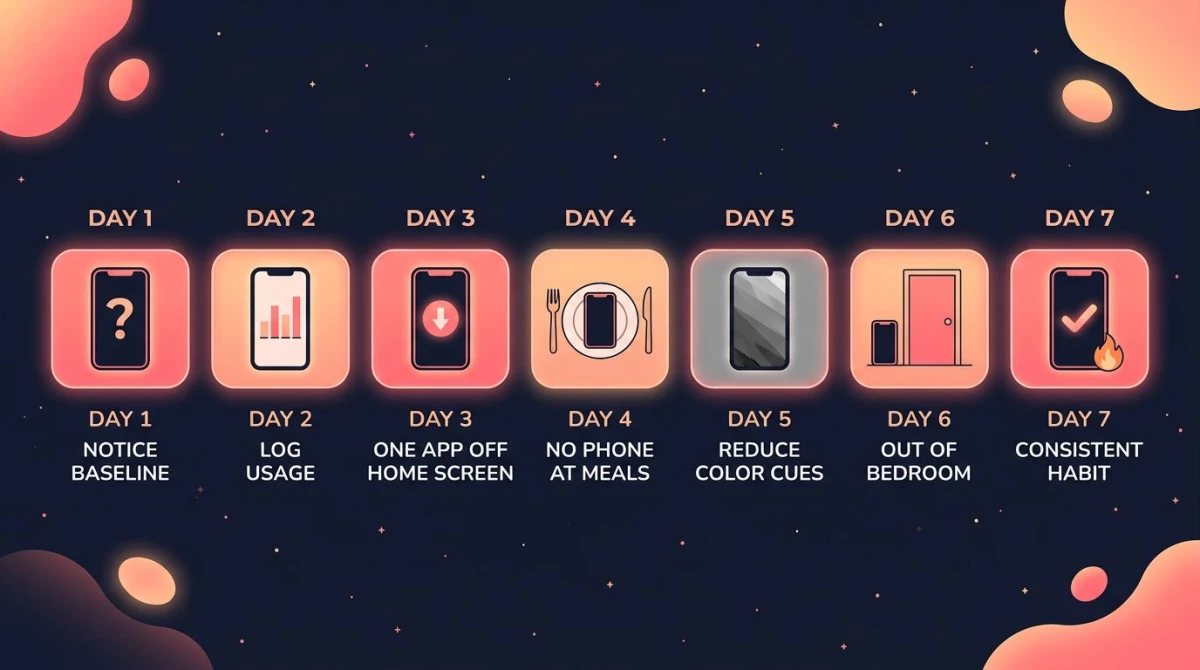
The mistake most people make is setting a screen time limit on day one. They've never measured their actual baseline, so the limit is either too tight (they break it by 11 a.m.) or too loose (it never bites). This 7-day ramp fixes that.
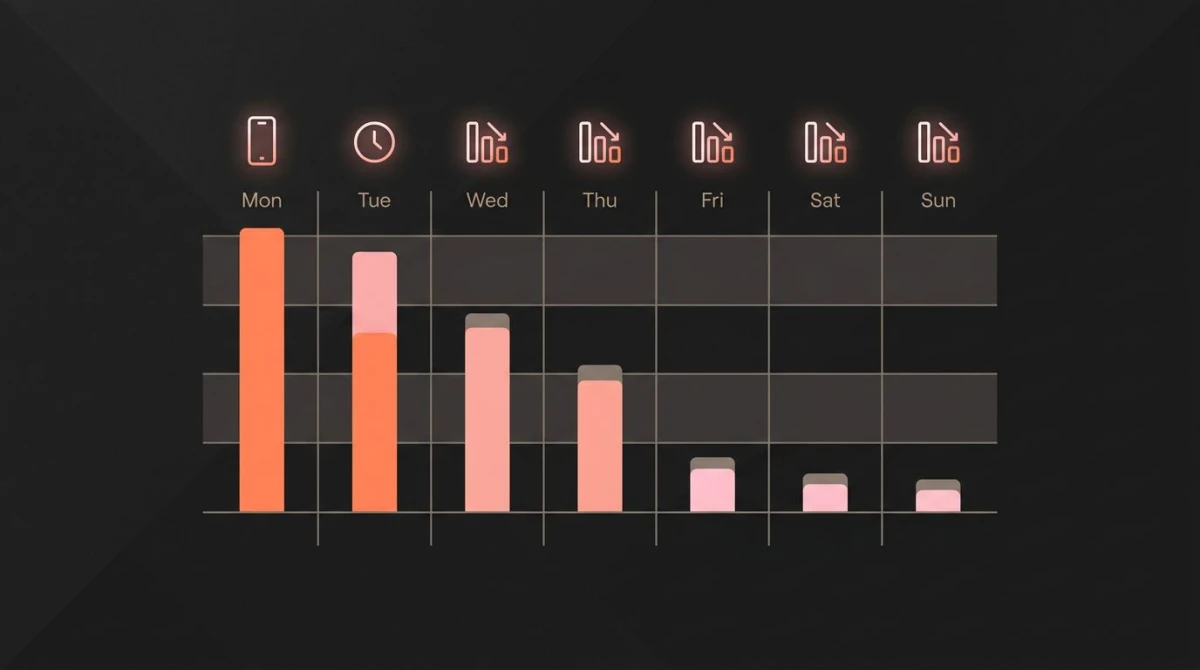
Days 1–3 — Track without changing. Open iOS Screen Time or Digital Wellbeing each morning. Log yesterday's total minutes and the top three apps. Do nothing else. The goal is an honest baseline.
Day 4 — Identify your worst app. Pick the single app where you spend the most passive time. Not the one you use for work. The one you'd be embarrassed to read out loud.
Day 5 — Set one specific rule. Examples: "Instagram closes at 9 p.m." "TikTok off until lunch." "No phone in the bedroom." One rule, not three.
Day 6 — Add the friction. Move the app off your home screen. Set an app limit at 75% of your baseline. If you have OneSec, turn it on for that app.
Day 7 — Plan the weekly review. Pick a 5-minute slot every Sunday — coffee, post-workout, before bed. Open the tracker, look at the week, decide whether to keep the rule, tighten it, or pick a new one.
After day 7, you keep running this loop weekly. The tracker provides the data; the Sunday review provides the decision.
When it doesn't work — and how to recover
You'll miss days. Everyone does. The recovery rule is what separates a habit you keep from one you abandon.
- One bad day: Open the tracker tomorrow morning, note the spike, follow today's rule. Don't compensate by being stricter — that breaks the streak twice.
- Two bad days in a row: This is your warning. Pick the smallest possible version of the rule for tomorrow ("Instagram off after 10 p.m." instead of "after 9"). Get one yes back on the board.
- A bad week: The rule was probably too tight, or you stacked too many at once. Drop to one rule. Make it 80% of your previous baseline, not 50%.
- You stopped opening the tracker: That's the real failure mode. The behavior change starts when you check the data. Set a daily reminder for the same time each morning until checking is automatic.
The 66-day median from Lally's study is helpful here. If you've been at it three weeks and it still feels effortful, that's normal — most habits don't lock in for two months. Don't read effort as failure.
Frequently asked questions
What is the best screen time tracker app?
How do I check screen time on iPhone?
How do I check screen time on Android?
How much screen time per day is healthy?
Will a screen time tracker by itself reduce my phone use?
How long does it take to build a mindful phone habit?
Putting it into practice
A screen time tracker only changes your behavior when you turn it into a loop: measure, review, set one rule, repeat. Start with the free tool already on your phone. Run the 7-day awareness ramp before you set any limits. Then check the data once a day, change one rule a week, and don't break the streak twice in a row.
If you want a place to track those weekly rules alongside your other habits, HabitBox was built for this kind of one-tap daily check-in — you can run a "phone-free first hour" streak next to your reading or workout streak without juggling multiple apps.

Mira Hartwell
Editor, HabitBoxEditor at HabitBox. Writes about habit science and productivity, grounding every post in named research (Lally, Wood, Walker, Huberman) instead of recycled advice. Read full bio →