Study Tracker App: 7 Best Picks to Log Study Hours (2026)
TL;DR. A study tracker app logs one of three things: hours per subject, focus sessions, or the days you showed up. YPT is the strongest free pick for hours per subject, Toggl Track for exact numbers you can export, and Forest for when your phone is the real problem. All seven were checked against live store listings in September 2026.
What a study tracker app actually tracks
Most roundups treat these apps as one category. They are not. Work out which of three numbers you want at the end of the week.
Hours per subject. You start a timer, tag it "organic chemistry," and stop when you stop. You end the week with a bar chart of where the hours went — the only one of these three that names the class you have been avoiding.
Focus sessions. You count blocks instead of minutes. Four Pomodoros today, six yesterday. Session counting rewards starting, which helps on days when a two-hour block feels impossible. Our Pomodoro tracker guide goes deeper on this style.
Days you showed up. No hours, no sessions, one check mark. It is the weakest measure of effort and the strongest measure of consistency, and almost no study app records it.

Pick the number first, then the app. The other way round is how students end up with four trackers and no data.
The 7 best study tracker apps compared
Ratings and prices come from the live App Store and Google Play listings, checked in September 2026. Prices are US store prices unless marked otherwise.
| App | Platforms | What it logs | Price | Rating (iOS / Android) | Best for |
|---|---|---|---|---|---|
| YPT (Yeolpumta) | iOS, Android | Hours per subject | Free, optional subscription | 4.7 / 4.6 | Hours per subject, with witnesses |
| Study-Track | Web, Mac, Windows | Hours per course | Free tier; €3.99/mo | No store listing | A study log on a laptop |
| Toggl Track | iOS, Android, web, desktop | Hours per project | Free plan; $9/mo | 4.8 / 4.6 | Exact, exportable numbers |
| Forest | iOS, Android, browser | Focus sessions | Free; Plus $5.99/mo | 4.8 / 4.3 | Beating phone distraction |
| Study Bunny | iOS, Android | Focus sessions | Free with ads | 4.7 / 4.6 | Younger students who want a game |
| Focus To-Do | iOS, Android, Mac, Windows | Pomodoros per task | Free; $11.99 lifetime | 4.8 / — | A cheap log on a real computer |
| TrackIt | Android only | Hours plus syllabus % | Free with purchases | — / 4.4 | Exam syllabus progress |
Six of the seven have a free tier good enough for a semester. Only Study-Track pushes you to pay early.
The 7 study tracker apps, reviewed
1. YPT (Yeolpumta) — best for logging hours per subject
YPT is the app most serious students land on. Create a subject for each class, run a timer against it, and get colour-coded daily, weekly and monthly breakdowns, with a "10 minutes planner" for the day's to-dos.
The social layer sets it apart. You can join or build study groups, see when friends have their timers running, and watch a live ranking of everyone studying the same category. For some people that is unbearable pressure. For others it is the only thing that gets them to open a book on a Sunday.
It is free, with purchases from $0.99 and optional subscriptions between $2.99 and $4.99 a month. App blocking during sessions sits on the paid tier.
Store rating: (4.7/5) App Store (1,675 ratings) · (4.6/5) Google Play (78.3K reviews)
Pick YPT if you want hours per subject and study better when other people can see the number.
2. Study-Track — best study tracker for a laptop
Study-Track answers the question people keep typing into Google: a study tracker that runs on a PC. It works in any modern browser, with native desktop apps for macOS and Windows.
You import your timetable, plan the week, then run a focus timer that logs hours against each course. The free account covers the weekly calendar, the timer, basic statistics and up to three friends. Course analytics, exam countdowns and the planning workspace need Premium: €3.99 a month, €34.99 a year, or €49.99 lifetime. A €9.99 "Exam Pass" buys three months with no auto-renew, and a Split Premium plan covers three students for €9.99 a month. Start free and buy the Exam Pass at finals.
Store rating: none — it runs in the browser and on the desktop, so there is no App Store or Play listing to rate.
Pick Study-Track if you study at a desk and want your timetable and hours in one window.
3. Toggl Track — best for exact, exportable hours
Toggl Track is a professional time tracker that students quietly use as a study log. Projects become subjects, tags become topics, and the reports beat anything built for students.
The free plan is the point. It covers tracking on web, desktop and mobile, calendar integrations with Google and Outlook, and the reports that show where a semester went. Paid plans start at $9 per user per month billed annually, or $12 monthly, and solo students rarely need them.
The trade-off is tone. Nothing is cute, nothing congratulates you, and the onboarding assumes you are billing a client. If you want a number you can defend in a supervisor meeting, that is a feature.
Store rating: (4.8/5) App Store (9,542 ratings) · (4.6/5) Google Play (26K reviews)
Pick Toggl Track if you want precise, exportable hours and no encouragement from your software.
4. Forest — best when your phone is the problem
Forest is not really a study tracker. It is a phone tracker that happens to log focus sessions, and for a lot of students that is the actual problem being solved.
You plant a tree, and it grows while you stay off your phone. Deep Focus mode blocks apps during a session, and Time Guard limits one app or site on the free tier. Your history builds into a forest, which is a friendlier chart than a bar graph.
The app is free to download. Plus costs $5.99 a month, or roughly $32 to $36 a year, and adds Focus Analytics, multi-app blocking and all the soundscapes. Note the platform split: 4.8 on iPhone against 4.3 on Android.
Store rating: (4.8/5) App Store (49,235 ratings) · (4.3/5) Google Play (813K reviews, 10M+ installs)
Pick Forest if your study hours are fine in theory and the phone keeps eating them.
5. Study Bunny — best gamified timer for school students
Study Bunny turns study time into currency. The timer earns coins, coins buy outfits and furniture for a cartoon rabbit, and a built-in tracker keeps the totals. There are flashcards, a to-do list, and music from lo-fi to white noise.
It aims at school and early university students, and the reviews back that up: 95,900 on Google Play and over five million installs. It is free and ad-supported, with coin packs from $0.99 and ad removal bundled into the $14.99 tier.
One honest flag: the iOS build has not been updated since December 2024. It works, but it is not under active development like the rest of this list.
Store rating: (4.7/5) App Store (21,378 ratings) · (4.6/5) Google Play (95.9K reviews)
Pick Study Bunny if the tracker needs to be fun enough that a teenager opens it twice.
6. Focus To-Do — best cheap Pomodoro log for Windows and Mac
Focus To-Do is a Pomodoro timer welded to a task manager, and it runs almost everywhere: iPhone, iPad, Android, Mac, Windows, Apple Watch and Chrome.
Tasks live in projects, each gets an estimate in Pomodoros, and the reports show time distribution, completion trends and a Gantt view. So you see that a problem set you estimated at two sessions took five.
Pricing is the surprise: Premium is $1.99, three months is $3.99, and a lifetime unlock is $11.99 — less than most of this list charges for a single month.
Store rating: (4.8/5) App Store (14,592 ratings) · no comparable US Play rating shown
Pick Focus To-Do if you want session logging on a real computer without another subscription.
7. TrackIt — best for exam syllabus progress
TrackIt is Android-only, and it answers a question the others ignore: not how long you studied, but how much of the syllabus is left.
A multi-level syllabus tracker breaks a course into sections you tick off, so progress reads as a percentage rather than an hour count. A Pomodoro timer, spaced-repetition flashcards, a flip clock and notes round it out. Preloaded syllabi cover GRE, GMAT, SAT, NEET, JEE, GATE, CAT, UGC NET and a long list of bank exams, which tells you where its audience is.
It is free, with in-app purchases between $0.99 and $7.99.
Store rating: (4.4/5) Google Play (5,080 ratings, 500K+ installs) · not available on iOS
Pick TrackIt if you are working through a fixed syllabus and want coverage, not clock time.
Why logging hours works, and where it stops working
The case for tracking is strong. A meta-analysis in Psychological Bulletin pooled 138 studies with 19,951 participants and found that monitoring progress toward a goal reliably improved goal attainment, with an average effect size of 0.40.
Two details matter for students. The effect was larger when progress was physically recorded, and larger again when the result was reported or made public. That is the research case for a study log, and also why YPT's live rankings work on people who swear they hate leaderboards.
Now the limit. In a study of college students published in Contemporary Educational Psychology, Plant, Ericsson, Hill and Asberg found that total study time did not predict grade point average across students. What mattered was the quality: where studying happened, how focused it was, and whether it took real effort.
So treat the hour count as a floor, not a score. Six shallow hours with a phone face-up is not four hours of retrieval practice, and no tracker knows the difference. If the numbers look good and the grades do not, the problem is method — start with how to study effectively.
Planners are not trackers
Search for a study tracker and you will be handed a planner. My Study Life comes up most: a free timetable, homework and exam tool that now bundles an AI study coach and a focus timer.
It is a decent planner. But it records what is due, not what you did, and its store ratings have diverged sharply — 4.5 on the App Store against 2.7 on Google Play across 59,400 reviews. Read the recent Android reviews before committing a semester to it.
A planner answers "what is next," a tracker answers "what happened." Most students need both, and they are rarely the same app. Our time blocking app roundup covers the scheduling side.
The number no study tracker shows you
Every app above measures effort. None measure what separates students who finish a semester strong from those who do not: how many days in a row you opened a book at all.

That gap matters, because an hour count punishes bad days. Twenty minutes of flashcards on a rough day looks like failure on a bar chart and like a win on a streak grid. The second reading keeps people going in week nine.
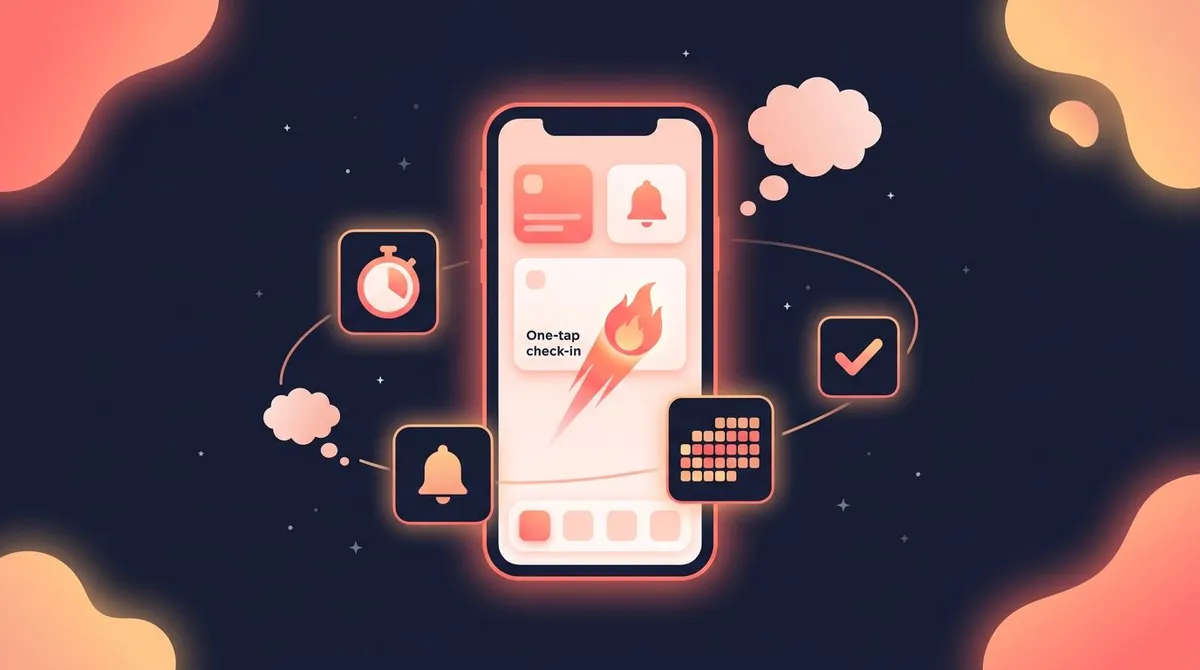
HabitBox sits underneath a study tracker rather than replacing one. Set up a habit called "studied today," tap it once, and a calendar heatmap fills in with your current and longest streaks. Count-based habits handle a session target if you prefer "3 focus blocks" to a yes-or-no check. It does not log hours per subject — YPT or Toggl does that job better.
Run both for a month and the pattern shows up fast: the good weeks were rarely the ones with a heroic ten-hour Sunday. They were the weeks with no gaps, and the habits of successful students guide covers what else sits in them.
Set up your study log in 15 minutes
- Pick your number. Hours per subject, sessions, or days. One of them, not three.
- Create one entry per class, not per topic. Five subjects is manageable. Twenty-two topics is a data-entry job you will quit by Friday.
- Set a floor, not a target. "Twenty minutes on stats" beats "three hours on stats" because you will hit it on your worst day.
- Start the timer before you feel ready. It is the cue that starts a session, not a reward for already being focused.
- Log a bad day as a bad day. Deleting a short session because it embarrasses you destroys the only honest record you have.
- Review once a week, for five minutes. Find the subject with suspiciously few hours. That is the one you are avoiding.
Expect the first two weeks to look worse than you hoped. That is information, not a verdict. If the routine keeps slipping, study habits covers the structure underneath the log.
Study tracker app FAQ
What is the best study tracker app?
For most students it is YPT: it logs hours per subject, runs free on iPhone and Android, and adds study groups and live rankings for accountability. If you want exportable numbers rather than a social layer, Toggl Track's free plan fits better. If the real problem is picking up your phone every ten minutes, Forest solves that instead.
Which study tracker app is completely free?
YPT, Study Bunny and TrackIt are free, with optional purchases you can ignore. Toggl Track's free plan covers solo tracking and reports with no time limit. Study Bunny is ad-supported, so "free" there means watching ads unless you pay $14.99 to remove them.
Is there a study tracker app for PC?
Yes. Study-Track runs in any browser and ships native macOS and Windows apps, and Toggl Track has desktop apps plus a full web version. Focus To-Do covers Mac and Windows too. The phone-first options like YPT and Study Bunny have no real desktop version.
Can I track study hours with friends?
YPT is built for it: create a group, see when friends have their timers running, and compare against a live ranking of everyone studying the same subject. Study-Track's free tier includes up to three friends. The rest are solo tools.
Does tracking study hours actually improve grades?
Tracking reliably improves goal attainment — the 138-study meta-analysis above found a clear average effect, strongest when progress is written down. Grades are a step further away. Research on college students found that total study time alone did not predict GPA, because how you study matters more than how long. Use hours to catch the class you are avoiding, then fix the method.
The bottom line
Choose by the number you want to see. Hours per subject points to YPT, or Study-Track and Toggl Track on a laptop. Sessions point to Forest, Study Bunny or Focus To-Do. Syllabus coverage points to TrackIt on Android.
Then keep the log honest. A study tracker app is a mirror, not a scoreboard, and the weeks it makes you uncomfortable are the weeks it is working.

Mira Hartwell
Editor, HabitBoxEditor at HabitBox. Writes about habit science and productivity, grounding every post in named research (Lally, Wood, Walker, Huberman) instead of recycled advice. Read full bio →