Pomodoro Tracker: Track Focus Sessions (2026)
A Pomodoro tracker logs your 25-minute focus sessions (and 5-minute breaks) so you can see how much real focus time you actually got — not how long you sat at your desk. The technique itself is simple: 25 minutes of work, a 5-minute break, repeat. Most people aim for 8–12 Pomodoros a day. The tracking part is what turns a timer into data you can learn from.
If you've used the Pomodoro Technique for a while, you've probably hit the same wall everyone hits: the timer tells you when to stop, but it never tells you whether you're actually getting more done week over week. A tracker fixes that. Below is what a Pomodoro tracker does, why logging sessions matters more than running a timer, how to track Pomodoros as a daily habit, and the best apps for iPhone and Android.
What a Pomodoro tracker actually does
A plain Pomodoro timer counts down 25 minutes and beeps. That's it. The session disappears the moment it ends.
A Pomodoro tracker does one extra thing that changes everything: it records the session. Every completed Pomodoro becomes a data point — a tally, a timestamp, a row in a focus-time log. Over a week, those data points add up to a picture of how you actually work.
The Pomodoro Technique was created by Francesco Cirillo in the late 1980s, named after the tomato-shaped kitchen timer he used as a university student. His original method already included a tracking step — you were supposed to mark each completed Pomodoro on paper and review the count at the end of the day. Most apps quietly dropped that part. The trackers are the ones that kept it.
Here's the practical difference:
- A timer answers: "How long until my break?"
- A tracker answers: "How many focused sessions did I complete today, and is that trending up or down?"
That second question is the one that drives improvement. You can't improve what you don't measure, and a raw timer measures nothing past the current 25 minutes.
Why tracking sessions matters more than running a timer
Visibility creates consistency. When you can see your focus sessions stacking up, two things happen.
First, you get an honest baseline. Most people massively overestimate how many deep-focus blocks they complete in a day. You feel busy from 9 to 5, but when you count actual Pomodoros, the real number is often four or five — not the ten you imagined. That gap is useful information, not a reason to feel bad.
Second, a visible record creates a gentle pull toward consistency. Seeing yesterday's six Pomodoros makes you want to match or beat them today. It's the same mechanism behind streaks and progress charts: concrete, visible progress is more motivating than a vague intention to "focus more." If you want the deeper science on what actually moves focus, our guide on how to focus better ranks nine techniques by effect size — Pomodoro tracking pairs well with the single-tasking and 90-minute-block findings there.
Tracking also surfaces patterns you'd never notice otherwise. Maybe your sessions cluster in the morning and fall off a cliff after lunch. Maybe Wednesdays are consistently your weakest day. Maybe you complete twice as many Pomodoros on days you don't check email first. None of that is visible from a timer — it only shows up once you've logged enough sessions to spot the trend.
How to track Pomodoros as a daily habit
Here's the framing almost no one uses, and it's the most useful one: treat your daily Pomodoro count as a count-based habit.
Instead of a vague goal like "focus more," you set a concrete daily target — say, 8 Pomodoros a day — and you check off each one as you complete it. The number becomes a habit you build, exactly like steps walked or glasses of water. And like any count-based habit, it works best when you can see the streak.
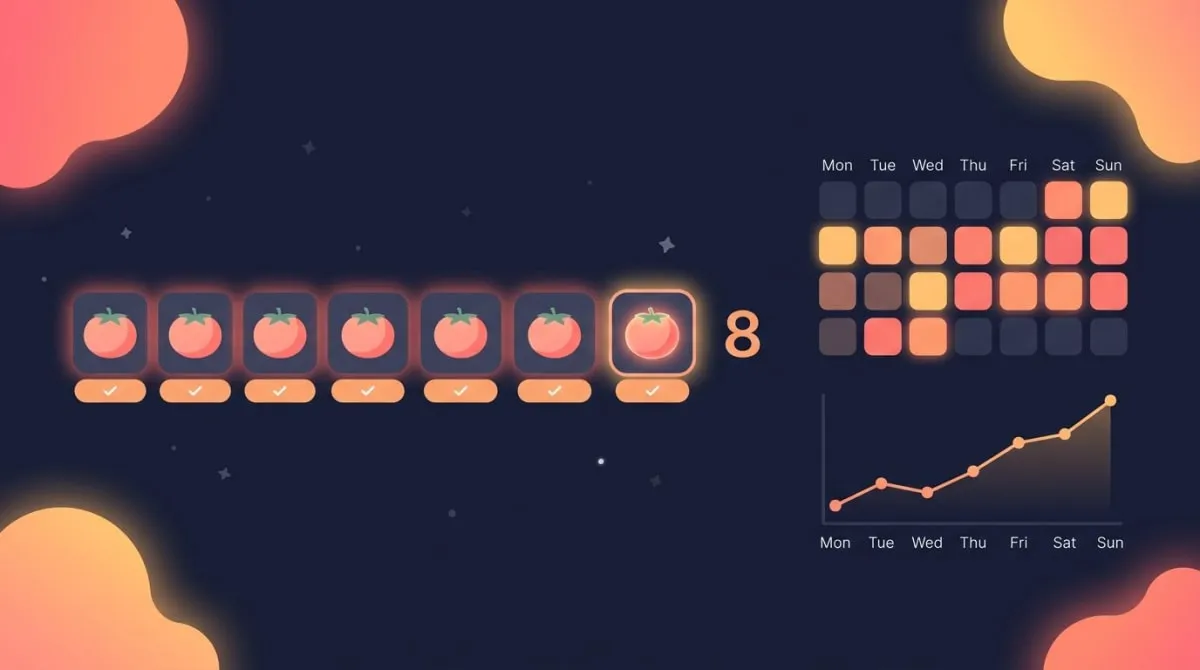
This is where a count-based habit tracker does the job better than most dedicated Pomodoro apps. In HabitBox, you can set up "Focus sessions" as a trackable habit with a daily goal of 8, tap once each time you finish a Pomodoro, and watch the calendar heatmap fill in over the weeks. You get the long-range view — current streak, longest streak, completion rate — that a session timer alone never gives you. It's the same approach we recommend in our breakdown of how to study effectively: make the work countable, then make the count visible.
To set it up:
- Pick a realistic daily target. Start at 4–6 Pomodoros, not 12. You can raise it once you have a baseline.
- Log each completed session with a single tap, right after the break starts, so you don't forget.
- Review the heatmap weekly. Look for the patterns — strong days, weak days, the after-lunch dropoff.
- Adjust the target, not your self-image. A low week is data, not a character flaw.
Run any focus timer you like for the actual 25-minute intervals — a phone timer works fine — and use the habit tracker as the running record of your sessions. The timer handles the now; the tracker handles the trend. If you also block time on a calendar, a time blocking app pairs naturally with this: schedule the focus blocks, then log the Pomodoros you complete inside them.
Best Pomodoro tracker apps
Plenty of apps run the 25/5 timer. Fewer actually log your sessions and show you stats over time — and that logging is the whole point of a tracker. Here are five worth knowing, with an honest note on each.
| App | Platform | Free tier | Logs sessions? | Standout |
|---|---|---|---|---|
| Focus To-Do | iOS, Android, Web, Desktop | Yes | Yes — rich reports + project breakdown | Pomodoro timer merged with a full task manager |
| Forest | iOS, Android | No (paid) | Yes — grows a "forest" of completed sessions | Plant a virtual tree per session for visual streaks |
| Focus Keeper | iOS, Android | Yes (limited) | Yes — 14/30-day charts | Clean visual timer wheel, simple stats |
| Pomofocus | Web | Yes | Yes — weekly/monthly reports, CSV export | No sign-in needed to start; good browser option |
| HabitBox | iOS, Android | Yes | Yes — count-based habit + heatmap | Track Pomodoros as a daily habit with streaks |
A few notes. Focus To-Do is the closest thing to an all-in-one — it tracks sessions against tasks and gives you detailed reports, though the interface is busier than some people want. Forest is the most fun: each session grows a tree, and abandoned sessions kill it, which is surprisingly motivating, but there's no free tier on iOS. Focus Keeper keeps it minimal with a clean timer wheel and basic charts. Pomofocus is the best no-friction web option — open a tab and start, with reports and CSV export if you make an account.
The reason HabitBox is on this list isn't that it's a better timer — it isn't a Pomodoro timer at all. It's the better tracker if you want the long-range habit view: a one-tap count, a heatmap, and streaks that span months, not just today's session log. Use whichever timer you like for the 25 minutes, and use a habit tracker for the record. (For a wider look at trackers, see our best habit tracker app roundup.)
Tips for tracking Pomodoros without gaming the count
The risk with any number is that you start optimizing the number instead of the work. A few guardrails keep your Pomodoro count honest.
Set a realistic daily target. Eight to twelve Pomodoros is a full, focused workday for most people — that's three to five hours of genuine deep work, which is about the ceiling of high-quality focus most adults can sustain. If you're a student fitting study around classes, four to six is a strong day. Aiming for 16 just guarantees you'll feel like a failure by 2 p.m.
Count only real focus. A Pomodoro you spent half-checking your phone isn't a Pomodoro. The count is only useful if it represents actual single-tasked focus. Be strict with yourself here — an inflated number tells you nothing true.
Don't break a session to hit a target. If you're in deep flow at the 25-minute mark, finishing the thought is worth more than logging a clean tally. Tracking serves the work, not the other way around.
Use the trend, not the daily number. One low day means nothing. The weekly average is the real signal. Pomodoro tracking is most powerful as a multi-week record — which is exactly why a heatmap beats a single day's session list.
Pair it with study or work habits you already track. If you're building broader study habits, folding Pomodoro counts into the same routine makes them stick faster than treating focus as a separate project.
The bottom line
A timer tells you when to stop. A Pomodoro tracker tells you whether you're getting better. The difference is the logged record — and the most useful way to keep that record is to treat your daily Pomodoro count as a simple, visible habit you build over weeks.
If you want that long-range view, a count-based habit tracker with a heatmap gives you what a session timer never will: streaks, patterns, and an honest baseline. HabitBox does exactly that on iPhone and Android, free to start — set "Focus sessions" as a daily goal, tap once per Pomodoro, and watch the chain grow.
Pomodoro tracker FAQ
What is a Pomodoro tracker?
A Pomodoro tracker is a tool that logs your completed 25-minute focus sessions so you can see how much real focus time you got. Unlike a plain timer, which only counts down the current interval, a tracker keeps a running record — a daily count, charts, and often a heatmap — so you can spot patterns and improve over time.
How many Pomodoros should I do per day?
Most people aim for 8–12 Pomodoros a day, which works out to roughly three to five hours of genuine deep work — about the ceiling of high-quality focus most adults can sustain. Students balancing classes often do well with 4–6. Start lower to find your real baseline, then raise the target gradually rather than aiming high on day one.
What's the difference between a Pomodoro timer and a Pomodoro tracker?
A Pomodoro timer counts down 25 minutes and signals your break, then forgets the session. A Pomodoro tracker records each completed session and builds a focus-time history you can review — counts, streaks, and trends. The timer answers "how long until my break?"; the tracker answers "how much focused work am I actually doing, and is it improving?"
What's the best Pomodoro app for iPhone and Android?
For session logging on both platforms, Focus To-Do and Focus Keeper are strong free options, and Forest is the most engaging if you don't mind paying. For the long-range habit view — a one-tap daily count with a heatmap and streaks — a count-based habit tracker like HabitBox works better than a dedicated timer, since it's built to show progress over weeks, not just today's sessions.
How do I track Pomodoros as a habit?
Treat your daily Pomodoro count as a count-based habit: set a realistic target (say, 8 a day), tap to log each completed session, and review the weekly heatmap for patterns. Run any focus timer for the 25-minute intervals, then use a habit tracker as the running record. The timer handles the moment; the habit tracker handles the trend that actually drives improvement.

Mira Hartwell
Editor, HabitBoxEditor at HabitBox. Writes about habit science and productivity, grounding every post in named research (Lally, Wood, Walker, Huberman) instead of recycled advice. Read full bio →