Best Productivity Apps for iPhone & Android (2026)
The best productivity apps for 2026 come down to 9 picks across 5 categories, and every one of them runs on a phone. This guide skips the desktop-only SaaS that fills most lists and focuses on what you'll actually open on the train: tasks, notes, focus, calendar, and the category most roundups treat as an afterthought — habit tracking.
Most "best productivity apps" lists are tool grab-bags. Zapier's 2026 edition names 21 apps, including a clipboard shortcut, an RSS reader and a screen recorder you'll never touch from a phone. Buffer's top 9 leans on desktop-first planners — its own table lists Sunsama at "$22/mo ($17/mo annually)" and brain.fm at $14.99/mo. Both are solid lists, and both publish a comparison table. But between them they offer exactly one habit pick (Habitica's RPG), and neither sorts by what survives on a small screen.
This guide is different. Every pick works on a phone, every free tier is quoted from the vendor's own page, and a stack is treated as five jobs rather than one giant menu.
How we picked these productivity apps
We don't pretend to have lived inside all nine apps for a month. Here's exactly how this list is built and kept honest.
Every pick has to run on a phone. Plenty of "productivity tools" are desktop apps with a cramped phone companion. We kept only apps that feel native on a small screen.
Free tiers are read off the source, not copied from other blogs. On 21 September 2026 we re-checked every app against its own pricing page plus its App Store and Google Play listing. The limits below are the numbers those pages publish; where a company publishes none, we say so instead of inventing one.
Cross-platform where it matters. If you switch phones every couple of years, a single-platform app means losing your history. We note exactly which apps are iOS-only or Android-only — and this year, none of the nine are.
Cross-checked against the lists that currently rank. We read the 2026 roundups from Zapier and Buffer, then cut anything that only makes sense on a laptop.
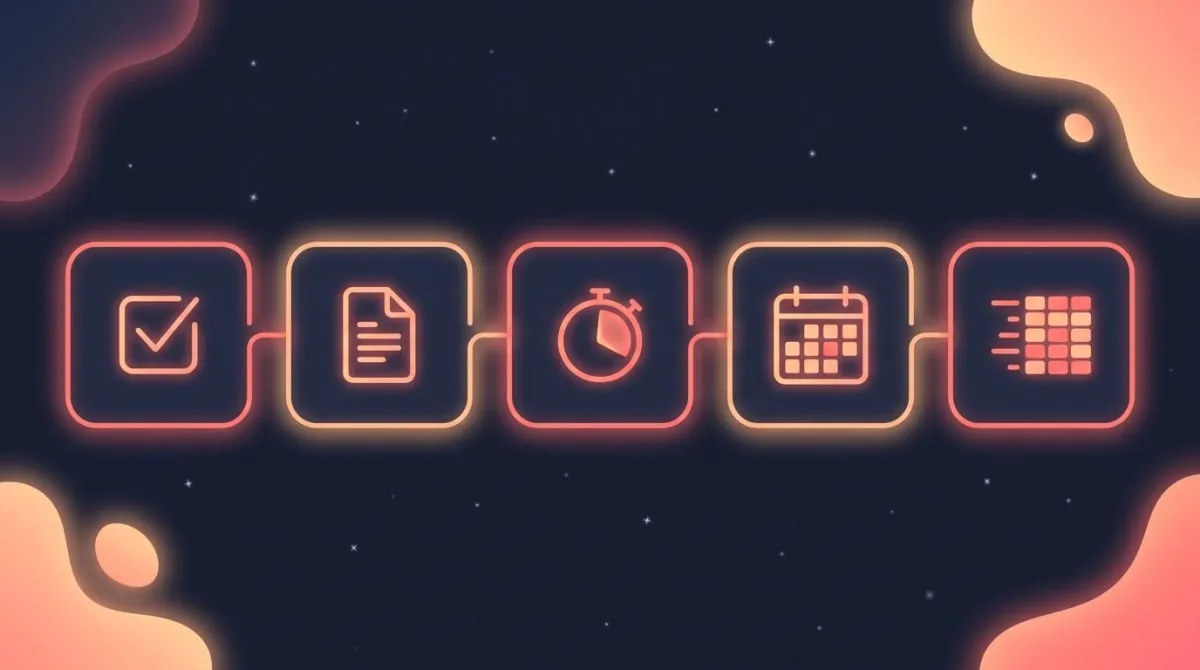
We grouped the winners into five jobs a productivity stack has to cover: tasks, notes, focus, calendar, and habits. You don't need all nine apps — you need the best one for each job you actually have.
Comparison table: 9 best productivity apps for 2026
Here's the full lineup at a glance, with the published free-tier limit rather than a vague "freemium."
| Category | App | Platform | Free tier | Best for | Standout feature |
|---|---|---|---|---|---|
| Tasks | Todoist | iOS + Android | Yes — 5 personal projects | Simple, fast task capture | Natural-language due dates |
| Tasks | TickTick | iOS + Android | Yes — 9 lists, 5 habits | Tasks + built-in habits | Calendar + Pomodoro in one app |
| Notes | Notion | iOS + Android | Yes — the Free plan | All-in-one workspace | Databases and templates |
| Notes | Obsidian | iOS + Android | Yes — free for personal use | Private, linked notes | Local markdown vault |
| Focus | Forest | iOS + Android | Yes — free, with purchases | Beating phone distraction | Plant-a-tree timer |
| Focus | Pomodoro timers | iOS + Android | Yes | Deep work sprints | 25/5 work-break cycles |
| Calendar | Google Calendar | iOS + Android | Yes | Scheduling and time-blocking | Cross-calendar sync |
| Calendar | Structured | iOS + Android | Yes — Pro adds recurring tasks | Visual daily time-blocks | Timeline day planner |
| Habits | HabitBox | iOS + Android | Free to start (Plus for more) | Building daily habits | Streak heatmap, no account needed |
Every figure above was checked on 21 September 2026 against each app's own pricing page or store listing. Prices and caps move, so check before you commit. Now let's break down each category and who each pick is for.
Best task management apps: Todoist and TickTick
Task apps are the backbone of most productivity stacks. The job is simple: get every commitment out of your head and into a trusted place. Two apps do this best on mobile.
Todoist is the cleanest entry point. Type "Pay rent every 1st" and it parses the recurring due date for you. Todoist's pricing page puts the free Beginner plan at 5 personal projects, 3 filter views and one week of activity history — plenty for personal use, with no expiry date attached. Best for people who want task capture without a learning curve.
TickTick does more in one app: tasks, a calendar, a built-in habit checklist and a Pomodoro timer. If you'd rather not stitch four apps together, it's the closest thing to an all-in-one here. The trade-off is where the free line sits. TickTick's upgrade page lists the free tier at 9 lists, 99 tasks per list, 2 task reminders, 5 habits and basic calendar views; the full calendar views and higher caps need Premium at $49.99 a year.
Pick Todoist if you value speed and simplicity. Pick TickTick if you want fewer apps and don't mind a busier interface. And if what you're managing is longer-term targets with milestones rather than daily to-dos, see our roundup of the best goal setting and tracking apps instead.
A task manager only works if you trust it. The moment you keep a side list on paper "just in case," the app has failed. Both earn that trust because capture is fast — you can add a task from a widget or the share sheet without opening the app, which is the bar a good task app has to clear.
Todoist rating: (4.5/5)
TickTick rating: (4.5/5)
Best note-taking apps: Notion and Obsidian
Notes are where ideas live before they become tasks. The two best mobile note apps sit at opposite ends of a spectrum: one is a flexible workspace, the other is a private vault.
Notion turns notes into a database. You can build trackers, wikis, project boards and reading lists, then template them so you never start from scratch. The old "Personal" tier is gone — the entry plan is now just called Free, and for a solo user it's uncapped on blocks, with 5 MB file uploads, 10 guests and 7 days of page history. Best for people who want one workspace for everything.
Obsidian stores your notes as plain markdown files on your device. Its pricing page is refreshingly blunt about the personal tier: "Free without limits. No sign-up required." Sync and Publish are optional paid add-ons ($4 and $8 a month billed annually), and a commercial licence is $50 a year. Best for writers, students, and anyone wary of cloud lock-in.
Both are free to start. Choose Notion for structure and sharing, Obsidian for privacy and longevity.
One honest caveat: Notion can become its own productivity sink. It's flexible enough that people spend more time decorating the workspace than working. If you notice that pattern, reach for a single-purpose app instead — a focus timer or a habit tracker doesn't tempt you into endless customization.
Notion rating: (4/5)
Obsidian rating: (4.5/5)
Best focus apps: timers that beat distraction
Focus apps exist for one reason: your phone is the distraction. Computer scientist Cal Newport argues in Deep Work (2016) that the ability to concentrate without distraction is the single most valuable skill in a noisy economy — and that it has to be trained deliberately.
The cost of not training it is measurable. RescueTime analysed the tracked time of more than 50,000 knowledge workers and reported that the average one "checks in" with communication tools every 6 minutes. The American Psychological Association has long documented that toggling between tasks carries a measurable switch cost in time and accuracy.
A focus app fights that with structure. Forest plants a virtual tree that withers if you leave the app, turning willpower into a small game. Worth knowing if you last looked a while ago: Forest is no longer a paid download on iPhone. Both stores now list it free with in-app purchases — the App Store shows Early Bird subscriptions at $5.99/month and $35.99/year, and the Play listing carries a "Contains ads" badge. Pomodoro timers run the classic 25-minute work, 5-minute break cycle, which protects your attention in sprints. If you want a no-frills version tuned for habit-building, our own Pomodoro timer keeps the method dead simple.
Pick Forest if gamified accountability motivates you. Pick a straight Pomodoro timer if you want a quiet, repeatable deep-work rhythm.
The deeper point is that focus is a habit, not a one-time decision. You don't summon concentration on demand — you train it by showing up to the same block day after day. That's why the best focus setup pairs a timer with a habit tracker: the timer protects the session, the tracker keeps the streak alive.
Forest rating: (4/5)
Best calendar and time-blocking apps
A task list tells you what to do. A calendar tells you when. Time-blocking — assigning each task a slot on your calendar — is how the two connect.
Google Calendar is the default for good reason: free with a Google account on both stores, syncs across every device, and handles scheduling without friction. For most people, blocking tasks directly onto Google Calendar is enough. If you want a deeper system, our guide on time-blocking apps walks through the dedicated options.
Structured is the visual alternative. It lays your day out as a vertical timeline, so you see your blocks the way you'd see a subway map. It's on iOS and Android, and the free version plans a full day on its own — Structured Pro (sold monthly, yearly or as a one-time lifetime unlock) is what adds recurring tasks, calendar import and custom notifications. Best for people who think in time, not lists. For a step-by-step routine, see how to plan your day.
The principle matters more than the app: when work has a home on your calendar, it actually gets done. Open-ended to-do lists tend to slide.
There's research behind this. Psychologist Peter Gollwitzer's work on "implementation intentions" — deciding in advance when and where you'll act, as in "I'll write at 9 a.m. at my desk" — holds up under review. A meta-analysis of 94 independent tests by Gollwitzer and Paschal Sheeran found a medium-to-large effect on goal attainment (d = .65). A calendar is just an implementation intention you can see.
Google Calendar rating: (4.5/5)
Structured rating: (4/5)
Best habit tracker app: the missing category
Here's what nearly every "best productivity apps" list leaves out. Tasks and calendars handle one-off commitments. But the repeating behaviors that compound — exercise, reading, deep work, sleep — need a different tool. That tool is a habit tracker.
The science backs this. A 2010 University College London study led by Phillippa Lally found new habits take a median of 66 days to become automatic — not the popular 21-day myth — with a range from 18 to 254 days. That's months of repetition, which is exactly why a tracker helps: it makes the invisible visible.
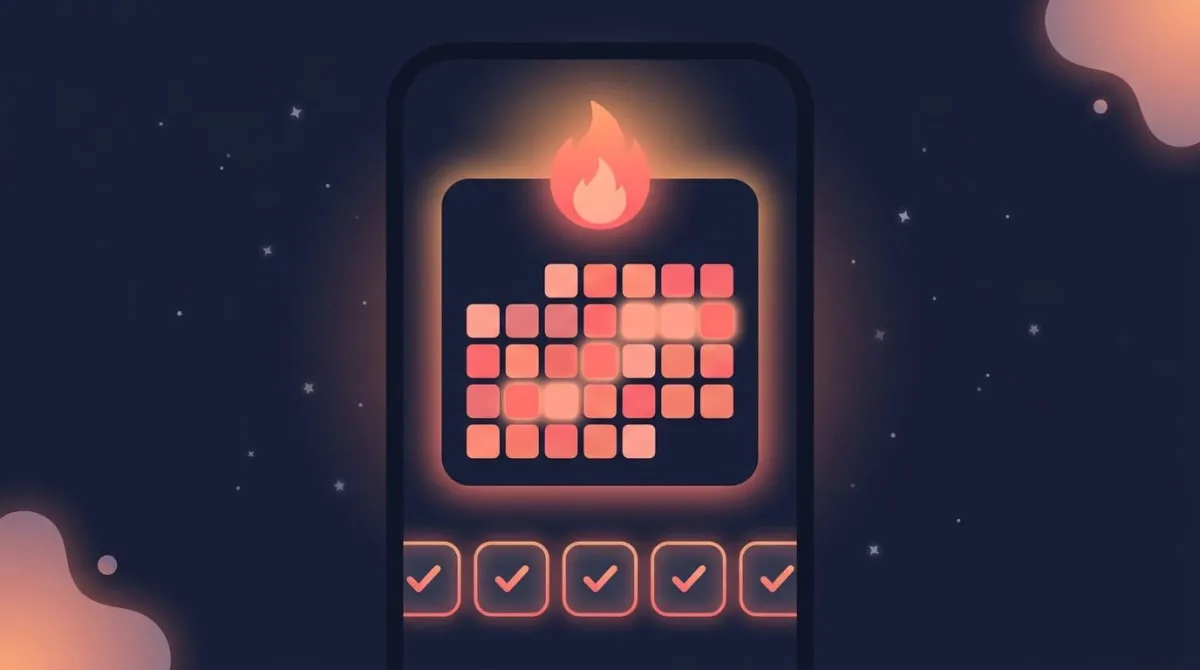
A dedicated tracker like HabitBox is the missing piece in most stacks. The streak heatmap gives you an at-a-glance view of consistency, which taps into the "don't break the chain" effect. Count-based habits let you log targets like "drink 8 glasses of water," not just yes/no check-ins. And there's no HabitBox account to create — your habits live on the device, and on iPhone you can optionally sync them to your own iCloud.
If you're building several habits at once, a tracker that shows every streak in one place beats scattering them across task apps. You can compare your options in our best habit tracker app roundup, or start with a free habit tracker if you'd rather not pay anything.
Why not just use the habit checklist inside a task app like TickTick? You can, and for one or two habits it's fine — though TickTick's free tier stops at 5. A dedicated tracker treats consistency as the point, not an afterthought. The heatmap rewards the streak visually, reminders fire at the right time of day, and the analytics show which habits are sticking and which keep slipping. A checkbox buried in a to-do list rarely creates that pull. Habitica takes the opposite route and turns habits into a full RPG — if that sounds like too much game, we've compared apps like Habitica without the RPG layer.
HabitBox rating: (4.5/5)
The behavioral logic is loss aversion. Once you've logged 20 days in a row, breaking the chain feels like a loss — and people work harder to avoid losses than to chase equivalent gains. A visible streak turns that instinct into fuel.
How to build your productivity stack in 4 steps
Picking apps is easy. Building a stack you'll keep is the real work. Here's the order that holds up after the novelty fades.
- Start with the job, not the app. Write down the two or three things you most need help with — remembering tasks, protecting focus, staying consistent. Buy tools for those, not for problems you don't have.
- Pick one app per job. Resist the urge to install three task managers to "compare." Choose the simplest one that clears the bar, and commit to it for two weeks before judging.
- Wire them together loosely. Your task app and calendar should talk to each other; your habit tracker can stand alone. Don't over-engineer integrations you'll never maintain.
- Track the meta-habit. The habit of opening your system every morning is the one that makes all the others work. Add "review my day" as a tracked habit so the system itself becomes automatic.
This is where a habit tracker quietly does double duty: it tracks your real habits and the habit of running your stack. After 66 days, you stop deciding whether to plan your day — you just do it.
Do you need more than one productivity app?
Probably — but fewer than you think. The trap most people fall into is collecting apps instead of building a system. A good stack covers your real jobs and stops there.
For most people, that's three to four apps: a task manager, a calendar, a focus timer, and a habit tracker. Notes are optional if you already capture them somewhere. There's no prize for using all nine.
Two jobs we left out on purpose. Both Zapier and Buffer give a slot to time tracking (usually Toggl Track, whose free plan covers up to three users), and Zapier adds a general AI assistant. They're good tools, but neither is a daily habit you build — a time tracker reports on the past, and an AI chat app doesn't need a slot in a routine. If you bill by the hour, add Toggl. Otherwise the five jobs above cover it.
If you want to go deeper on the system rather than the tools, our guide on how to be more productive covers the behavior change that makes any app stick. The app is the easy part — the habit of using it is the work.
The best productivity stack by user type
No single stack fits everyone. Here's what to reach for based on how you work.
The student. Notes carry the load, so lead with Obsidian or Notion for lectures and research. Add Google Calendar to block study sessions and a habit tracker to make daily review and reading non-negotiable. A focus timer protects you during exam crunch. Skip a heavy task manager — your calendar and a short daily list are enough.
The busy professional. Tasks pile up fast, so Todoist or TickTick is the anchor. Pair it with Google Calendar for time-blocking meetings around deep work, and a focus app to defend that deep work from Slack. A habit tracker keeps the routines that survive a chaotic week — exercise, sleep, a daily shutdown ritual.
The builder or freelancer. You juggle projects and clients, so Notion's databases shine for tracking work in one place. Add a Pomodoro timer for billable focus blocks and a habit tracker to protect the unglamorous habits — marketing, follow-ups, learning — that compound over months but have no deadline forcing them.
The minimalist. Resist the stack entirely if you can. One task app, one calendar, and a habit tracker cover the essentials. The fewer apps you open, the more attention each one gets. Sometimes the most productive move is deleting an app, not adding one.
Whatever your type, the pattern repeats: tools handle the one-offs, but a habit tracker handles the repeating behaviors that actually move your life. That's why it earns a spot in every version of the stack.
The bottom line
The best productivity apps for 2026 aren't the ones with the most features. They're the ones you'll open tomorrow. Start by naming your real jobs — tasks, notes, focus, calendar, habits — then pick the simplest app for each. Skip the categories you don't need.
Productivity apps FAQ
What is the best free productivity app?
It depends on the job. For tasks, Todoist's free Beginner plan covers 5 personal projects with no time limit. For notes, Obsidian is free for personal use with no sign-up, and Notion's Free plan is uncapped on blocks for a solo user. Google Calendar is free with a Google account. For habits, HabitBox is free to start on both iOS and Android with no account to create, and Plus is optional. Most people can get a whole stack running without paying anything up front.
What is the best productivity app for iPhone?
For a single all-in-one pick, TickTick combines tasks, a calendar, habits and a Pomodoro timer in one iOS app. If you prefer separate tools, pair Todoist for tasks, Google Calendar for scheduling, and HabitBox for habit tracking. All three are free to start and run natively on iPhone.
What is the best productivity app for Android?
The same picks work on Android, since every app in this guide ships on both stores. Todoist, Notion, Obsidian, Google Calendar, Structured and HabitBox all run natively on Android. A few differences are worth knowing: Forest's Play listing carries ads, and HabitBox on Android keeps your habits on the device and moves them to a new phone through the Plus export and import backup file rather than a cloud account.
What is the best app to track my productivity?
That depends on what you mean by track. To see where your hours actually went, a time tracker is the right tool — Toggl Track has a free plan for up to three users and mobile apps on both stores. To track whether you did the things you meant to do, a habit tracker is a better fit, because it scores consistency rather than hours. Many people run one of each: the time tracker reports on the past week, the habit tracker shapes the next one.
What is the 3-3-3 rule for productivity?
It's a daily planning method popularised by Oliver Burkeman, author of Four Thousand Weeks: spend three hours on your most important project, knock out three shorter urgent tasks, and do three maintenance activities that keep life running (email, admin, exercise). It isn't a nine-hour day — only the first block is measured in hours. It pairs well with time-blocking, since the three-hour block needs a real slot on your calendar.
Do I need more than one productivity app?
Usually three to four, not nine. A task manager, a calendar, a focus timer, and a habit tracker cover most people's real jobs. Notes are optional if you capture them elsewhere. Collecting more apps than you have jobs tends to create overhead, not output — start lean and add only when you hit a real gap.
What is the best habit tracker for productivity?
A dedicated tracker beats the habit feature bolted onto a task app, because it visualizes consistency over time rather than ticking a box. HabitBox uses a streak heatmap and count-based habits, needs no account to get started, and runs on both iOS and Android. For a full comparison of options, see our best habit tracker app guide.

Mira Hartwell
Editor, HabitBoxEditor at HabitBox. Writes about habit science and productivity, grounding every post in named research (Lally, Wood, Walker, Huberman) instead of recycled advice. Read full bio →