Free Habit Tracker Apps: What 9 Actually Give You Free (2026)
"Free habit tracker" is one of the most misused phrases on the App Store. Many of those apps are free to download and capped at three habits the moment you take them seriously. This guide checks what each one actually gives you for $0: whether the habit count is capped, whether there are ads, and whether you need an account. If your question is the broader one — which app is best overall, free or paid — that is our best habit tracker app comparison.
TL;DR — 3 free habit trackers, each free in a different way
- Best truly free (open source): Table Habit — iPhone, Android and desktop, with no ads, no in-app purchases and no account.
- Best free to start with optional Plus: HabitBox (our app) — iOS and Android. Check-ins, streaks, the calendar heatmap, charts and reminders sit in the free tier, with no account. How many habits you run at once is capped, and Plus lifts it.
- Best on Android without a subscription: HabitNow — no ads badge, a one-time unlock from $0.99 to $11.99, and free-tier data kept on the device.
How this page is checked. Every figure below — free-tier caps, prices, ads badges, platforms — was read on 5 October 2026 from a primary source: each app's App Store product page and In-App Purchases section, its Google Play listing header, and the developer's own website, help centre or pricing page. Where a free-tier limit is not published, this page says the tier is capped rather than repeat another roundup's number. The screenshots are developer-published app images from each app's App Store or Google Play listing; Habit Diary has none.
What "free" actually means in 2026
Most "free habit tracker" lists do not define free. They list any app with a $0 install price, which is not the same thing. Here are the four kinds you actually meet — and the pattern underneath them, which is that three to five habits is the usual free cap. Strides and Grit stop at 3, HabitKit at 4, TickTick at 5. The uncapped options are a far shorter list.
Type 1: Open source, no monetisation
Free app, public code, nothing to buy inside it. Table Habit is the clearest example: Apache 2.0 code on GitHub, no in-app purchases on either store, and no ads. HabitShare also has nothing to buy, though its code is closed.
Type 2: Free tier with an optional upgrade
Free to start, with a paid tier on top. HabitBox sits here — its free tier caps how many habits you run at once, and Plus lifts it — alongside HabitKit (4 habits free, then Pro), HabitNow (a one-time unlock, $0.99 to $11.99 on Google Play) and TickTick (5 habits free inside a task manager).
Type 3: Free with ads
Free to install and use, with advertising in the interface. The live example here is Habit Diary on Android, whose Play listing carries a "Contains ads" badge alongside in-app purchases from $7.99 to $29.99. None of the other eight apps carries the badge.
Type 4: A free tier small enough to be a trial
Nothing expires, but the cap arrives before you have finished setting up. Strides is "free forever to track your top three goals and habits", and Grit stops at three habits with its statistics screens locked. Both are trials with no clock.
Free tiers compared, app by app
| App | Platforms | Free tier | Ads | Paid price | Open source | Where data lives | Store updated |
|---|---|---|---|---|---|---|---|
| Table Habit | iOS, Android, Mac, Windows, Linux | Everything — nothing to buy | No | None | Yes (Apache 2.0) | On the device; optional WebDAV sync to your own server | 21 Sep 2026 |
| HabitBox | iOS, Android | Free to start, capped (Plus lifts it) | No | Optional Plus | No | On the device, no account; optional iCloud on iPhone | 10 Sep 2026 |
| HabitShare | iOS, Android | Everything — nothing to buy | No | None | No | Cloud account | 4 Dec 2024 (Android) |
| HabitNow | Android | Free to use — caps not published | No | One-time unlock, $0.99–$11.99 | No | On the device on free | 26 Jul 2026 |
| HabitKit | iOS, Android | 4 habits | No | Pro, $0.99–$59.99 (App Store) | No | On the device, no account | 5 Oct 2026 (iOS) |
| TickTick | iOS, Android, Mac, web, desktop | 5 habits | No | $4.99/mo or $49.99/yr | No | Cloud account | 29 Sep 2026 (iOS) |
| Strides | Apple devices; Android app is new | Top 3 goals and habits | No | Plus, $4.99–$149.99 (App Store) | No | Optional account; sync on Plus | 13 Sep 2026 (iOS) |
| Grit | Apple only | 3 habits; statistics locked | No label on iOS | Premium, $1.99–$44.99 (App Store) | No | iCloud sync | 18 Sep 2026 |
| Habit Diary | Android | Free with ads; what purchases unlock isn't published | Yes | $7.99–$29.99 per item | No | Not published | 13 Oct 2025 |
Figures come from each app's own US store listing, website or help centre on 5 October 2026.
Best free habit tracker for iPhone
On iPhone the uncapped $0 options are a short list, and each one has a catch.
Nothing to buy: Table Habit. Open source, no ads, no account, and Apple's privacy label reads "Data Not Collected". The catch is age: it has two US App Store ratings so far. HabitShare is the other uncapped option, but its iPhone app has not been updated since January 2023.
A plain tracker with no sign-up: HabitBox. Free to download on iPhone, with no account and no email. Habits sit on the device, with optional iCloud sync to your own iCloud rather than a company server. Check-ins, streaks, the heatmap, charts and reminders are in the free tier; the number of habits you run at once is capped, and Plus lifts it.
Published caps. HabitKit is free for 4 habits, TickTick for 5, Strides for 3 goals and habits, and Grit for 3 with its statistics locked.
Best free habit tracker for Android
Table Habit, if you want nothing to buy. Open source on Google Play and F-Droid, with neither an ads nor an in-app-purchases label — only HabitShare matches that here. It is small, with 1K+ downloads on Google Play.
HabitNow, if you want the polished one. 4.7 stars from about 93,000 reviews, no ads badge, a one-time unlock from $0.99 to $11.99, and habitnow.app says free-tier data "is stored only on your device". What it does not publish is where the free tier stops.
Skip it if ads bother you: Habit Diary. It is the only app here whose Play listing carries "Contains ads".
The 9 apps and what each one gives you free
1. Table Habit — iPhone, Android and desktop, open source
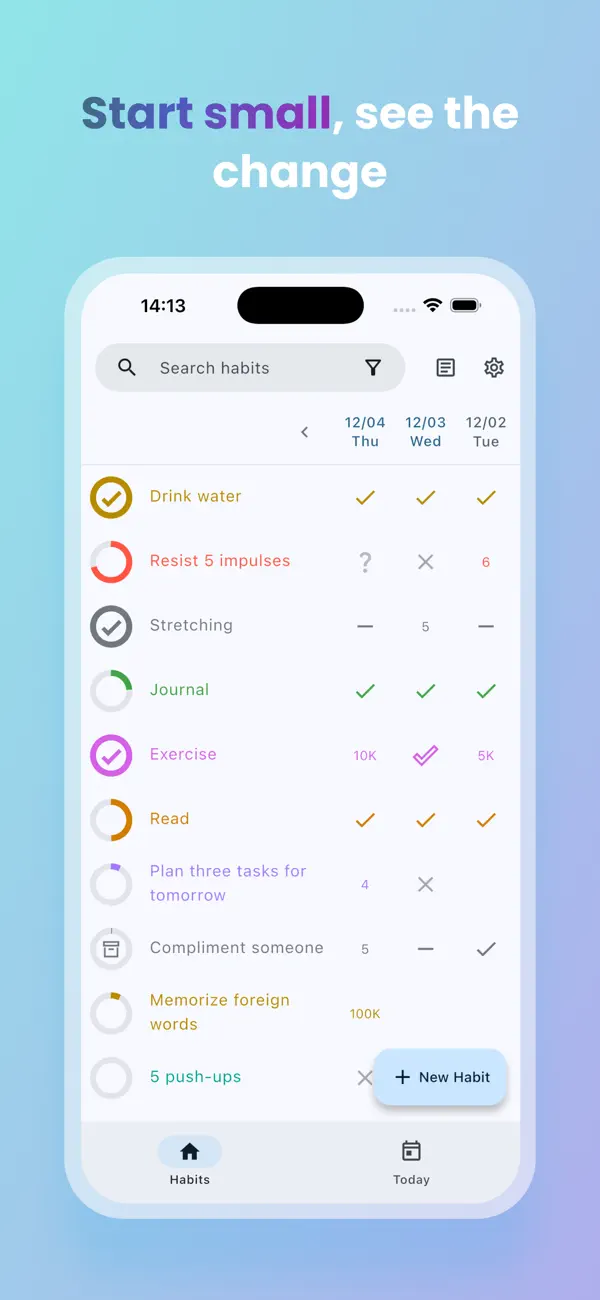
Table Habit is the most completely free app here: open source under the Apache 2.0 licence, with no ads, no account and nothing to buy on either store. Its App Store page has no In-App Purchases section, its Google Play listing carries neither an ads nor an in-app-purchases label, and Apple's privacy label reads "Data Not Collected".
It runs on Android, iPhone, macOS, Windows and Linux, and gives each habit a score and growth charts rather than a bare streak. Habits stay on the device; to use a second device, you point the app at your own WebDAV server instead of a company cloud. The catch is size: 1K+ downloads on Google Play and two US App Store ratings, though the code is actively worked on, with commits on GitHub on 5 October 2026.
Pros
- Nothing to buy anywhere. No in-app purchases on either store, and no ads.
- No account, no data collected. Apple's privacy label reads "Data Not Collected", and habits stay on your device.
- Sync on your terms. Optional WebDAV sync uses a server you choose, not a company cloud.
- Every platform. Android, iPhone, macOS, Windows and Linux, from one open-source codebase.
Cons
- Young and lightly reviewed. 1K+ Play downloads and two US App Store ratings give you little to judge it by.
- Sync takes setup. Using it on two devices means running or renting a WebDAV server.
2. HabitBox — iOS and Android, free to start, Plus lifts the cap
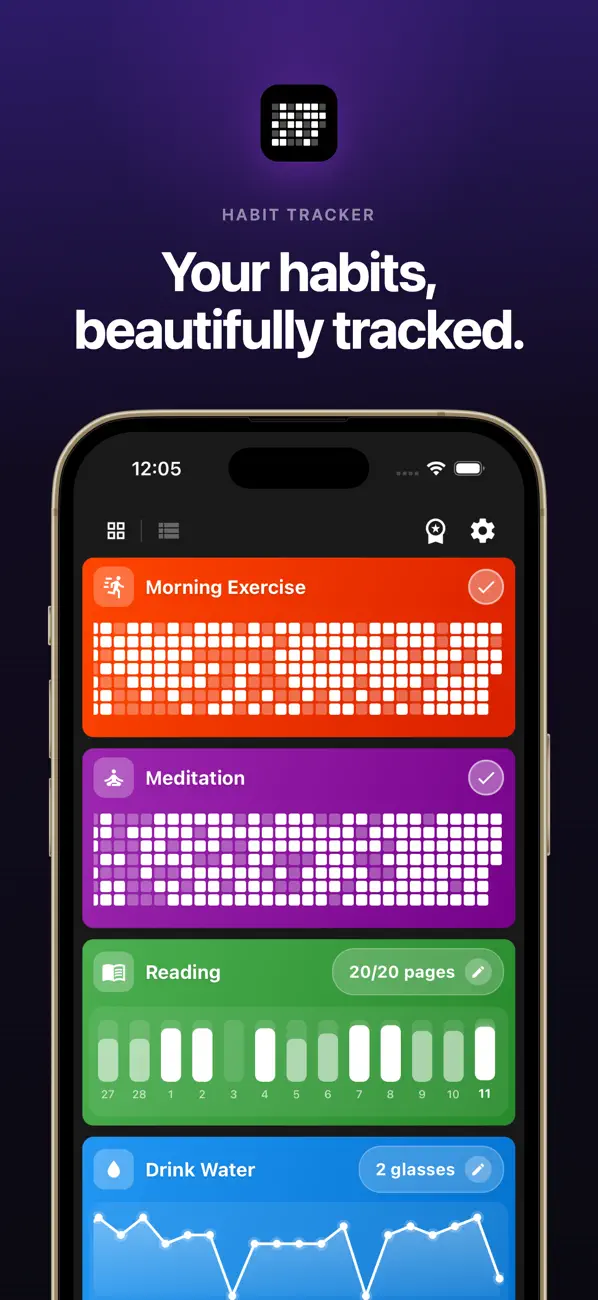
HabitBox is our own app — free to download on both platforms. The free tier covers daily check-ins, streak tracking, the calendar heatmap, charts and statistics, reminders and custom colours, with everything stored on the device. How many habits you run at once is capped on free; Plus lifts that cap, adds multiple reminders per habit, and unlocks export, import and archiving.
You never create an account — no sign-up, no email — and the Google Play listing carries no "Contains ads" badge. There is no web or desktop version and no social layer. On iPhone there is optional iCloud sync to your own iCloud; on Android habits move between phones by backup file. Our daily habit tracker app guide covers setup.
Pros
- No sign-up at all. No account, email or password; your habits are saved on your phone.
- Charts aren't paywalled. Completion rates, the calendar heatmap and streak stats are free for everyone.
- One-tap check-ins. Tick a habit off in the app or straight from its reminder, and on iPhone from the home-screen widget too.
- iCloud sync without Plus. On iPhone, optional sync runs through your own iCloud, and it isn't a Plus feature.
Cons
- Capped on free. How many habits you run at once is limited until you add Plus.
- Some tools need Plus. Multiple reminders per habit, export, import and archiving are Plus features.
- Phone only. There is no web or desktop app, and on Android, moving to a new phone uses the backup file, which needs Plus.
3. HabitShare — free on both platforms, built for sharing
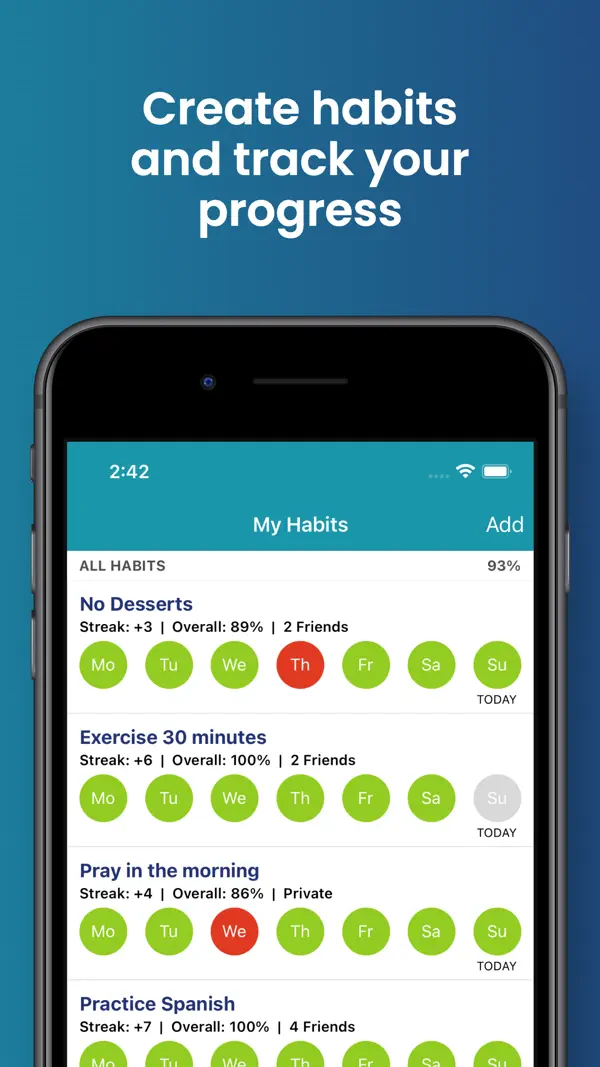
HabitShare is the only app here besides Table Habit with nothing at all to buy. Neither store listing carries an in-app-purchases badge or an ads badge, and its App Store page has no In-App Purchases section — the strongest evidence a page like this can get. Its reason to exist is sharing: you pick which friends see which habits, so a gym habit can be visible to a running partner while another stays private.
The caveat is maintenance: the iPhone app has not been updated since 27 January 2023, the Android one since 4 December 2024. It holds 4.6 stars from 663 US App Store ratings.
Pros
- Free with nothing to sell. Its website says HabitShare "is 100% free", and neither store lists in-app purchases or ads.
- Private by default. Every habit starts private, and you choose which friends see which habit.
- Works solo too. You can use it alone, with reminders, streaks, charts and daily or weekly goals.
- Both phones. iPhone and Android, so friends on either can join.
Cons
- Little sign of upkeep. No iPhone update since January 2023, no Android update since December 2024, and the website footer still reads ©2022.
- Built around an account. Habits sync through HabitShare's servers so friends can see them.
4. HabitNow — free to use, one-time unlock, Android only
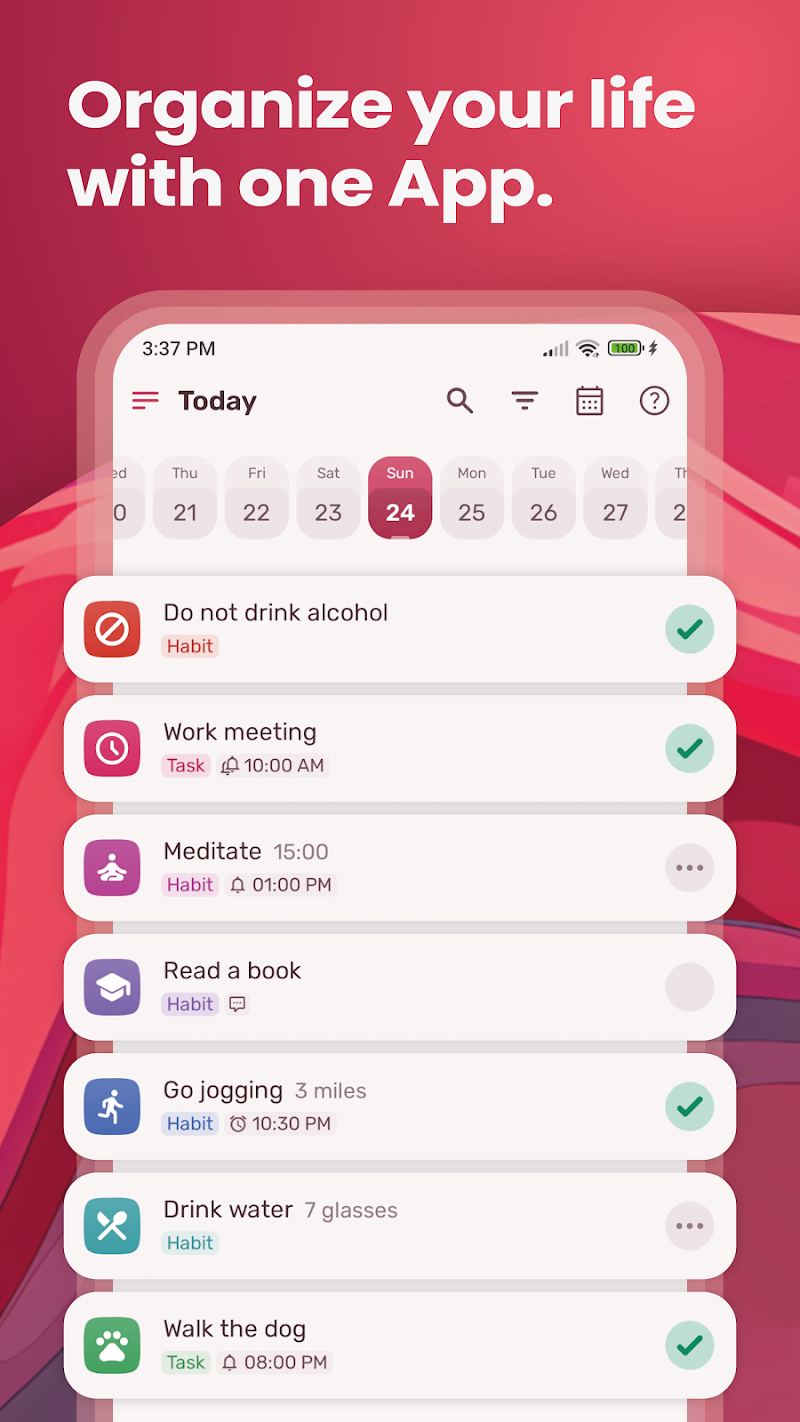
HabitNow is Android-only and free to use, with a one-time premium unlock rather than a subscription: the Play listing shows in-app purchases from $0.99 to $11.99.
It is also not ad-supported, whatever other roundups say: its Play listing carries no "Contains ads" badge, the description never mentions advertising, and habitnow.app states: "We do not use any of this data for advertising or profiling purposes." What it never publishes is where the free tier stops, so treat "unlimited free habits" as unsourced. On free, habitnow.app says your data "is stored only on your device".
Pros
- Pay once, if at all. The premium unlock is a one-time purchase, not a subscription.
- No ads. There's no "Contains ads" label on Google Play.
- More than habits. To-dos, a calendar and a stopwatch, countdown and interval timer live in the same app.
- Hugely popular. 4.7 stars from about 93,000 Google Play reviews.
Cons
- Android only. There is no iPhone version.
- Free limits aren't published. HabitNow never says where the free tier stops.
- Cloud backup is premium. habitnow.app describes cloud backups as a premium feature, and the premium licence is tied to one Google account and can't be transferred.
5. HabitKit — 4 habits free, Pro lifts the cap
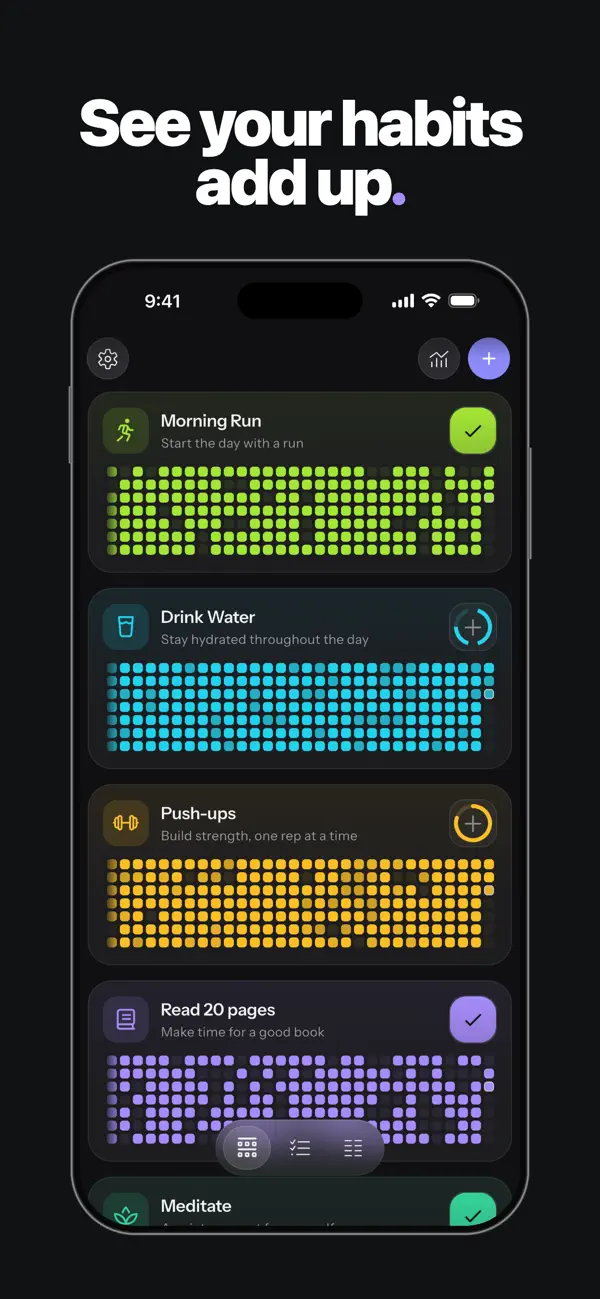
HabitKit is the rare freemium tracker that prints its cap: its App Store description says it is "free to use with up to four habits, including streaks, statistics, notes, and reminders". It needs no account, shows no ads and keeps habits on the device, and each habit fills a grid of tiles, one per day.
Pro unlocks unlimited habits, home-screen widgets, import and export backups, restoring archived habits and up to three reminders per habit. The App Store lists ten Pro products, monthly, yearly and lifetime, priced from $0.99 to $59.99, so check the offer in the app. It holds 4.9 stars from about 2,400 US App Store ratings and 4.6 from about 11,900 on Google Play.
Pros
- A published cap. Four habits free, in writing, with streaks, statistics, notes and reminders included.
- No account, no ads. Habits stay on your device and the app works offline.
- Both phones. iPhone and Android.
- Highly rated. 4.9 stars on the US App Store and 4.6 on Google Play.
Cons
- Four habits, then pay. A fifth habit needs Pro.
- Widgets and backups are Pro. Home-screen widgets and import or export sit behind the upgrade.
- A maze of prices. Ten Pro products on the App Store, from $0.99 to $59.99.
6. TickTick — 5 habits free inside a task manager
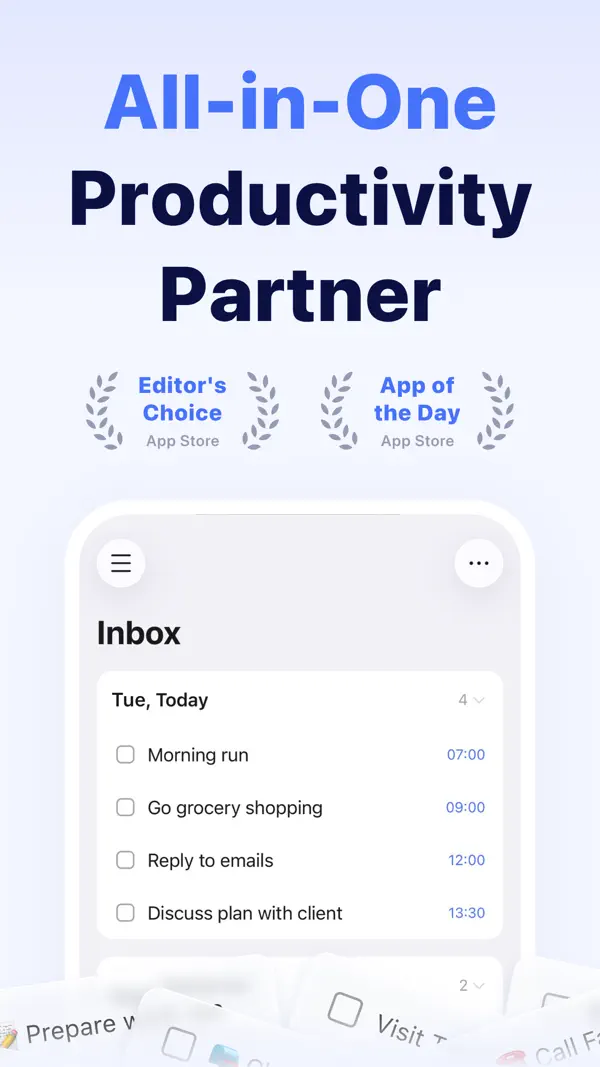
TickTick is a task manager first, with a habits module built in. The free plan includes habit tracking and caps it at 5: TickTick's own Free-versus-Premium table lists "Habit Count 5" against 299 on Premium, which costs $49.99 a year or $4.99 a month.
It runs on iPhone, Android, Mac, web and desktop, with calendar integration and a Pomodoro timer. If you already use it for to-dos, five free habits are a no-cost extra — but the habit module is the smallest part of the app. Our TickTick review goes deeper.
Pros
- Habits plus a real to-do list. The free plan includes 9 lists of 99 tasks, task reminders, and list and Kanban views.
- Sync on free. Cross-platform sync is in the free plan, across iPhone, Android, Mac, web and desktop.
- No ads. Its Google Play listing carries no "Contains ads" label.
Cons
- Five habits, then pay. Premium lifts the habit count to 299 for $49.99 a year.
- "Basic" on free. Statistics, widgets, themes and the calendar view are marked Basic, and the timeline view and integrations are Premium only.
- Habits are a side feature. You get a habits tab inside a task manager, not a dedicated tracker.
7. Strides — free forever for your top three
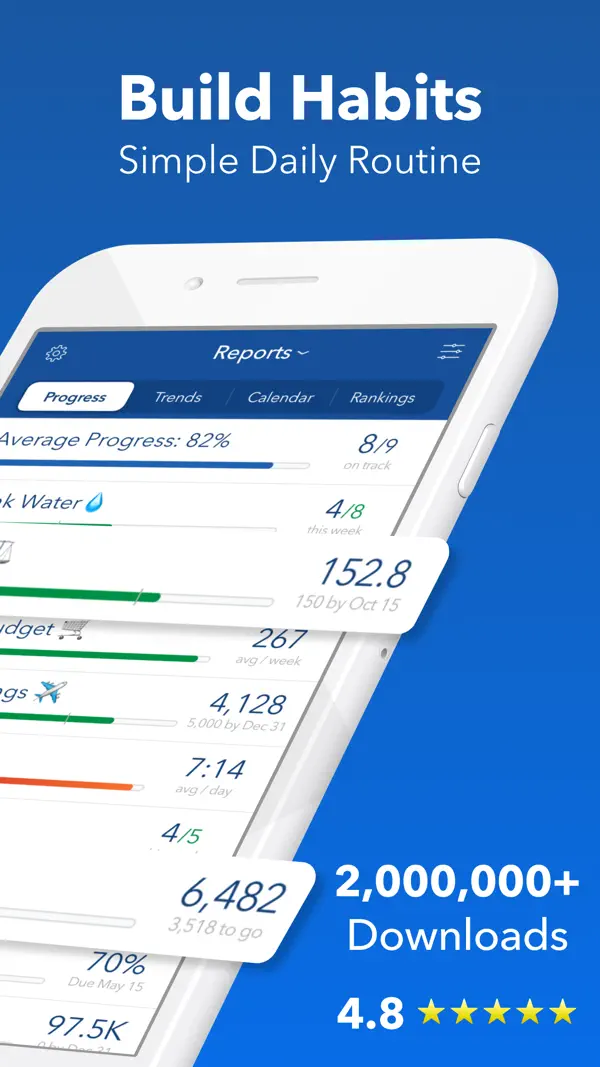
Strides is a goal tracker as much as a habit tracker, with four tracker types: habits, targets with a pace line, rolling averages, and projects with milestones. Its help centre answers "Is it really free?" with "Yes! It's free forever to track your top three goals and habits."
Three is the whole free tier. Strides Plus unlocks unlimited trackers, sync between iPhone, iPad and Mac, tags and filters, the Today list, data export and goal notes, sold as a monthly or annual subscription or a lifetime plan; the App Store lists Plus from $4.99 to $149.99. It holds 4.8 stars from about 19,200 US App Store ratings. There is now an Android app as well, with 100+ downloads, and our Strides app review explains why the Apple version is the real product.
Pros
- No clock on the free tier. Three trackers stay free forever, in Strides' own words.
- More than yes or no. Targets with a pace line, rolling averages and projects with milestones.
- 150+ templates. Start from a template rather than a blank form.
Cons
- Three trackers, then pay. A fourth goal or habit needs Plus.
- Sync and export are Plus. Even moving between your own iPhone and Mac needs the upgrade.
- Apple-first. The Android app is new, with 100+ downloads on Google Play.
8. Grit — 3 habits free, statistics locked
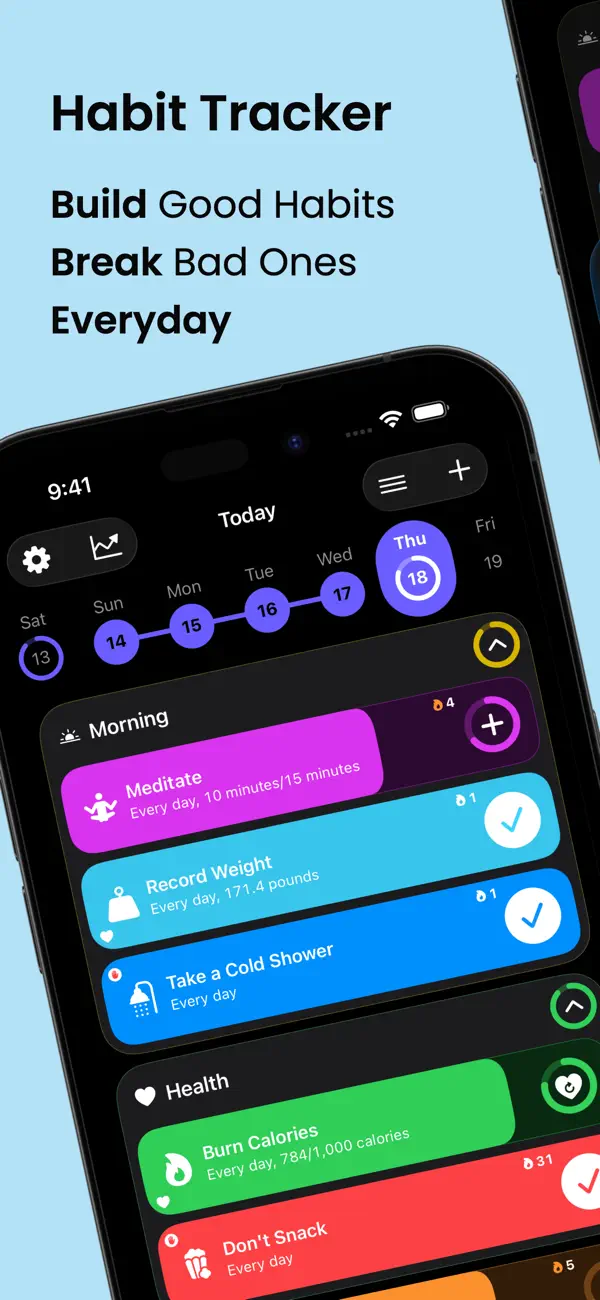
Grit: Daily Habit Tracker by GrittyApps is an Apple-only tracker with Apple Health sync, timers, habit groups and widgets, holding 4.8 stars from about 16,000 US App Store ratings. Its free tier is the tightest here: three habits, with the statistics screens locked.
Everything past that is Grit Premium. The App Store lists ten Premium products, from $1.99 a month to $44.99 for a lifetime licence, because old promotions stay visible, and a free trial runs before the subscription starts. Four different apps share the name, so our Grit app review shows how to tell which one you have.
Pros
- A polished Apple app. Apple Health sync, timers, habit groups, widgets and Siri Shortcuts.
- iCloud sync. Habits follow you across your Apple devices.
- Well rated. 4.8 stars from about 16,000 US ratings.
Cons
- Three habits, no statistics. The free tier logs habits but locks the screens that show what they add up to.
- Apple only. There is no Android version.
- Tracking disclosed. Its App Store privacy label lists "Data Used to Track You".
9. Habit Diary — free with ads, Android only
Habit Tracker – Habit Diary from Leap Fitness Group is the one ad-supported app here, and one of the biggest: 4.8 stars from about 136,000 Google Play reviews and 10M+ downloads. Its listing carries both "Contains ads" and "In-app purchases", with purchases from $7.99 to $29.99.
It mixes habits with a to-do list, 30-day challenges, a focus timer with white noise, and achievement medals for streaks. What it never publishes is what a purchase removes or unlocks, and the app has not been updated since 13 October 2025.
Pros
- Lots in one app. Habits, a to-do list, 30-day challenges and a focus timer with white noise.
- Guided starts. More than ten 30-day journeys if you don't know where to begin.
- A huge user base. 4.8 stars from about 136,000 reviews.
Cons
- Ads. It is the only app here whose Play listing carries "Contains ads".
- An unclear paywall. Purchases run $7.99 to $29.99, and the listing doesn't say what they unlock.
- Android only, and slowing. No update since 13 October 2025.
How to spot a hidden paywall before you commit
Five questions to run on any tracker before you trust the word free in its title. Most are answerable from a store listing and a help page in about two minutes; an unpublished habit cap takes a look at the in-app upgrade screen.
- Where does the free tier stop? Look for a habit cap in the developer's own words: HabitKit's App Store description says four, Strides' help centre says three, TickTick's plan table says 5. If a store listing names "unlimited habits" as a paid feature without a number, check the in-app upgrade screen before you build a routine on it.
- Read the Play badges before installing. "Contains ads" and "In-app purchases" sit under the app title. Table Habit and HabitShare carry neither; Habit Diary carries both.
- Are exports and backups paid? HabitKit's import and export backups are Pro features, and Strides puts data export behind Plus. An app that won't let you take your data out is one bad update away from holding it hostage.
- Does it force account creation? Storage on the device is a freedom feature, not a paid one.
- Are the statistics free? Grit's free tier logs habits but locks the statistics screens — a tracker that records but never reports.
Why this matters: habits take longer than your trial
A 2010 study from University College London by Phillippa Lally and colleagues found that new habits take a median of 66 days to feel automatic, with a range from 18 to 254 days. James Clear popularised the finding in Atomic Habits.
The practical issue: 66 days is longer than any free trial, and longer than it takes to want a fourth habit. A three-habit cap looks generous on day one and like a paywall in week three — exactly when the routine is still fragile.
Thomas Frank's take on setting up tracking is worth a few minutes:
The free options that hold up across those two months are the ones with nothing to buy: Table Habit on every platform, and HabitShare if its age doesn't worry you. Our habit formation guide covers the Lally study in more detail.
When a free habit tracker is not enough
A free habit tracker will not fix a motivation problem. If you have tried four apps in a year and given up on each, the issue is the routine rather than the app.
A free tracker is a low-stakes way to test consistency: pick one, run it for a month, then ask whether you need more. If you would rather skip the install, our free printable habit tracker builds a grid for the fridge and our Google Sheets habit tracker template costs nothing. For one specific habit, see our water tracker app guide; for a deadline rather than a daily routine, goal tracking apps are built for that.
FAQ
What is the best free habit tracker app?
Is HabitKit free?
Is Strides free?
Is TickTick's habit tracker free?
Do free habit trackers have ads?
Is there a free habit tracker available online?
What is the best free habit tracker app for iPhone?
What is the best free tracker app for Android?
Is there a free habit tracker app with unlimited habits?
Is there a free habit tracker without an account?
Bottom line
"Free" covers four different deals. Nothing to buy at all: Table Habit on every platform, and HabitShare on both phones, though HabitShare has had no update since 2023 on iPhone and 2024 on Android. Free to start, with a paid tier on top: HabitBox if you want no account and habits kept on the device, HabitKit at 4 habits, TickTick at 5, and HabitNow for a one-time unlock on Android. Free tiers that work like trials: Strides and Grit at 3. Free with ads: Habit Diary.
For the capped ones, find where the free tier stops before you build a routine on it.

Mira Hartwell
Editor, HabitBoxEditor at HabitBox. Writes about habit science and productivity, grounding every post in named research (Lally, Wood, Walker, Huberman) instead of recycled advice. Read full bio →