Music Practice App: 7 Best Picks to Log Hours (2026)
A music practice app logs how long you played, what you worked on, and how it went. The good ones add a metronome, a tuner, and a streak that pulls you back the next day. Seven picks stand out in 2026, and the ratings and prices below were checked in September 2026.
Prices, store ratings and free-tier limits verified September 2026.
The short answer
Modacity is the deepest practice system, and the price matches. Andante is the best-loved practice journal on iPhone, and the cheapest way in. Soundbrenner is the one to install if you want a metronome, a tuner and a practice tracker in a single free app. Tonic is free and social. Anytune slows songs down so you can learn them by ear. Practice+ is a solid toolkit that has not shipped an update in two years. Yousician teaches you, but it costs the most by a wide margin.
What a music practice app actually does
Most of these apps do three jobs at once, in different proportions.
They keep the log. A timer runs while you play, or you add the minutes afterwards. Over weeks that log becomes a chart, and the chart is the honest answer to "am I practicing enough?"
They hold the tools. Metronome, chromatic tuner, drone, recorder. Having them inside the same app removes the four-app shuffle that eats the first five minutes of every session.
They apply pressure. Daily goals, streak counters, reminders, widgets. This is the part that decides whether the app survives past week three, and it leans on the same consistency mechanics that keep any daily habit alive.
The apps below lean hard in one of those directions. Pick the lean that matches what keeps breaking down for you.
How we picked these 7 apps
Six criteria, weighted toward the things that keep a practice habit alive.
- Session logging that captures more than minutes. Notes, recordings and a focus rating beat a raw timer.
- A real streak or goal system. A number you do not want to reset is the cheapest motivation there is.
- Built-in tools. A metronome and tuner in the same app save time every session.
- Free tier that works for daily use. A trial is not a free tier.
- Both platforms. Several strong practice journals are Apple-only, which matters if you carry an Android phone.
- Active development. An app last updated in 2024 is a risk on a new phone.
Store ratings come from the US App Store and Google Play listings in September 2026. Prices come from the developers' own pages and store listings, and they change often.
The 7 best music practice apps in 2026, compared
| App | Best for | Session log | Streaks | Platforms | Price |
|---|---|---|---|---|---|
| Modacity | Deliberate practice | Notes, recordings, ratings | Goals and full history | iOS, Android | Free plan; Premium $12.99/mo or $129/yr in-app |
| Andante | A practice journal you enjoy | Timer, notes, mood, focus | Streaks and daily goals | iPhone, iPad, Mac, Vision | Free; Andante Pro from $2.99 |
| Soundbrenner | Metronome plus tracker | Timer per instrument | Daily and weekly goals | iOS, Android, Mac | Free; Plus subscription tiers |
| Tonic | Practicing with people | Session history and trends | XP, quests, challenges | iOS, Android | Free |
| Anytune | Learning songs by ear | Loops and marks, not a log | None | iOS, Android, Mac | Free; one-time packs $1.99–$4.99 |
| Practice+ | An all-in-one toolkit | Recordings and setlists | None | iPhone, iPad, Mac | Free; $9.99/yr or $19.99 one-time |
| Yousician | Guided lessons | Lesson progress | Daily goals | iOS, Android, desktop | From $19.99/mo or $119.99/yr |
1. Modacity — best for deliberate practice
Rating: (4.3/5) App Store (284 ratings)
Modacity treats a session as a plan, not a stopwatch. You build a list of items — a scale, a passage, an etude — then work through them, jot what needs fixing mid-session, rate how each item went, and record yourself.
The next session opens with those notes waiting. That loop is the whole point, and no other app on this list does it as thoroughly.
The tool set is complete too: metronome, chromatic tuner, drone, recorder, and a custom pitch standard from A=415 to 466 Hz for period players.
The free plan is real but tight: 10 practice items, two lists, one folder, one note and one recording per item, and three deliberate-practice cycles a day. Premium runs $12.99 a month or $129 a year through the app stores, with a 14-day trial; the Modacity site sells the same thing for $11.99 a month. Teaching studios start at $199 a year.
One caveat worth knowing: the Android build sits at 1,000-plus downloads on Google Play, far behind the iOS version. It works, but it is not where the developer's attention has been.
2. Andante — best practice journal on an iPhone
Rating: (4.9/5) App Store (about 3,000 ratings)
Andante was built by a violinist for his own practice, and it shows in the details. A live timer runs alongside a metronome, tuner and recorder, or you can add a session by hand after the fact.
What sets it apart is what it asks you to log. You tag the pieces you worked on, then rate your mood and your focus. The charts later show whether your evening sessions are worse than your morning ones.
Streaks and daily goals sit on the home screen, with widgets, Siri Shortcuts and calendar sync. Sharing sessions with friends is optional, and the app runs fully offline if you leave it off.
Andante Pro is listed on the App Store at $2.99, $17.99 and $24.99 across its tiers, which makes it the cheapest serious option here. The catch is coverage: iPhone, iPad, Mac and Vision Pro only, with no Android version.
3. The Metronome by Soundbrenner — best free all-rounder
Rating: (4.7/5) App Store (48,000 ratings) · (4.6/5) Google Play (89,900 reviews)
Soundbrenner started as a wearable metronome company, and its free app has passed five million installs on Android alone.
The metronome is the draw: 20-plus sounds, custom time signatures, subdivisions, accents and saved setlists. A chromatic tuner sits in the same app, so nothing else needs installing.

But the practice tracker is the reason it belongs here. You set daily or weekly goals, keep a streak, track hours separately per instrument, and watch progress from a home-screen or lock-screen widget. There is even a 10,000-hour challenge if that framing motivates you.
Soundbrenner presents the metronome, tuner and practice tracker as part of the free app. Plus is a paid subscription on top, and the App Store lists tiers between $4.99 and $79.99 depending on the billing period.
4. Tonic — best free social practice app
Rating: (4.8/5) App Store (2,485 ratings) · (4.8/5) Google Play (3,010 reviews)
Tonic answers a specific problem: practicing alone is quiet, and quiet is easy to skip. You open a live studio, stream your audio, and other musicians drop in while you work.
Underneath the social layer is a normal practice log with session history and trends. On top of it sits a game layer — XP, tokens, avatars, quests and challenges with other players.
It is free, with no in-app purchases listed on Google Play, and it is on both platforms. Ratings are high on both stores.
Whether it fits depends entirely on your temperament. If an audience makes you play worse, skip it. If the thought of someone watching gets you to the instrument at all, nothing else here comes close.
5. Anytune — best for learning songs by ear
Rating: (4.8/5) App Store (8,500 ratings) · (4.2/5) Google Play (1,220 reviews)
Anytune is not a practice journal, and it does not track streaks. It earns a slot because of what happens inside the session.
You import a track, slow it down without wrecking the pitch, set marks, and loop the four bars that keep falling apart. The Step-it-Up trainer nudges the tempo up a little with each pass until you are at speed.
The paid extras go further: audio isolation to mute or solo an instrument, EQ to find your part in the mix, and pitch shifting up to 24 semitones.
Pricing is refreshingly old-fashioned. The app is free, and you buy only the feature packs you want at $1.99 to $4.99 each — no subscription. Android and Mac versions exist, though the developer notes features differ between them.
6. Practice+ — best toolkit, with one caveat
Rating: (4.4/5) App Store (2,818 ratings)
Practice+ packs five modes into one screen: tuner, metronome, pitch player, recorder and setlist, with a loop mode that raises the tempo automatically on each repeat.
The metronome runs alongside every other mode from a bar that stays on screen, which is a nicer design than most apps manage. The tuner covers A0 to C8.
Here is the caveat, and it is a real one: the last update shipped in July 2024. The app still works and the rating is healthy, but two years without a release is a warning sign on any platform that changes as fast as iOS.
Pricing is piecemeal. You can unlock everything for $19.99, subscribe at $2.99 a month or $9.99 a year, or buy single unlocks like unlimited recordings at $5.99. There is no Android version.
7. Yousician — best if you want lessons, not just a log
Rating: (4.6/5) App Store (138,000 ratings) · (4.4/5) Google Play (526,000 reviews)
Yousician is the biggest name here by a distance — over 50 million Android installs — and it does something different. It listens to you play and grades the notes in real time.
Guitar, piano, bass, ukulele and singing each get a structured path with daily goals, so the streak comes from finishing lessons rather than logging your own work.
That works well for beginners with no teacher. It works less well once you have real repertoire, because the app decides what you practice.
Price is the sticking point. A single instrument runs $19.99 a month or $119.99 a year, and the Premium Plus tier covering everything is $29.99 a month or $159.99 a year. The free tier gives you a taste and then stops.
What the research says about logging practice hours
Counting minutes feels productive. The evidence says it is the weakest number you could pick.
In a widely cited 2014 meta-analysis in Psychological Science, Brooke Macnamara and colleagues found that deliberate practice explained 21% of the variance in music performance. Important, but far from the whole story.
Anders Ericsson, who named the concept in 1993, pushed back. A 2019 reanalysis in Frontiers in Psychology applied stricter criteria and put the figure at 29%, or higher once measurement error was corrected.
The two camps disagree on the number. They agree on something more useful to you: the paper closes by urging researchers to move past recording only the duration of practice and to measure its quality — concentration, analysis, and problem solving.
That is a buying guide in one sentence. An app that only counts minutes measures the variable that matters least. An app that asks what you worked on, records how it sounded, and captures how focused you felt is measuring closer to the real thing.
So when you compare these apps, weight the notes field, the recorder and the focus rating above the stopwatch.
The part no music practice app fixes for you
Every app here assumes you already opened it. That assumption is where most practice habits die.
The gap is small and specific: the instrument is in its case, the day got long, and nothing on your phone reminds you that practice was ever the plan. A practice app cannot help, because you never launched it.
This is the one job a habit tracker does better. In HabitBox, "practice 20 minutes" is a single daily check-in that sits beside your other habits, with a reminder at a time you choose and a calendar heatmap that makes a missed week impossible to ignore. There is no account and no sign-up, and the app is free to start with an optional Plus upgrade.
To be clear about what it is not: HabitBox has no metronome, no tuner and no sheet music. Keep one of the seven apps above for the session itself. The tracker only owns the question of whether the session happens.
The same split works elsewhere. Our guides to tracking focus sessions and building a reading habit use it too.
How to set up a practice log you will keep
Five steps, none of which take longer than a session.
- Pick one app and delete the others. Two logs means neither is accurate.
- Set a floor, not a target. Ten minutes on a bad day beats an hour you skip. A low bar is what protects a streak.
- Name your practice items before you start. "Scales" is not an item. "B-flat major, three octaves, 80 bpm" is.
- Record one thing every session. Thirty seconds is enough. Playback is more honest than memory.
- Log the focus rating even when it was poor. The pattern in those numbers is the most useful data you will collect.
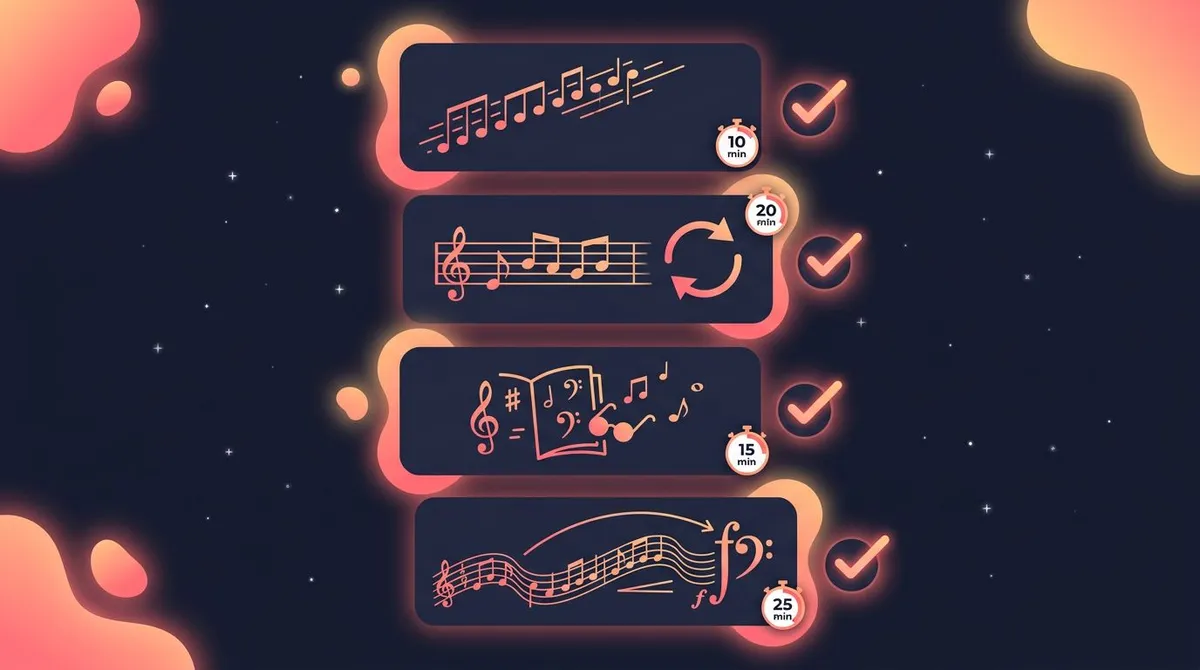
Give the setup two weeks before you judge it. If you are still logging on day 15, the app fits. If you are not, the friction is usually the app, not you — and switching is cheap.
Anyone building a study or skill routine alongside their instrument will find the same principles in our guide to learning faster and the one on focusing better.
Free vs paid: what is worth paying for
Free gets you further here than in most app categories. Soundbrenner and Tonic are genuinely usable for daily practice without paying a cent, and Anytune's one-time packs top out under five dollars.
Pay for Modacity if your practice is unstructured and you need a system to impose one. Pay for Andante if you want the log to be pleasant enough that you keep opening it. Pay for Yousician only if you have no teacher and want one built in.
Do not pay for a tuner. Free ones are accurate enough for everything short of professional intonation work.
Frequently asked questions
What is the best music practice app?
Is there a free music practice app?
What app tracks practice hours?
Do practice streaks actually help?
Which music practice apps work on Android?
Which one should you pick?
If you already know what to practice and just need proof you are doing it, take Andante on an iPhone or Soundbrenner on anything.
If your sessions wander and you finish without knowing what improved, Modacity is worth the money.
If the problem is that you never pick the instrument up at all, the app you need is not a practice app. Fix the daily cue first, then let one of these seven handle the session.

Mira Hartwell
Editor, HabitBoxEditor at HabitBox. Writes about habit science and productivity, grounding every post in named research (Lally, Wood, Walker, Huberman) instead of recycled advice. Read full bio →