Fitness Tracker App: 7 Best Apps Beyond Step Counting (2026)
The best fitness tracker app depends on what you want to see beyond the step count. Apple Health/Fitness and Samsung Health are the strongest all-in-one hubs on their own platforms. Google Health — the app that was called Fitbit until May 2026 — now covers broad cross-device tracking. Strava and Garmin Connect lead for runners and cyclists. And Gentler Streak and Health Connect round out recovery-aware and Android-sync needs. Below, 7 picks compared on platforms, free tiers, what they track, and price.
How this guide is checked. This is not a long-term field test. Every platform, free tier, price, and rating below was re-verified on 21 September 2026 against the app's App Store listing, its Google Play listing, or the vendor's own pricing page. Where a company publishes no number, this guide says so instead of estimating.
A quick note on scope. This guide covers whole-health activity apps: steps, heart rate, sleep, calories, recovery, and GPS — the companion-app side of phones and wearables. If you mainly want to log gym sets, reps, and strength gains, that is a different job. Our workout tracker app guide covers those picks separately.
What to look for beyond step counting
Step counts were the first thing fitness apps did well. They are also the least interesting number most apps show now. The picks below go further, and a few criteria separate the strong ones from the cluttered.

A fitness tracker measures more than steps: heart rate, sleep, and calories add the context steps miss.
What it actually measures. Steps are table stakes. The useful question is whether the app shows heart rate, sleep stages, resting heart rate trends, active calories, and some kind of recovery or readiness signal. A hub that only counts steps will not tell you much.
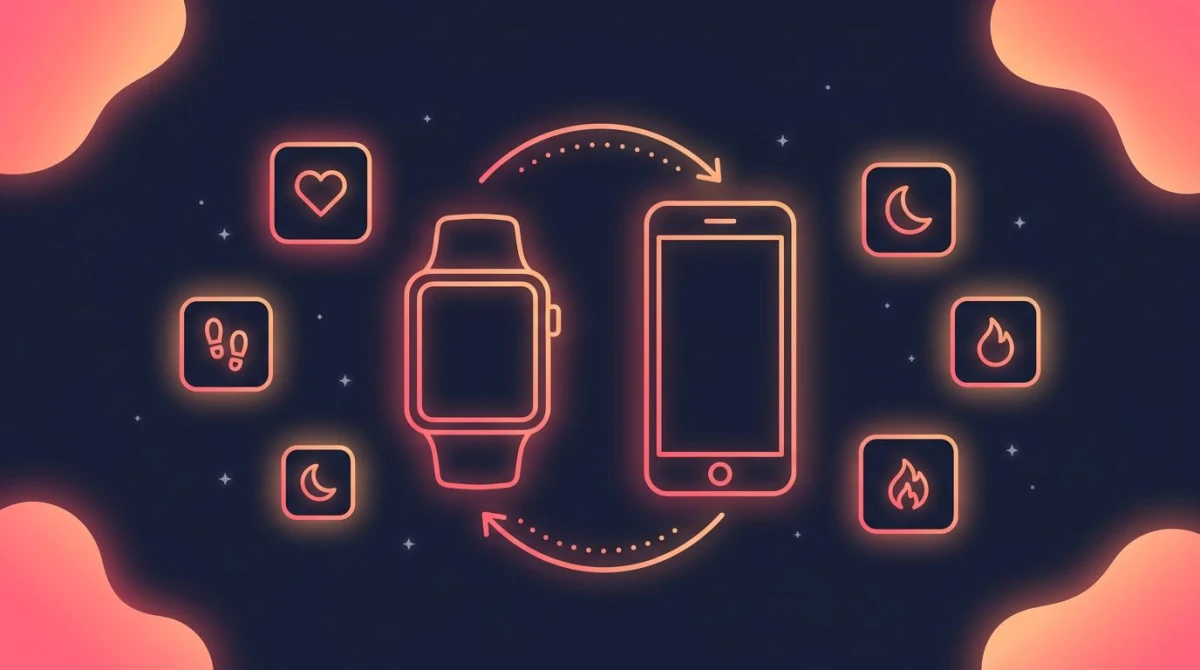
Wearable and phone sync. Most of this data comes from a watch, ring, or band. Check that the app reads from the hardware you own, or from the health store on your phone. A mismatch here is the top reason people abandon an app.
Platform fit. Some apps are tied to one ecosystem. Apple Fitness lives on iPhone and Apple Watch. Samsung Health leans toward Galaxy devices. If you switch phones often, favor an app that runs on both iOS and Android.
Free tier. Every app here is free to download. The free version tells you whether the layout and sync fit your routine. Treat a paid plan as an upgrade you earn after a few consistent weeks.
Export and privacy. Health data is sensitive. Before you commit, check where the data lives and whether you can export it. Some apps keep everything in the cloud behind an account. Others let you keep a local copy or move it between phones. If switching apps later means losing years of history, that is worth knowing now.
Who owns it next year. Google renamed the Fitbit app to Google Health in May 2026 and is winding Google Fit down; Garmin added a paid tier to an app that had been free since launch. The right app today can change shape in one update.
One honest caveat: tracking is not training. These apps measure what your body did. Whether you keep showing up is a separate habit problem — more on that near the end.
Fitness tracker app comparison (7 picks)
The full lineup side by side, with prices as listed on 21 September 2026. Subscription pricing moves often, so check the store listing before you subscribe.
| App | Platforms | Free tier | Best for | Price |
|---|---|---|---|---|
| Apple Health / Fitness | iOS (Apple Watch optional) | Yes | iPhone all-in-one hub | Free; Fitness+ $9.99/mo or $79.99/yr |
| Google Health (was Fitbit) | iOS / Android | Yes | Fitbit and Pixel Watch owners | Free; Premium from $9.99 |
| Samsung Health | Android (iOS limited) | Yes | Galaxy phone and watch users | Free |
| Strava | iOS / Android | Yes | Runners and cyclists | Free; $11.99/mo or $79.99/yr |
| Garmin Connect | iOS / Android | Yes | Garmin device owners | Free; Connect+ $6.99/mo or $69.99/yr |
| Gentler Streak | iOS (Apple Watch) | Yes | Recovery-aware training | Free; $8.99/mo or $39.99/yr |
| Health Connect | Android | Yes | Syncing data across apps | Free |
Apple Health / Fitness — best for an iPhone all-in-one hub
Apple Health is the built-in data hub on every iPhone, and the Fitness app layers activity rings and workout summaries on top. Together they pull steps, heart rate, sleep, and workouts into one place, especially when paired with an Apple Watch.
The strength here is consolidation. Many third-party apps write into Apple Health, so it becomes the central store even when you log workouts elsewhere. The activity rings are a clean, motivating daily view.
The limit is platform lock-in. This is iOS and Apple Watch territory, so it is not an option if you carry an Android phone. The base experience is free. Fitness+, the guided-workout service, is a separate subscription at $9.99 a month or $79.99 a year after a one-month free trial, and Apple says an iPhone alone is enough to use it — the watch is optional.
Apple Health also doubles as a privacy-minded vault. Apple's health privacy notice says Health app data is encrypted and inaccessible by default while your device is locked. It is worth knowing the flip side: if you use iCloud, that notice says Health data is backed up there by default, and you have to turn it off in Settings. You control which apps can read or write to it.
Best for: iPhone owners who want one hub that gathers everything automatically.
Google Health — best for Fitbit and Pixel Watch owners
This is the entry that changed most this year. Google's support documentation states that "Starting May 19, 2026, the Fitbit app will become the Google Health app," and that "as of May 19, 2026, Fitbit Premium will be renamed Google Health Premium." It arrived as an update rather than a new download, so a Fitbit on your wrist now syncs to an app with a different name.
What it does is still recognizable: steps, heart rate, sleep stages and trends, workouts, and nutrition logging, on both iOS and Android. It syncs with Fitbit devices, Pixel Watch, and third-party apps. The redesign did cut familiar things — Google's notes list the end of Sleep Profile, the monthly sleep animals, and badges, plus a heavy trim to social features.
The paid tier is now Google Health Premium, listed on the Google Store at "From $9.99" — the page does not name a billing period — with a three-month trial for new or returning Google Account users. Premium adds a Gemini-based coach that writes adaptive plans. Core tracking stays free.
Reception is split, and worth knowing before you commit: the renamed app holds 4.5 stars from about 699,000 US App Store ratings but 3.6 from roughly 1.3 million Play ratings, with recent Play reviews citing sync trouble and missing features.
Best for: Fitbit or Pixel Watch owners who want sleep and heart-rate trends alongside steps.
What happened to Google Fit
Google Fit used to be the obvious free, cross-platform pick, and this guide recommended it. It is being retired. Google's Android developer documentation now states that "the Google Fit APIs will be supported until the end of 2026," pointing developers to Health Connect instead, and in May 2026 Google said it would invite Fit users to migrate their data into Google Health later in the year.
The app is still downloadable on both stores, last updated on iOS on 19 June 2026. But it is a dead end: do not start a multi-year history in it. On Android, let Health Connect hold the data and pick a front end on top; on iPhone, Apple Health already plays that role.
Samsung Health — best for Galaxy phone and watch users
Samsung Health is the activity and wellness hub for the Galaxy ecosystem. It tracks steps, workouts, heart rate, sleep, and more, and it pairs tightly with Galaxy phones and Galaxy Watch devices.
For Samsung users it works much like Apple Health does on iPhone: a central place where phone and watch data come together. Its Play listing shows no in-app purchases and no ads, so it is genuinely free today. Samsung has talked publicly about a future premium tier, but nothing has launched and no price is announced.
Availability is the catch. The iOS version is far more limited: its own App Store listing names a fixed set of older Gear, Galaxy Fit and Galaxy Watch models as the only compatible hardware, and it was last updated in April 2026.
Best for: Galaxy phone and watch owners who want a native, free wellness hub.
Strava — best for runners and cyclists
Strava is built around GPS activities — running, cycling, and more — with route maps, pace and distance breakdowns, and a strong social feed. It runs on iOS and Android and syncs with a wide range of watches and bike computers.
The social and segment features set it apart. Many endurance athletes use it as the place where their training lives and where they compare efforts with clubs.
Recording activities, the community feed, and the safety features stay free. The subscription adds route planning and offline routes, segment leaderboards, custom goals, and deeper workout analysis; the US App Store listing prices it at $11.99 a month or $79.99 a year.
Pair it with a hub rather than treating it as one. Many people record runs and rides in Strava while a watch app or Apple Health handles steps, sleep, and resting heart rate. For a ride none of your devices captured, our calories burned cycling calculator works from your weight, ride time, and speed.
Best for: runners and cyclists who want GPS detail and a social training feed.
Garmin Connect — best for Garmin device owners
Garmin Connect is the companion app for Garmin watches and cycling devices. It surfaces the deep metrics those devices collect: heart rate, sleep, training load, recovery, and readiness-style scores, plus GPS activities. It works on both iOS and Android.
For people who already wear a Garmin, the app turns a wrist full of sensors into readable trends. One change since this guide first ran: Garmin added a paid tier, Garmin Connect+, at $6.99 a month or $69.99 a year after a 30-day trial, bundling AI-generated insights and extra LiveTrack features. Garmin's announcement is explicit that "all existing features and data in Garmin Connect will remain free," and the free app is still the one most owners need.
Without Garmin hardware the app is far less useful, since its value comes from the device data feeding it.
Best for: Garmin watch and bike-computer owners who want deep training and recovery data.
Gentler Streak — best for recovery-aware training
Gentler Streak takes a different angle from streak-at-all-costs apps. It reads activity and heart-rate data from Apple Health and frames it around balance — nudging you toward rest when your recent load is high, not just toward more activity.
The design is calm and visual, and it answers "should I push or recover today?" rather than only "did you move?" That suits anyone prone to overtraining. Its App Store listing says your health data stays on-device via Apple HealthKit, with no external processing.
It is an iOS and Apple Watch app, free to download, with Gentler Premium listed on the App Store at $8.99 a month or $39.99 a year, plus family and one-time lifetime options.
Best for: iPhone users who want a gentler, recovery-aware take on activity.
Health Connect — best for syncing data across apps
Health Connect is less a destination app and more the plumbing beneath them on Android. It lets fitness and health apps share data — steps, workouts, heart rate, sleep — through one permissioned store on your phone.
Its value is interoperability. If you run several apps and want them reading the same data, Health Connect ties them together. It is free, and since Android 14 it is part of the operating system: you reach it through Settings rather than by opening an app. On Android 13 and older it is still a separate Play download. With Google Fit going away, this is where Android activity data is meant to live.
You will not open it for daily charts the way you open Strava. It is the bridge that keeps your other apps in sync — though its Play rating, around 2.7 stars, shows how rough those hand-offs can still feel.
Best for: Android users who run multiple apps and want them sharing one data source.
How to choose a fitness tracker app
Start with the hardware you already own. If you wear an Apple Watch, Apple Health and Fitness are the path of least resistance. A Fitbit, Pixel Watch, Garmin, or Galaxy Watch points you to its matching app. The device, not the app, usually decides this for you.
If you do not own a wearable, your phone can still track steps and basic activity. Apple Health on iPhone, or Health Connect plus a step-counting app on Android, is a sensible free start. You can add a device later, once you know what you actually look at.
Open whatever app you have and ask which number you check first each morning. If it is steps, a simple hub is plenty. If it is sleep or resting heart rate, you want a band or watch feeding richer data. Buying hardware before you know that answer fills a drawer with unused gadgets.
Before you trust those richer numbers, it helps to know how accurate the hardware behind them really is — The Quantified Scientist runs lab-grade tests on wearable accuracy:
Next, match the app to your goal. Want GPS, pace, and a community for runs and rides? Strava. Want sleep and resting-heart-rate trends? Google Health or your platform's hub. Want a nudge to rest instead of pile on more? Gentler Streak.
Finally, weigh platform and portability. If you switch phones, favor an app that runs on both iOS and Android, and check whether your data exports. Consistency matters more than the perfect dashboard — our guide on fitness consistency digs into that, and if your goal is steps, the 10,000 steps a day habit is a friendly place to begin.
Where a habit tracker fits in
Here is the gap none of these apps close. A fitness tracker measures output — what your body did today. It records the workout you finished and the sleep you got. What it does not do is hold you to the workout you meant to do.
That difference matters more than it sounds. USC behavior scientist Wendy Wood has shown that a large share of daily behavior runs on autopilot, repeated in the same context with little conscious thought. Showing up reliably is the hard part, and reliability is a habit problem, not a data problem.
This is where a habit tracker sits on top of the activity layer. HabitBox is not an activity tracker — it does not count your steps or read your heart rate. It is a habit and streak tracker for the daily intention behind the data: "move for 20 minutes," "stretch after work," "walk after lunch," "take the stairs." You check it off, the streak builds, and the intention has somewhere to live. A structured 30 day plank challenge is a good example of the kind of trackable daily goal that thrives on this layer — fixed schedule, one checkbox a day, no wearable required.
In practice, people pair the two. The fitness app records the run, and the habit tracker keeps the run from being a one-off. If you want help turning activity into a routine that holds, the guides on how to make exercise a habit and the best habit tracker app cover the consistency side in depth.
Fitness tracker app FAQ
What is the best free fitness tracker app?
The best free pick usually matches the phone or wearable you already own. On iPhone, Apple Health and Fitness are free and built in. Galaxy users get Samsung Health free, with no ads or in-app purchases on its Play listing. On other Android phones, Health Connect is free and part of the system from Android 14 on. Google Fit used to be the easy cross-platform answer, but it is being retired in favor of Google Health.
What is the most accurate fitness tracker app?
Accuracy comes from the hardware, not the app. A phone in your pocket undercounts steps and cannot measure heart rate at all; a chest strap is the most accurate heart-rate source, with a wrist optical sensor in between. Sleep staging from any consumer wearable is an estimate, not a measurement. The app you pick mostly decides how that data is displayed.
Do I need a wearable to use a fitness tracker app?
No. Your phone's sensors can track steps and basic activity on their own, so your platform's built-in hub works without any extra device. A wearable adds richer data — continuous heart rate, sleep stages, and recovery signals — but it is an upgrade, not a requirement to get started.
What is the difference between a fitness tracker app and a workout tracker app?
A fitness tracker app covers whole-health activity: steps, heart rate, sleep, calories, recovery, and GPS, usually fed by a phone or wearable. A workout tracker app focuses on logging gym sessions — sets, reps, and strength gains. They solve different jobs, which is why our workout tracker app guide lists those picks separately.
Should I pick an app based on my phone or my goal?
Both, in that order. Start with the hardware you own, since an Apple Watch, Fitbit, Pixel Watch, Garmin, or Galaxy Watch usually points you to its matching app. Then weigh your goal — GPS detail for runners, sleep trends for recovery, or simple steps. The device narrows the field; the goal picks the winner.
Can a fitness tracker app replace a personal trainer?
No. These apps measure and display data, and some offer guided workouts. But they do not assess your form, adjust a program to your body in real time, or motivate you the way a coach can. They are useful tools for awareness and consistency, not a substitute for personalized coaching or medical advice.

Mira Hartwell
Editor, HabitBoxEditor at HabitBox. Writes about habit science and productivity, grounding every post in named research (Lally, Wood, Walker, Huberman) instead of recycled advice. Read full bio →