Sugar Intake Tracker: 8 Apps to Cut Added Sugar (2026)
A sugar intake tracker turns "eat less sugar" into one number you can hit: grams of added sugar, logged as you eat, against a daily limit. The apps split into two camps that suit very different people. Full food-database trackers weigh every gram and take real effort. Quick sugar-only loggers take five seconds a day and guess at the rest. This guide covers 8 apps in both camps, plus the option for people who want a streak instead of a food diary.
Every rating and price below was checked on the live store listings in September 2026.
A note on scope. This is a lifestyle and habit guide, not medical advice. It covers dietary sugar — the added sugar in food and drink. It does not cover blood glucose, diabetes management, or continuous glucose monitors, and none of the apps here are medical devices. If you manage a health condition, talk to your doctor before changing your diet.
How much added sugar is too much?
Pick your daily number before you pick an app. Three bodies publish one.
The American Heart Association sets the tightest limit. Its scientific statement in Circulation puts a prudent upper limit at 100 calories a day of added sugar for most women and 150 for most men. The AHA's consumer guidance states the same limits in grams: no more than 25 g (6 teaspoons) a day for women and 36 g (9 teaspoons) for men.
The US Food and Drug Administration is more generous. The Daily Value on every Nutrition Facts label is 50 g of added sugars per day on a 2,000-calorie diet, following the Dietary Guidelines cap of under 10% of daily calories.
The World Health Organization also recommends under 10% of energy from free sugars, and says dropping below 5% — roughly 25 g a day — brings extra benefit.
So: 25 g for the ambitious target, 50 g for the one that matches food labels. Most people find the label number easier to hit in week one. Tighten it later.
The two kinds of sugar intake tracker
This is the choice that decides whether you stick with tracking or drop it.
Full food-database trackers (Cronometer, MyNetDiary) ask you to log every meal. In return they separate total sugar from added sugar, scan barcodes, and show you sugar next to protein, fibre and dozens of other nutrients. They are accurate. They are also a real daily commitment — five to fifteen minutes of logging.
Quick sugar-only loggers (Sugarcut, Sugar Tracker & Log, SugarBot, Sugar Ai, Suglog) ask for one thing: how many grams of sugar did that have? You tap a number or search a small food list, and a ring fills. Logging takes seconds. The trade-off is a thinner food database and rougher numbers.
There is a third option people forget. If you already know your problem foods — the afternoon soda, the dessert, the flavoured latte — you may not need gram counts at all. A daily yes/no check-in against "stayed under my limit" builds the streak with none of the logging.
The 8 best sugar intake tracker apps in 2026
Ratings and prices below come from the App Store and Google Play listings as of 10 September 2026.
| App | Type | Platform | Store rating | Free tier | Paid |
|---|---|---|---|---|---|
| Cronometer | Food database | iOS, Android | 4.8 iOS (98K) / 4.6 Play (58K) | Yes, ad-supported | Gold $10.99/mo or $59.99/yr |
| MyNetDiary | Food database | iOS, Android | 4.8 iOS (165K) / 4.7 Play (116K) | Yes | Premium $8.99/mo or $59.99/yr |
| Sugar Tracker & Log | Sugar-only | iPhone only | 4.7 (230 ratings) | Yes, ad-supported | Pro $3.99 or $23.99 |
| Sugar Ai | Photo + sugar score | iOS, Android | 4.6 iOS (266) / 4.4 Play (5.4K) | Yes, ads | $0.99–$99.99 per item |
| Sugarcut | Sugar detox program | iOS, Android | 4.6 iOS (17) / 4.3 Play (99) | Yes | $9.99/mo or $19.99–$35.95/yr |
| SugarBot | Sugar-first nutrition | iPhone only (availability unconfirmed) | 5.0 (3 ratings) | Yes | $4.99/mo or $29.99/yr |
| Suglog | Sugar-only | Android only | Too few to show | Yes, ads | Free |
| HabitBox | Daily habit streak | iOS, Android | 4.6 · 271 ratings | Free to start | Plus for more |
1. Cronometer — best for accurate added-sugar numbers
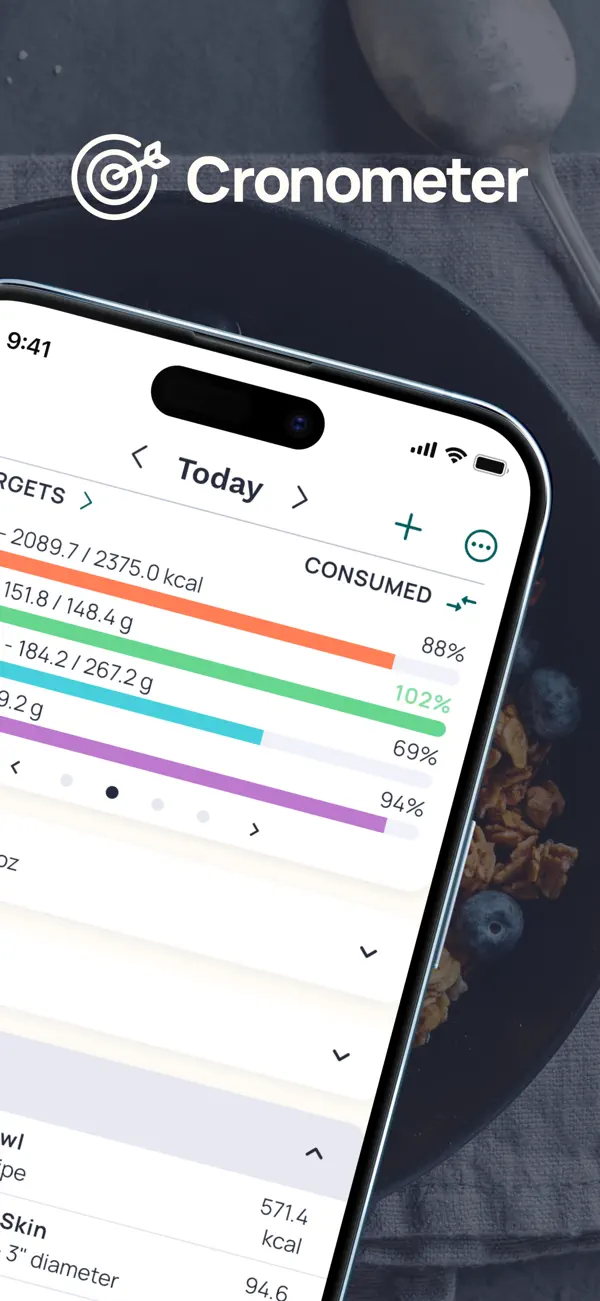
Cronometer is the accuracy pick. Its database is curated rather than crowd-sourced, and it reports total sugar and added sugar as separate lines — which matters, because an apple and a can of cola are not the same problem.
It has 5M+ Play installs and holds 4.8 on the App Store across nearly 98,000 ratings. Barcode scanning, recipes and charts are free. Gold ($10.99/month or $59.99/year) adds photo logging, voice logging and custom charts.
The honest cost is time. A half-logged day gives you a sugar figure that is wrong in the reassuring direction. If you will not log dinner, pick something further down this list.
Pick Cronometer if you want real numbers and you are willing to log real meals.
2. MyNetDiary — best food database for beginners
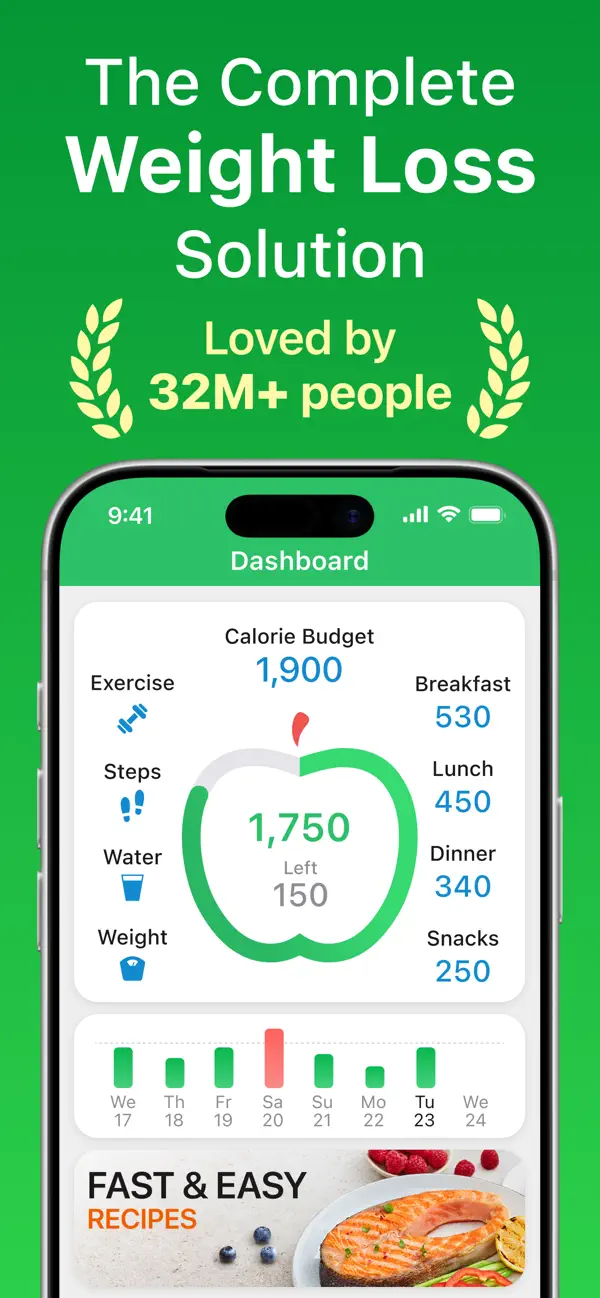
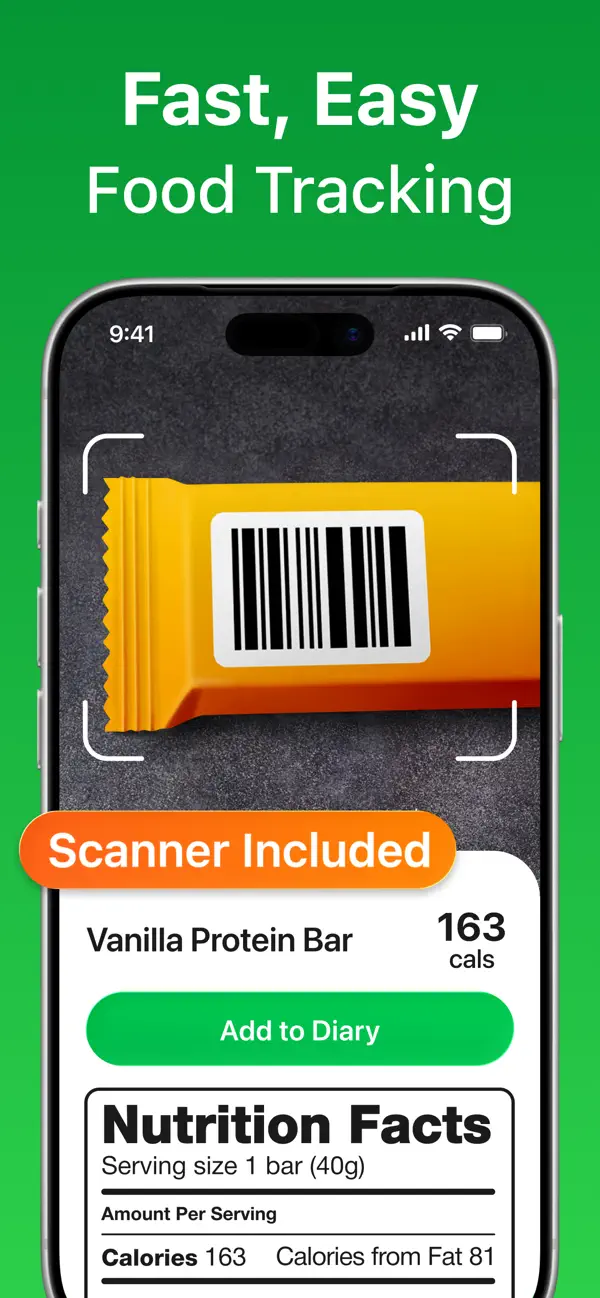
MyNetDiary covers the same ground as Cronometer with a friendlier on-ramp. Barcode scanning is free, and the app nudges you through setup instead of dropping you into a nutrient grid.
The numbers back it up: 4.8 on the App Store from 164,000+ ratings, 4.7 on Play from 116,000 reviews, and 5M+ installs. Premium runs $8.99/month or $59.99/year.
Sugar here is one nutrient among many rather than the headline. You can pin it to your dashboard, but this is a calorie tracker that also does sugar. For some people that is the point, since sugar rarely travels alone.
Pick MyNetDiary if you want a full food log and Cronometer's interface feels like a spreadsheet.
3. Sugar Tracker & Log — best pure sugar logger on iPhone
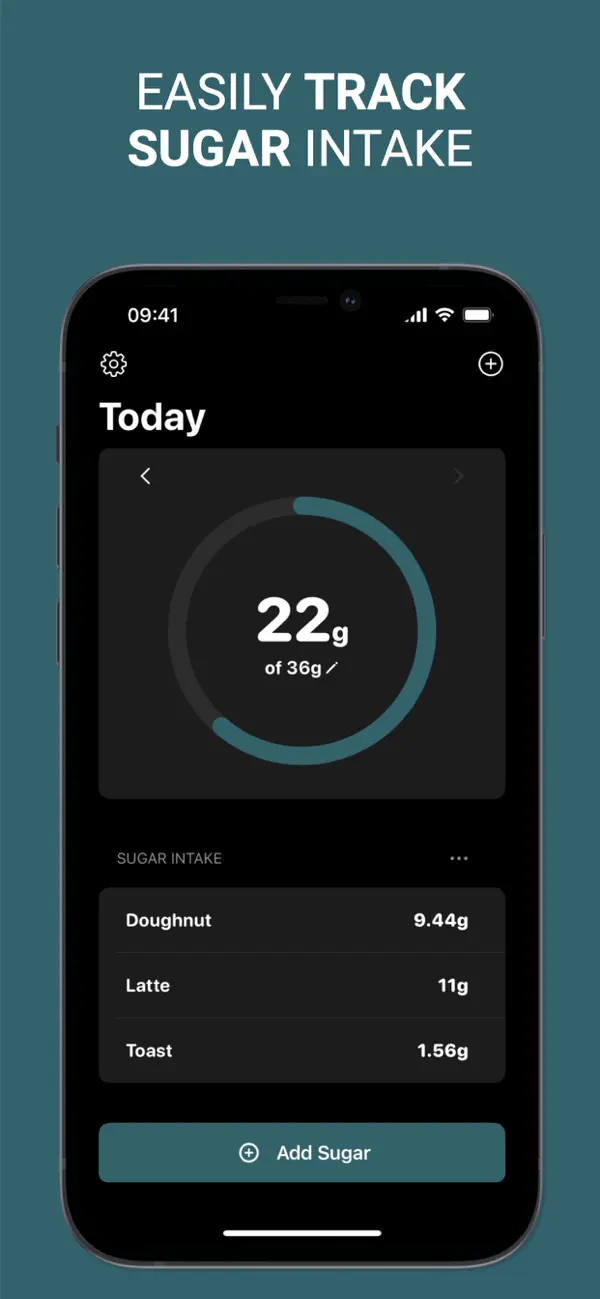
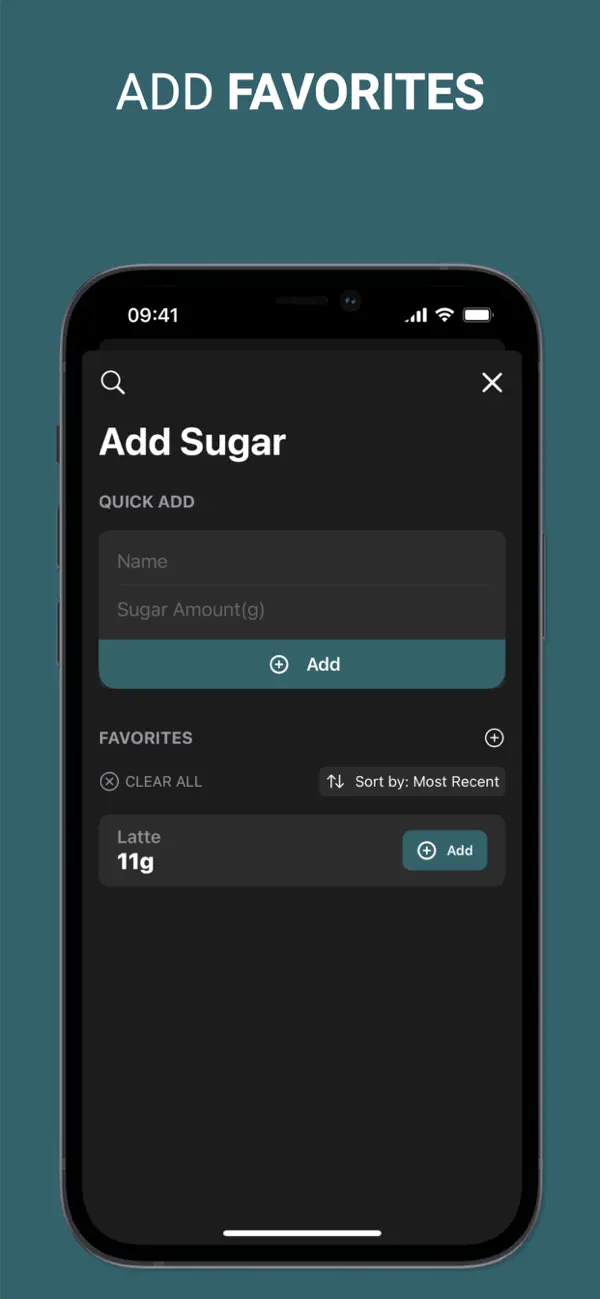
Sugar Tracker & Log from Ten Labs does one job well. You set a daily gram target, add sugar as you go, and watch a ring fill. The target shown in its store screenshots is 36 g, matching the AHA figure for men.
It holds 4.7 from 230 ratings, weighs 14.2 MB, and is iPhone-only. The ad-supported free tier covers daily logging and history. Pro ($3.99 or $23.99, depending on the plan) removes ads, unlocks food search, and saves unlimited favourites.
Food search is the feature worth paying for. The database is small next to Cronometer's, so expect to type in the odd number yourself.
Pick this if you want a sugar tracker and nothing else, and you are on iPhone.
4. Sugar Ai — best for people who will not type
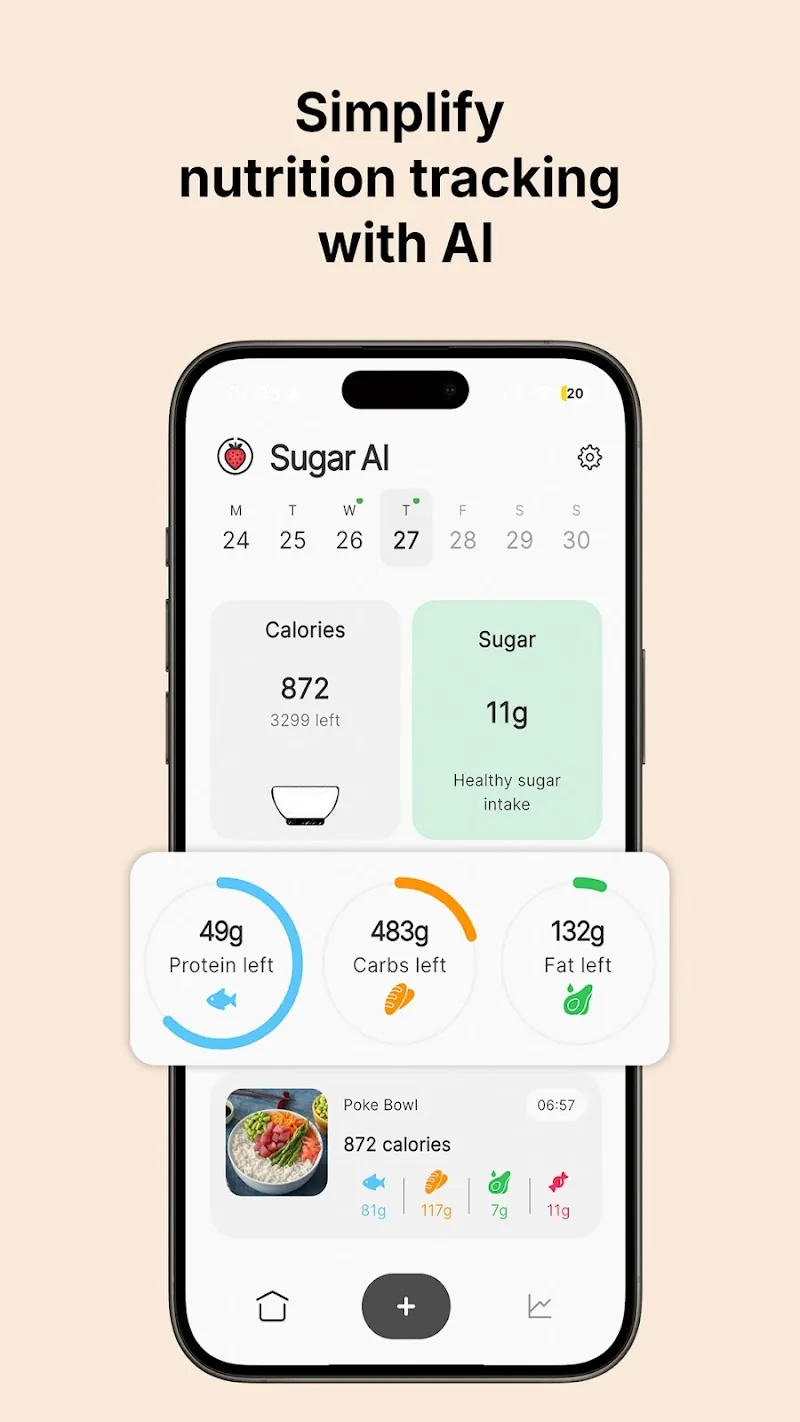
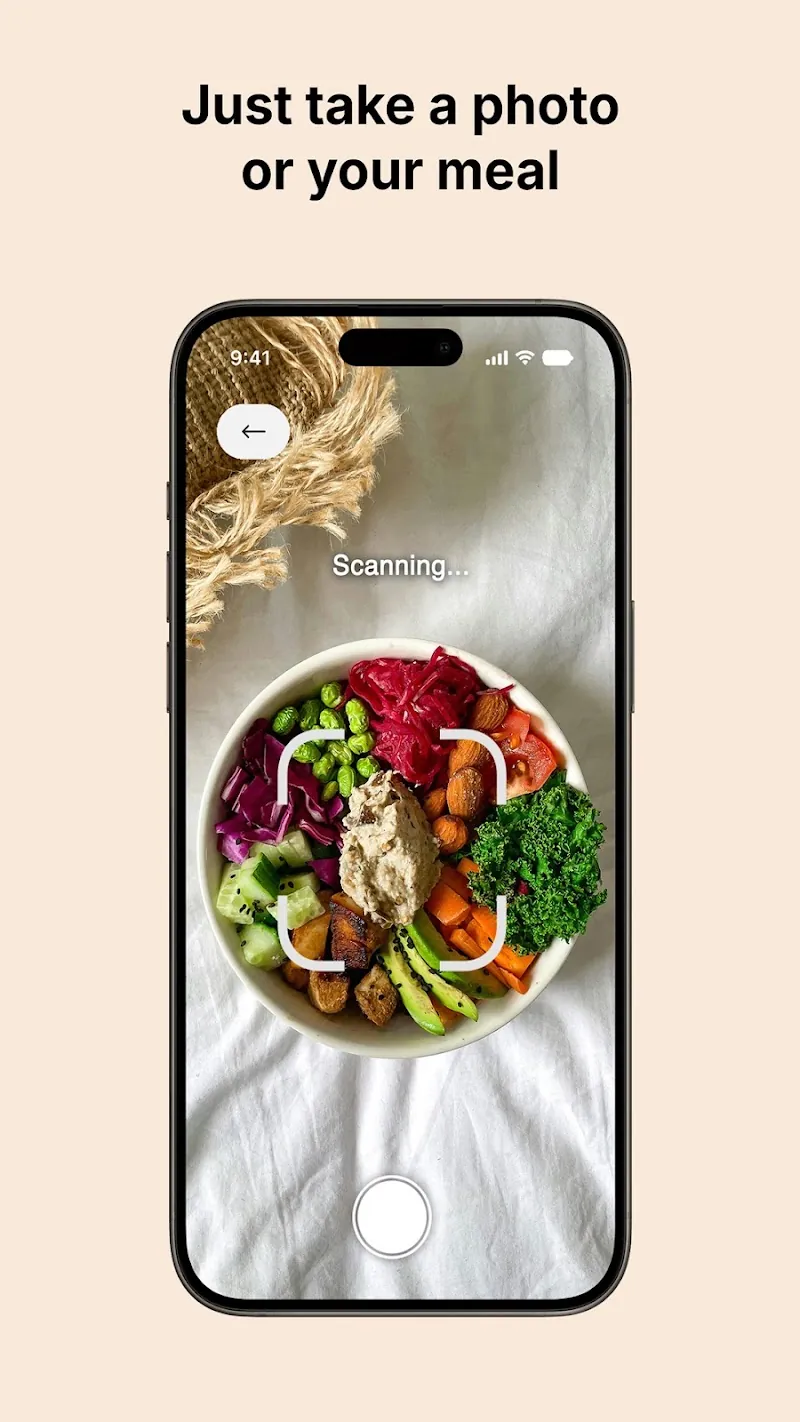
Sugar Ai photographs your plate, estimates what is in it, then scores your day on nutrition, macros and sugar. It is the most-used app in the sugar-only camp: 100K+ Play installs, 4.4 from 5,350 reviews, and 4.6 on the App Store from 266.
Photo logging removes the friction that kills most food diaries. It also introduces error. An AI estimate of the sugar in a home-made curry is a guess, and a confident-looking number feels more precise than it is.
The listing carries both ads and in-app purchases, which run from $0.99 to $99.99 per item on Play. Read the paywall before you tap through onboarding.
Pick Sugar Ai if photo logging is the only kind you will keep doing, and treat the grams as estimates.
5. Sugarcut — best for a structured sugar detox
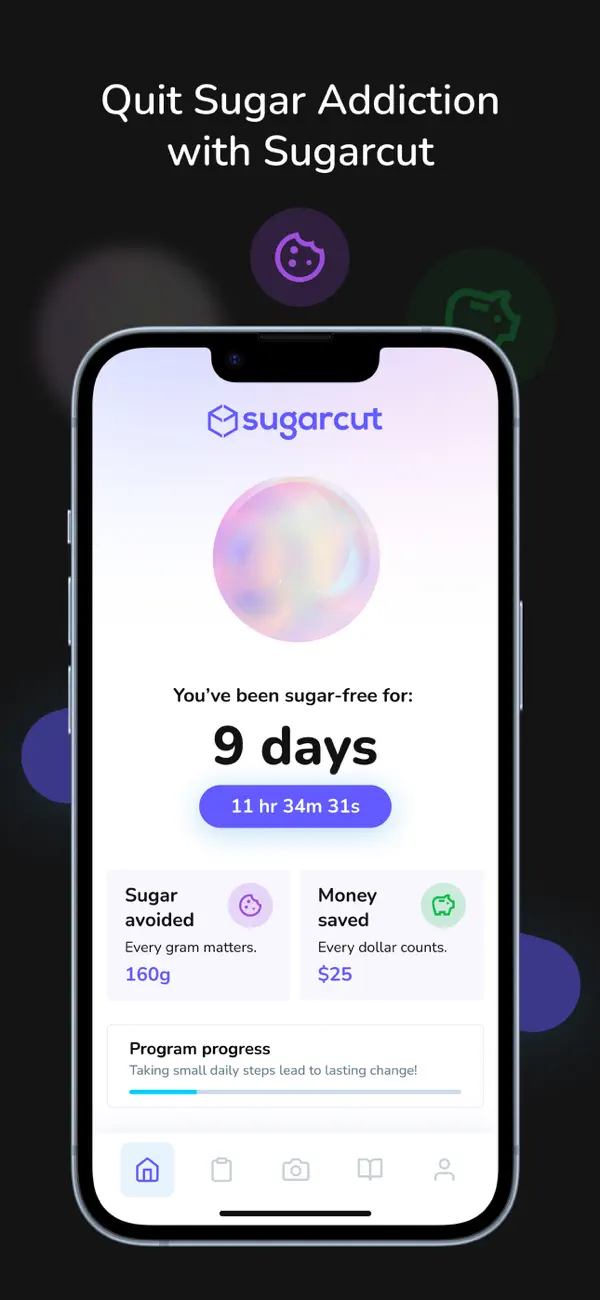
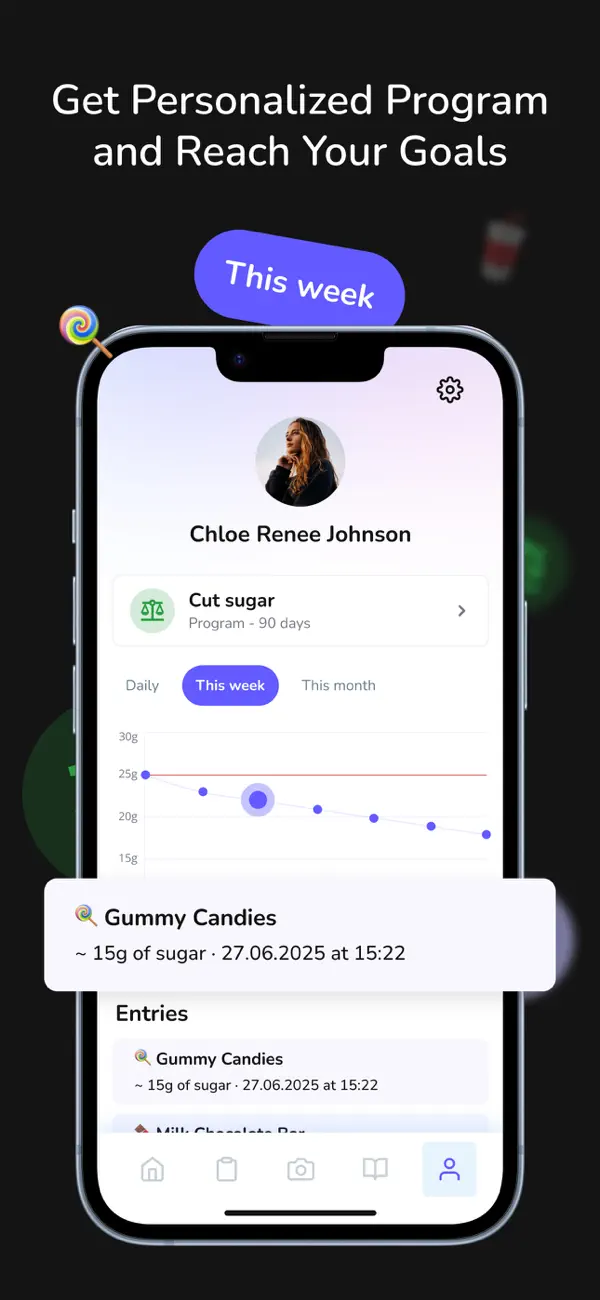
Sugarcut is not a neutral logger — it is a quit-sugar program. You choose a 90- or 120-day plan, and the app runs a sugar-free day counter, daily reflections, craving challenges and a panic button for the moment you are standing in front of the vending machine.
It is new: released August 2025, holding 4.6 from 17 App Store ratings and 4.3 from 99 Play reviews on 1K+ installs. That is a thin evidence base, so weigh the ratings lightly.
Pricing is the steepest here at $9.99 a month, with yearly plans between $19.99 and $35.95 depending on the offer. The program framing works if you respond to structure and a countdown. If you want a plain gram counter, the coaching layer will feel noisy.
Pick Sugarcut if "cut sugar" is a project with a start date, not a metric you want to watch.
6. SugarBot — sugar-first, but a very small user base
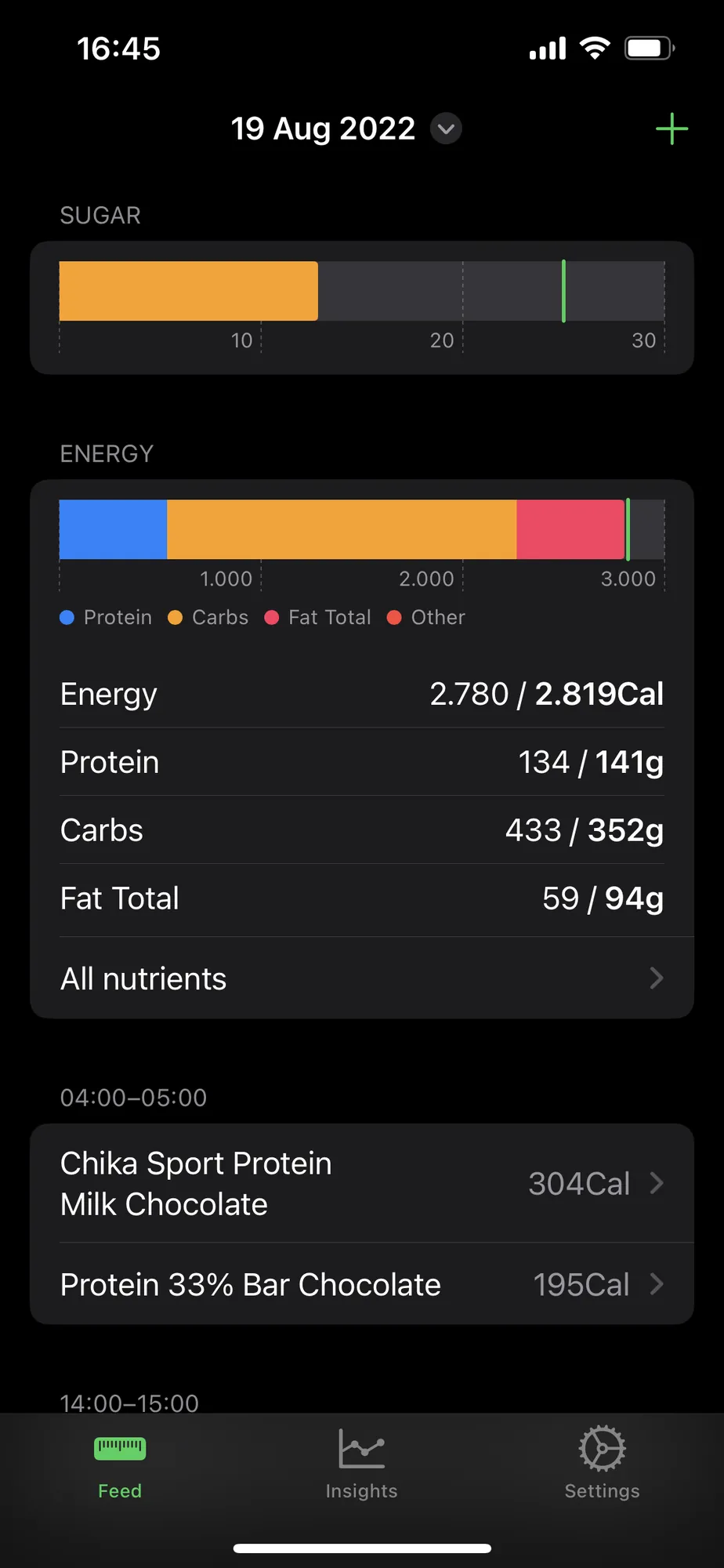
SugarBot is the interesting middle ground. Its dashboard puts a sugar bar at the top — scaled to 10, 20 and 30 g — and full macros underneath, so you get nutrition-tracker depth with sugar as the headline rather than a footnote.
The catch is scale. It carried 5.0 stars from three ratings, which tells you nothing statistically, and the marketing site still shows a screenshot dated 2022. The app was updated in April 2026, but its US App Store page did not load when we re-checked in October 2026, so confirm it is still available before choosing it. Its listed subscriptions were $1.99 weekly, $4.99 monthly or $29.99 yearly, iPhone only.
Pick SugarBot if you want sugar front and centre with macros behind it, and can live with an indie app few people have reviewed.
7. Suglog — the barebones Android option
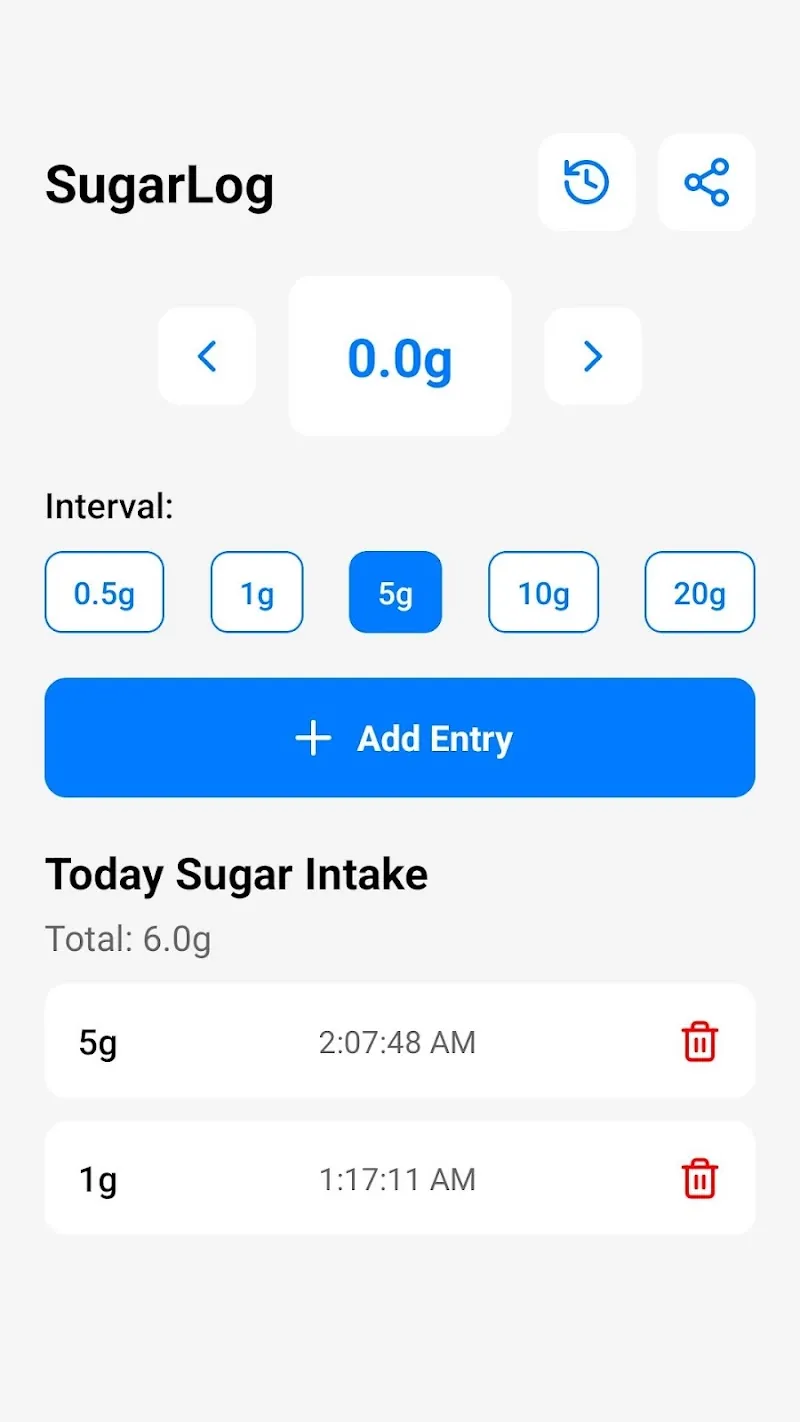
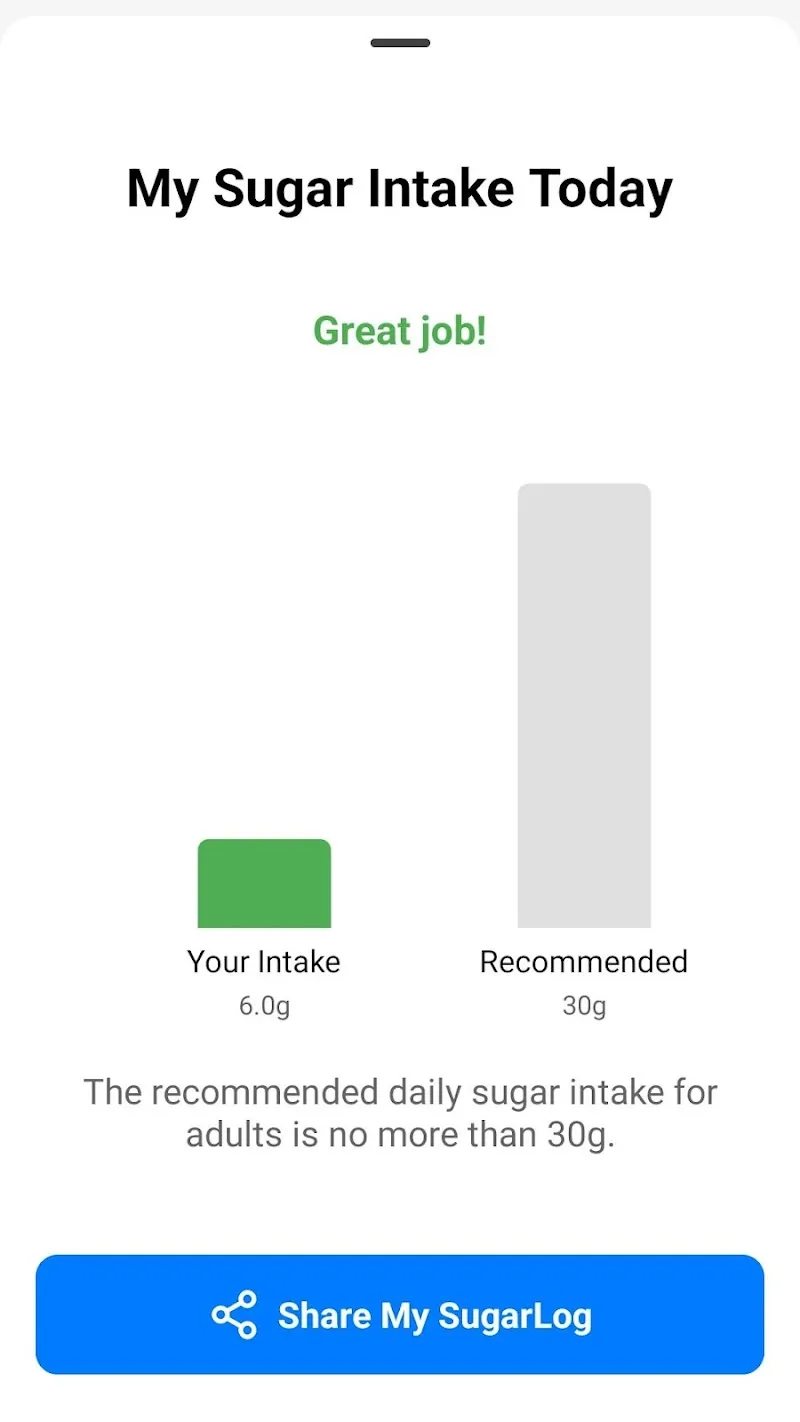
Sugar Intake Tracker – Suglog is as basic as this category gets. Tap 0.5 g, 1 g, 5 g, 10 g or 20 g, and the day adds up. A bar chart compares your intake against a 30 g recommendation.
There is no food database, no barcode scanner and no account. There is also no rating on the Play listing yet, and only 500+ installs. It is free and ad-supported.
The estimate problem is real here: with no food lookup, every entry is a number you invented. That works for a daily sweetened coffee whose label you know. It falls apart on mixed meals.
Pick Suglog if you are on Android, want zero setup, and already know the grams you are logging.
8. HabitBox — best if you want a streak, not a food diary
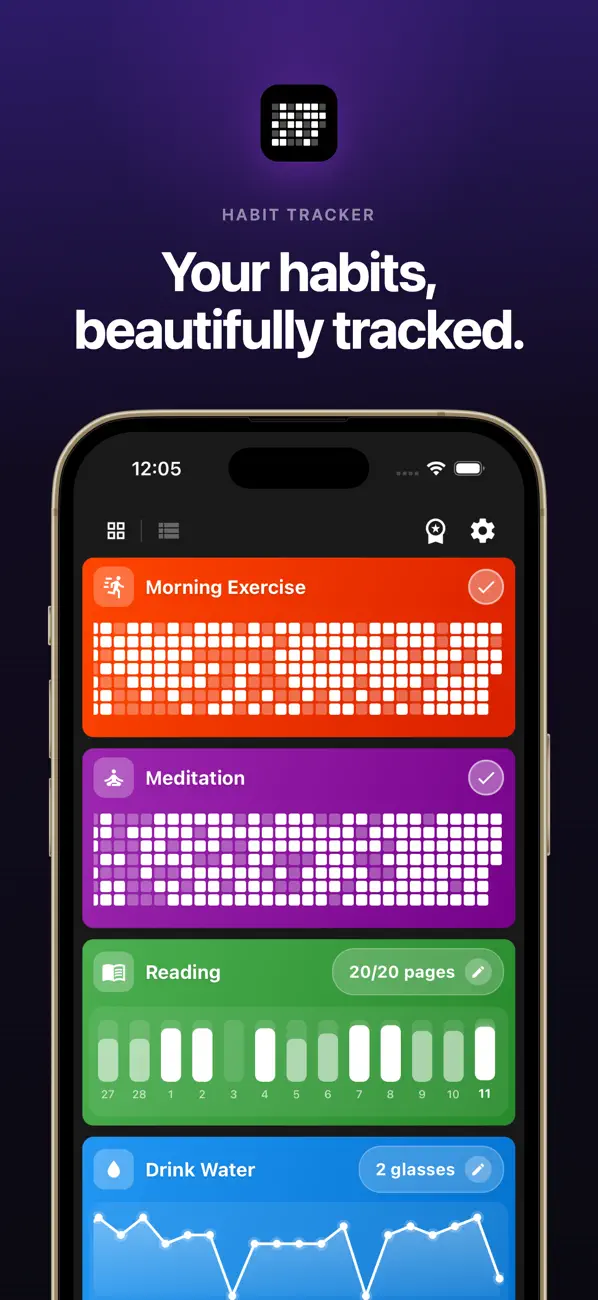
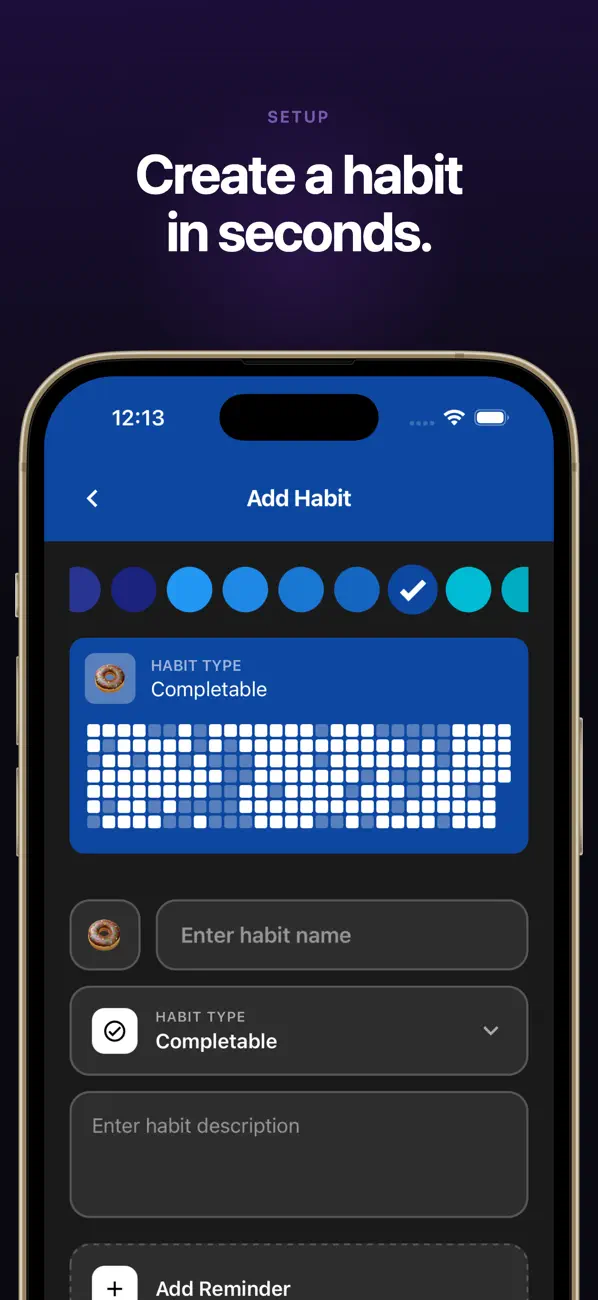
HabitBox is a habit tracker, not a nutrition app — and for a certain reader that is the right tool. Instead of logging grams, you set up one habit ("stayed under my sugar limit" or "no soda today"), tap it once at the end of the day, and a calendar heatmap fills in. Count-based habits handle the middle ground if you would rather log "2 sweet things today" than grams.
What it gives you is consistency rather than precision. The check-in takes a second, so it survives busy days, and the streak sits next to the other habits you track. Charts and stats are free for everyone, there is no account or sign-up, and your data stays on the device — on iPhone with optional iCloud sync through your own iCloud. It holds 4.6 from 271 ratings across both stores.
The honest limits: no food database, no barcode scanner, no gram totals, and no idea what was in your lunch. If you need to find hidden sugar, use one of the seven apps above. If you already know where yours comes from, a food diary is a lot of work to prove a point you have already made.
Pick HabitBox if the problem is consistency, not information.
Where added sugar actually hides
Most people who start tracking are surprised twice. The first surprise is the drinks. The WHO notes that a single can of sugar-sweetened soda holds up to 40 grams of free sugars — about 10 teaspoons, and more than the AHA's whole-day limit for a man.
The second surprise is savoury food. One tablespoon of ketchup carries around 4 grams of free sugars, per the same WHO briefing. Pasta sauce, bread, salad dressing, flavoured yoghurt and granola bars all land in the same trap: not sweet enough to feel like dessert, sweet enough to eat your daily budget.
This is the argument for spending two weeks with a food-database app even if you plan to switch later. You are not tracking forever — you are running an audit to find which handful of items produce most of your sugar. Our guide to breaking a junk food habit covers what to do once you have the list.
One label trick worth knowing: Nutrition Facts panels split "Total Sugars" and "Includes X g Added Sugars". The added-sugar line is the one to read. Fruit and plain milk feed the total, and no health body asks you to cut those.
How to make sugar tracking stick
The apps are the easy part. Here is what separates the people still logging in month two.
Start with the label number, not the ambitious one
Set your limit at 50 g before you set it at 25 g. Hitting a target six days out of seven teaches your brain that you succeed at this. Missing a tight target five days a week teaches the opposite, and that is when people delete the app.
Log the drink first
If you track one thing, track liquid sugar. Sodas, juices, energy drinks and sweetened coffee are the biggest single source for most people, and cutting them moves the number more than any food swap. Our water tracker app roundup covers the obvious replacement.
Attach logging to a meal you never skip
A reminder at a random hour gets dismissed. A log that happens right after dinner, every night, becomes automatic because dinner is the cue.
Decide your exit in advance
Full food logging is a phase, not a life. Give yourself two to four weeks with a database app, then downgrade to whatever you will keep doing. If you want a target for the rest of your plate, our macro calculator sets your protein, carbs and fat.
Do not stack it on three other tracking habits
If you are already logging food, workouts, fasting windows and mood, adding a fifth is how all five collapse. Our best habit tracker app guide covers folding these into one place, and the intermittent fasting tracker roundup helps if you already track eating windows.
Decision tree: which sugar tracker fits you?
| Your situation | Use this |
|---|---|
| Want the most accurate added-sugar figure | Cronometer |
| Want a full food log with an easy start | MyNetDiary |
| Want sugar grams and nothing else, on iPhone | Sugar Tracker & Log |
| Will only log by photographing your plate | Sugar Ai |
| Want a structured quit-sugar program with a countdown | Sugarcut |
| Want sugar first with macros behind it | SugarBot |
| On Android, want the simplest possible counter | Suglog |
| Already know your problem foods, want a daily streak | HabitBox |
| Tracking three or more habits already | Whichever tracker you already open daily |
If you are torn between camps, ask one question: do you know where your sugar comes from? If no, spend two weeks in Cronometer or MyNetDiary. If yes, a gram counter is busywork — take the daily check-in and keep the streak.
FAQ
What is the best app for tracking sugar intake?
How much added sugar can I have per day?
Is there a free sugar intake tracker?
Do sugar trackers count fruit and milk sugar?
Can a habit tracker work as a sugar tracker?
The bottom line
A sugar intake tracker only works if its daily cost matches your patience. Cronometer and MyNetDiary buy you accuracy and charge you time. Sugar Tracker & Log, Sugar Ai, Sugarcut, SugarBot and Suglog buy you speed and charge you precision. HabitBox skips the food data and keeps the streak.
Set your limit first — 50 g from the food label, or 25 g for the AHA's tighter target. Then pick the lightest tool that answers your question. Two weeks of careful logging usually finds the problem, and after that, a one-second check-in beats an abandoned food diary.

Mira Hartwell
Editor, HabitBoxEditor at HabitBox. Writes about habit science and productivity, grounding every post in named research (Lally, Wood, Walker, Huberman) instead of recycled advice. Read full bio →